
This document will continue to evolve as existing sections change and new information is added. All updates appear in the following table:
| Date | Product | Feature | Notes |
|---|---|---|---|
| 25 MAR 2021 | Created initial document. |
This guide outlines the information you need to know about new or improved functionality in this update.
GIVE US FEEDBACK
We welcome your comments and suggestions to improve the content. Please send us your feedback at omcdocumentation_ca@oracle.com.
Column Definitions:
Report = New or modified, Oracle-delivered, ready to run reports.
UI or Process-Based: Small Scale = These UI or process-based features are typically comprised of minor field, validation, or program changes. Therefore, the potential impact to users is minimal.
UI or Process-Based: Larger Scale* = These UI or process-based features have more complex designs. Therefore, the potential impact to users is higher.
Features Delivered Disabled = Action is needed BEFORE these features can be used by END USERS. These features are delivered disabled and you choose if and when to enable them. For example, a) new or expanded BI subject areas need to first be incorporated into reports, b) Integration is required to utilize new web services, or c) features must be assigned to user roles before they can be accessed.
| Ready for Use by End Users Reports plus Small Scale UI or Process-Based new features will have minimal user impact after an update. Therefore, customer acceptance testing should focus on the Larger Scale UI or Process-Based* new features. |
Customer Must Take Action before Use by End Users Not disruptive as action is required to make these features ready to use. As you selectively choose to leverage, you set your test and roll out timing. |
|||||
|---|---|---|---|---|---|---|
| Feature |
Report |
UI or |
UI or |
|
||
You can now integrate Oracle Unity with Oracle CrowdTwist to seamlessly send data between the two platforms.
Using this integration, you can:
- Export Unity segments to CrowdTwist
- Import CrowdTwist data into Unity
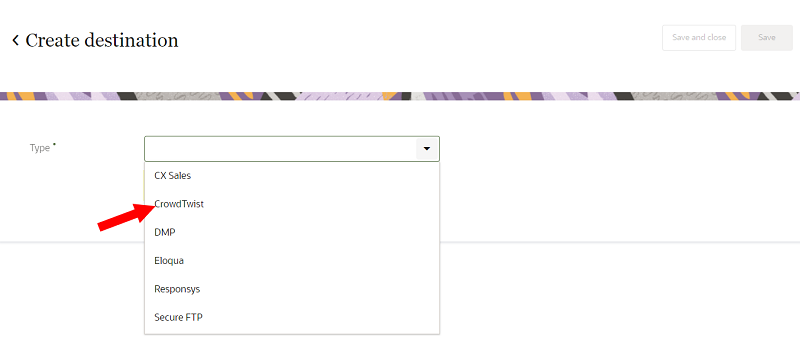
This provides Unity with additional behavioral based data from which you can build segments.
Steps to Enable
Oracle CrowdTwist is required to use this feature.
Please contact your account manager to enable this feature.
Key Resources
Segment base object configuration
You can now hide unused base objects from the drop-down selection list when creating a segment.
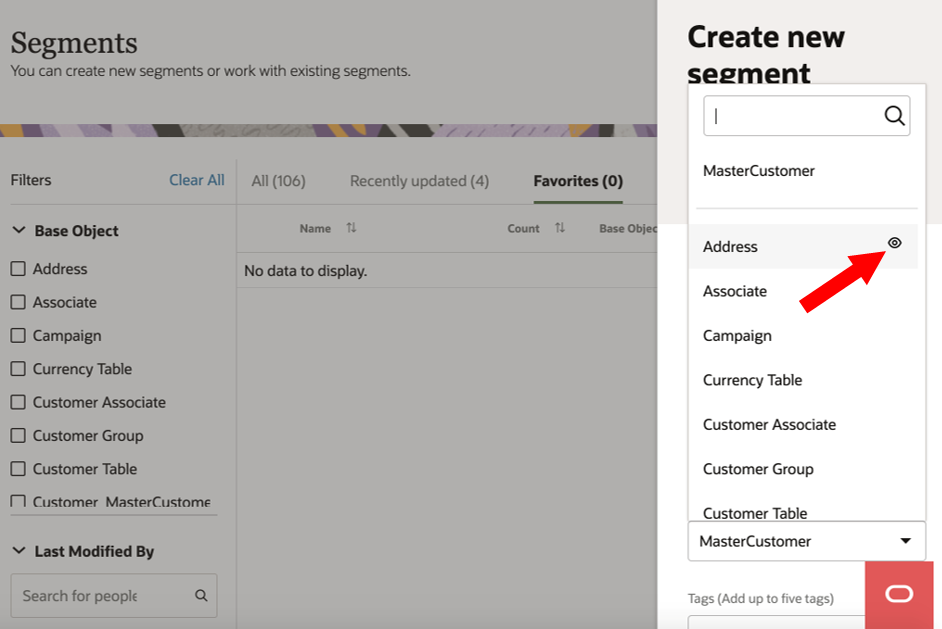
This reduces the noise of unused base objects showing up during segmentation creation. Now you can only see the base objects that you are interested in using.
Steps to Enable
You don't need to do anything to enable this feature.
Key Resources
Role Information
This feature is available to Instance Admins.
You can now configure the segmentation canvas to report the number of base entities (for example, the number of master customers) that meet the conditional criteria.
You can now get a more valid count of customers that meet the conditional criteria of a segment.
Steps to Enable
You don't need to do anything to enable this feature.
Key Resources
Enhancement to search on the segmentation canvas
You can now search for data object names in the My data section of the segmentation canvas.
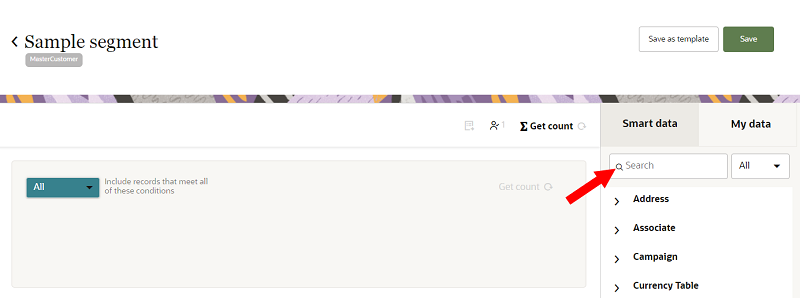
This gives you a quick and convenient way to find data objects when creating segments.
Steps to Enable
You don't need to do anything to enable this feature.
Key Resources
When creating segments, you can now view up to 200 values in the lookup list.
This allows you to create and configure segments more efficiently.
Steps to Enable
You don't need to do anything to enable this feature.
Key Resources
The Instance admin and Data master user roles can now mask individual attributes in the Unity UI.
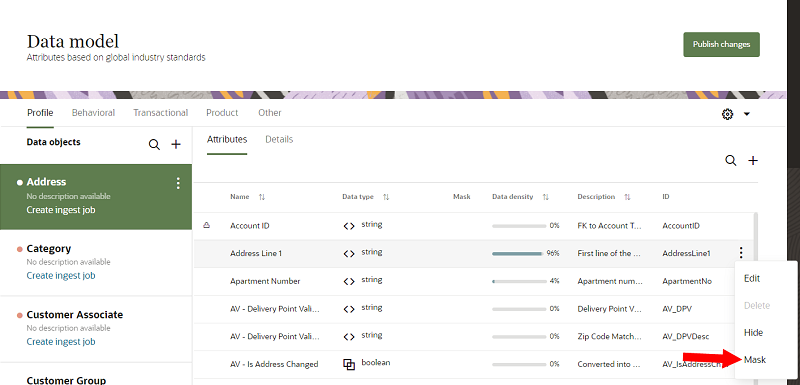
From a corporate governance perspective, this feature helps customers to protect data in situations where it might be visible to someone who is not authorized to view it. This data can be classified as personally identifiable information (PII), sensitive personal data, or commercially sensitive data,
Steps to Enable
You don't need to do anything to enable this feature.
Key Resources
Role Information
- This feature is available to the Instance admin and Data master user roles.
- After masking an attribute, Instance admins will still view the attribute's real value.
You can generate a hash of imported data strings and store the transformed data in the Unity data model.
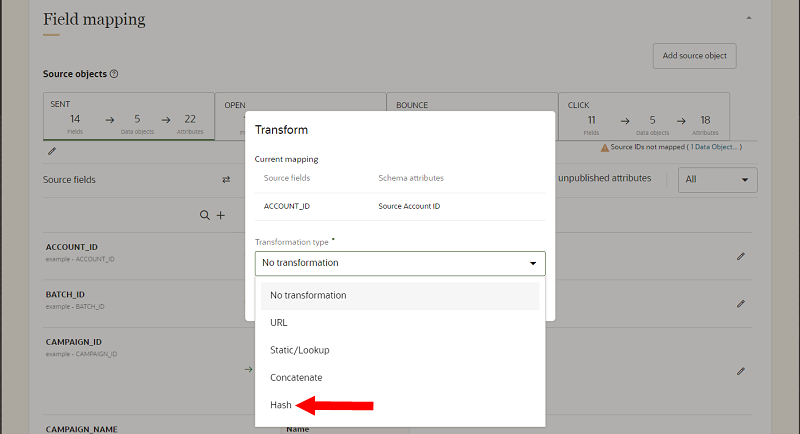
Hashing is useful for verifying the authenticity of digital data and also helps with data integrity. It provides incontestable and easily verifiable evidence that the data has not been tampered. Using this feature, string fields like email addresses can be hashed before exporting them from Unity to other destination systems.
Steps to Enable
You don't need to do anything to enable this feature.
Key Resources
Role Information
This feature is available to Instance Admins, Data Masters, and Data Engineers.