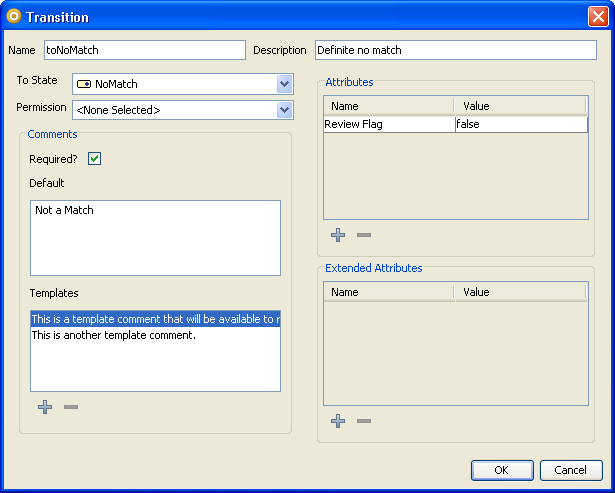
Transitions are defined in the Transition dialog, which can be accessed from either the States tab or the Reception tab on the Workflow Editor, within Case Management Administration. Open the dialog by pressing the 'Add...' button under the Transitions list to create a new transition, or by double-clicking on an existing transition to edit it.
The transition dialog consists of three main areas:
Each of these sections is described in more detail below. When you have defined all the attributes of your transition, press the 'OK' button to save your changes.
This part of the screen defines the name and description of the transition, along with its target state and permission.
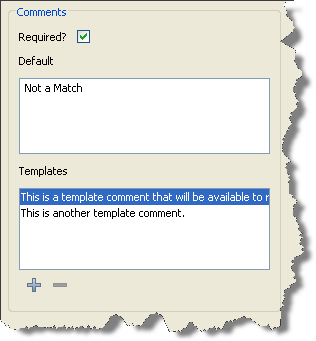
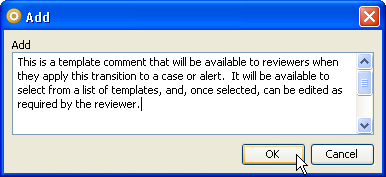
This part of the screen defines the comment configuration for the transition. Transitions can be configured to require that a comment is entered whenever that transition is applied to a case or alert. It is also possible to define a default comment, to cover the most common scenario in which the transition is used, and one or more template comments, to cover other common scenarios.
This part of the screen displays the changes that this transition will make to the attributes and extended attributes of the case or alert whenever it is used. The upper box displays the changes that will be made to the case or alert attributes; the lower one displays those for the extended attributes.
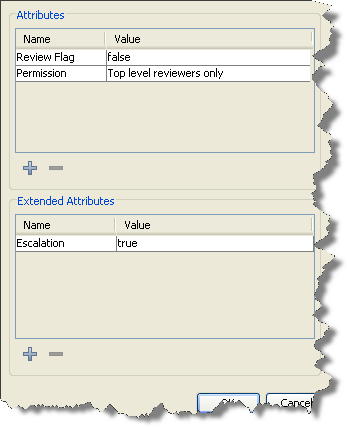
To add an action to either list, press on the '+' button below it. To edit an existing action, double-click on it. To delete an action, click on it in the list and press the '-' button under the list.
The dialog for adding or editing an action of either kind is requires only that the attribute, or extended attribute, and its new value is specified. The control used to enter the new value for the attribute will change, according to the attribute type:
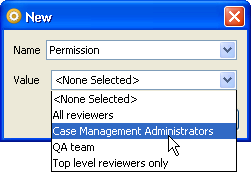
Press 'OK' when you have set the attribute and value you require.
Oracle ® Enterprise Data Quality Help version 9.0
Copyright ©
2006,2011 Oracle and/or its affiliates. All rights reserved.