
- Revision History
- Overview
- Feature Summary
- Eloqua Marketing Automation
-
- User Experience
- Emails and Landing Pages
- Marketing Operations Center
- Segments
- Campaigns and Programs
- Integrations
-
- Salesforce App - Import Deleted Campaign Members
- Salesforce App - Run Contact or Account Update Before Custom Object Sync
- Salesforce App - Email Address Unsubscribe
- Salesfore App - Re-sync Marketing Activities
- Salesforce App - Custom Salesforce Contact Object Name for Upsert and Campaign Response Actions
- Salesforce App - Updates to Email Notification Templates
- Oracle CX Sales App
-
- Analytics
- Advanced Intelligence
- Security
- Mobile
- Apps
- Administration
- Data
- Developer Changelog
This document will continue to evolve as existing sections change and new information is added. All updates appear in the following table:
| Date | Module | Feature | Notes |
|---|---|---|---|
| 05 MAY 2023 | Created initial document. |
 HAVE AN IDEA?
We’re here and we’re listening. If you have a suggestion on how to make our cloud services even better then go ahead and tell us. There are several ways to submit your ideas, for example, through the Dream It / Ideas Lab area in Oracle's Topliners Community. Wherever you see this icon after the feature name it means we delivered one of your ideas.
GIVE US FEEDBACK
We welcome your comments and suggestions to improve the content. Please send us your feedback at omcdocumentation_ca@oracle.com.
DISCLAIMER
The information contained in this document may include statements about Oracle’s product development plans. Many factors can materially affect Oracle’s product development plans and the nature and timing of future product releases. Accordingly, this Information is provided to you solely for information only, is not a commitment to deliver any material, code, or functionality, and should not be relied upon in making purchasing decisions. The development, release, and timing of any features or functionality described remains at the sole discretion of Oracle.
This information may not be incorporated into any contractual agreement with Oracle or its subsidiaries or affiliates. Oracle specifically disclaims any liability with respect to this information. Refer to the Legal Notices and Terms of Use for further information.
Column Definitions:
Report = New or modified, Oracle-delivered, ready to run reports.
UI or Process-Based: Small Scale = These UI or process-based features are typically comprised of minor field, validation, or program changes. Therefore, the potential impact to users is minimal.
UI or Process-Based: Larger Scale* = These UI or process-based features have more complex designs. Therefore, the potential impact to users is higher.
Features Delivered Disabled = Action is needed BEFORE these features can be used by END USERS. These features are delivered disabled and you choose if and when to enable them. For example, a) new or expanded BI subject areas need to first be incorporated into reports, b) Integration is required to utilize new web services, or c) features must be assigned to user roles before they can be accessed.
| Ready for Use by End Users Reports plus Small Scale UI or Process-Based new features will have minimal user impact after an update. Therefore, customer acceptance testing should focus on the Larger Scale UI or Process-Based* new features. |
Customer Must Take Action before Use by End Users Not disruptive as action is required to make these features ready to use. As you selectively choose to leverage, you set your test and roll out timing. |
|||||
|---|---|---|---|---|---|---|
| Feature |
Report |
UI or |
UI or |
|
||
Count of Custom Objects Added to Marketing Operations Center |
||||||
Salesforce App - Run Contact or Account Update Before Custom Object Sync |
||||||
Salesforce App - Custom Salesforce Contact Object Name for Upsert and Campaign Response Actions |
||||||
Explore Eloqua's New Redwood Experience
Redwood is the name of Oracle's next generation user experience. Redwood brings a consistent experience across Oracle products, and is now available for Eloqua in controlled availability.
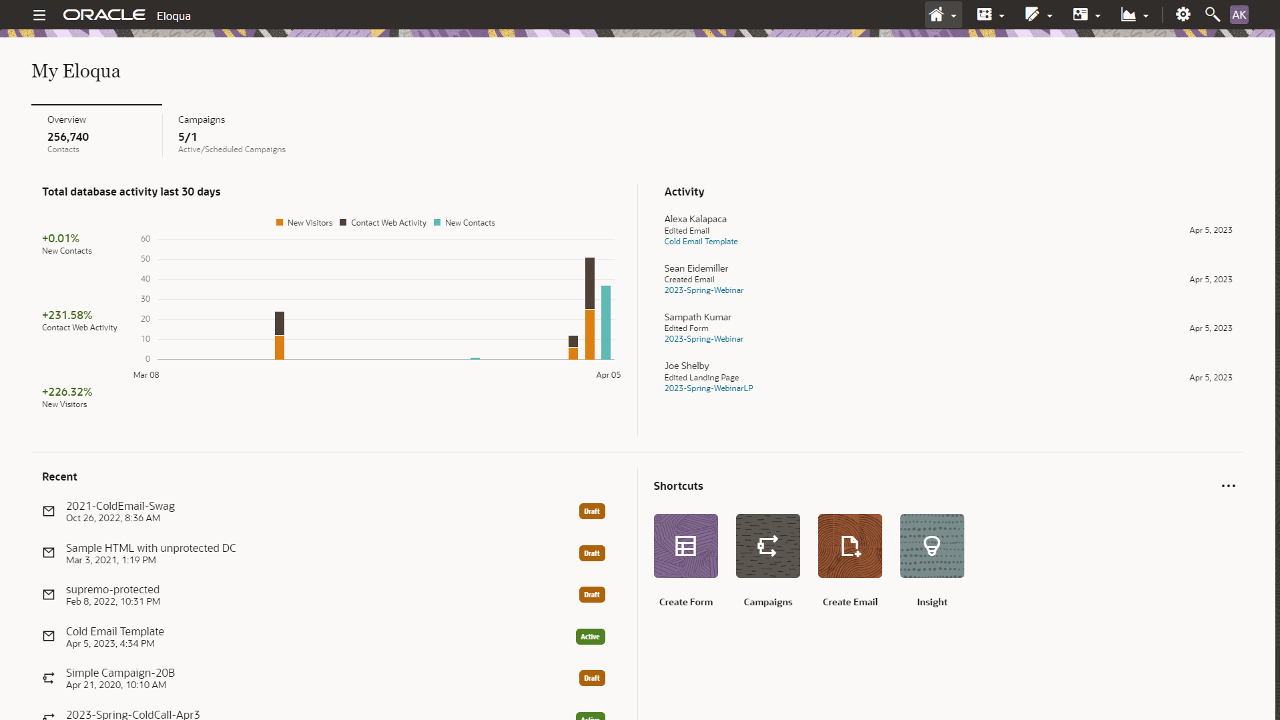
Explore Redwood in the following feature areas in Eloqua:
- My Eloqua
- Contacts
- Accounts
- Microsites
- Campaign Settings
It’s your chance to preview the latest in our Redwood Experience for an enhanced user experience. Leverage early access to the new user experience in order to update your own resources and training materials utilized internally.
Steps to Enable
To enable this feature you need to log a Service Request (SR).
Join the controlled availability program:
- Opt-in by opening an SR (Service Request) with Oracle Support
- Decide whether all users or only certain users can use the new Redwood experience
Tips And Considerations
Switch back and forth between the Redwood experience at any time from the Eloqua menu.
New feature areas added every release!
Key Resources
- More information can be found in our Product Notice
Access Requirements
Eloqua Admins must opt-in by opening an SR (Service Request) with Oracle Support.
Intermediary Unsubscribe Landing Pages
Add intermediary unsubscribe landing pages that will help protect against unintentional unsubscribes resulting from email scanning tools.
- Easy to implement
- Customize to reflect your brand
- Enable from the email configuration screen
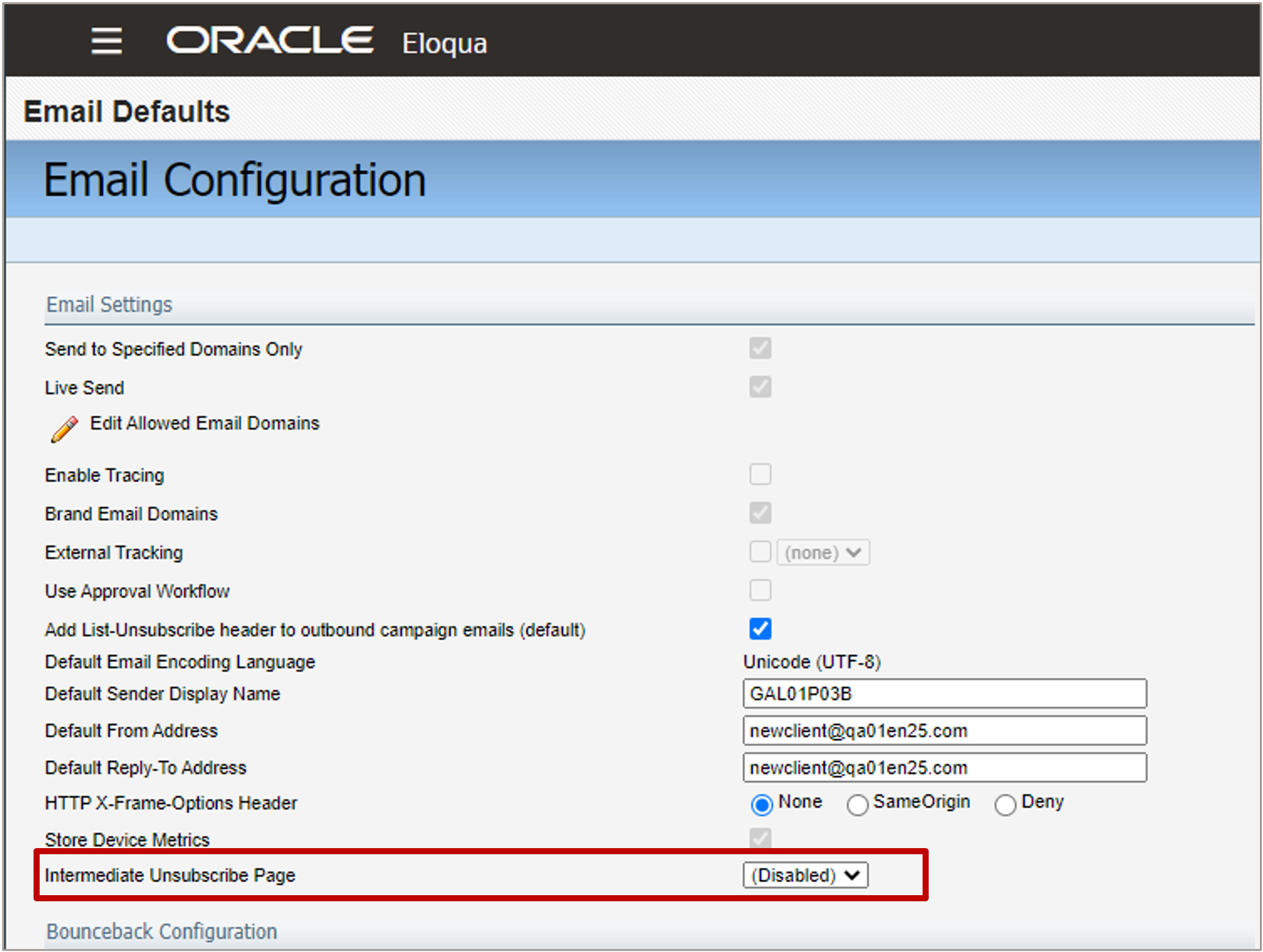
Offers a solution for direct unsubscribe links without requiring the marketing team to set up a Preferences Center.
Steps to Enable
You don't need to do anything to enable this feature.
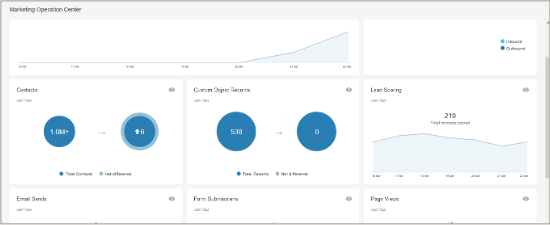
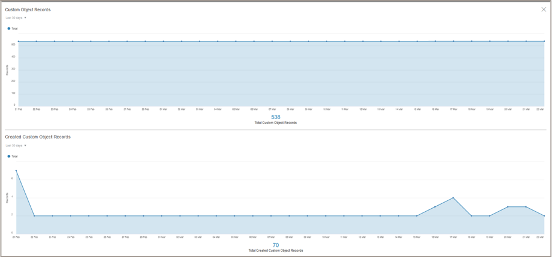
Count of Custom Objects Added to Marketing Operations Center
Count of total Custom Object records will be added to the Marketing Operations Center
- Total Custom Object Records and Net difference will be visible on the main page
- The drill down report will show the total Custom Object records over time, as well as the total Created Custom Object Records over time
Better visibility and insight
Steps to Enable
You don't need to do anything to enable this feature.
Key Resources
- Learn more about Custom Objects
- Learn more about the Marketing Operations Center
The Marketing Operations Center will be rearranged with Contacts, Custom Objects taking the place of Page Views.
Steps to Enable
You don't need to do anything to enable this feature.
Segmentation Performance Improvements
To help improve segmentation performance, we are changing the way segments are calculated.
- Current Behaviour: Each filter execution of segment is against the whole contact database and we calculate the final segment count based on the contacts in the included filter minus the contacts in excluded filter.
- After 23B: exclusions will be applied only on the contacts returned from the other Included filters in the segment.
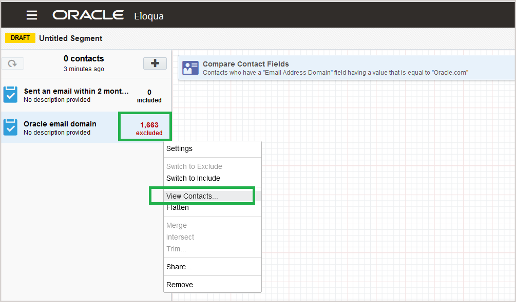
Ensures better segmentation performance
Steps to Enable
You don't need to do anything to enable this feature.
Tips And Considerations
- There will be no impact to the final segment or filter counts, or segment members. This change will be done behind the scenes to improve performance.
Move Step Members by Status
- New drop down with every status will enable the user to select all records with a specific status and move those members
Source Campaign Id
- View Step Members in Program Canvas will now include Source Campaign Id
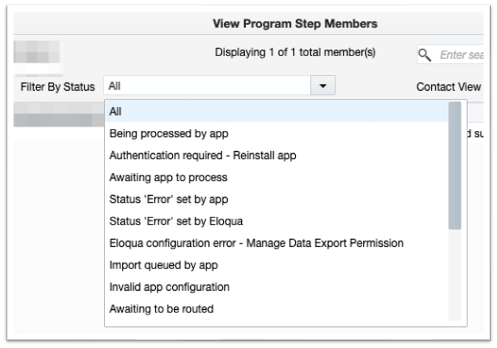
Additional flexibility with Program Canvas
Steps to Enable
You don't need to do anything to enable this feature.
Key Resources
- Learn more about Program Canvas
New Sending Options in Simple Campaigns
New sending options within Simple Campaigns:
- Send email to unsubscribed members
- Send email to master exclude members
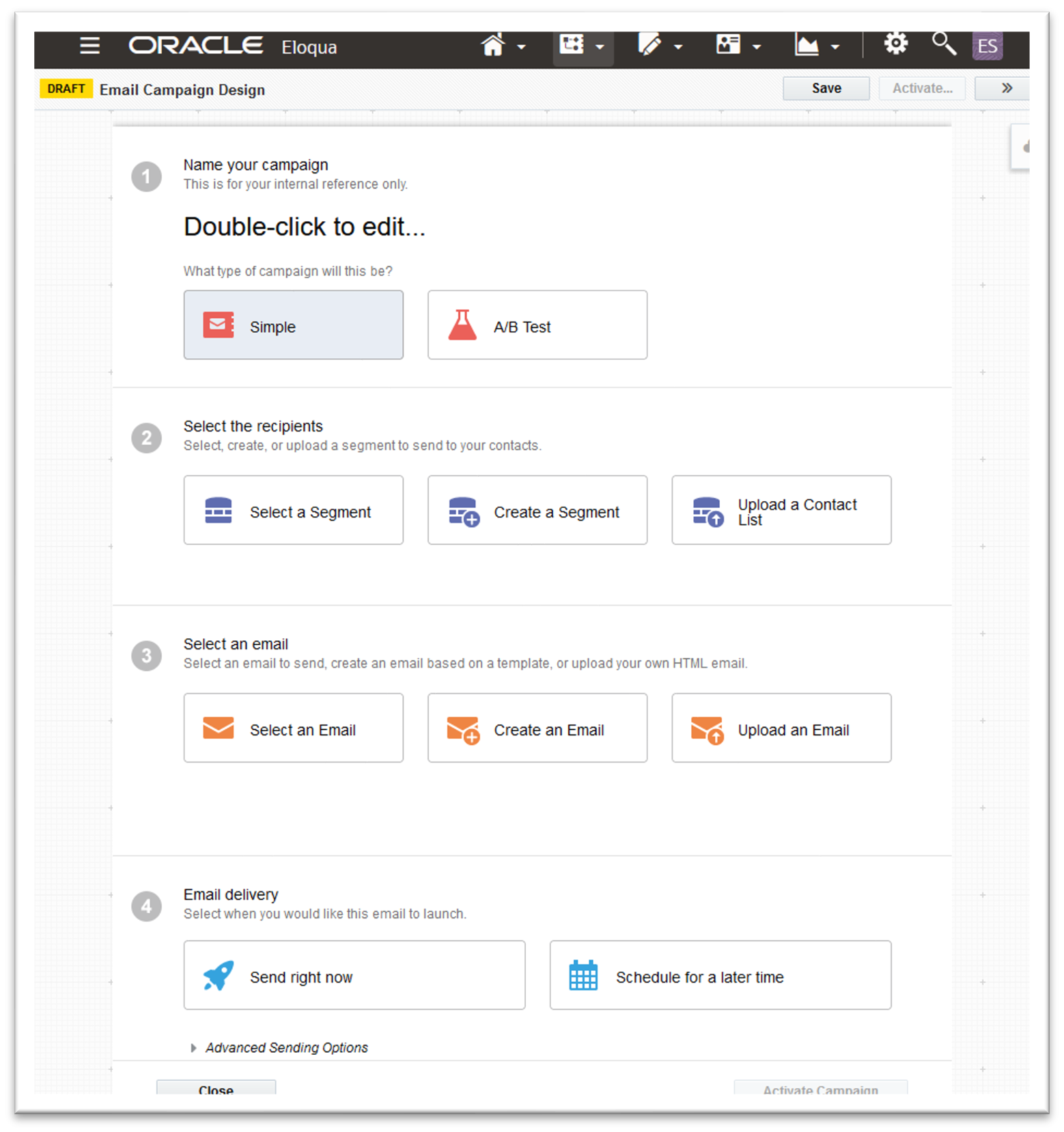
More flexibility with Simple Campaigns
Steps to Enable
You don't need to do anything to enable this feature.
Key Resources
- Learn more about Simple Campaigns
Salesforce App - Import Deleted Campaign Members
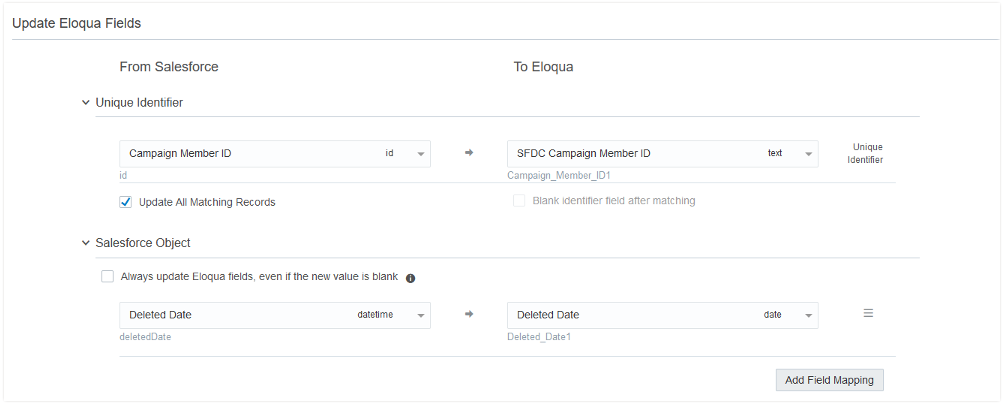
- Exclude deleted Salesforce Campaign Members from Eloqua Campaigns
- Imports > enable users to sync deleted Salesforce Campaign Member records to Eloqua
- Last 30 days only or earlier if an admin has purged the Recycle Bin
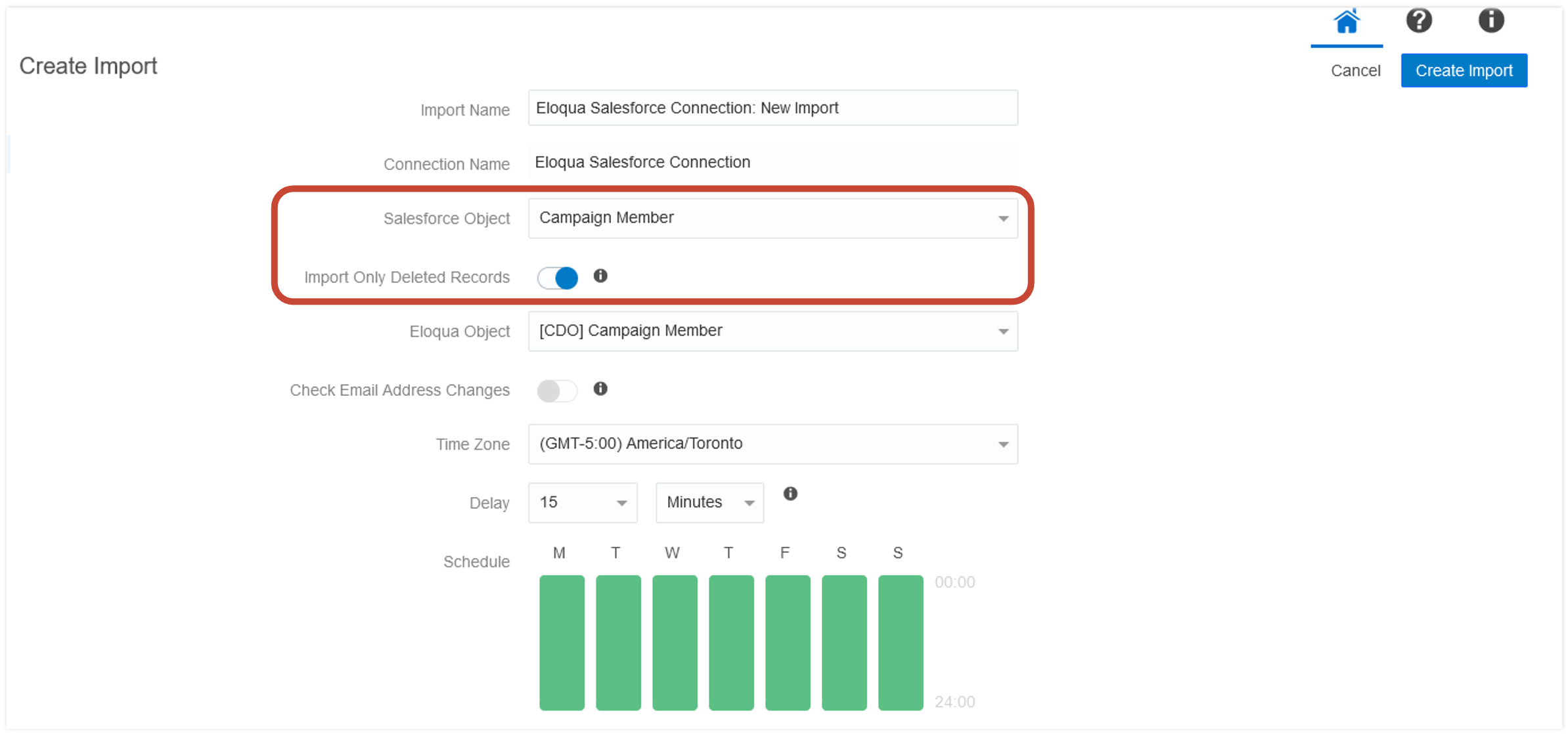
Steps to Enable
To enable this feature you need to log a Service Request (SR).
- Available in Controlled Availability. To request access, please open a Service Request with Oracle Support.
Tips And Considerations
- Arrives as part of our 23.05 Apps release on May 19, 2023 for all PODs.
Key Resources
- Learn more about Eloqua's Salesforce Integration App
Salesforce App - Run Contact or Account Update Before Custom Object Sync
Maintain data accuracy while syncing Contact or Account data between Sales and Marketing
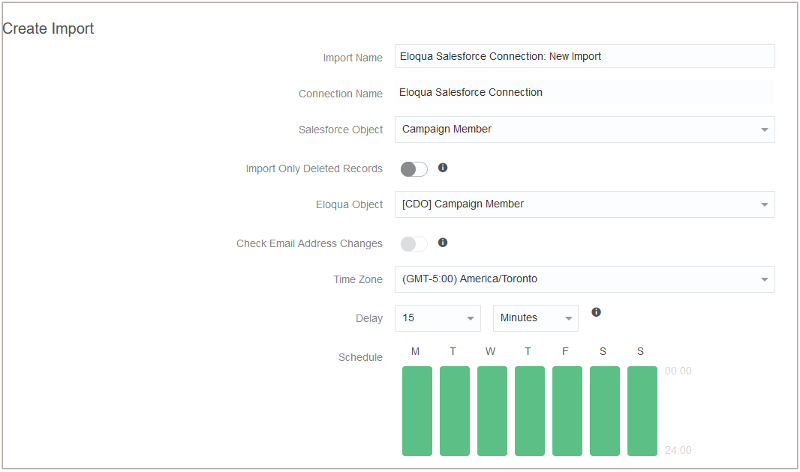
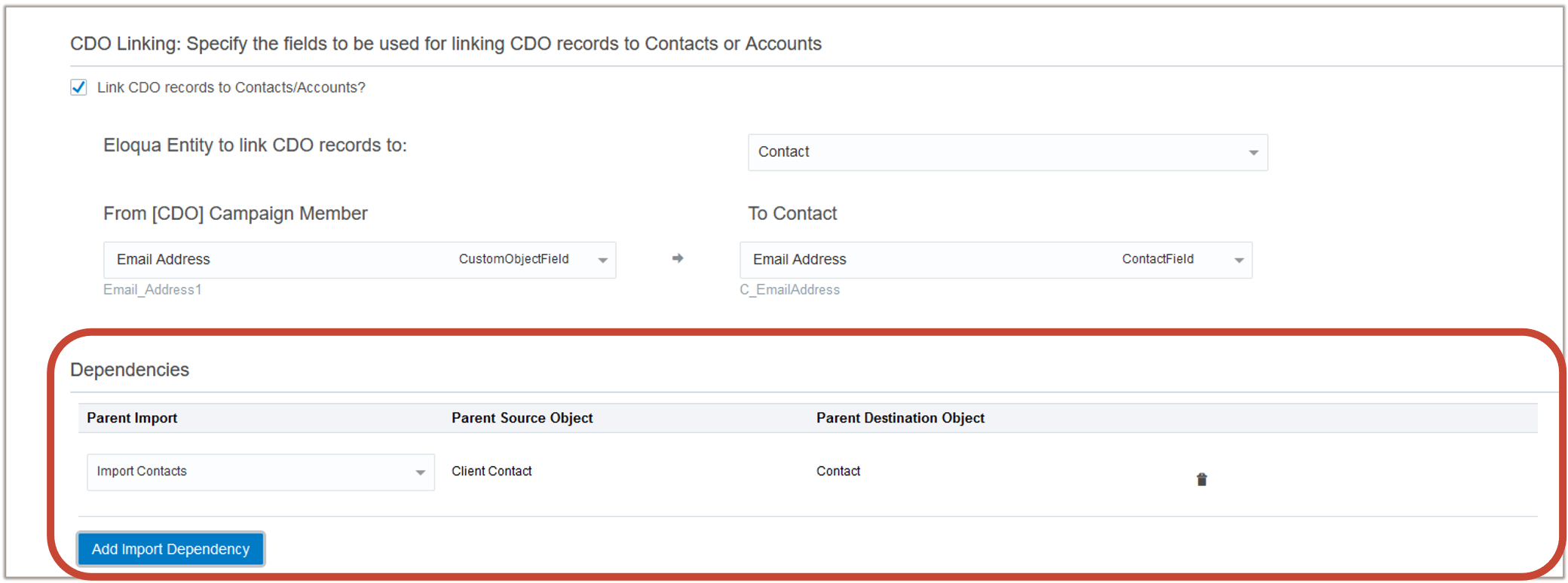
- Imports > enable users to sync Contact or Account updates before syncing data to Eloqua Custom Object
Example:
- Users configure Campaign Members import to Eloqua Custom Object
- Salesforce Contact email address changes
- Users configure Contacts import to run before Campaign Member Custom Object update
- Custom Object import always runs after Contacts import
- Result: updated Eloqua contact and updated related Eloqua Custom Object Campaign Member record - no duplicate Eloqua contacts created
Better accuracy with your integration syncs
Steps to Enable
You don't need to do anything to enable this feature.
Key Resources
- Learn more about Eloqua's Salesforce Integration App
Salesforce App - Email Address Unsubscribe
Do not import Contacts if they are already globally unsubscribed
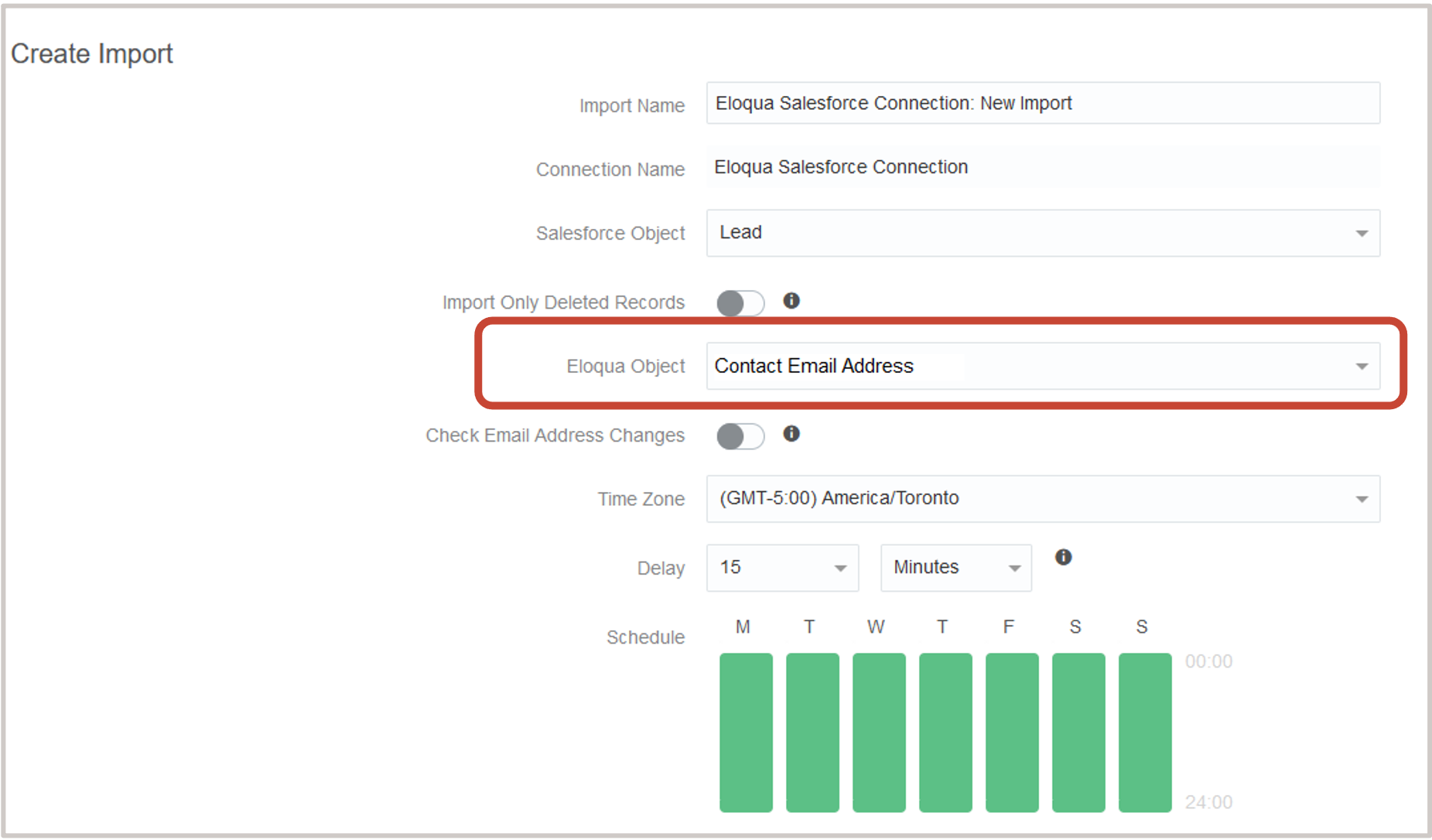
- Imports > Change the global subscription status of email addresses without having to create a Contact
Details:
- Select any Salesforce Source Object
- Select the new “Contact Email Address” Target Object
- Email address is a unique identifier
- Result: email addresses will be globally unsubscribed regardless of whether Eloqua Contact exists
Steps to Enable
You don't need to do anything to enable this feature.
Key Resources
- Learn more about Eloqua's Salesforce Integration App
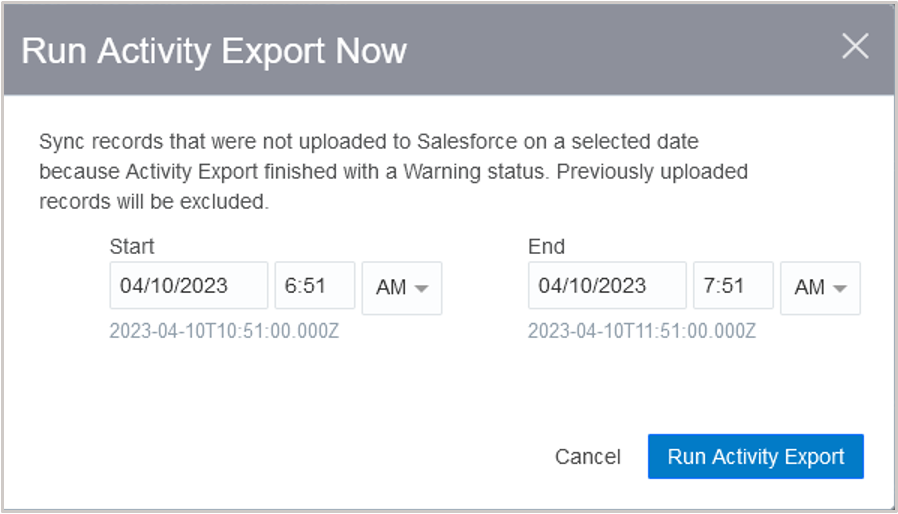
Salesfore App - Re-sync Marketing Activities
Re-sync Eloqua Marketing Activities if the previous sync is partially successful.
- Maintain data accuracy while syncing Marketing Activity data to Sales
- Marketing Activities > Re-run previous syncs that were completed with a “Warning” status

Steps to Enable
To enable this feature you need to log a Service Request (SR).
- Available in Controlled Availability. To request access, please open a Service Request with Oracle Support.
Tips And Considerations
-
Arrives as part of our 23.05 Apps release on May 19, 2023 for all PODs.
Key Resources
- Learn more about Eloqua's Salesforce Integration App
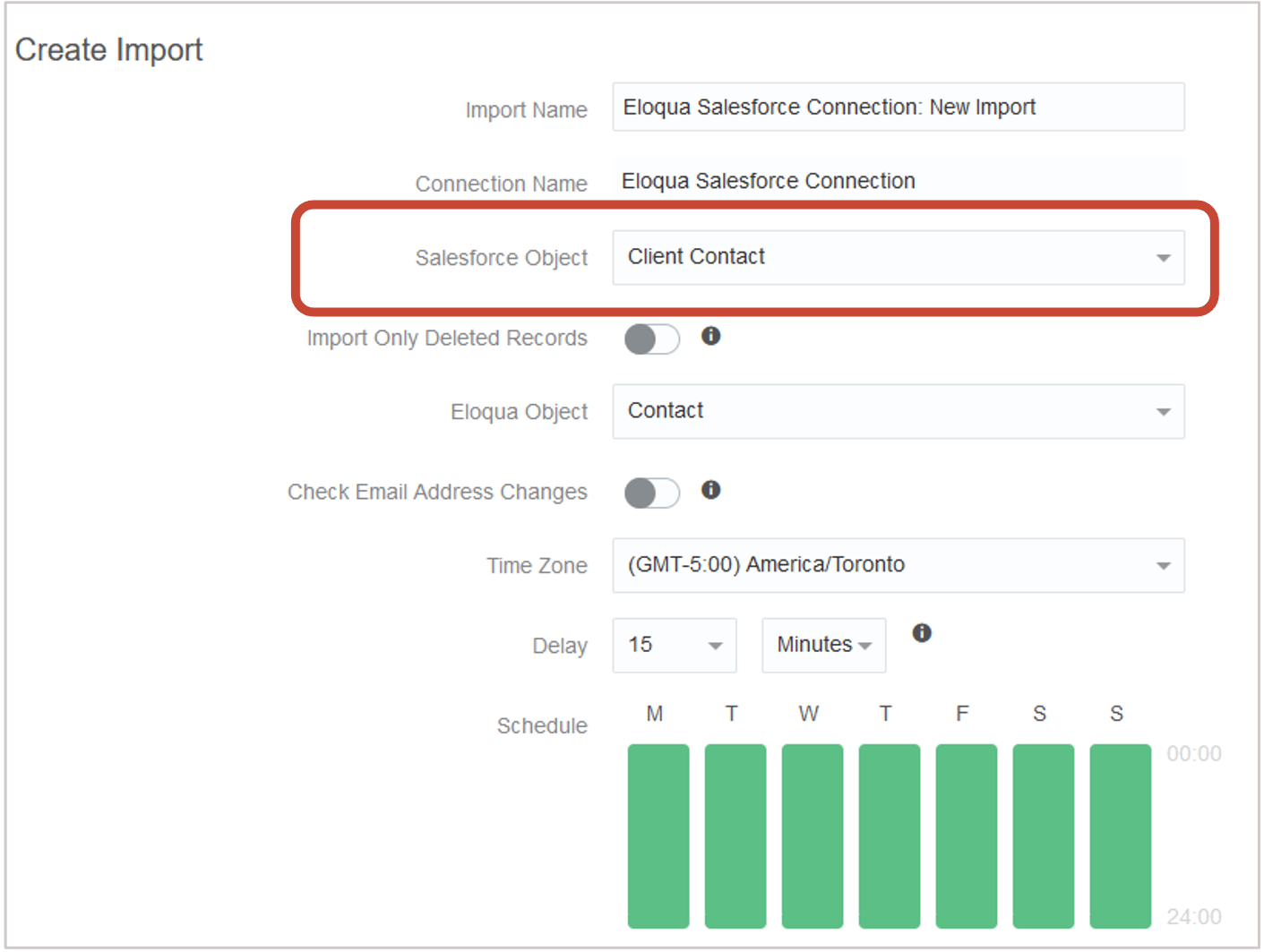
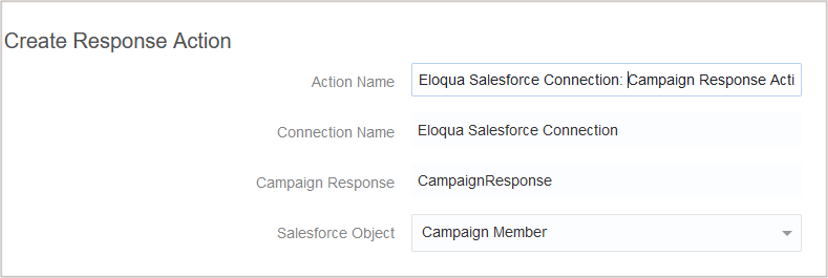
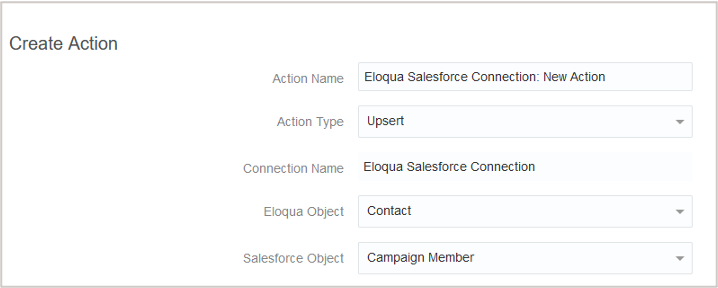
Salesforce App - Custom Salesforce Contact Object Name for Upsert and Campaign Response Actions
Upsert and Campaign Response Actions are updated to support Salesforce Contact object name changes
- Better interoperability between Eloqua and Salesforce
- Upsert Action and Campaign Response Action will create or update Salesforce Campaign Members even if the related Salesforce standard Contact object name has changed (no UI changes in the Salesforce App)
Steps to Enable
You don't need to do anything to enable this feature.
Key Resources
- Learn more about Eloqua's Salesforce Integration App
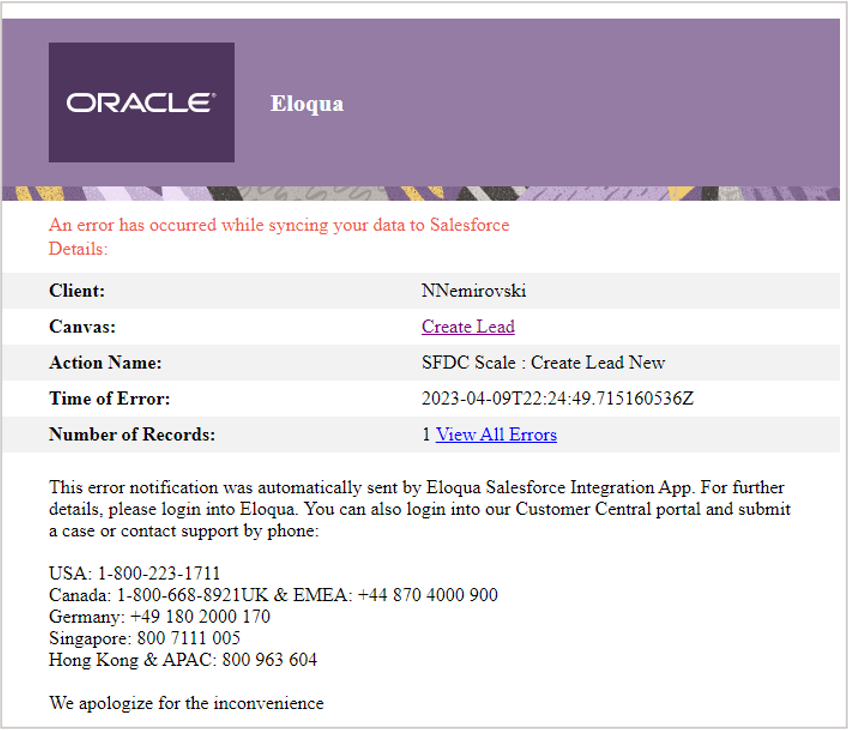
Salesforce App - Updates to Email Notification Templates
Visual updates have been made to the Salesforce App Email Notification Templates
Steps to Enable
You don't need to do anything to enable this feature.
Key Resources
-
Learn more about Eloqua's Salesforce Integration App
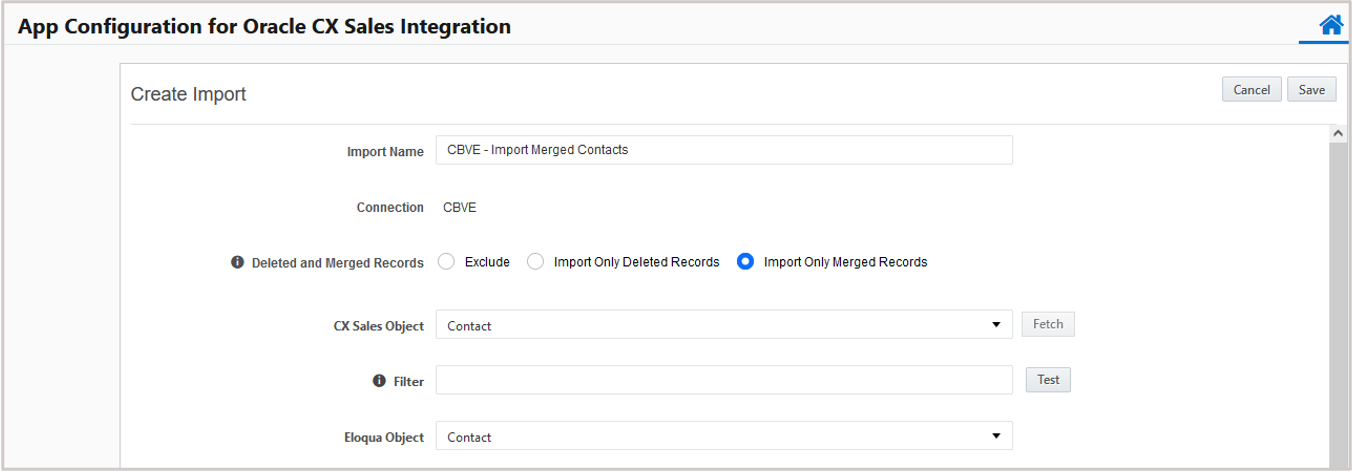
Updates have been made related to importing merged contacts
- Maintain data accuracy while syncing Contact or Account data between Sales and Marketing
- Users can import merged (or non-survivor) Contacts on the Oracle Sales side
Steps to Enable
You don't need to do anything to enable this feature.
Key Resources
- Learn more about the Eloqua's Oracle Sales Integration App.
Reporting API - Controlled Availability
Access Eloqua Insight data using the new Reporting API
- RESTful API build using the OData protocol
- Extract reporting data directly from the Insight data-warehouse
- Highly consumable - accessible programmatically and/or through standard interfaces
- Supports data lake/data ware house integrations
- Provides native connections through standard interfaces (i.e Excel)
Steps to Enable
Limited Controlled Availability (CA) Program opens with the 23B release. Information on how to apply for access to the Reporting API CA Program, please visit Topliners.
NOTE: Access will not be provided through SR request for this particular Controlled Availability Program.
Tips And Considerations
The Controlled Availability (CA) program, launching in early May, will provide access to the first subset of endpoints:
- Campaign Analysis
- Activity DetailsCampaign
- External Activities
Information about the CA Program along with a registration form has been posted in Topliners:
- For the first phase of this program, we will be limiting the number of spaces in our CA Program.
- Customers who register will be notified about their program access status by May26th
- Program kickoff and onboarding kits will be released June 5th to selected participants.
- It will last 4 weeks and requires customer to actively participate.
- The program requires technical knowledge of working with a RESTFul API. Participants will need to be familiar with endpoint definitions and call creation.
Subject Line Optimization Improvements
Subject Line Optimization improvements are being implemented:
- Predicted open rate that guides marketers in creating more engaging subject lines
- Uses AI/Machine Learning to identify words or phrases that encourage email engagement
- Regularly trained prediction model that updates based on the results of previous subject line performance
Better predictions for subject lines, leading to better open rates.
Steps to Enable
No additional steps are required to take advantage of this feature if you have the Oracle Advanced Intelligence Add-on for Eloqua.
Tips And Considerations
Releases in Controlled Availability for those with the Oracle Advanced Intelligence Add-on for Eloqua
Key Resources
- Learn more about the Advanced Intelligence add-on for Eloqua
Access Requirements
NOTE: Requires the Oracle Advanced Intelligence Add-on for Eloqua
File Upload Anti-Virus Scanning
Protecting contacts from malicious files via emails and landing pages, starting with 23B files will be scanned during upload:
- Images & file storage
- Emails & Landing Pages
If malware is detected during upload, upload will not complete and a message will be displayed informing user that the upload failed due to a corrupt file and to try again with a different file.
Peace of mind security
Steps to Enable
You don't need to do anything to enable this feature.
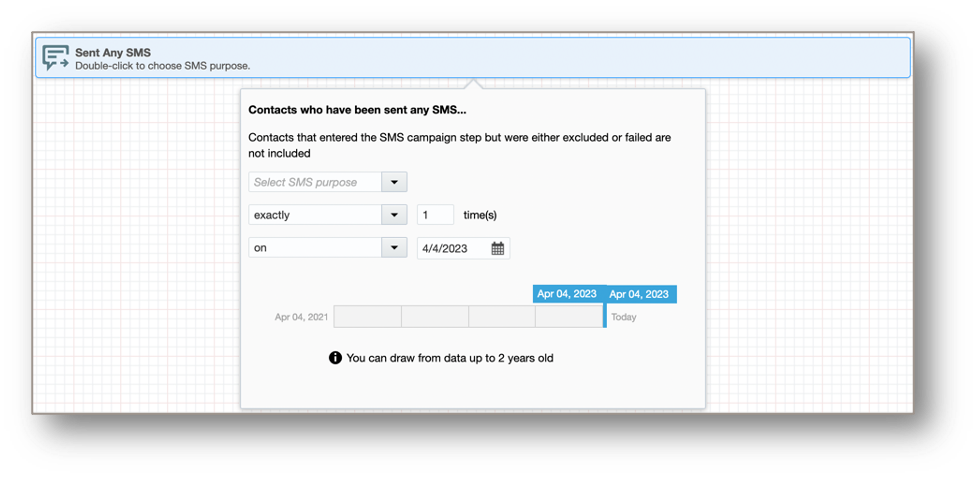
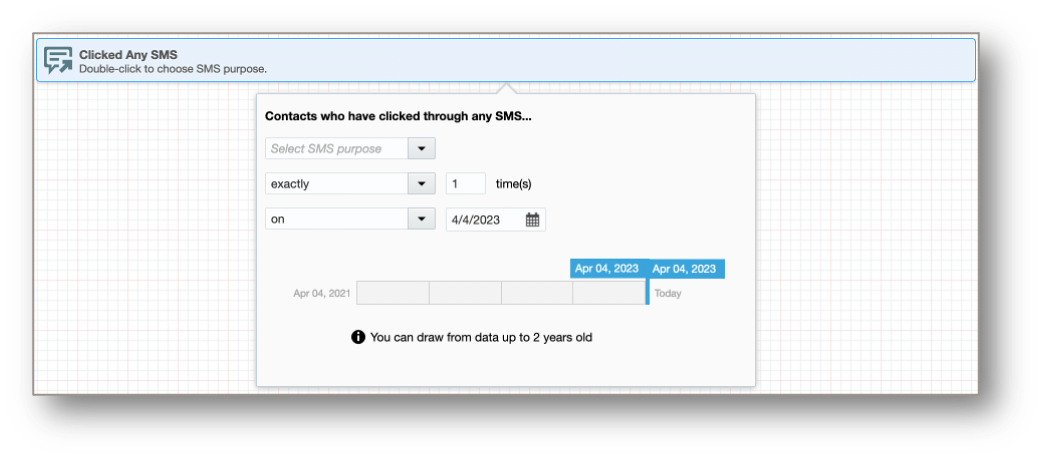
Additional filter criteria around SMS status and activities have been introduced:
- Sent Any SMS
- This will select contacts based on the number of SMS sent to them, along with other criteria such as SMS purpose etc.
- Clicked Any SMS
- This will select contacts based on the number of SMS clickthroughs by them, along with other criteria such as SMS purpose etc.
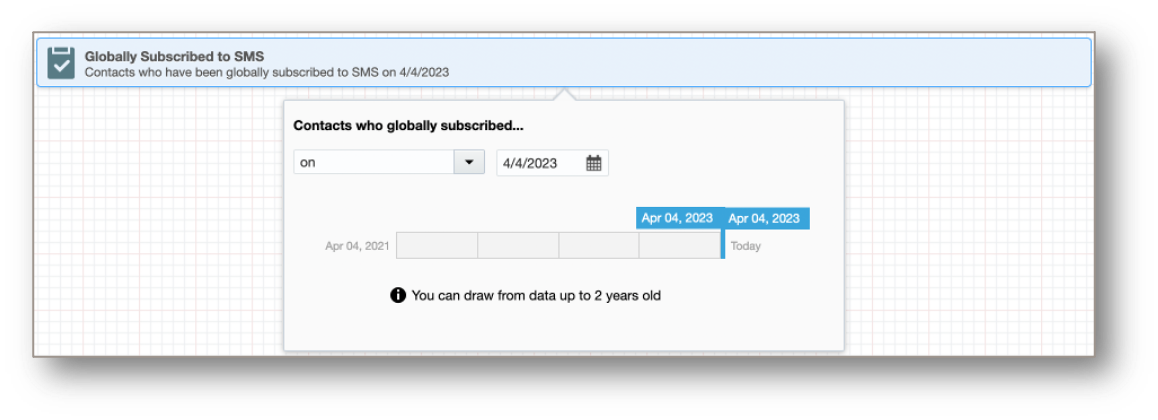
- Globally Subscribed to SMS
- This will select contacts that globally subscribed to SMS in the specified time range.
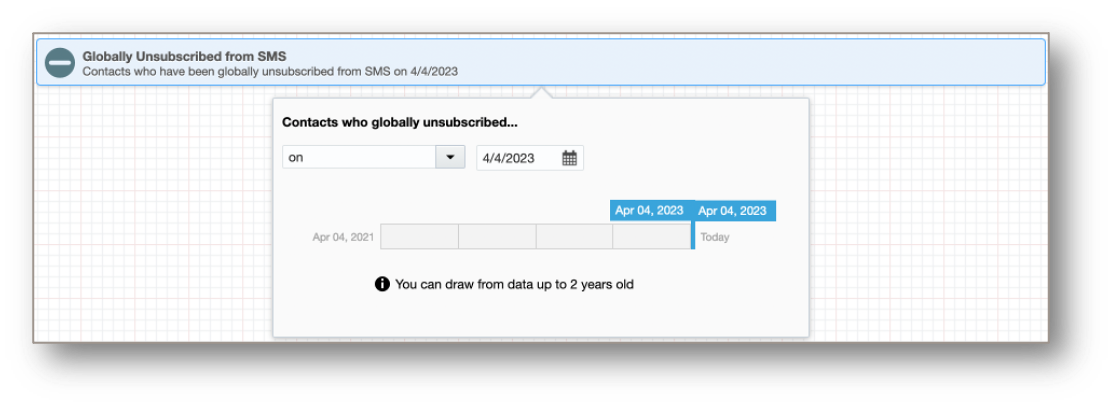
- Globally Unsubscribed from SMS
- This will select contacts that globally unsubscribed from SMS in the specified time range.
Better flexibility to ensure your SMS campaigns are targeting the right recipients
Steps to Enable
No additional steps are required to use this feature if you have the Eloqua SMS Add-on
Key Resources
- Learn more about SMS for Eloqua
Access Requirements
IMPORTANT: SMS is available as an add-on capability for Oracle Eloqua. Please contact your account manager for additional information and pricing. This will be gradually made available to all customers that have enabled SMS.
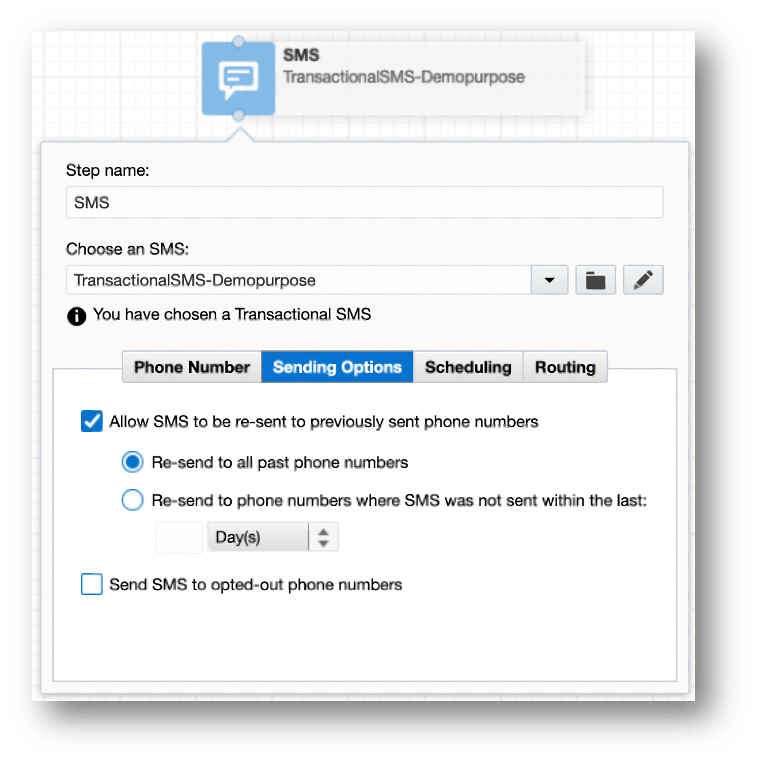
Introducing two new sending options on the SMS step within Campaign Canvas:
- Resend to previously sent phone numbers
- Send to opted-out phone numbers
- Applicable for Transactional SMS only
- Requires action permission – Send Transactional SMS to Opted Out Phone Numbers
The SMS step will now not send SMS to phone numbers outside the regions served by the SMS codes.
Better flexibility to ensure your SMS campaigns are targeting the right recipients
Steps to Enable
No additional steps are required to use this feature if you have the Eloqua SMS Add-on
Key Resources
- Learn more about SMS for Eloqua
Access Requirements
IMPORTANT: SMS is available as an add-on capability for Oracle Eloqua. Please contact your account manager for additional information and pricing. No additional steps are required for customers that are already enabled for SMS.
Guided Campaigns App for Eloqua
Fusion Marketing Guided Campaigns for Eloqua is expected to become generally available in late April 2023.
Enhancements with Eloqua 23B include:
- Email Signatures now supported
- Support selecting content from Oracle Content Management in an email (images and documents)
- See opportunity performance data in the Campaign Performance Dashboard (with Oracle Sales integration)
- Send account engagement scores to Oracle Sales through the Oracle Sales integration app
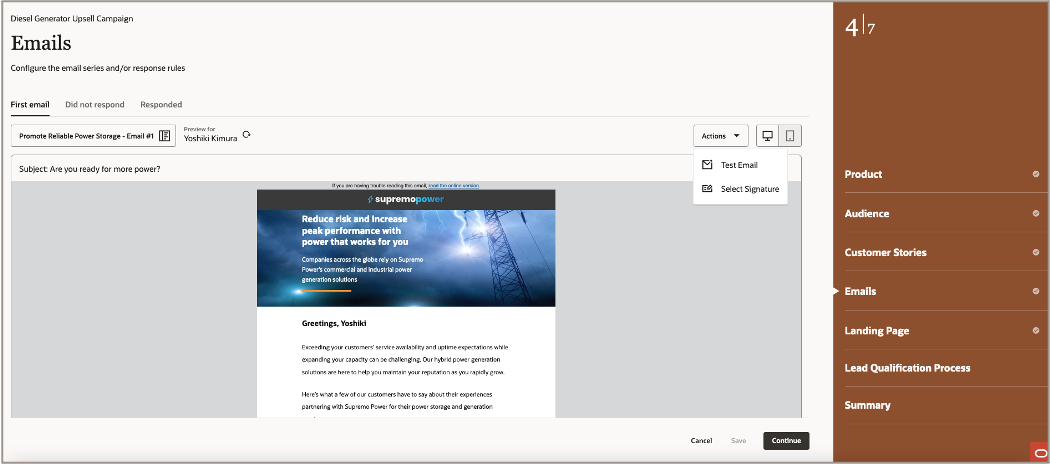
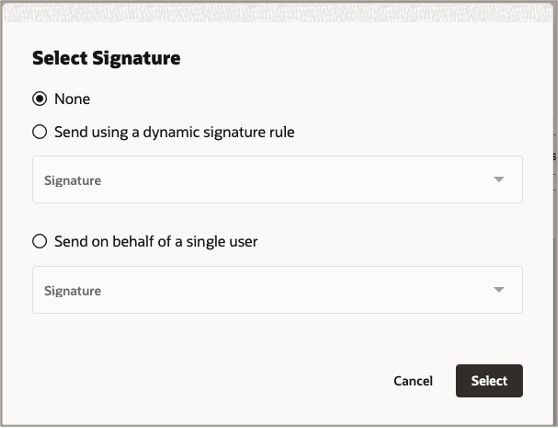
Build multi-channel campaigns across email and advertising targeted to your accounts
Steps to Enable
No additional steps are required if you have added the Fusion Marketing Guided Campaigns app for Eloqua.
Key Resources
- Learn more about Fusion Marketing Guided Campaigns for Eloqua
Access Requirements
NOTE: A subscription for the Fusions Marketing Guided Campaigns app for Eloqua and the Oracle Content Management Starter Edition is required. Please contact your account manager for more information.
In-app Certificate Expiration Alerts
For those without Automated Certificate Management enabled, a new in-app alert banner directly within Eloqua will activate 30 days in advance of any of your 3rd party, customer-owned certificates expiring as a proactive warning.
- Will appear upon login and when navigating to the My Eloqua page
- Users can clear the alert by clicking on the ‘X’ in top right. The alert clears automatically after a brief period of time
- Can click on in-app alert and it will bring you to the certificate management area for details, if you have permissions to this area
- Will display until certificate is renewed
- Certificate expiry notifications in-app will only appear if Automated Certificate Management not enabled
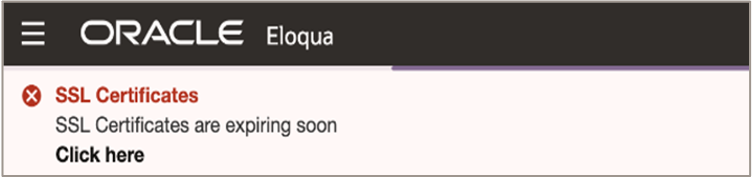
Don't miss the window to renew your certificates with advance warning automatically from Eloqua.
Steps to Enable
You don't need to do anything to enable this feature.
Key Resources
-
If you're curious to learn more about Automated Certificate Management, please review the Product Notice in Topliners.
Automated Certificate Management - In App Alerts
For those with Automated Certificate Management enabled, a new in-app alert banner directly within Eloqua will activate if any domains have DNS configuration errors.
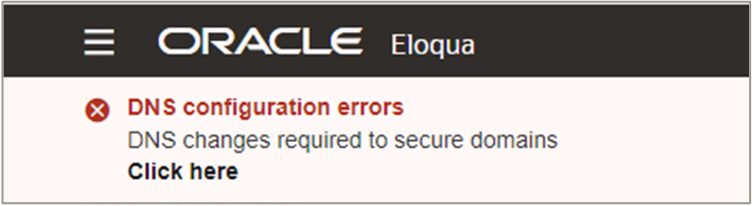
- Will appear upon login and when navigating to the My Eloqua page
- Can click on in-app alert and it will bring you to the DNS configuration screen for details, if you have permissions to this area
- Users can clear the alert by clicking on the ‘X’ in top right. The alert clears automatically after a brief period of time
- DNS Error notifications only appear if Automated Certificate Management is enabled
Better DNS error detection surfaced directly within the Eloqua platform.
Steps to Enable
You don't need to do anything to enable this feature.
Access Requirements
NOTE: Automated Certificate Management is available in Controlled Availability, please review the Product Notice in Topliners for more information. Customers interested in enabling must open an SR with Oracle Support.
Upload History Report Enhancement
Bulk API sync URL will now be included in the Upload History report
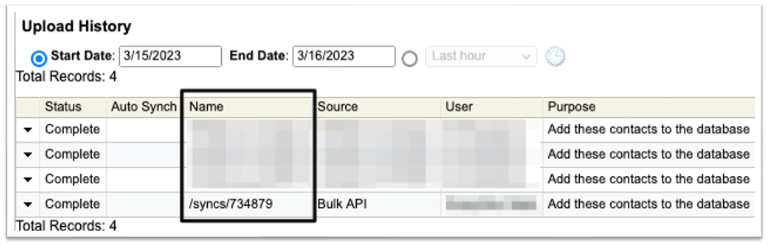
Better insight into uploads from the Bulk API
Steps to Enable
You don't need to do anything to enable this feature.
Key Resources
-
View changes for Eloqua's APIs including, new features, significant recent changes, and platform notices, on the Eloqua Developer Changelog.
API endpoints now available to manage asset folders:
- Campaign folders
- Email folders
- Form folders
- Hyperlink folders
- Image folders
More flexibility leveraging Eloqua's Application API
Steps to Enable
You don't need to do anything to enable this feature.
Key Resources
-
View changes for Eloqua's APIs including, new features, significant recent changes, and platform notices, on the Eloqua Developer Changelog.