Step 1. Setup Workspace and Create Java EE Projects
Time to complete this step: 15 minutes
Trouble Ticket System Overview
During this tutorial series, you will develop a version of an IT ticketing system called Trouble Ticket Tracking System (which can be enhanced to be a full-blown application).
Trouble Ticket Tracking System is a web-based application that manages and maintains lists of tickets submitted for the products of an organization. Customers can submit tickets for a specific product and can view the status of a ticket at any time. The submitted ticket can be picked by a technician from the pool of submitted tickets. Once assigned, the technician is the owner of that ticket and is responsible for resolving it. A submitted ticket can have different life-cycle states such as: NEW, for a newly submitted ticket; ASSIGNED, for when the ticket is assigned to a technician; FIXED, when the problem has been fixed; or CAN_NOT_FIX, if the issue cannot be fixed now. A ticket can have a history for different life-cycle states for tracking purposes.
In this step, you will configure your workspace for Java EE project development and create a new web project for web service development. A Web Project is an Eclipse Java project that contains the source code, web pages, images, resources, and configuration files for building a web application.
The extracted resources folder contains the file TroubleTicketSystem.sql which contains the DDL for creating the database. It also has dao and tests folders that contain the Java DAO classes and test cases respectively. During the later steps, you are required to import and use them.
Note: The required software for this tutorial is as follows:
Oracle Database 10g XE
Oracle W ebLogic Server 10gR3
Oracle Enterprise Pack for Eclipse 11g (11.1.1.4)
Launch Oracle Enterprise Pack for Eclipse
Navigate to your eclipse installation and run eclipse.exe. Close the welcome screen. Open the Java EE perspective, if not already open by going to Window > Open Perspective > Other > Java EE.
Define a target runtime
-
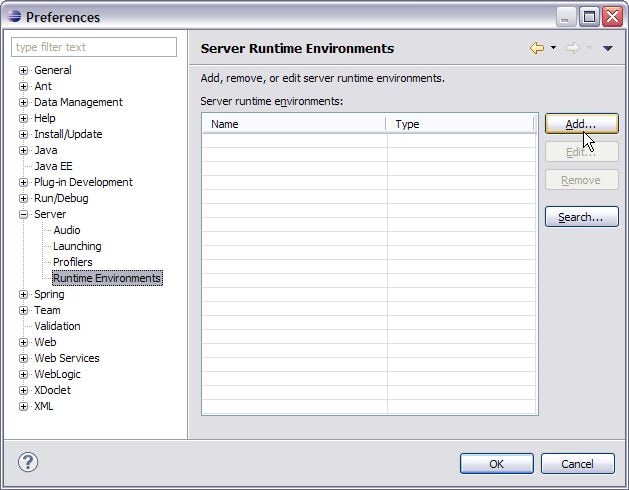
To define a target runtime, click
Window >
Preferences > Server > Runtime Environments and choose
Add...
-
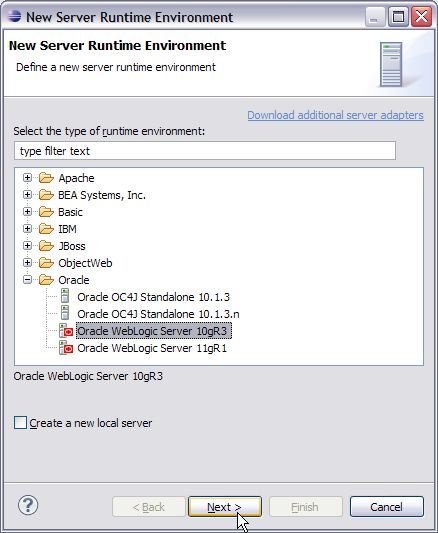
Choose the
Oracle
> Oracle WebLogic Server 10gR3 and click
Next.
-
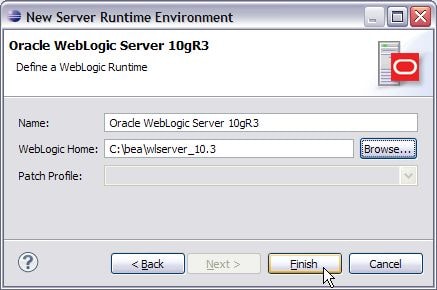
For WebLogic Home, specify the path to your
<BEA_HOME>/wlserver_10.3
directory and click
Finish . Then click
OK in the
Preferences window.
You will perform following tasks in this step:
- Create the TroubleTicketSystemEAR project
- Create the TroubleTicketSystemServer project
- Browse the Database Structure using the DataSource Explorer
Create the TroubleTicketSystemEAR project
-
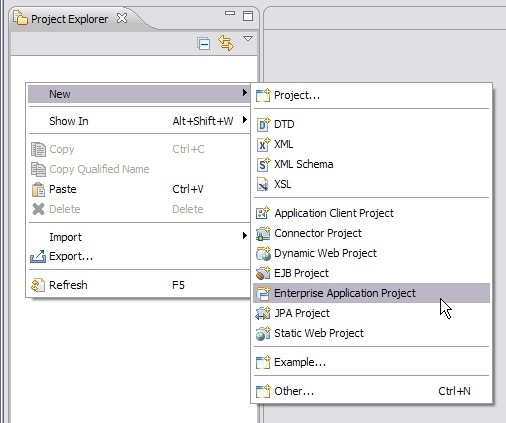
Right click in the
Project Explorer and choose
New > Enterprise Application Project
-
Enter the project name
TroubleTicketSystemEAR
in the
New EAR Application Project wizard. The tutorial code expects this name.
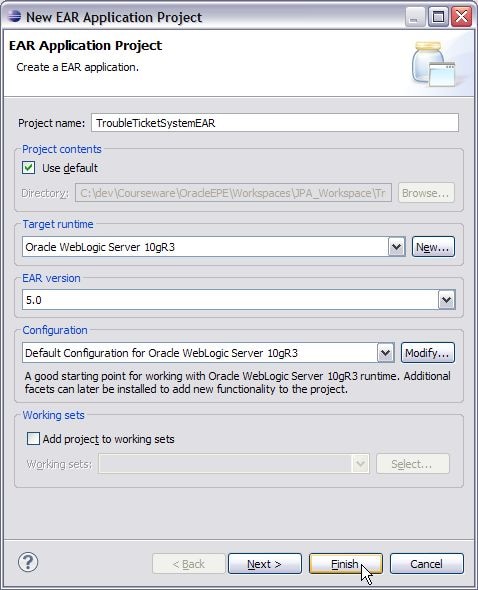
- Keep the default configuration and click Finish.
Create the TroubleTicketSystemServer project
In this step, you will create the Dynamic Web Project TroubleTicketSystemServer and add it to the TroubleTicketSystemEAR project as a web module.
- Right click in the Project Explorer and choose New > Dynamic Web Project
-
Enter the project name
TroubleTicketSystemServer
in the
New Dynamic Web Project wizard.
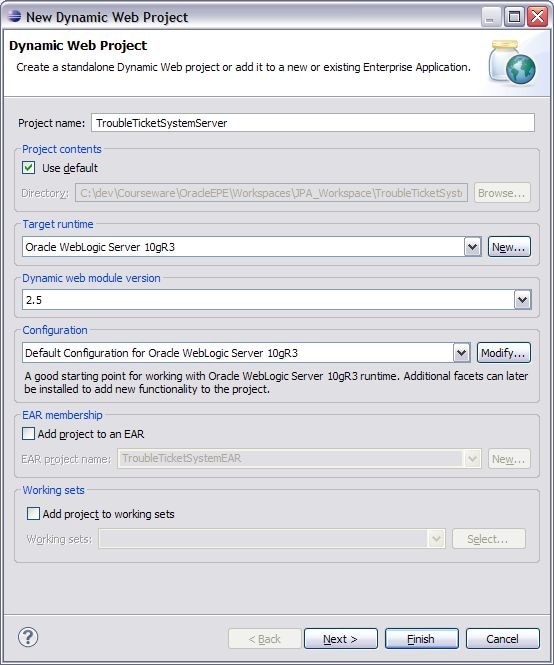
- Select the Add project to an EAR option for adding this dynamic web project to TroubleTicketSystemEAR project.
-
For the Configuration option, click
Modify... which opens the
Project Facets dialog for selecting the facet(s) for the project. Select the
Java Persistance and the
Java Annotation Processing Support facets.
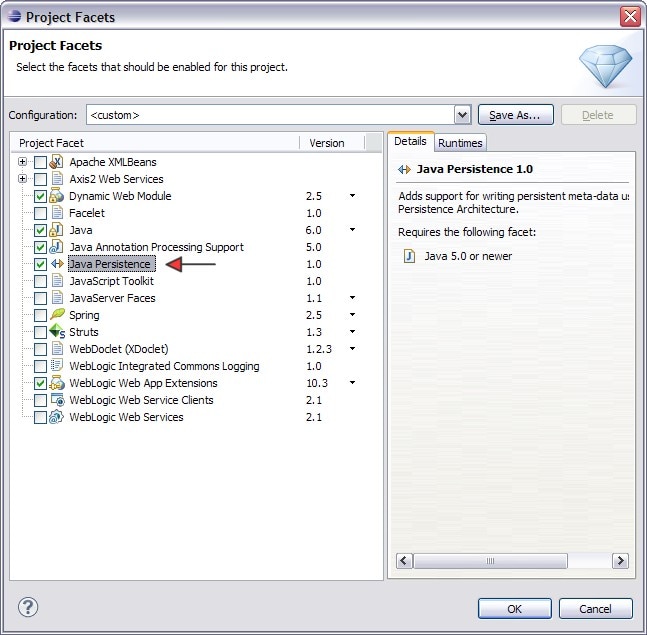
- Click OK.
- In the New Dynamic Web Project wizard, choose the option Add project to an EAR and select the TroubleTicketSystemEAR project. Click Next.
- Click Next again in Java wizard page.
- Click Next in Web Module wizard page.
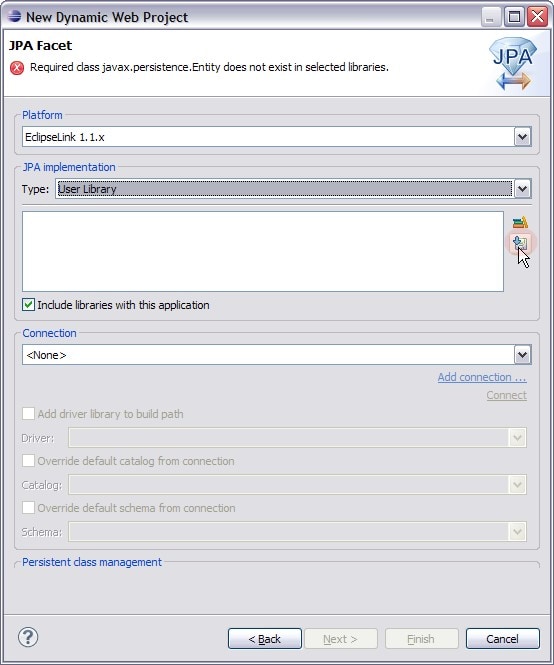
- Now we will configure the JPA Facet. Ensure that EclipseLink 1.1.x is chosen as the platform.
-
Select the
User Library option for JPA implementation type. Click the
Download library (
 ) icon.
-
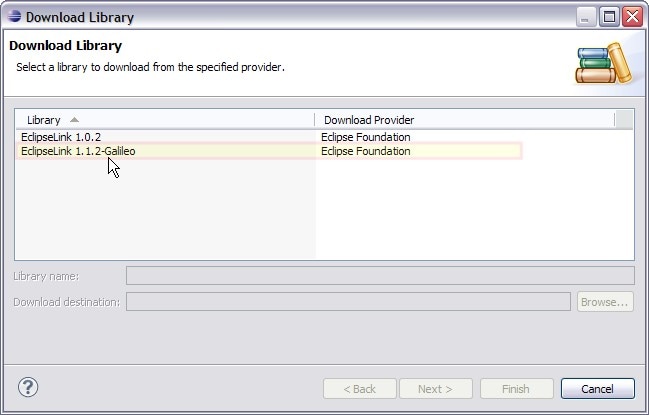
Download the
EclipseLink 1.1.2-Galileo
libray. Accept the terms for the library license.
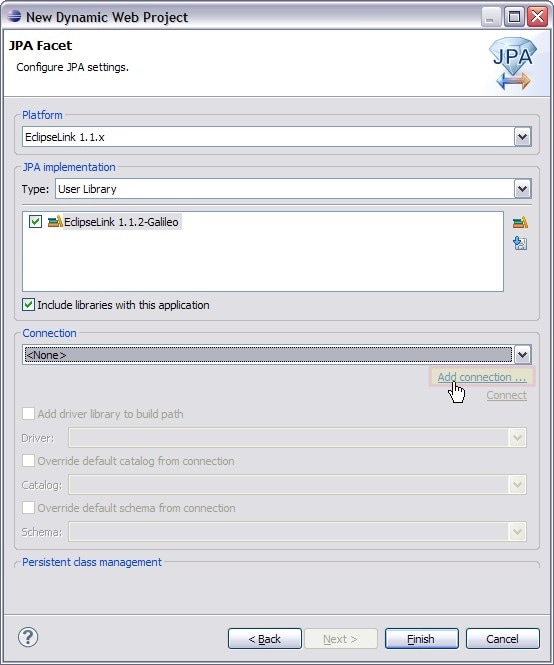
- After the download is completed, choose the EclipseLink 1.1.2-Galileo as the JPA implementation library. Make sure that the Include libraries with this application option is selected.
-
Now we shall add a new database connection. Click
Add Connection....
-
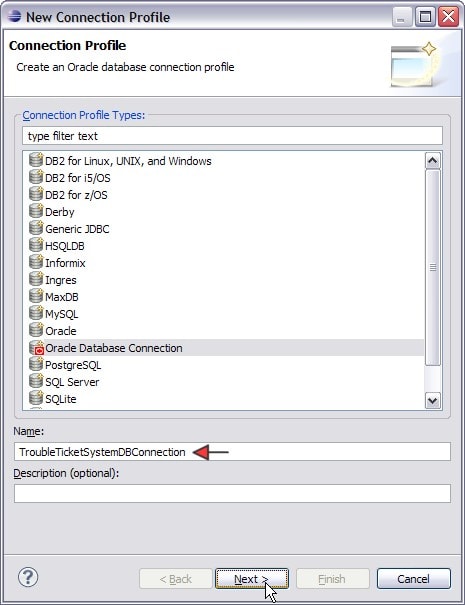
Choose the
Oracle Database Connection from the list. Enter the database connection name
TroubleTicketSystemDBConnection
and click
Next.
- Select the Oracle Database10g Driver default from the Drivers dropdown menu and configure the screen to connect to your schema where you have created the schema for TroubleTicketSystem.sql. Oracle recommends creating a user for the tablespace, but the EclipseLink facet can override a user's default schema.
-
Make sure to check
Save password as shown below. Click
Test Connection and verify that the ping succeeds. If it does not, use
SQLPlus to ensure the database is started. The driver URL has the form of jdbc:oracle:thin:@{host name}:1521:{db name}.
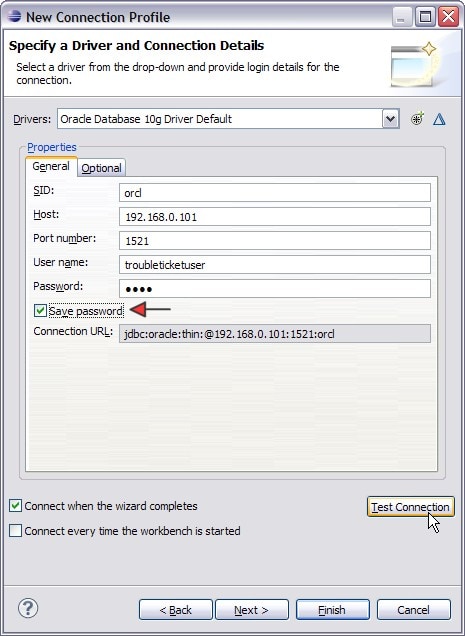
- Click Finish once the ping has completed successfully.
-
In
JPA Facet page, select the option
Add the driver library to the build path and choose the
Oracle Database 10g Driver Default option. Click
Finish.
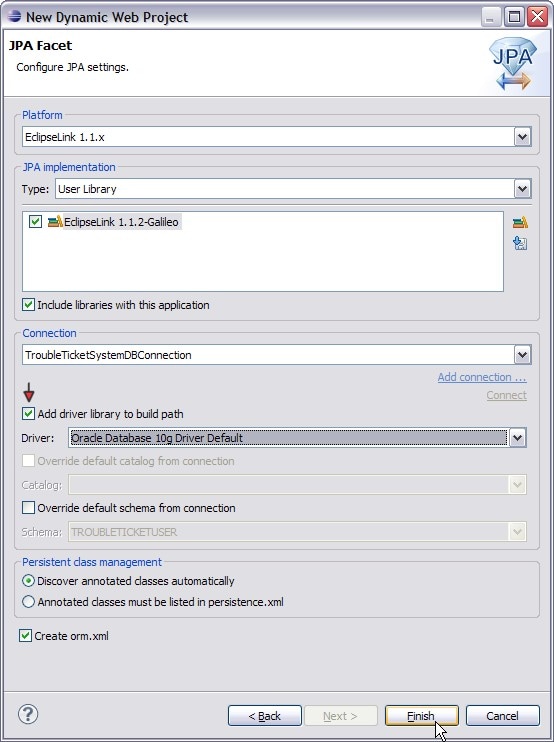
- The New Dynamic Web Project wizard creates a new TroubleTicketSystemServer web project and adds it to the TroubleTicketSystemEAR as a web module.
- Double-click the TroubleTicketSystemServer > Java Resources > src > META-INF > persistence.xml file. This opens the persistence.xml file in the Persistence XML Editor.
-
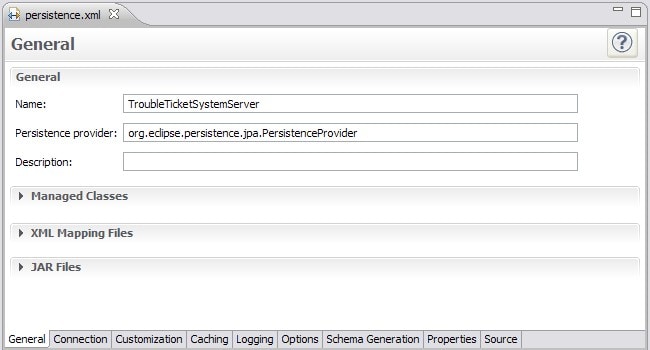
Review the properties in the
General tab. The persistence unit name has been set to
TroubleTicketSystemServer
and the persistence provider has been set to
org.eclipse.persistence.jpa.PersistenceProvider
.
-
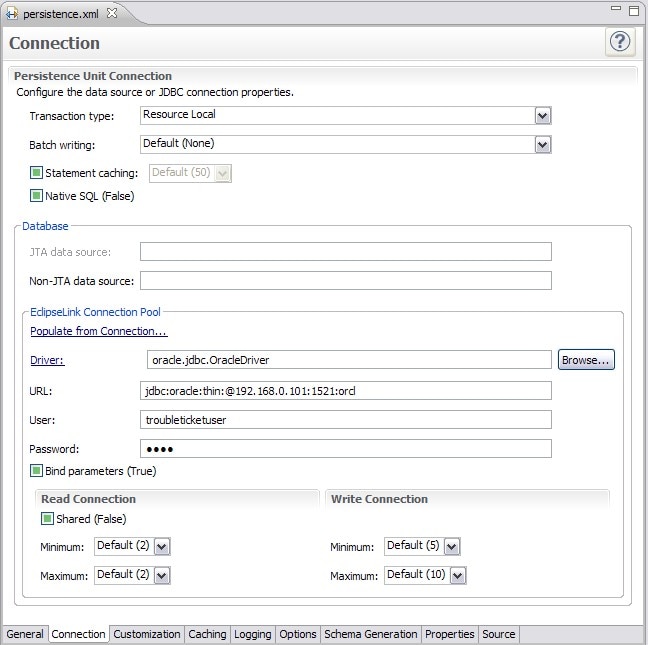
Switch to the
Connection tab and review the persistence unit connection properties.
Browse the Database Structure using DataSource Explorer
In this step, you will use the Data Source Explorer to browse the database structure and relationships. Switch to the JPA perspective .
-
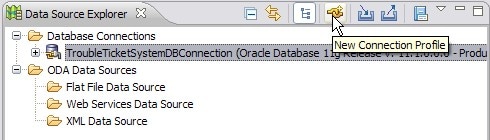
The Data Source Explorer shows a list of database connection profiles and ODA Data Sources. It provides toolbar/menu actions for creating new connection profiles, and also items to import/export a connection profile.
-
Expand the
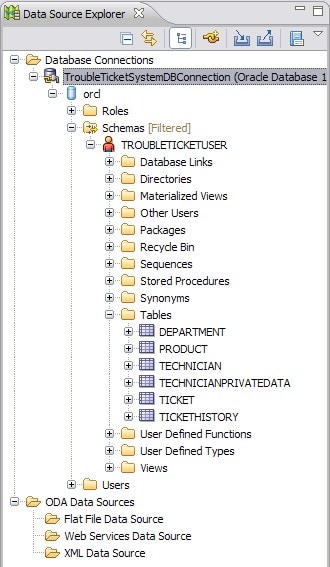
Database Connections > TroubleTicketSystemDBConnection > orcl > Schemas > TROUBLETICKETUSER> Tables nodes. You can view the individual tables and columns. Note that the tables are under the TROUBLETICKETUSER schema.
-
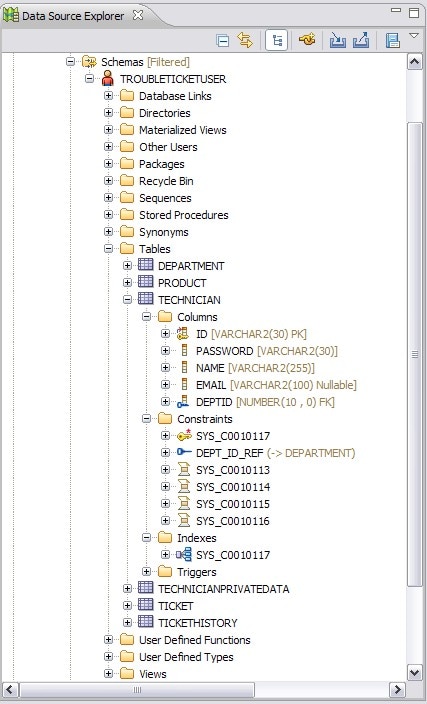
To browse further, expand different nodes to view columns, constraints, dependecies, indexies, triggers, and other relevant properties of a component.
- You can generate a DDL by right-clicking the schema node and selecting Generate DDL...
-
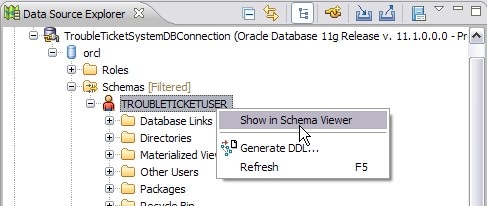
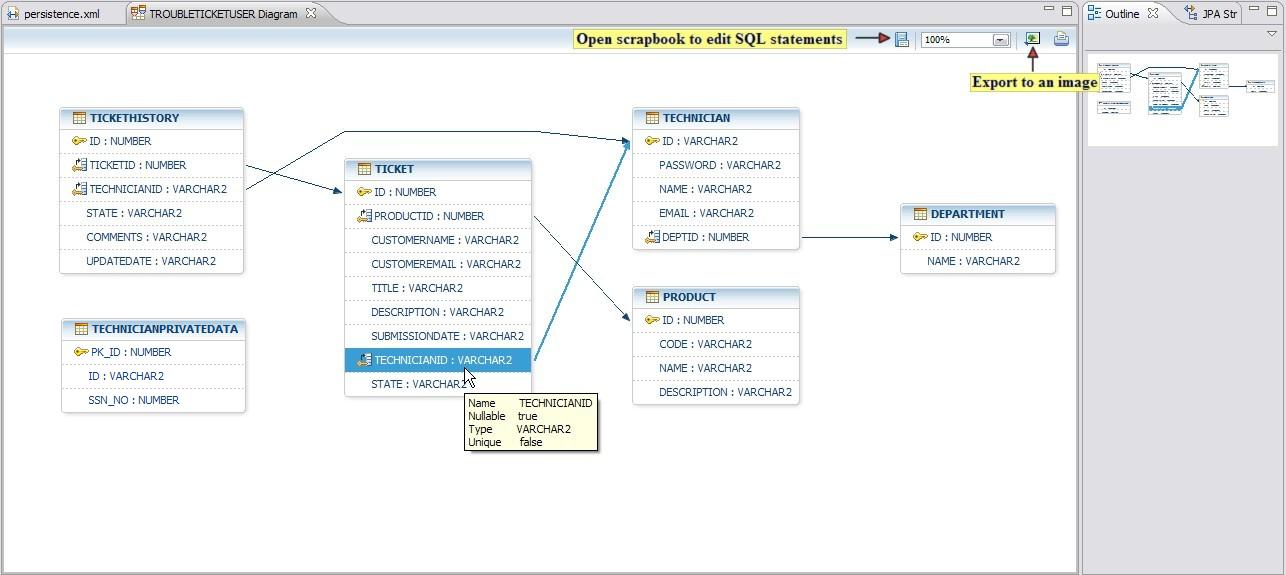
You can also view the E/R diagram of any schema by right-clicking the schema node and selected
Show in Schema Viewer.
-
Roll-over the tables and columns and the tooltip will show you summary information about the object you are pointing at. You can also export the E/R diagram to an image file.
-
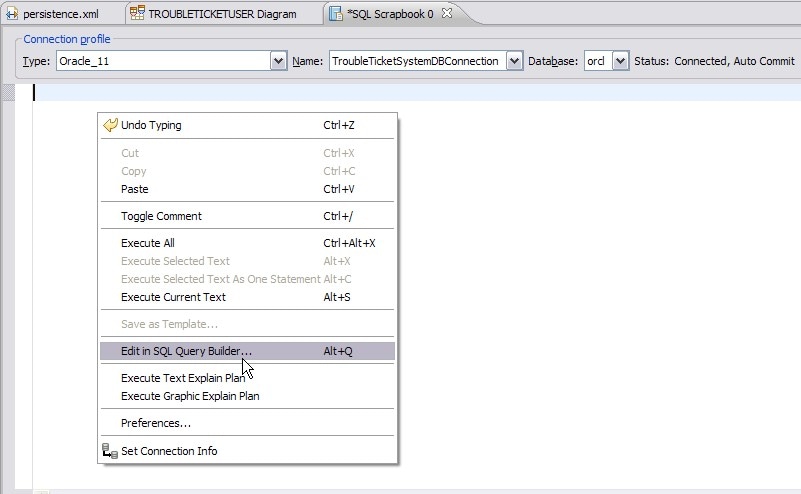
Open the Scrapbook to execute SQL statements. You can either type SQL queries (for content assistance press CTRL+Space) or use the SQL Query Builder for preparing a SQL query.
-
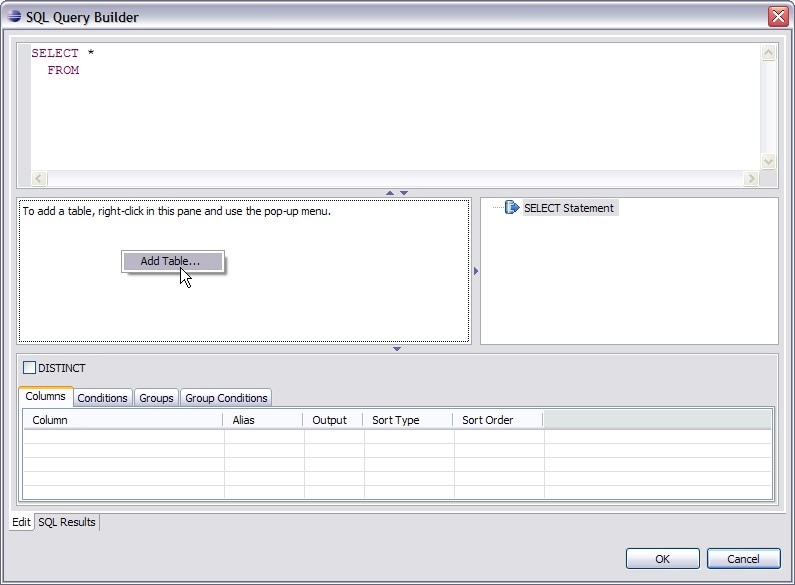
In
SQL Query Builder, to add a table, right-click in the center-left pane and select
Add Table...
-
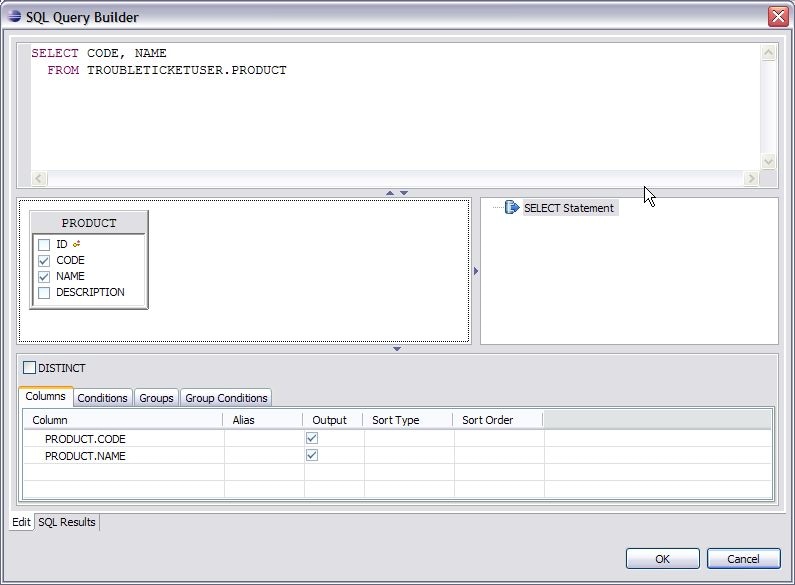
Select the
PRODUCT table from
Add Table dialog and choose its CODE and NAME columns. With these actions, you can observe a SQL query being generated in the top pane. Click
OK .
-
In
SQL Scrapbook editor, right-click and select
Execute All. That executes the select query and shows result in SQL Results view.
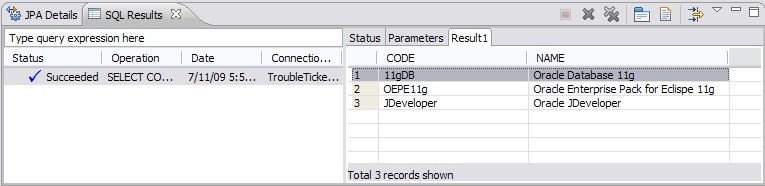
- You can add additional SQL queries to review available data in the tables and execute them. You can also save the SQL scrapbook as a file for later use.
-
The
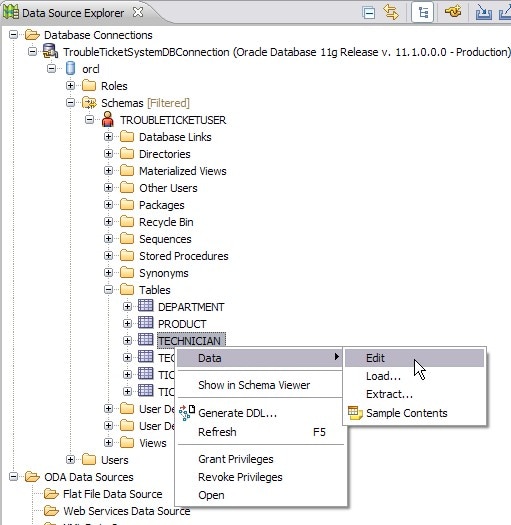
Data Source Explorer also provides context menu actions like data edit, export/import, grant/revoke privileges etc. Right-click the TECHNICIAN table and select
Data > Edit
-
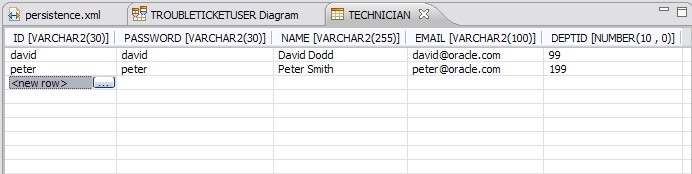
This opens an
SQL Editor for the TECHNICIAN table for editing / removing or adding new technician records. You can add/edit additional technician data and persist the changes.