Step 2. Generate O/R mappings
Time to complete this step: 15 minutes
The Oracle Enterprise Pack for Eclipse (OEPE) provides a powerful and flexible object relational mapping interface to popular persistence services like OpenJPA. Depending on the development scenario, OR Mappings can be generated through two different mechanisms.
- Reverse Engineering the Schema to create object relational mappings
- Generating Mappings from an Object Model
You will perform the following tasks in this step:
- Generate JPA entities from database Schema using the Generate Custom JPA Entities Wizard
- Review the generated classes with JPA annotations
Generate JPA entities from database Schema using the Generate Custom JPA Entities wizard
In this step, we will use OEPE to automatically generate JPA entity beans from an existing database schema by reverse engineering the schema. OEPE will generate Java classes with the appropriate accessors and JPA annotations.
- If the current perspective is not JPA perspective then switch to JPA perspective.
-
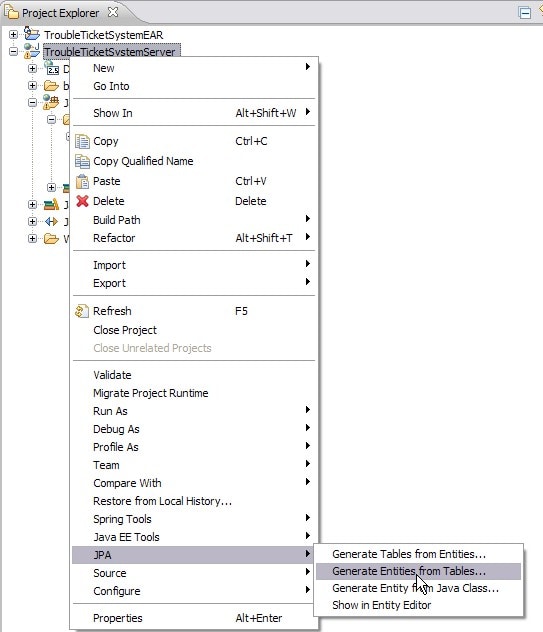
In the
Project Explorer , right-click the
TroubleTicketSystemServer project and select
JPA > Generate Entities from Tables.
-
Select the database tables from the
Generate Custom Entities wizard as shown below.
Do not select the DEPARTMENT database table. In the coming step, you will use the DEPARTMENT database table to manually create a POJO class, Department, and annotate this class for JPA in order to better understand the top-down development approach.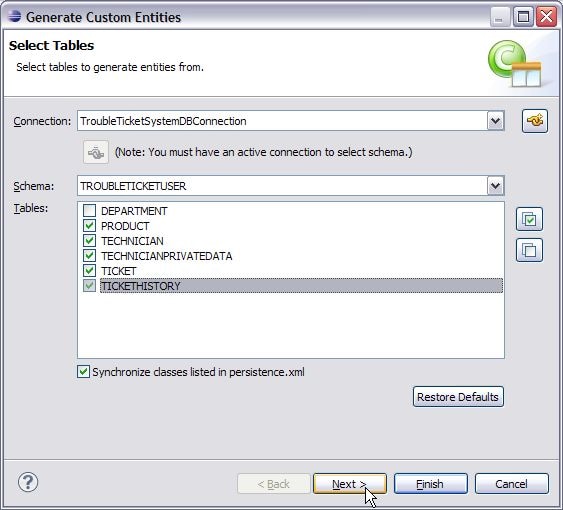
- Click Next.
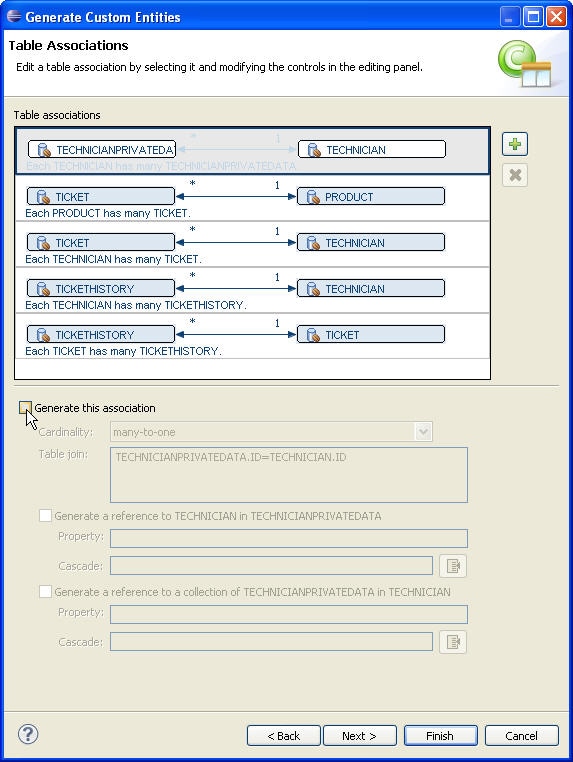
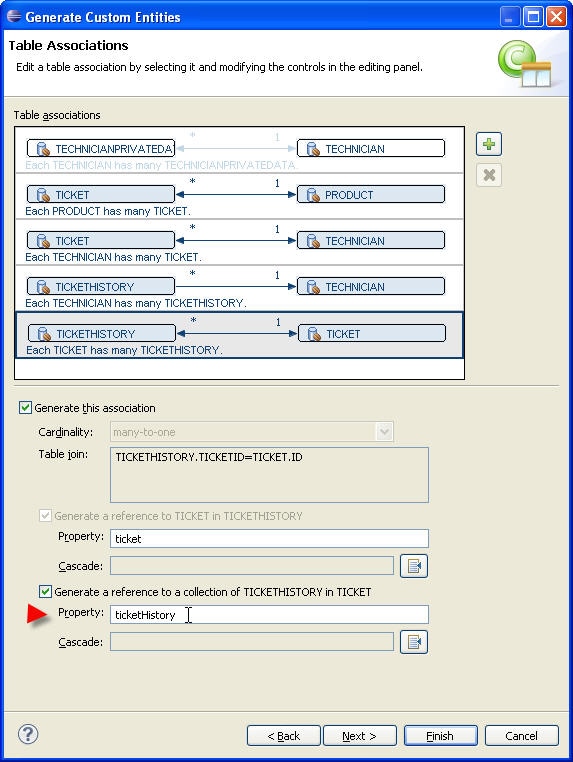
- The Table Associations dialog displays entity relationships as observed in the database schema from the foreign key definitions. Select each association to review the association definitions among different entities. The dialog allows you to edit a table association by selecting each association and modifying its options in the editing panel.
- First, select the auto-detected relationship between
TECHNICIAN
PRIVATEDATA and
TECHNICIAN. Uncheck the "generate this association" check mark, as you will define it yourself in a later step.
-
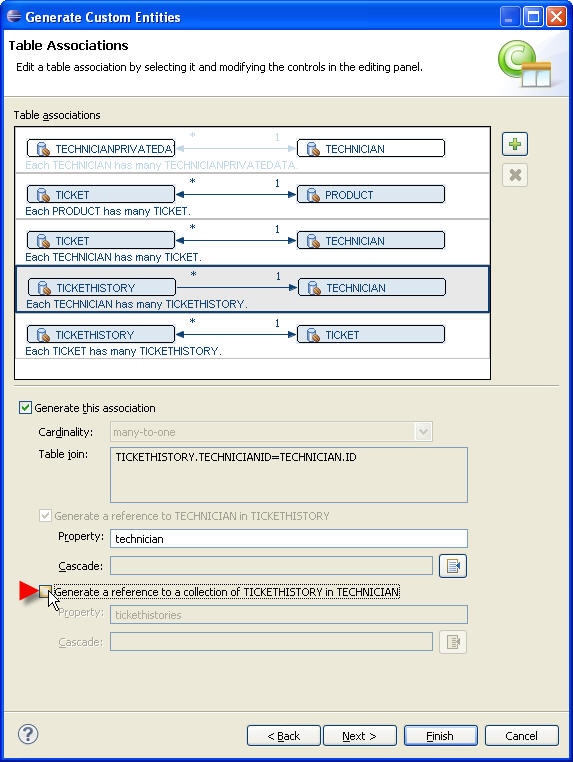
Then, select the association between
TICKETHISTORY and
TECHNICIAN.
A technician can have references to tickets but not ticket history. Hence to avoid bi-direction association between technician and ticket history, un-check the option Generate a reference to a collection of TICKETHISTORY in TECHNICIAN.
-
Select the association between
TICKETHISTORY and
TICKET. Change the value of the second property name from
tickethistories
to
ticketHistory
.
Define new association between TECHNICIAN and TECHNICIANPRIVATEDATA
OEPE also supports the creation of new entity associations in case your database lacks foreign key definitions (such as for performance reasons). It can create Simple Associations (one to one, one to many, many to one) between two tables and Many to Many Associations through an intermediate table.
-
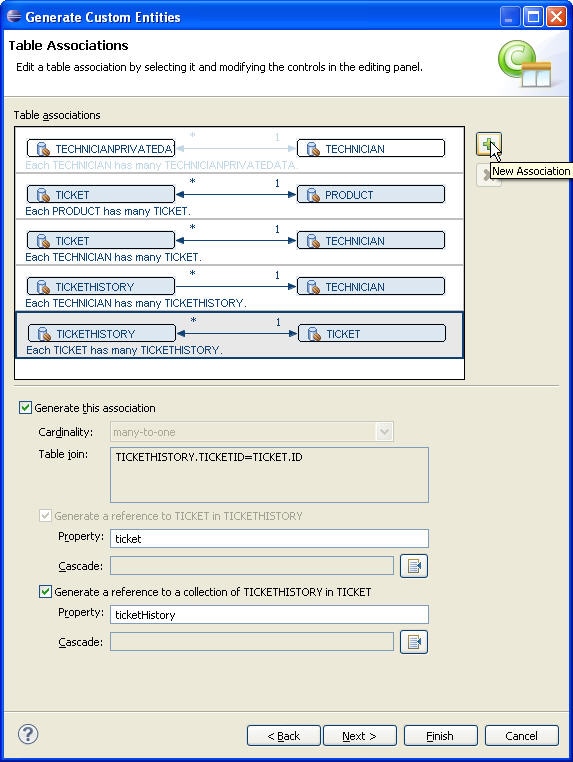
In the
Table Associations wizard page, click the
New Associations button.
-
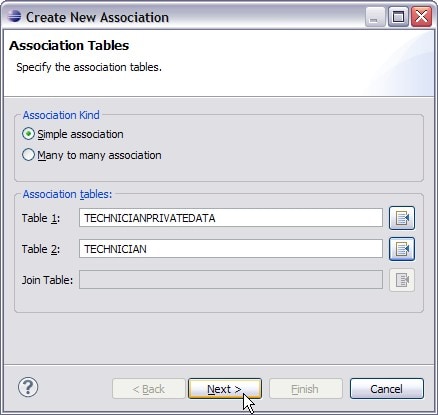
We want to define a simple one-to-one association between the TECHNICIAN and TECHNICIANPRIVATEDATA tables. In the
Create New Association dialog, for the
Simple association option, select the TECHNICIANPRIVATEDATA table for Table 1 and the TECHNICIAN table for Table 2 (as shown below) and click
Next .
-
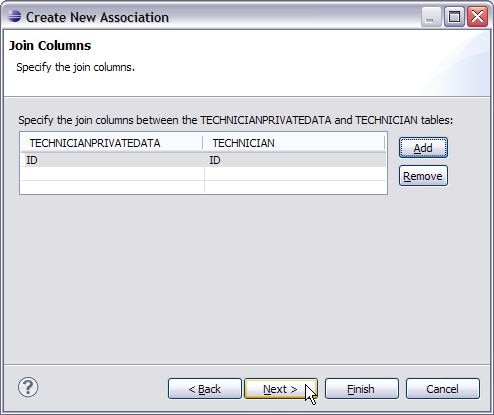
In the
Join Columns dialog, specify the join columns between tables. Click the
Add button. Select the ID column for the TECHNICIANPRIVATEDATA table and the ID column for the TECHNICIAN table. Click
Next .
-
Select
One-to-One to specify one TECHNICIAN per TECHNICIANPRIVATEDATA.
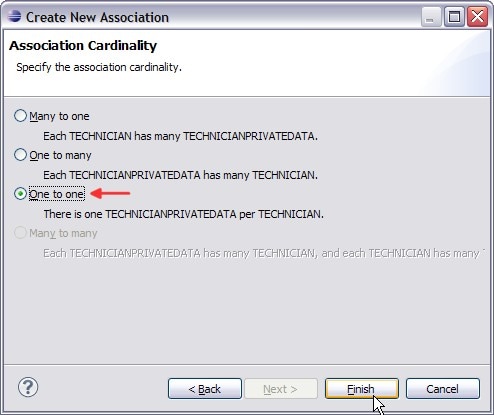
- Click Finish. This adds a new association in the Table Associations wizard page.
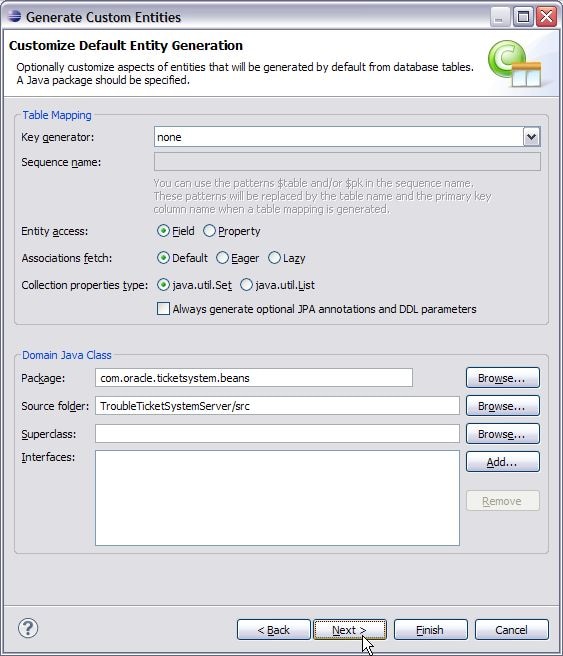
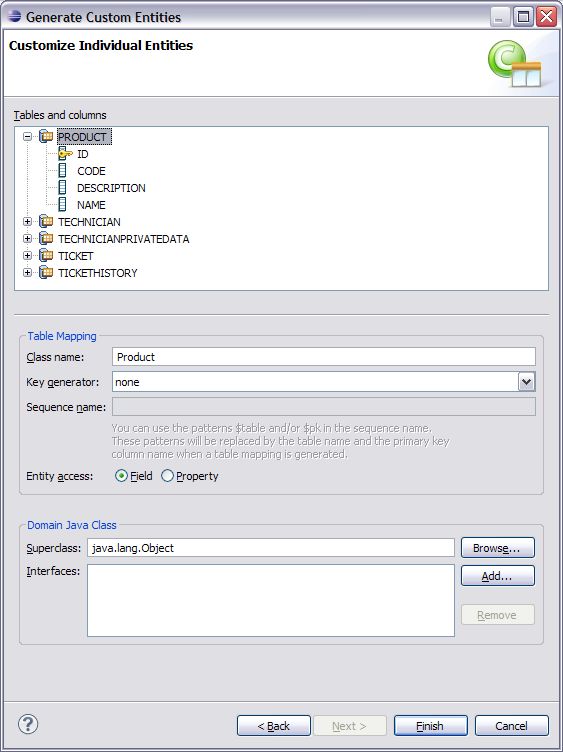
A Java Package is required for generating the entity beans. Enter com.oracle.ticketsystem.beans as the Package name under Domain Java Class section and the package will be created automatically upon completion of the dialog.
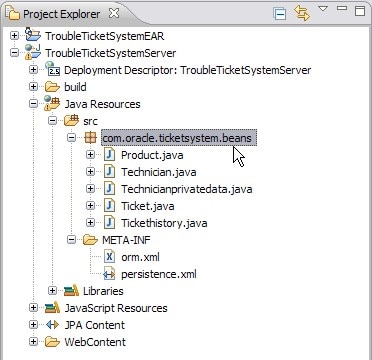
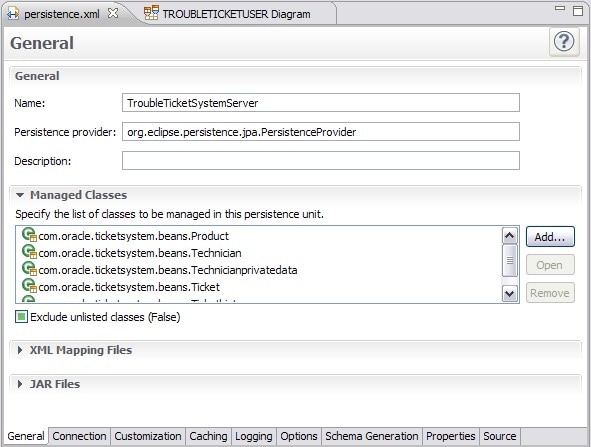
Review the generated classes with JPA annotations
When we create entity mappings, we define each property as having one of six property types: basic, id, many-to-one, one-to-one, one-to-many, and many-to-many. When you generate entities from a database, OEPE annotates the generated source code with JPA annotations that designate which type a given property is. In this section, we will review some basic JPA annotations.
Review the following annotations in the Technician class.
- Double-click the file TroubleTicketSystemServer > Java Resources: src > com.oracle.ticketsystem.beans > Technician.java to view its source.
-
Basic Properties: A basic property handles a standard value that is persisted as-is to the database.
Every non-static non-transient property (field or method) of an entity bean is considered persistent. Not having an annotation for property is equivalent to the appropriate
@Basicannotation. The@Basicannotation allows to declare the fetching strategy for a property.The
@Basicannotation is followed by the@Columnannotation defining an attribute name which is the name of the column to which the property is bound; the attribute nullable is false to specify that the column cannot store null values; the column length attribute specifies the maximum length. -
ID properties: An Id property designates an identifier, such as a primary key. All entity beans must declare one or more fields which together form the persistent identity of an instance.
An
@Idannotation is followed by a@Columnannotation defining the attribute unique which is true to specify that the column is UNIQUE in the SQL sense (can have only unique values). -
One-to-One properties: There are three cases for one-to-one associations: either the associated entities share the same primary keys values, a foreign key is held by one of the entities (note that this FK column in the database should be constrained unique to simulate one-to-one multiplicity), or an association table is used to store the link between the 2 entities (a unique constraint has to be defined on each FK to ensure the one to one multiplicity).
The following shows the one-to-one mapping association between Technician and Technicianprivatedata in the Technicianprivatedata class. The following
@JoinColumnannotation declares the column in the targeted entity that will be used for the join.//bi-directional one-to-one association to Technician @OneToOne @JoinColumn(name="ID") private Technician technician; public Technician getTechnician() { return this.technician; } public void setTechnician(Technician technician) { this.technician = technician; }The following shows the one-to-one mapping association between Technicianprivatedata and Technician in the Technician class. The mappedBy attribute refers to the property name of the association on the owner side.
//bi-directional one-to-one association to Technicianprivatedata @OneToOne(mappedBy="technician") private Technicianprivatedata technicianprivatedata; public Technicianprivatedata getTechnicianprivatedata() { return this.technicianprivatedata; } public void setTechnicianprivatedata(Technicianprivatedata technicianprivatedata) { this.technicianprivatedata = technicianprivatedata; } -
One-to-Many Properties: A one-to-many property designates a relationship in which one A entity references multiple B entities, and no two A entities reference the same B entity.
Here the Technician entity references multiple Ticket entities, but a Ticket entity can have only one Technician entity reference.
The one-to-many annotation defines an attribute mappedBy which is the name of the many-to-one field in the Ticket entity that maps this bidirectional relation.
//bi-directional many-to-one association to Ticket @OneToMany(mappedBy="technician") private Set tickets; public Set getTickets() { return this.tickets; } public void setTickets(Set tickets) { this.tickets = tickets; } -
Many-to-one Properties: A many-to-one property designates a relationship in which an entity A references a single entity B, and other A's might also reference the same B; there is a many-to-one relation from A to B.
The many-to-one annotation defines an attribute fetch which is a enum that specifies whether to load the field's persisted data before the entity object is returned by the persistence provider (FetchType.EAGER) or later, when the property is accessed (FetchType.LAZY). The many-to-one are defaulted to FetchType.EAGER.
The many-to-one annotation is followed by a
@JoinColumnannotation defining the column name which is the name of the column to which the property is bound and a referencedColumnName attribute which is the name of the primary key column being joined to.Open the Ticket class.
//bi-directional many-to-one association to Technician @ManyToOne @JoinColumn(name="TECHNICIANID") private Technician technician; public Technician getTechnician() { return this.technician; } public void setTechnician(Technician technician) { this.technician = technician; }
 private String name;

public String getName() {
   return this.name;
}

public void setName(String name) {
   this.name = name;
}
private String id;

public String getId() {
   return this.id;
}

public void setId(String id) {
   this.id = id;
}