Oracle SQL Developer is the Oracle Database IDE
A free graphical user interface, Oracle SQL Developer allows database users and administrators to do their database tasks in fewer clicks and keystrokes. A productivity tool, SQL Developer's main objective is to help the end user save time and maximize the return on investment in the Oracle Database technology stack.
SQL Developer supports Oracle Database 10g, 11g, and 12c and will run on any operating system that supports Java.
For the Developer
SQL Developer provides powerful editors for working with SQL, PL/SQL, Stored Java Procedures, and XML. Run queries, generate execution plans, export data to the desired format (XML, Excel, HTML, PDF, etc.), execute, debug, test, and document your database programs, and much more with SQL Developer.
For the DBA
SQL Develper isn't just for developers! Since version 3.0, the DBA Panel (available under the View menu) has provided database administrators a set of interfaces for their most critical tasks. SQL Developer will continue to add and enhance features for the DBA. Today, SQL Developer's DBA panel provides support for:
- Data Pump
- Recovery Manager (RMAN)
- Oracle Auditing
- User and Role management
- Storage management, including the ability to add space to your tablespaces
- Resource Manager
- Diagnostic Pack features:
- Snapshots
- Baselines
- ADDM
- ASH
- AWR
For the Application Architect & Data Modeler
Oracle SQL Developer includes a complete data modeling solution with Oracle SQL Developer Data Modeler (SDDM) running inside the application (also available as a standalone and free installation.) SDDM supports:
- Logical, relational, physical, dimensional modeling
- Data Flow Diagrams
- DDL scripting
- Importing from data dictionaries, DDL scripts, Oracle Designer Repositories, and ERwin
- a Reporting Repository
- Versioning of your designs via Subversion
- Comparing models with generation of ALTER scripts
- a powerful search and reporting utility
For the Web Application Developer and Administrator
Oracle SQL Developer allows you to administer Oracle Rest Data Services and for creating and altering your RESTful services.
Oracle SQL Developer integrates with Oracle APEX, allowing you to browse applications and perform other Application Express activities. With Oracle SQL Developer you can browse, export and import, drop or deploy applications. There are a selection of Application Express reports and you can create your own custom reports.
Third Party Database Migrations
Formerly available in the Migration Workbench, Oracle SQL Developer is now the primary migration platform for moving your 3rd Party databases to Oracle Database. Users can connect to Access, SQL Server, Sybase ASE, DB2, or Teradata and walk a wizard-driven process to move their objects, data, and applications to Oracle.
Screenshots of Major Features
Below is a summary of several capabilities for SQL Developer. Click on the image thumbnail to view a full-sized image.
1. Create Connections
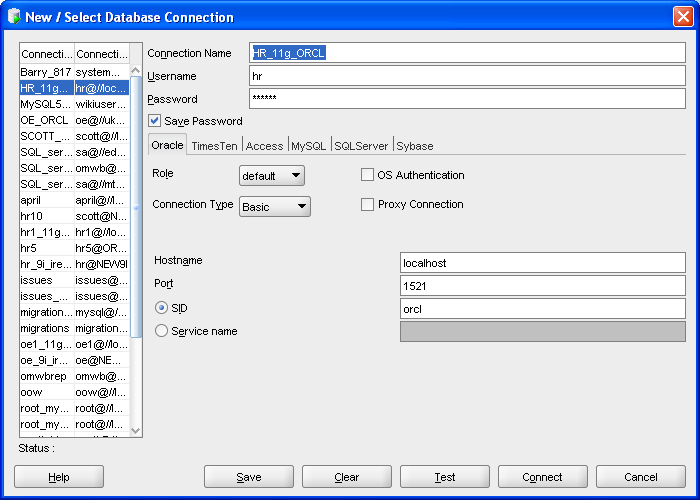
- Create and test connections
- for multiple databases
- for multiple schemas
- Store often-used connections
- Import and export connections
- Store password or be prompted on connection
- Import connection details from tnsnames.ora
- Support for LDAP, Kerberos, external authentication and proxy users
- Group connections in folders
- Advanced option to identify URL for connecting from Java
- Connections for TimesTen, MySQL, Microsoft SQL Server, Microsoft Access, Sybase, Teradata and IBM DB2
- a full listing of certifications is available
SQL Developer fully support connections to Oracle 10g and above.
Users can create Database Connections for non-Oracle databases MySQL, Microsoft SQL Server, Microsoft Access, Sybase, Teradata and IBM DB2 for object and data browsing. Limited worksheet capabilities also available for these databases.
2. Browse Objects
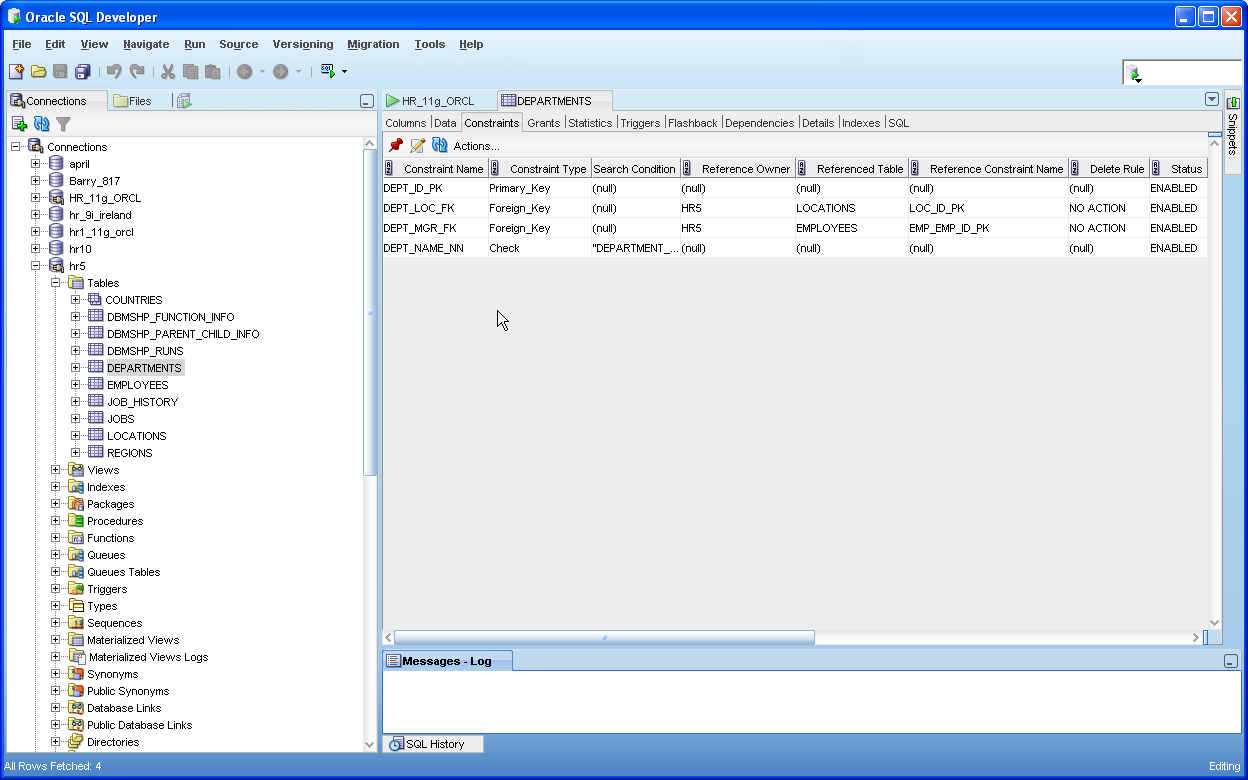
- Tree Based Object Browser
- Support for common objects
- Tables, Views, Indexes
- Packages, Procedures, Functions, Triggers
- Types
- Sequences
- Materialized Views and Logs
- Synonyms (public and private)
- Database Links
- Directories
- XML Schemas
- Queue Tables and queues
- Java
- Jobs
- Recycle Bin (10g and above)
- Other Users
- Tabbed display of details specific to each object type
Objects are grouped together by type. For each object type, a filter can be applied to restrict the display.
3. Create Objects

- Create dialogs for each supported object type
- Includes support for:
- External Tables
- Index Organized Tables
- Temporary Tables
- Partitioned Tables (Range, Hash and List)
- Supports mixed-case and multi-byte characters
On table creation users can specify sequences and before-insert triggers for populating a column with values.
4. Modify Objects

- Action-specific dialogs for modification, such as
- Table > Rename
- Column > Add
- View > Compile
- Index > Rebuild
- Procedure > Debug
- Trigger > Disable
- Sequence > Drop
- Materialized View > Change Parallelism
- Synonym > Drop
- Database Link > Test
- Recycle Bin > Purge
Most objects have a general edit dialog as well as specific modifications available by invoking a context menu through right-clicking.
5. Query and Update Data
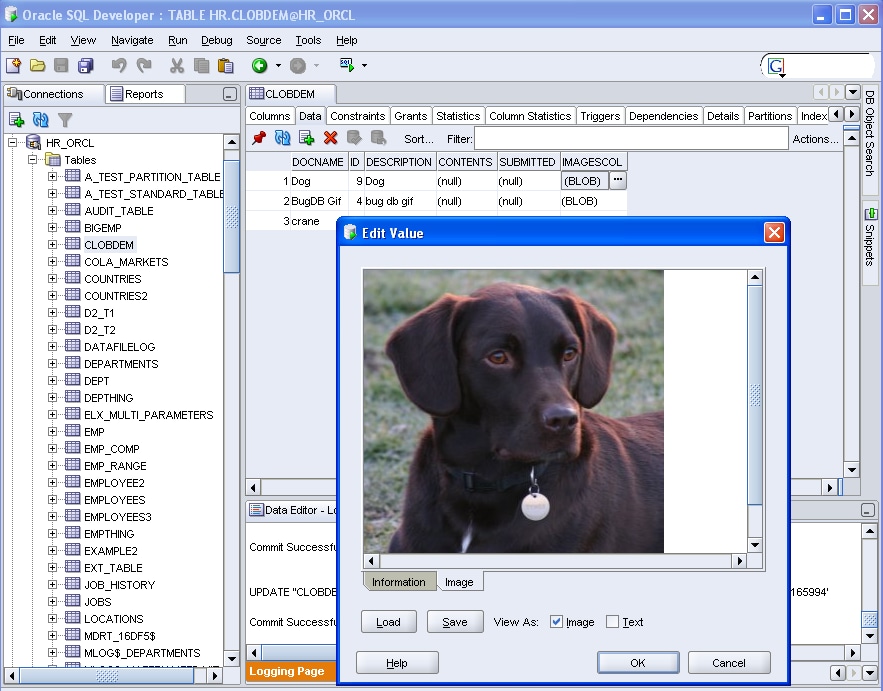

- Browse table grid data
- sort
- filter
- highlight
- manage columns (hide and show)
- duplicate row
- single record view
- Insert, update and delete data
- Support for CLOBs and BLOBs
- Auto-fit columns
- Track data changes through message log
- Visual Query Builder
Use the Query Builder to quickly create SQL queries by drag and drop, to select tables, and mouse-click to select columns.
6. Export Data and DDL, Import Data
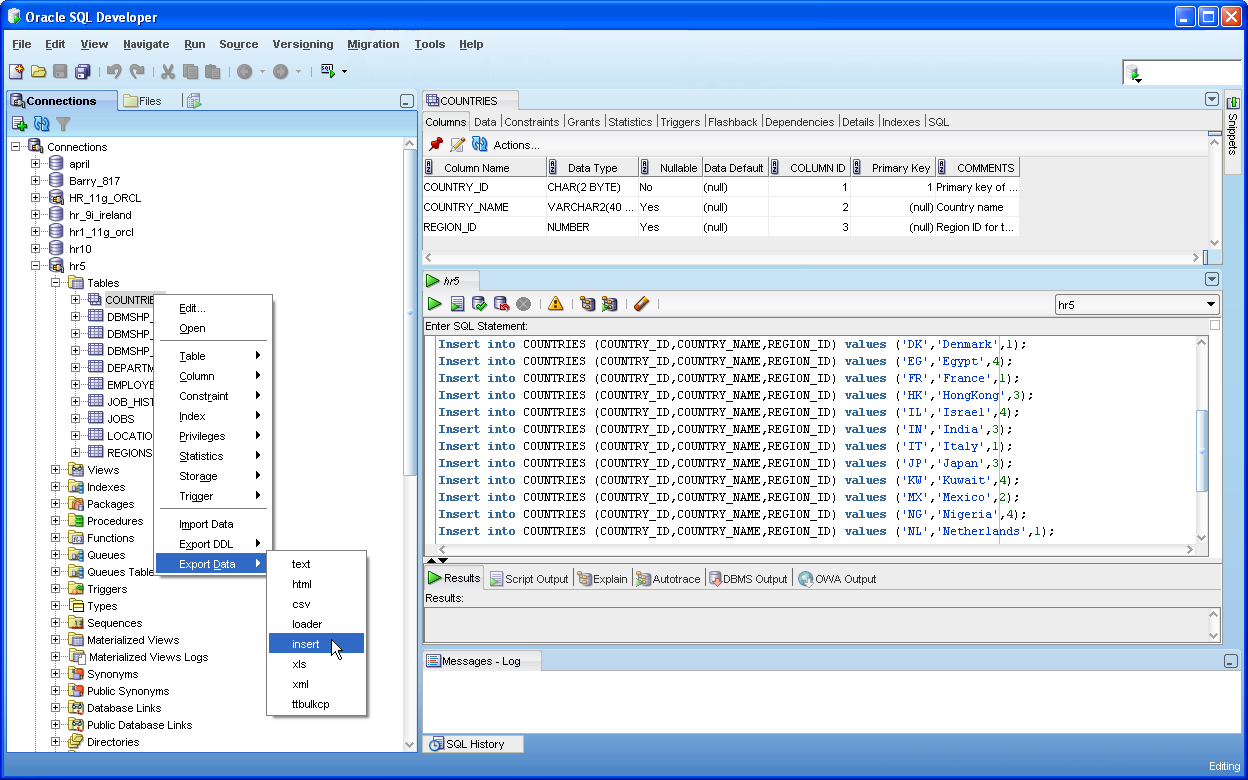
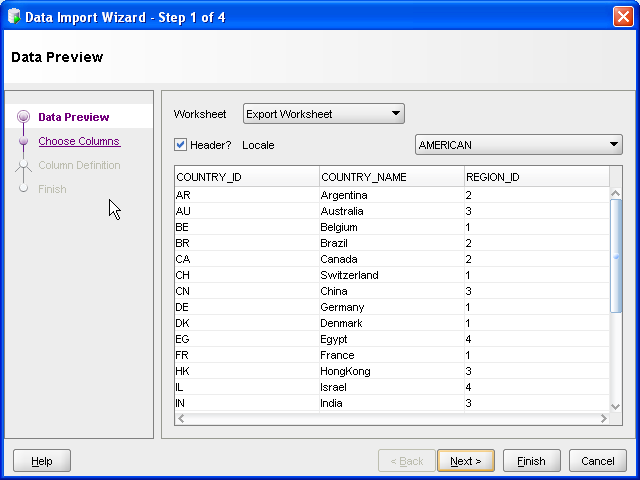
- Export data to
- XML
- csv
- SQL Insert
- SQL Loader
- text
- HTML
- XLS
- Restrict columns
- Add where clause
- Export DDL
- select multiple object type
- select multiple objects
- EXPORT DDL and Data wizard
- Import data from
- XLS, CVS
- Import data and create table
Data export available from any data grid. This include Table > Data, SQL Worksheet Results and Report output.
7. Schema Copy and Compare


- Schema Copy
- Copy contents of one schema to another
- Drop, truncate or copy objects
- Log report of results
- Schema Compare
- Compare and create SQL Difference statement between 2 schemas
- Select objects to compare
- List of differences and SQL Code to be executed
- Run script output to SQL Worksheet to be executed against connection of choice
8. Process Commands

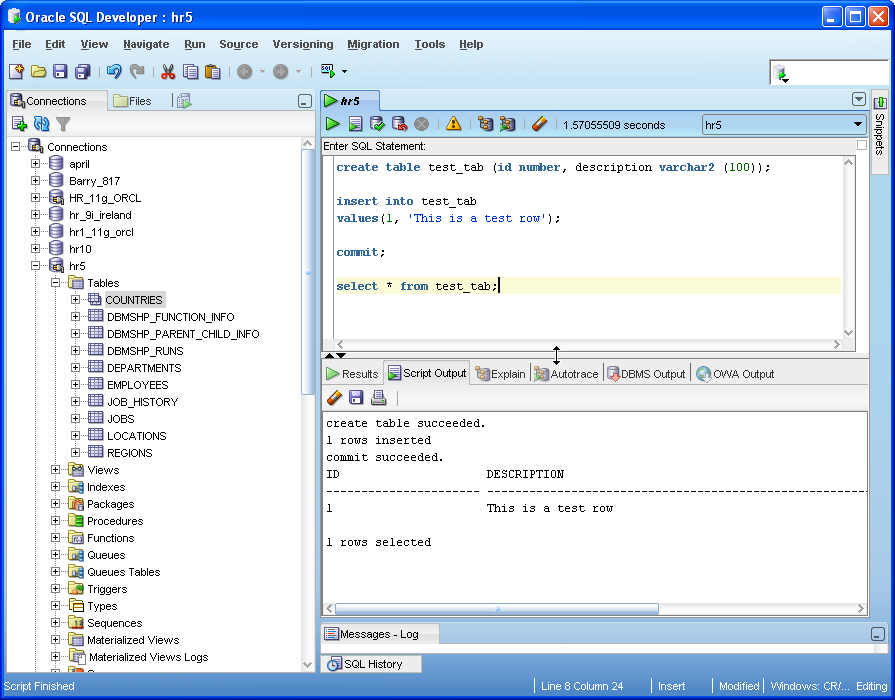
- Syntax Highlighting
- Code Insight
- Table alias insight
- Single Statement Execution
- Script Execution
- Code Formatting
- Command History
- Explain Plan
- HTP and OWA output
- Bind Variable Support
- Drag and Drop into your SQL
- Snippets
- Tables/Materialized Views (bring over full select statement)
- Functions/Procedures (bring over full parameter list)
- All other objects from Connections
- SQL from Reports
Any files opened will be opened into a SQL Worksheet. The user will simply select the appropriate connection from the upper-right list and can edit, execute and save.
9. Edit PL/SQL
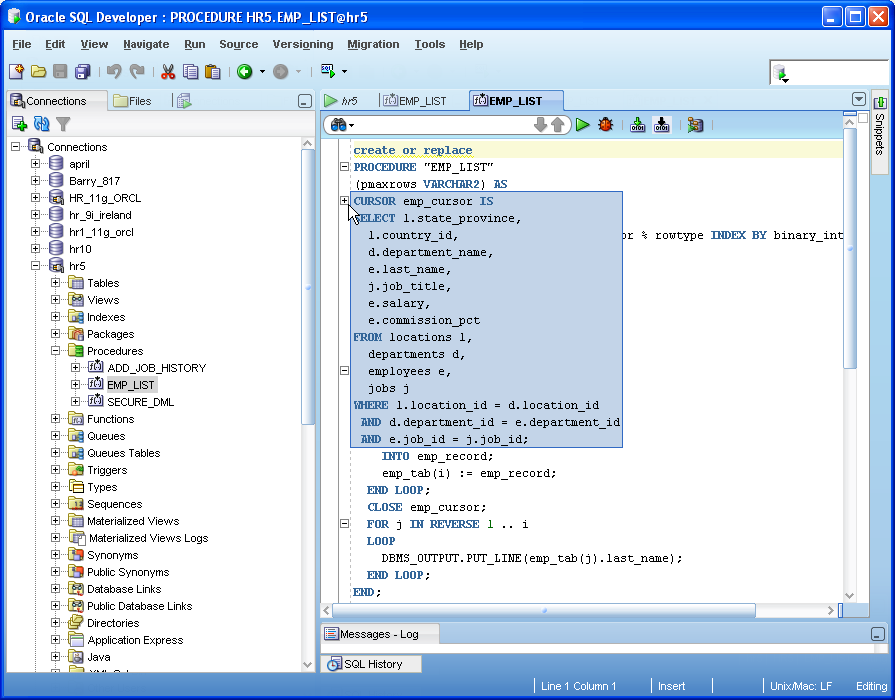
- Full Function Editor
- Code Snippet Viewer
- Code Formatter
- Syntax Highlighting
- Code Insight (auto complete)
- Code Folding
- Inline Error Reporting
- Code Bookmarking
- Customizable Quick Keys
- Customizable Code Snippet Viewer
- File based PL/SQL editing
Any .pks, .pkb and .pls files opened will be opened into a PL/SQL Code Editor. Uses can edit, use snippets, compile and save these files.
10. Run and Debug PL/SQL

- Run Procedures, Functions, and Packages
- DBMS_OUTPUT
- Function return values
- OUT parameters
- Run PL/SQL dialog
- Specify run target
- Shows parameter information
- Generates editable PL/SQL block for populating parameters
- Full functioning debugger
- Control program execution(Step into, over, ...)
- Inspect and modify variables
- Configure breakpoint conditions
11. Run and Create Reports

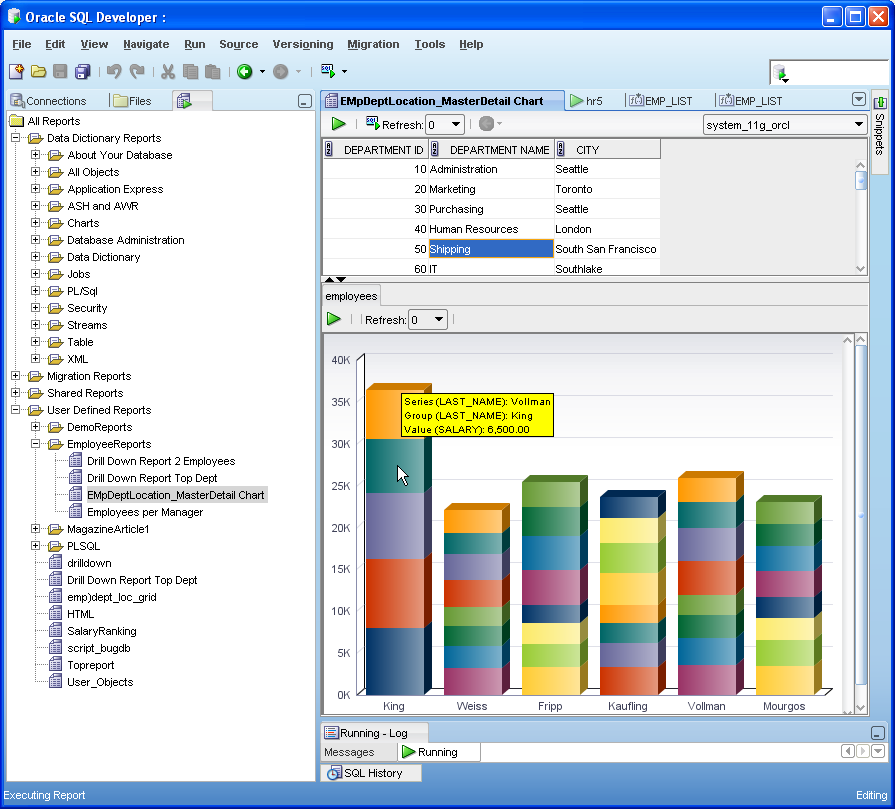
- Suite of Reports
- Data Dictionary
- DBA
- Monitoring
- Search PL/SQL
- Security
- Application Express
- Data Modeler
- Migration
- User Defined
- Basic tabular
- Master-detail
- Charts
- Gauges
- HTML
- Drill down
- Script
Most of the provided reports include click-through. If a user clicks on a resulting row, the definition of the object in that row is displayed. The SQL for any report can also be pulled into a Worksheet, edited and then stored as your own custom report.
12. PL/SQL Unit Testing

- Create a test
- Add test suite
- Create test implementation
- Repository based multi-user access
- Run test reports
- Reuseable library components
Objects are grouped together by type. For each object type, a filter can be applied to restrict the display.
13. Data Modeler Viewer


- Read only Data Modeler
- Open and browse logical and relational data models
- Drag and drop tables to create diagrams
- Browse domains, business information and process model data
- Read only access for
- domains
- business information
- process model data
14. Migrate from Third Party Databases
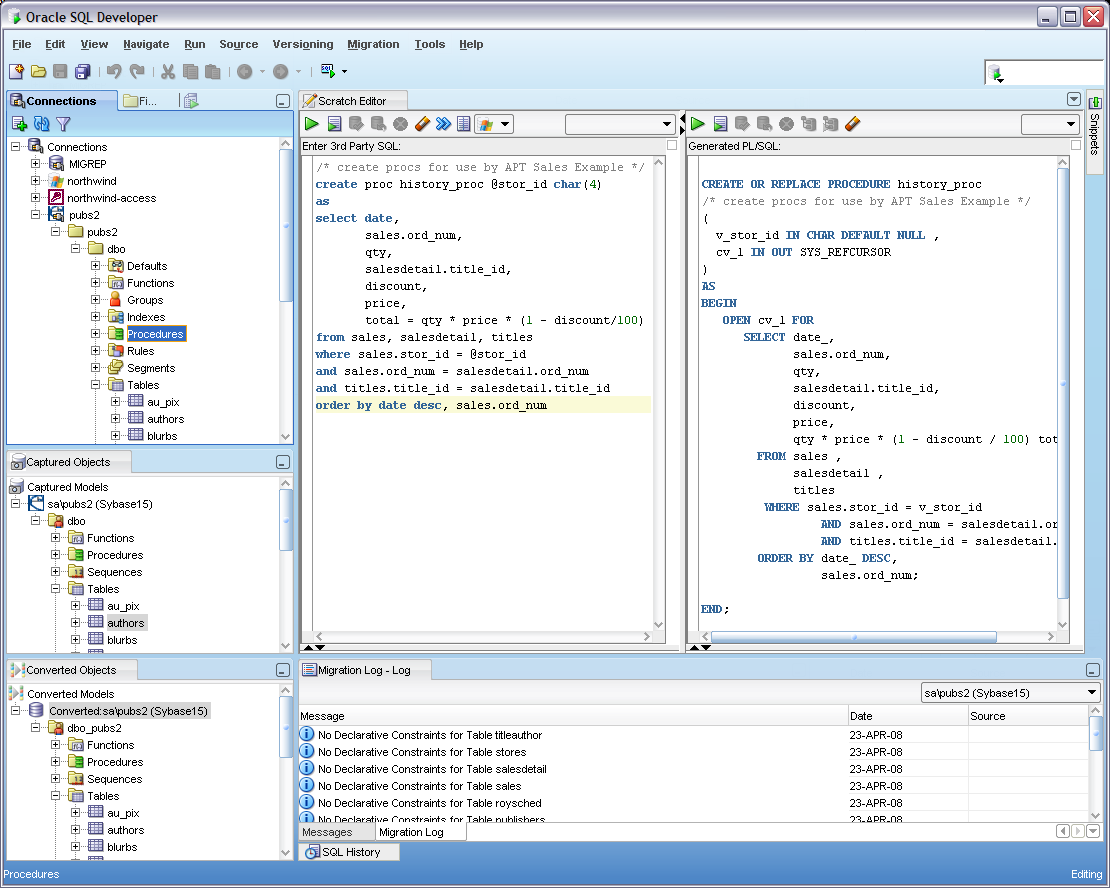
- Create database connections for
- MySQL
- Microsoft SQL Server
- Microsoft Access
- Sybase
- IBM DB2
- Teradata
- Browse third party databases
- Quick Migrate
- Least Privilege Migration
-
Step-by Step Migration
- Capture Third Party Model
- Convert to Oracle Model
- Generate DDL Script
- Execute DDL
- Migrate Data to Oracle
- Fine grain migration
- Complex object migration supports stored procedures, triggers and views
- Translation Scratch Editor
- Translation Difference Viewer
15. Version Control
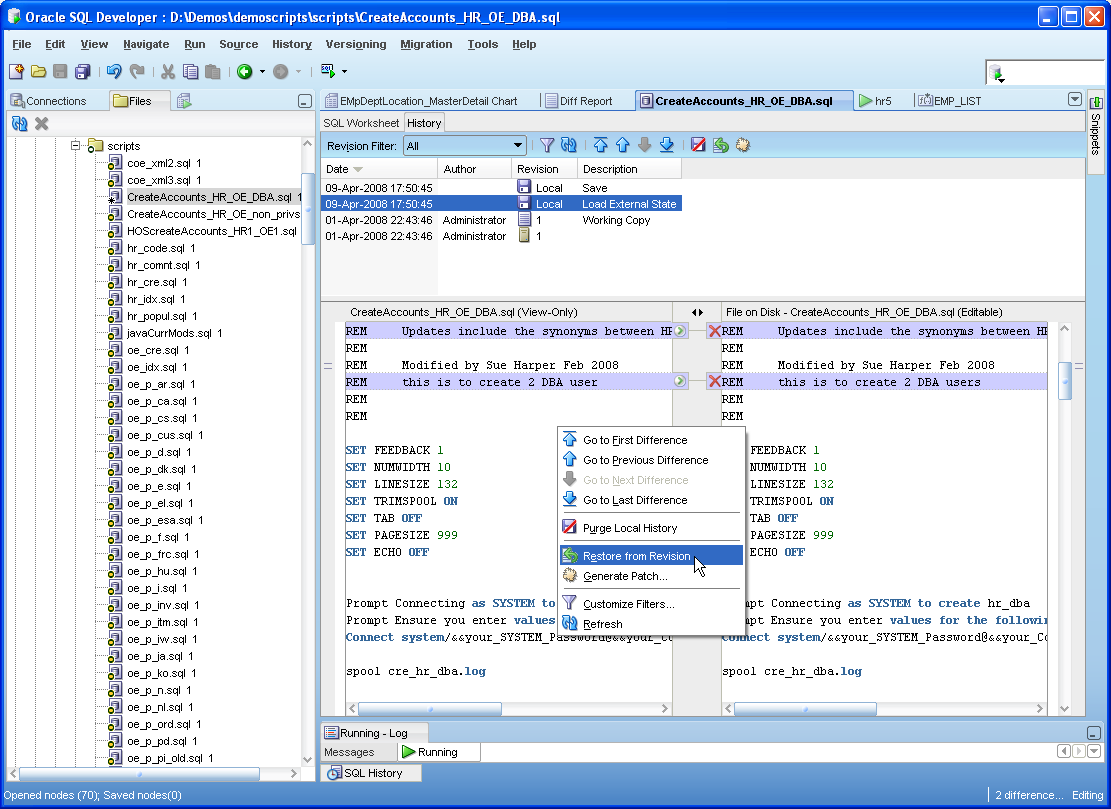
- Integrated with SQL Developer
- Support for CVS, Subversion, Serena Dimensions and Perforce
- Check out files
- Commit Working Copy
- Compare and merge files
- Import files
- Version History
16. Review the Robust IDE

- Multiple Components
- Connections
- Reports
- SQL Worksheet
- Snippets (drag and drop into code)
- Freeze View
- Dockable Windows
- Split Screen
- Preferences
- Auto commit with SQL Worksheet
- Set Accelerator Keys
- Show Line Numbers
- Tab Size
- Check for Updates
- 3rd Party Drivers
- to add CVS, Serena Dimensions and Perforce extensions
- Extensible
SQL Developer leverages the JDeveloper IDE. This gives developers the option to write extensions.