
There are two sources of data for prepared exports: Data from Staged Data and data from Results Books.
Note, it is also possible to create an ad-hoc export to Excel directly from the Results Browser.
Once you have written a Staged Data table using a Writer processor, you can set up an export of the Staged Data table to a data store. The export may then be manually run, or executed when you run the process that generates the Staged Data table.
To set up a data export of a Staged Data table:
|
Note: The contents of this table will be overwritten by default, though you may choose to append to the table, or replace records with the records in the staged data table using the primary key, when running the export as part of a configured Job. |
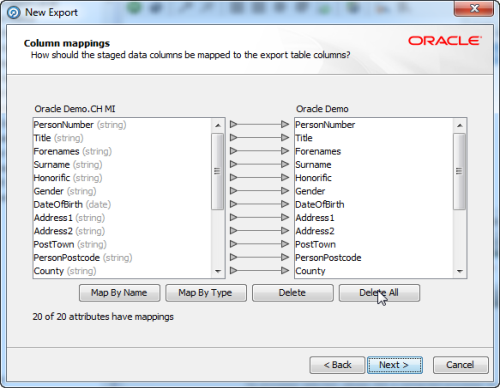
|
Note:Click on the Auto button to automatically map the columns in the order they are presented. |
Once you have written a Results Book you can set up an export of the Results Book to a data store. The export may then be manually run, or executed automatically as part of a scheduled job.
To set up an export of a Results Book:
See also Running a Prepared Export.
Oracle ® Enterprise Data Quality Help version 9.0
Copyright ©
2006,2011 Oracle and/or its affiliates. All rights reserved.