Step 6. Generating Spring ORM Classes
Time to complete this step: 30 minutes
In this step, we will configure the project to use Spring framework and
generate Spring ORM classes to access the entities created earlier.
The tasks you will complete in this step are:
To Add Spring Facet to project
- Right click
on the project oepe-jpa-tutorial. Select Properties,
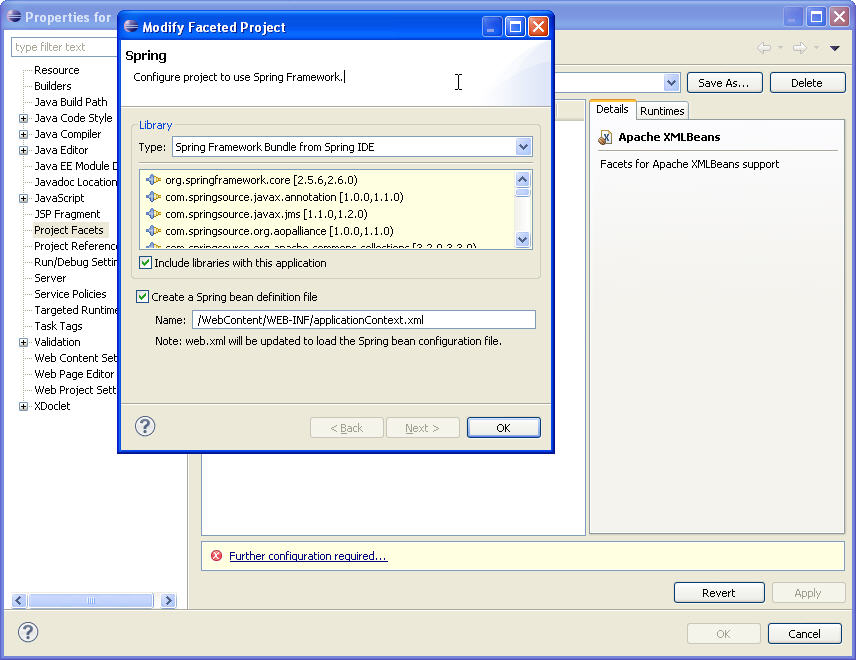
click Project Facets, and check Spring Facet. Click Further configuration.. link.
Select the Spring library that will be used with this project and click finish to install Spring facet.
To Generate Spring ORM classes
- Right click
on the project oepe-jpa-tutorial. Select New
> Generate Spring ORM classes
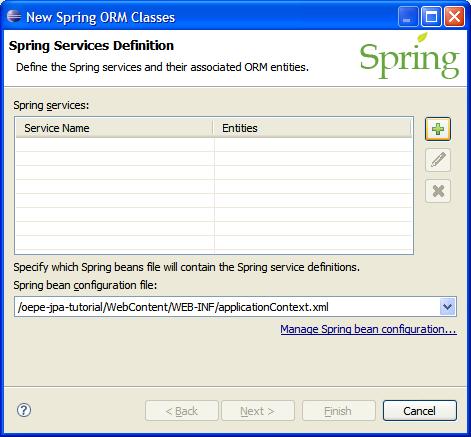
- Click Add.
to add a new Spring ORM service to use the JPA entities. Fill in the required fields as illustrated.
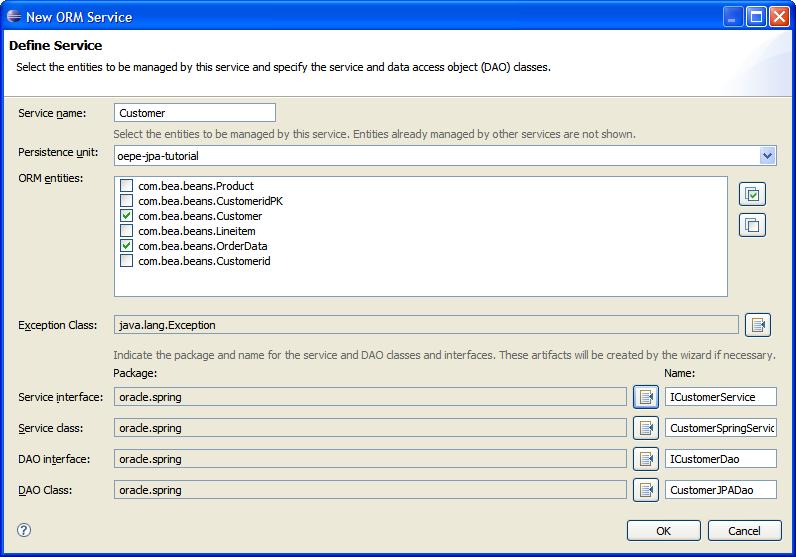
- Click Next to select the "Use plain JPA for DAO implementation" and
click Finish to finish generating Spring service class and DAO classs

To review generated Spring service bean and DAO classes
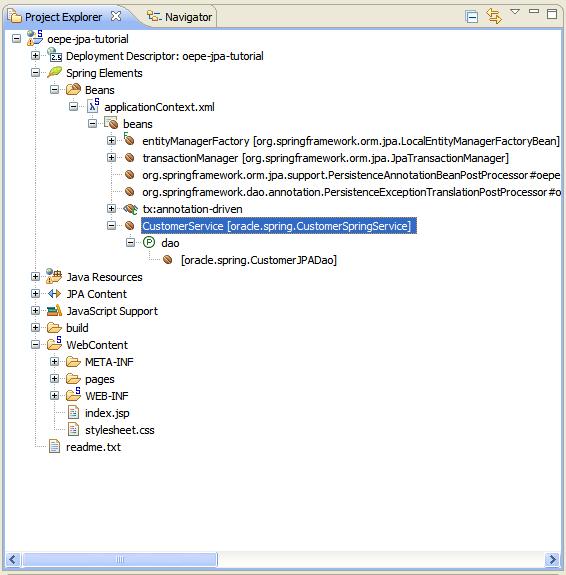
- From the Project Explorer, expand the Spring Elements to review the Spring configuration
- Spring beans used to access the JPA entities are generated into oracle.spring package.

Click the arrow to navigate to the previous step in the tutorial:

