Oracle Big Data Cloud combines open source technologies such as
Apache Spark and Apache Hadoop to deliver a complete Big Data
platform for running and managing Big Data Analytics
applications.
Oracle Big Data Cloud leverages Oracle’s Infrastructure Cloud
Services to deliver a secure, elastic, integrated platform for
all Big Data workloads.
You can create Oracle Big Data Cloud clusters in
Oracle Cloud Infrastructure and in Oracle
Cloud Infrastructure Classic. The region you chose to create the cluster determines
the infrastructure. If you see the Availability
Domain and Subnet fields
when you select a region for the cluster you're creating, that
means the cluster will be created in Oracle Cloud
Infrastructure. Otherwise, the cluster is created in Oracle
Cloud Infrastructure Classic.
The cluster environment in either type of infrastructure
is essentially the same. A few differences exist in the
underlying infrastructure components and in the supported
capabilities.
What Do You Need?
Subscription to Oracle Big Data Cloud
Your Oracle Cloud user name,
password, and identity domain
Locate your account details in the New Account Information
email that you received from Oracle Cloud when your user
account was set up. If you don't have your New Account
Information email, contact your account administrator
Create
an Cluster
Perform the following steps to create a BDC cluster.
Sign in to Oracle My Services.
On the My Services Dashboard, locate the Big Data
Cloud tile. Click the Action menu
, and then select Open
Service Console. Note: If this is the
first time you have accessed Big Data Cloud, then you may be
presented with a Welcome screen. If this happens then you can
continue to the console by clicking Go to Console.
Click Create Service and then select the Big
Data Cloud option.
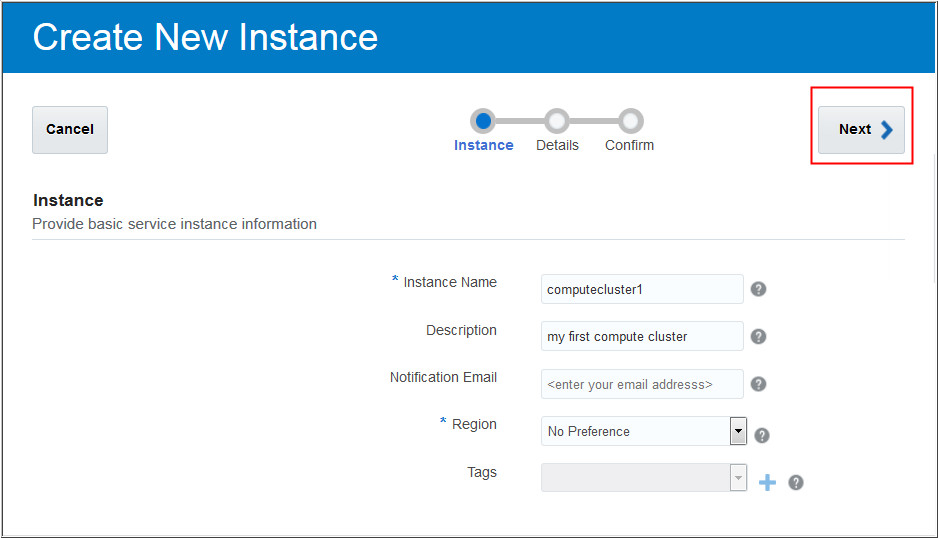
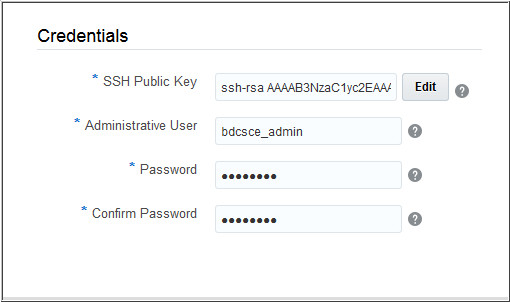
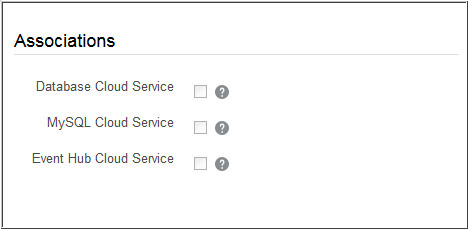
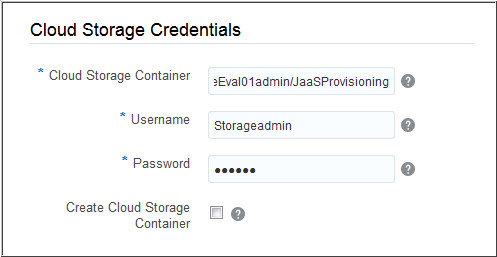
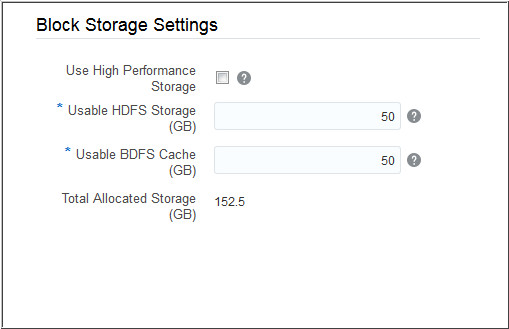
In the Service Details page, provide additional
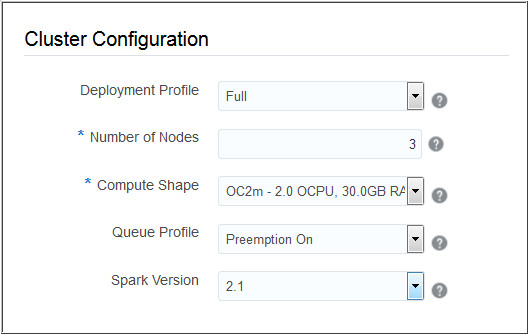
configuration parameters for BDC. In the Cluster
Configuration sub-section, enter the values for the
following parameters:
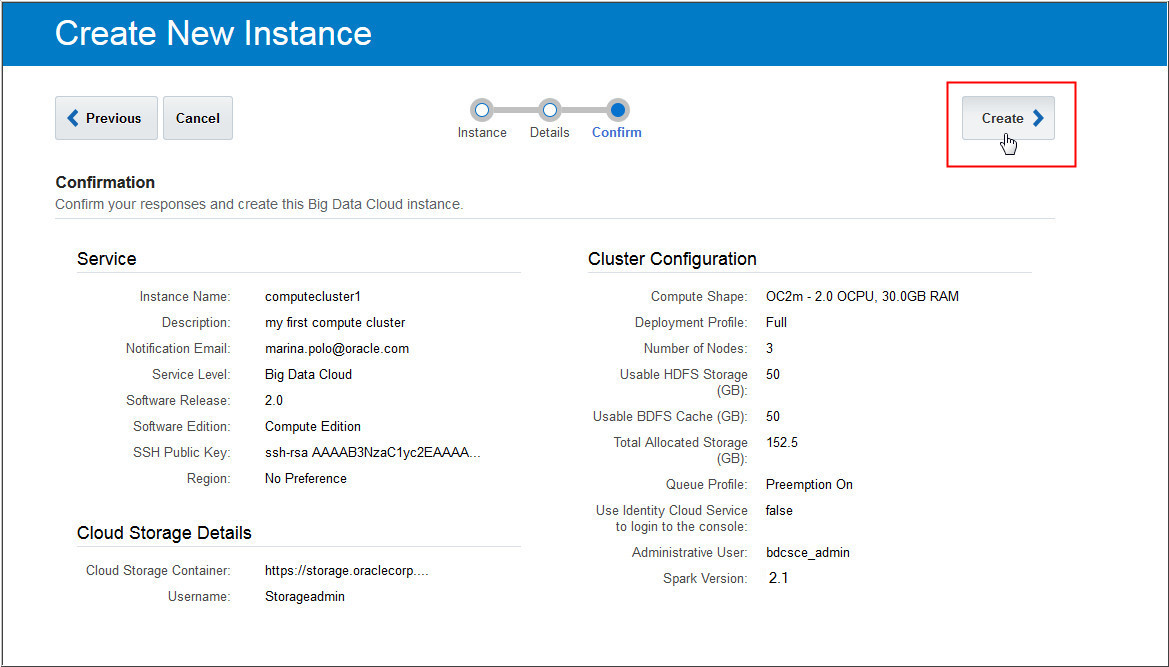
The Confirmation page appears. Confirm
your responses and click Create to create
the BDC cluster.
If you want to edit or update any parameter, click Previous
to navigate back to Service Details page.


 Before You Begin
 Create
an Cluster
Create
an Cluster , and then select Open
Service Console.
, and then select Open
Service Console.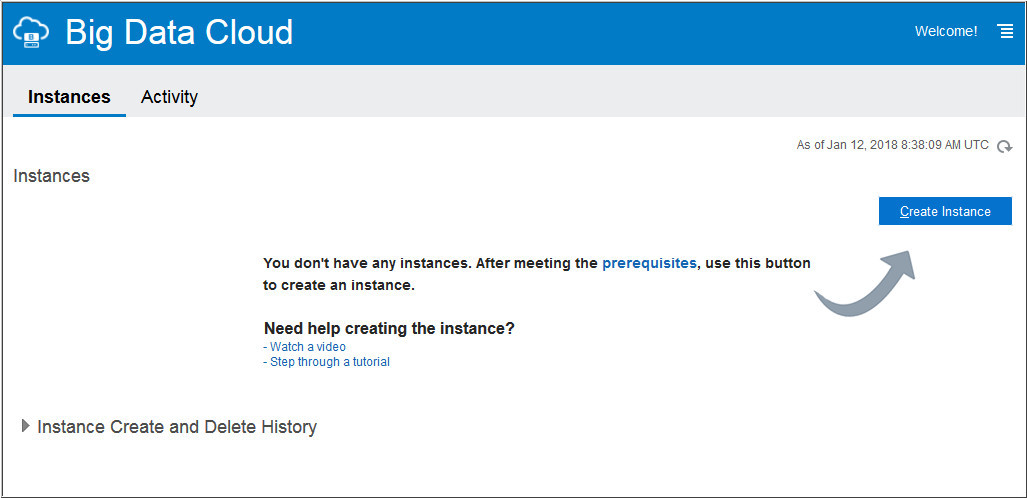
 Next
Tutorial
Next
Tutorial Want
to Learn More?
Want
to Learn More?