
 Viewing Cluster Details and Cloud Console
 Before You Begin
This 5-minute tutorial shows you how to view cluster details and Big Data Cloud console.
This is the second tutorial in the Provisioning and Administering the Big Data Cloud series. Perform the tutorials sequentially.
- Provisioning Oracle Big Data Cloud
- Viewing Cluster Details and Cloud Console
- Connecting to Big Data Cloud(BDC) via SSH
- Accessing Big Data Cloud Using Ambari
What Do You Need?
- A running BDC cluster.
- BDC cluster login credentials.
 View
Cluster Details
View
Cluster Details
Perform the following steps to view details of BDC clusters.
- Navigate to instances page. All the
clusters with their details are listed here.
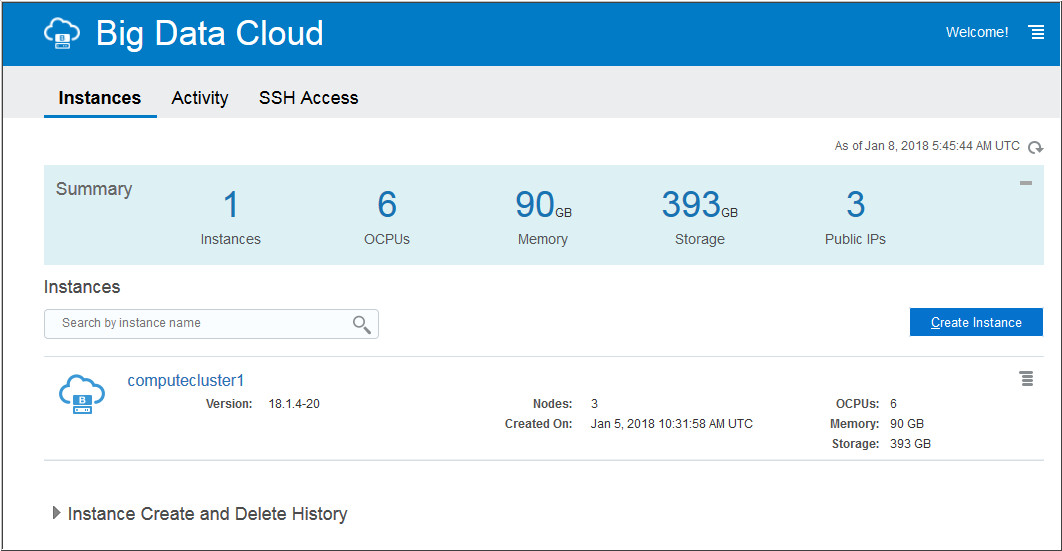
Description of the illustration a1.jpg - Click on your cluster name. The Instance
Overview page is displayed.
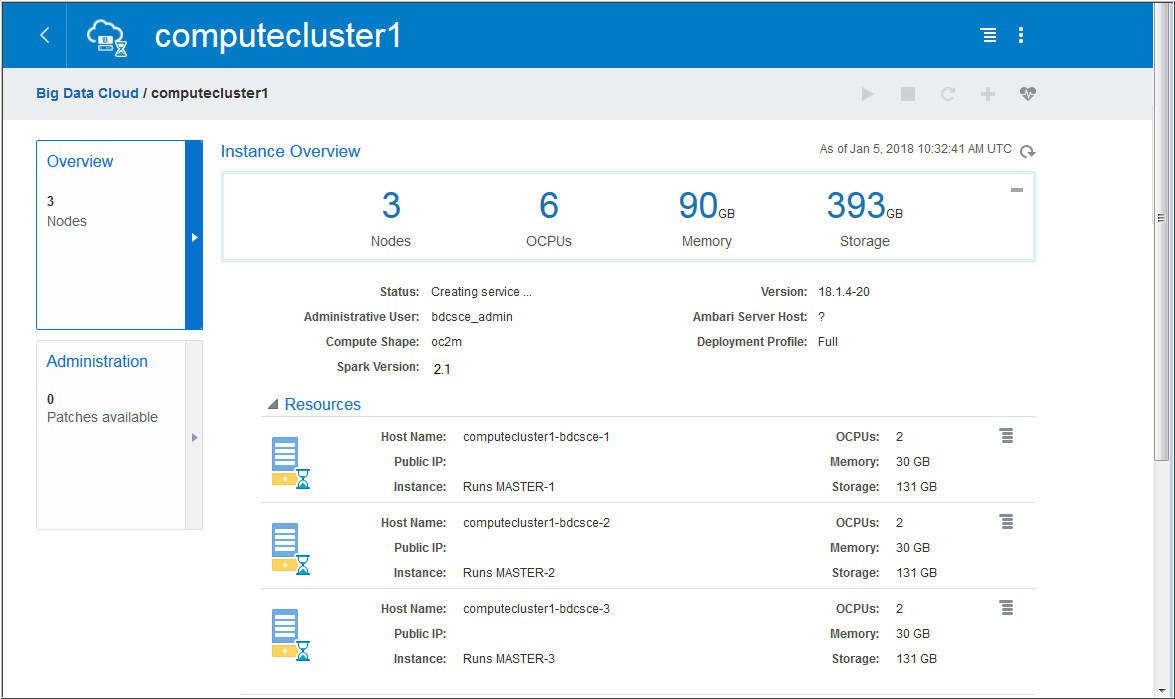
Description of the illustration a2.jpg - Click Administration on the left to view
the administration page.
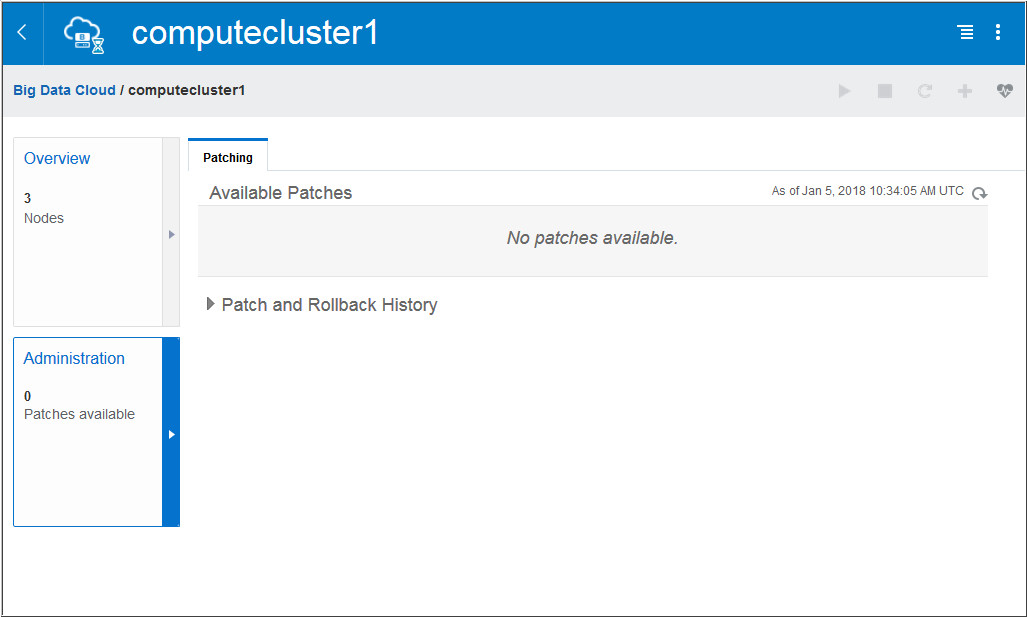
Description of the illustration a3.jpg
 View
Big Data Cloud Console
View
Big Data Cloud Console
Perform the following steps to view the BDC cluster console.
- In the Instances page, click the Manage this
Instance
 icon of the cluster and then click Big Data Cloud
Console.
icon of the cluster and then click Big Data Cloud
Console.
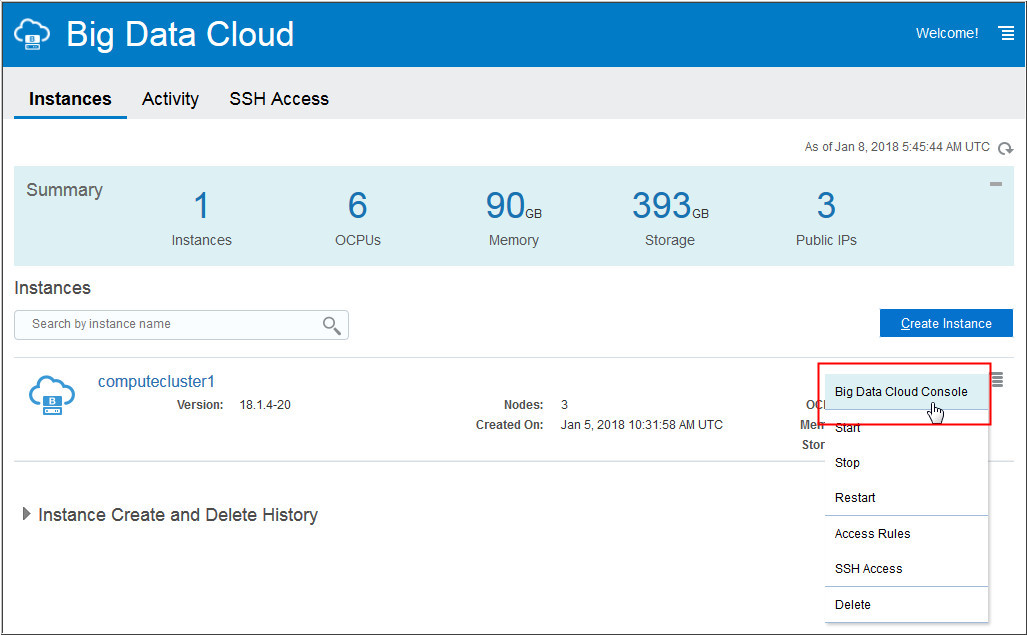
Description of the illustration b1.jpg - A window titled Authentication Required appears. Enter your
BDC cluster username and password and click Log In.

Description of the illustration b2.jpg - The Big Data Cloud Console is displayed.
Observe the page. You can manage your jobs and notebooks from
here.
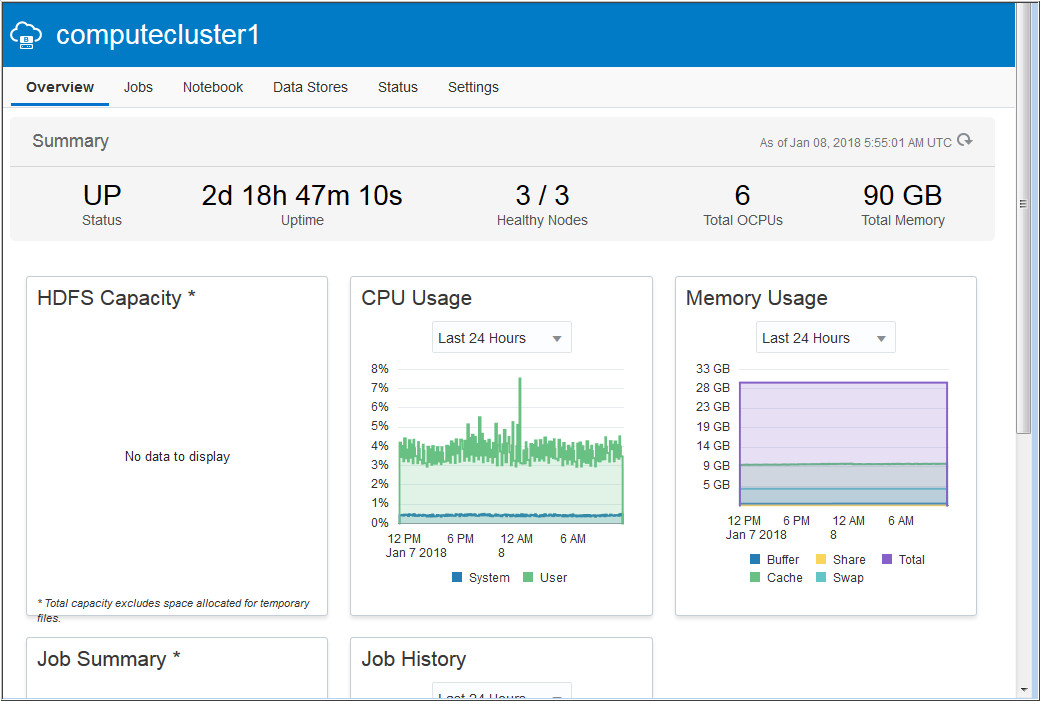
Description of the illustration b3.jpg
 Next
Tutorial
Next
Tutorial
 Want
to Learn More?
Want
to Learn More?
- Oracle Help Center Page for Oracle Big Data Cloud
- Using Guide for Oracle Big Data Cloud