
 Adding
Calendar Data to the Object Store
Adding
Calendar Data to the Object Store Before You Begin
In this 10-minute tutorial, you add some calendar data such as holidays to your data lake.
This is the 5th tutorial in the Storing and Analyzing Data with Big Data Cloud series. Perform the tutorials sequentially.
- Downloading Citi Bike Data and Storing into Object Store
- Working with Hive
- Working with Spark Interpreter
- Adding Weather Data to the Object Store
- Adding Calendar Data to the Object Store
What Do You Need?
- A running BDC cluster.
- BDC account credentials or Big Data Cloud Console direct URL (for example: https://xxx.xxx.xxx.xxx:1080/).
- code_snippet-c1.txt
- code_snippet-c3.txt
- code_snippet-c5.txt
- code_snippet-c7.txt
 Create
a Calendar Dataset
Create
a Calendar Dataset
Perform these steps to add some calendar data such as holidays and attributes to the Object Store.
- Copy code_snippet-c1.txt and paste it in the empty paragraph.
- Run the paragraph to create a temp view called
holidays_temp.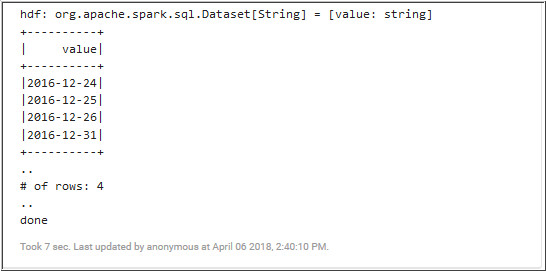
Description of the illustration c2.jpg - Copy code_snippet-c3.txt and paste it in the next paragraph.
- Run the paragraph to retrieve data from
weather_tempandholidays_temp.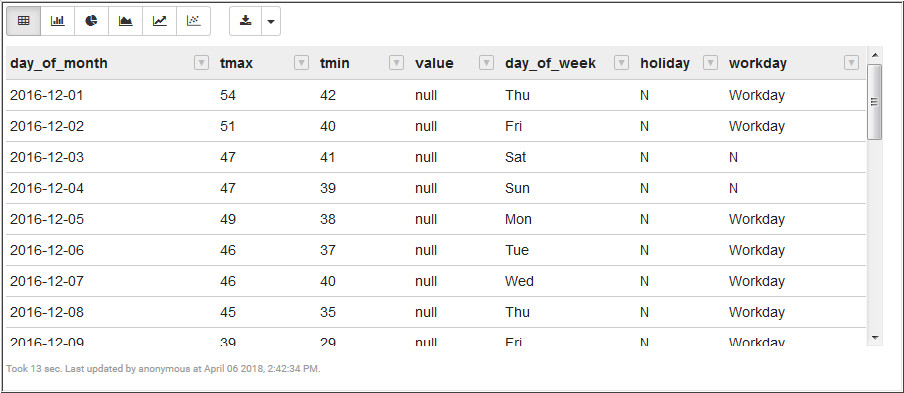
Description of the illustration c4.jpg - Copy code_snippet-c5.txt and paste it in the next empty paragraph.
- Run the paragraph to retrieve information from
weather_temp,holidays_tempandbike_trips_tempviews.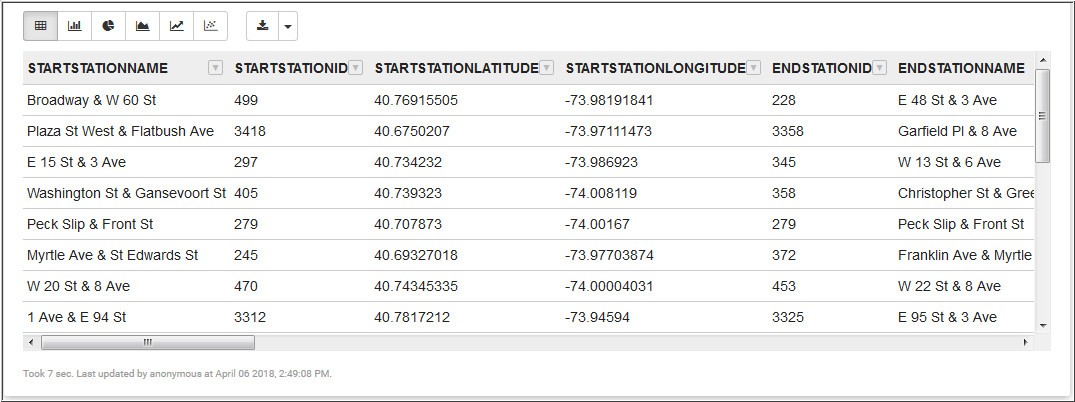
Description of the illustration c6.jpg - Copy code_snippet-c7.txt and paste it in the next paragraph.
- Run the paragraph to create a
bike_trips_weather_parquettable.
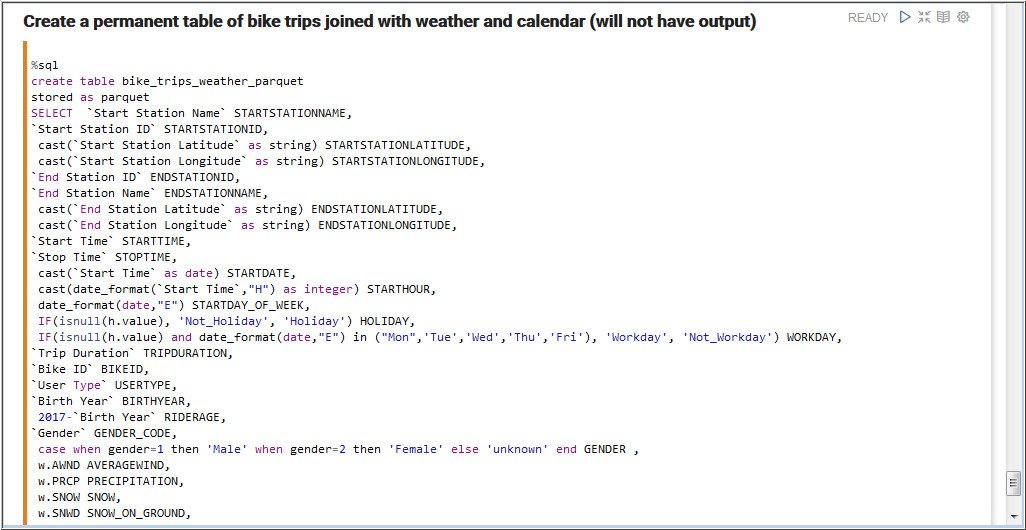
Description of the illustration c8.jpg - Run the following query to retrieve bike
trips based on day and weather.
select cast(starttime as date) day, workday, precipitation, count(*)
from bike_trips_weather_parquet
group by cast(starttime as date), workday, precipitation
order by day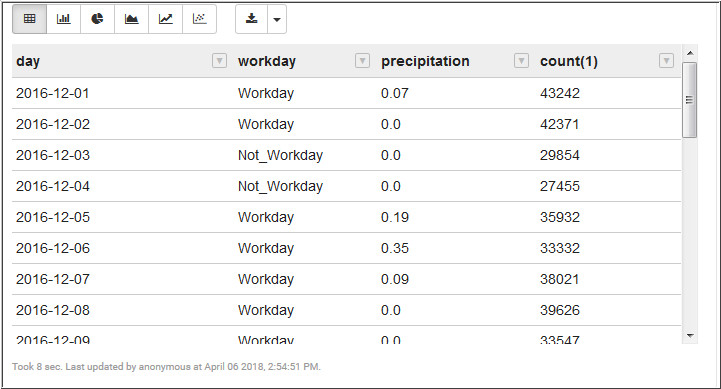
Description of the illustration c9.jpg - Run the following query to retrieve
workday bike trips based on the start date and start hour.
select startdate,  starthour, count(*)
from (select starthour,
 startday_of_week,
 startdate
from bike_trips_weather_parquet
where workday="Workday"
and (gender="${gender=Male,Male|Female|unknown}" )) bike_times
group by startdate,  starthour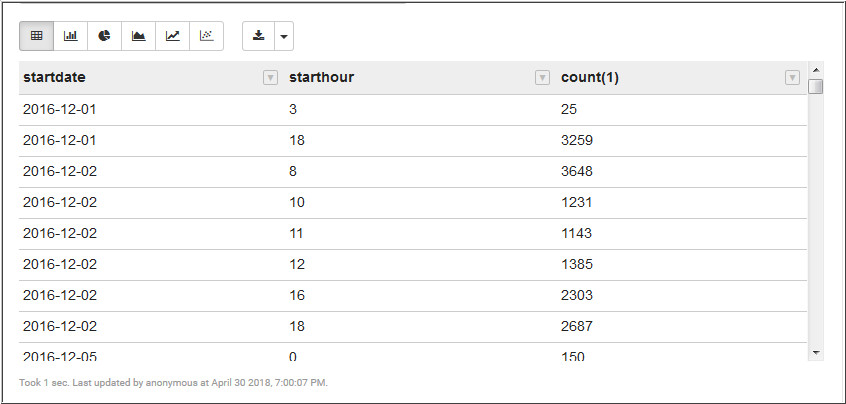
Description of the illustration c10.jpg
 Want
to Learn More?
Want
to Learn More?