
 Working
with Spark Interpreter
Working
with Spark Interpreter Before You Begin
This 10-minute tutorial shows you how to use Spark to read and query the citi bike data.
This is the 3rd tutorial in the Storing and Analyzing Data with Big Data Cloud series. Perform the tutorials sequentially.
- Downloading Citi Bike Data and Storing into Object Store
- Working with Hive
- Working with Spark Interpreter
- Adding Weather Data to the Object Store
- Adding Calendar Data to the Object Store
Background
Apache Spark is an open source parallel processing framework for running large-scale data analytics applications across clustered computers. It can handle both batch and real-time analytics.
What Do You Need?
- A running BDC cluster.
- BDC account credentials or Big Data Cloud Console direct URL (for example: https://xxx.xxx.xxx.xxx:1080/).
- code_snippet-1.txt
- code_snippet-2.txt
 Read
Data and Register as a Spark SQL table
Read
Data and Register as a Spark SQL table
- In the Big Data Cloud Console Notebook page, click Citi Bike Trip note.
- Copy code-snippet-1.txt
and paste it in the empty paragraph.
- Run the paragraph to read the CSV file and register
as a
bike_trips_temptemp view.
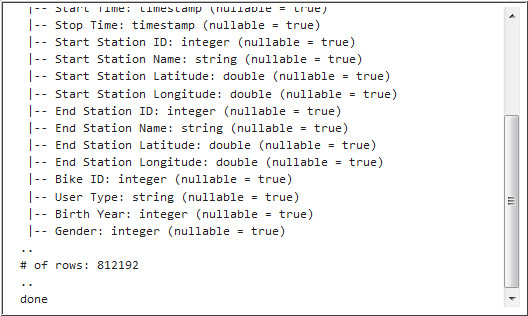
Description of the illustration a3.jpg
 Query
the Citi Bike Trip Tables
Query
the Citi Bike Trip Tables
- Run the following query in the next paragraph to
retrieve the number of bike trips based on gender.
%sql
select
 case when a.gender=1 then 'Male' when a.gender=2 then
'Female' else 'unknown' end gender ,
        a.trip_count
from (select gender, count(*) trip_count from bike_trips_temp
group by gender) a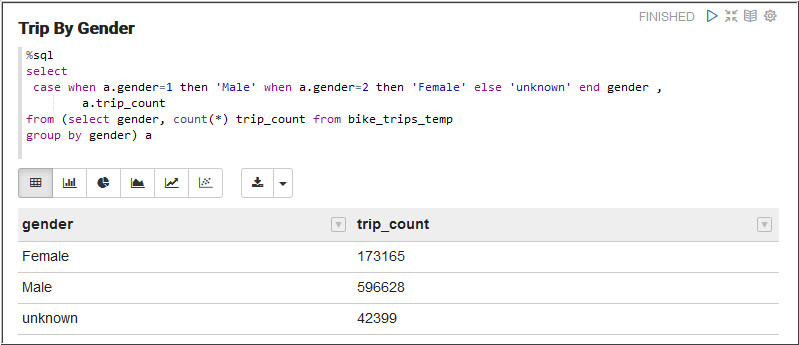
Description of the illustration b1.jpg - Run the following query in the next paragraph to retrieve
the number of bike trips based on day of the month.
select dayofmonth, count(*)
from (select date_format(`Start Time`,"H") hour,
 date_format(`Start Time`,"E") dayofweek,
 date_format(`Start Time`,"d") dayofmonth
from bike_trips_temp) bike_times
group by dayofmonth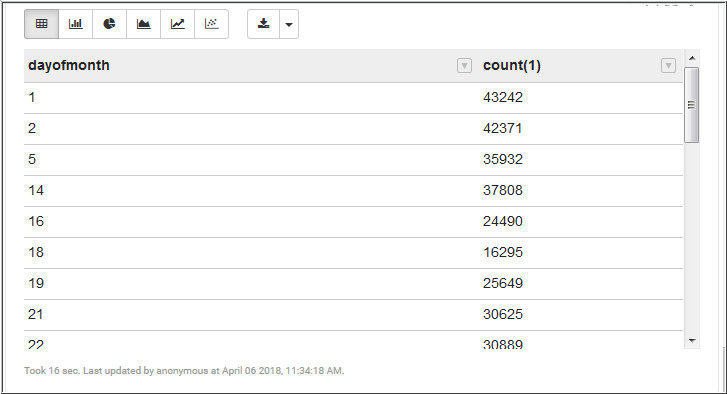
Description of the illustration b2.jpg - Run the following query in the next paragraph to retrieve
the number of bike trips based on the hour and the day of the
week.
select dayofweek, hour, count(*) from (select date_format(`Start Time`,"H") hour,
 date_format(`Start Time`,"E") dayofweek,
 date_format(`Start Time`,"d") dayofmonth,
 case when gender=1 then 'Male' when gender=2 then
'Female' else 'unknown' end gender
from bike_trips_temp) bike_times
where (gender="${gender=Male,Male|Female|unknown}" )
group by dayofweek, hour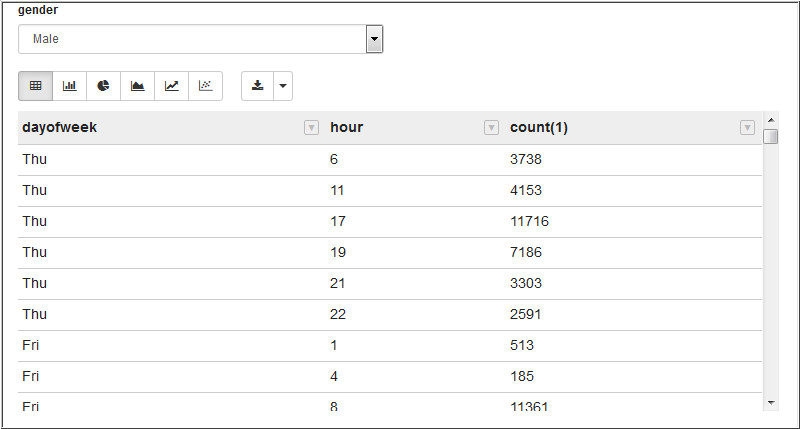
Description of the illustration b3.jpg
 Save
the temporary Spark SQL table as a permanent Hive table
Save
the temporary Spark SQL table as a permanent Hive table
In this section, you save a copy of the Spark SQL temporary table as a new permanent Hive table. This might be useful if you want to use BI tools, like Oracle Data Visualization Desktop, to query the permanent table.
- Run the following query to retrieve the hive tables.
show tables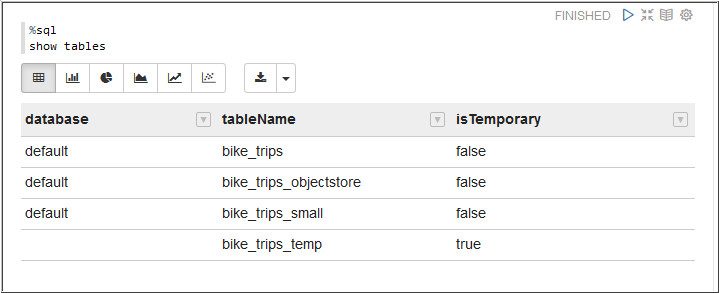
Description of the illustration c1.jpg - Copy code-snippet-2.txt and paste it in the next paragraph.
- Run the paragraph to create a permanent Hive table
from SparkSQL temporary table.
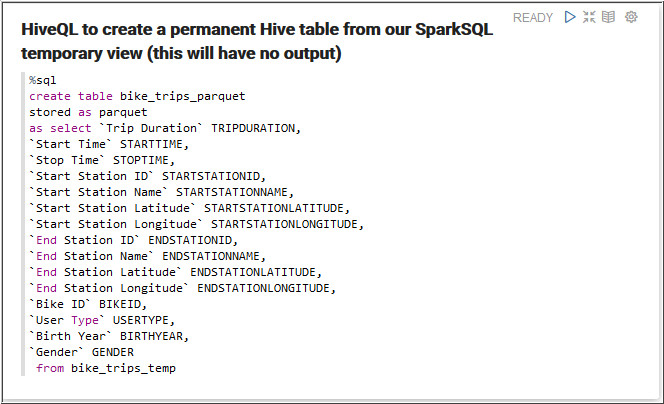
Description of the illustration c3.jpg bike_trips_parquettable is created. - Run the following query in the next paragraph to retrieve
data from
bike_trips_parquettable.select * from bike_trips_parquet limit 5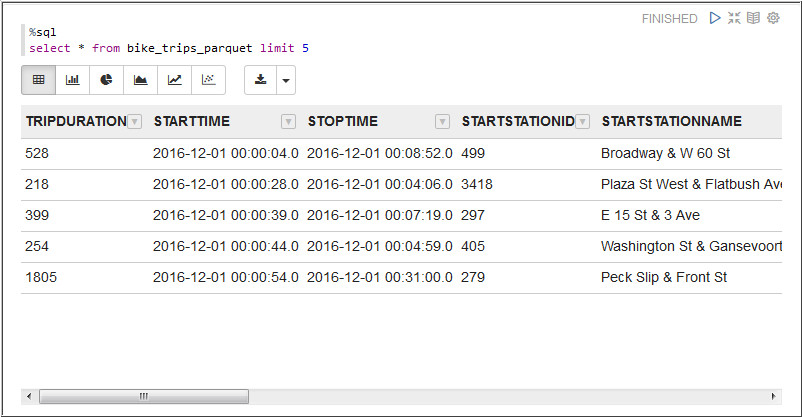
Description of the illustration c4.jpg
 Next
Tutorial
Next
Tutorial Want
to Learn More?
Want
to Learn More?