
 Configuring
the Memory Settings for the Spark Thrift Server Process
Configuring
the Memory Settings for the Spark Thrift Server Process Before You Begin
This 10-minute tutorial shows you how to configure memory settings for the spark thrift server.
This is the 2nd tutorial in the Analyzing and Visualizing Data on Big Data Cloud series. Perform the tutorials sequentially.
- Creating a Trust Store File
- Configuring the Memory Settings for the Spark Thrift Server Process
- Connecting Oracle Data Visualization Desktop to Big Data Cloud
- Creating a Data Visualization Desktop Data Set
- Exploring and Visualizing Data Using Oracle Data Visualization Desktop
What Do You Need?
- A running BDC cluster
- Ambari web console
- Complete Connecting to Big Data Cloud via SSH tutorial
- Complete Accessing Big Data Cloud Using Ambari tutorial
 Configure
the Memory Settings for the Spark Thrift Server Process
Configure
the Memory Settings for the Spark Thrift Server Process
The default memory settings for the Spark Thrift Server are too small for the Citi Bike data tables. In order to query the size of tables effectively, you need to increase a few memory settings on the Spark Thrift Server. Use Ambari web console to change these settings.
- Login to Ambari.
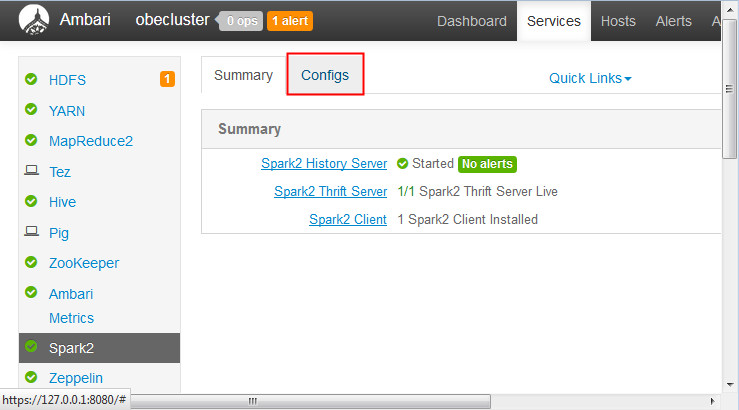
- Click Spark2 on the
services list and then click the Configs
tab.
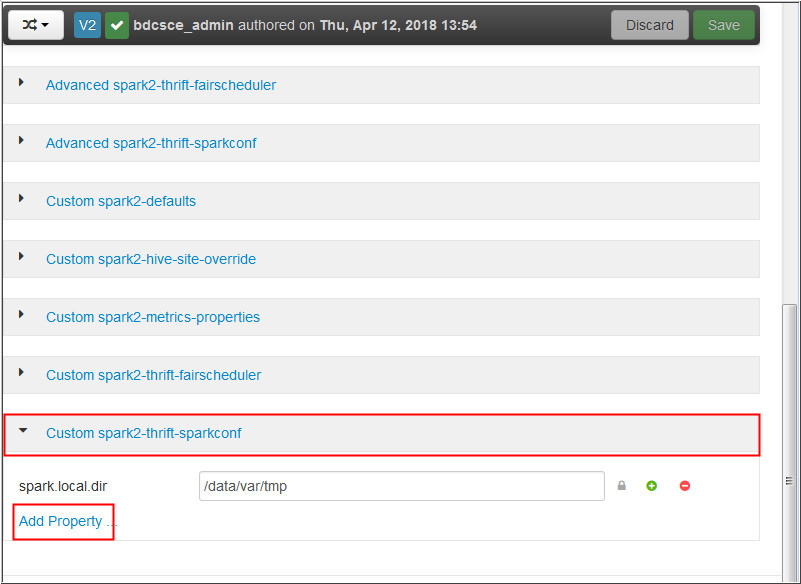
Description of the illustration a2.jpg - Expand the Custom spark2-thrift-sparkconf section
and click the Add
Property link.
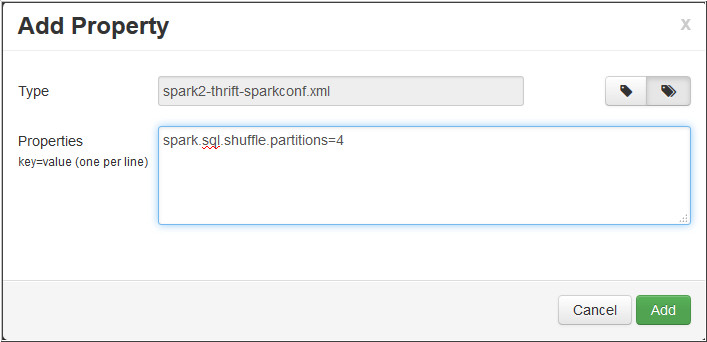
Description of the illustration a3.jpg - In the Add Property page, enter spark.sql.shuffle.partitions=4
in the Properties field and click Add.
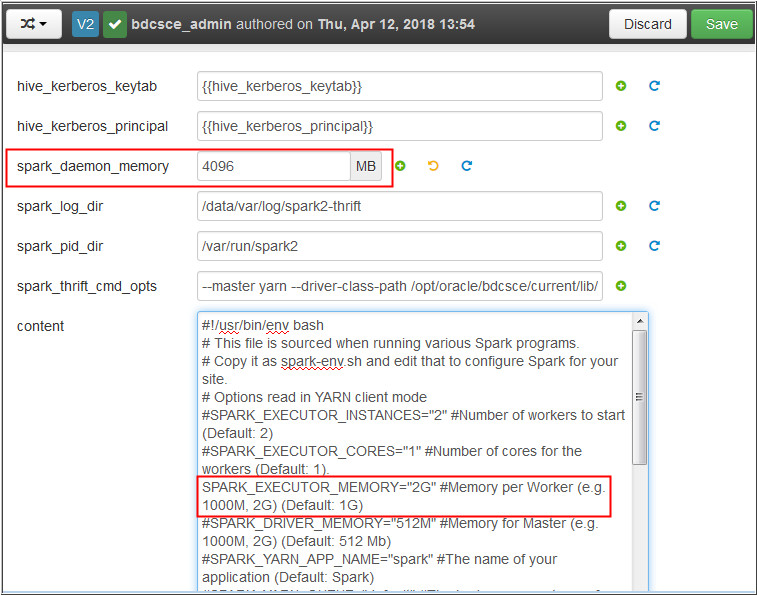
Description of the illustration a4.jpg - Expand the Advanced spark2-env section and change spark_daemon_memory to 4096 MB.
- In the content field, edit the line #
SPARK_EXECUTOR_MEMORY to SPARK_EXECUTOR_MEMORY="2G"
Description of the illustration a6.jpg - Click Save. In the
Notes field, enter memory and click Save.
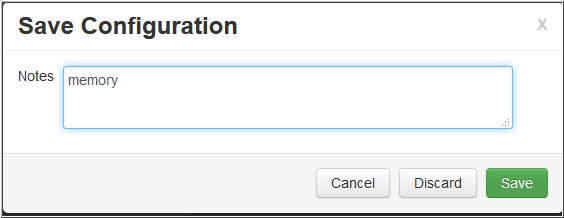
Description of the illustration a7.jpg - If you see a Configurations pop-up, click Proceed Anyway. Click OK to confirm.
- Click Restart and
then click Restart All
Affected.
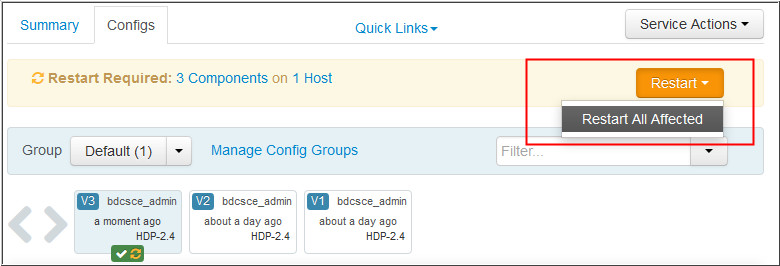
Description of the illustration a9.jpg
 Next
Tutorial
Next
Tutorial
Connecting Oracle Data Visualization Desktop to Big Data Cloud
 Want
to Learn More?
Want
to Learn More?