Selecting the right projects in Oracle Primavera Cloud
In this article, we’ll discuss how to choose the right projects to execute by identifying which ones best align with your organization’s strategies, budget, and resource availability in Oracle Primavera Cloud.
Strategic alignment
The Strategic Alignment app is where you’ll define organizational goals and determine which projects or programs best align with them.
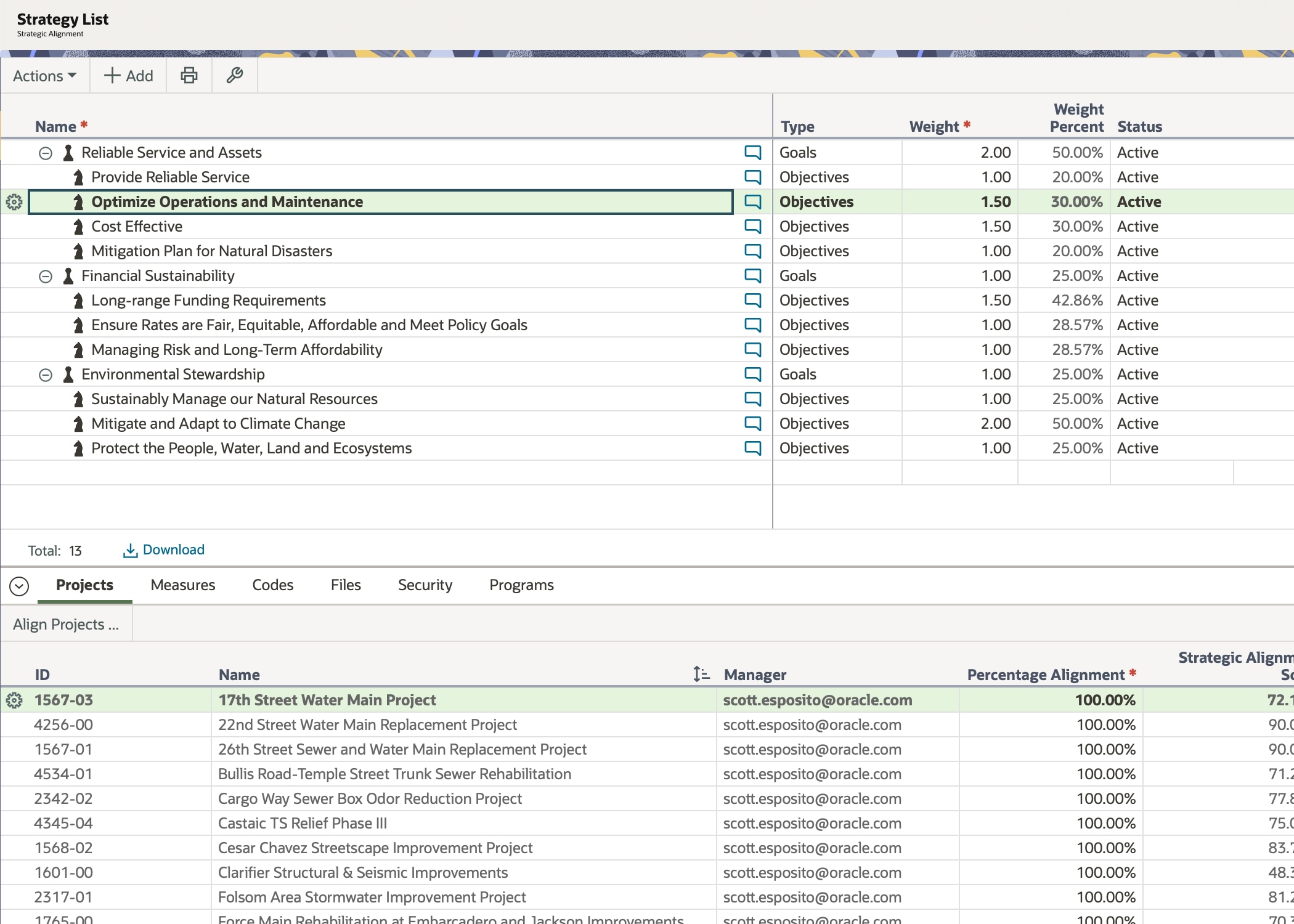
Begin by adding strategy types to define goals that align with the mission and/or vision of your organization. This can include anything from increasing revenue to enhancing customer satisfaction to expanding use of sustainable materials. Next, add strategy nodes to define the operational initiatives that make up each strategy type. These nodes will organize your goals and initiatives in a hierarchical list.
Once your list is built out, align your projects and/or programs with your strategies. You can align a single project or program to multiple strategies. Once aligned, you will see a score for each project and/or program, which indicates how aligned each one is to your organization’s goals. The score is based on the alignment percentage of the project or program and the weight percentage of each strategy. Use this information to help determine which projects and/or programs to prioritize for your organization.
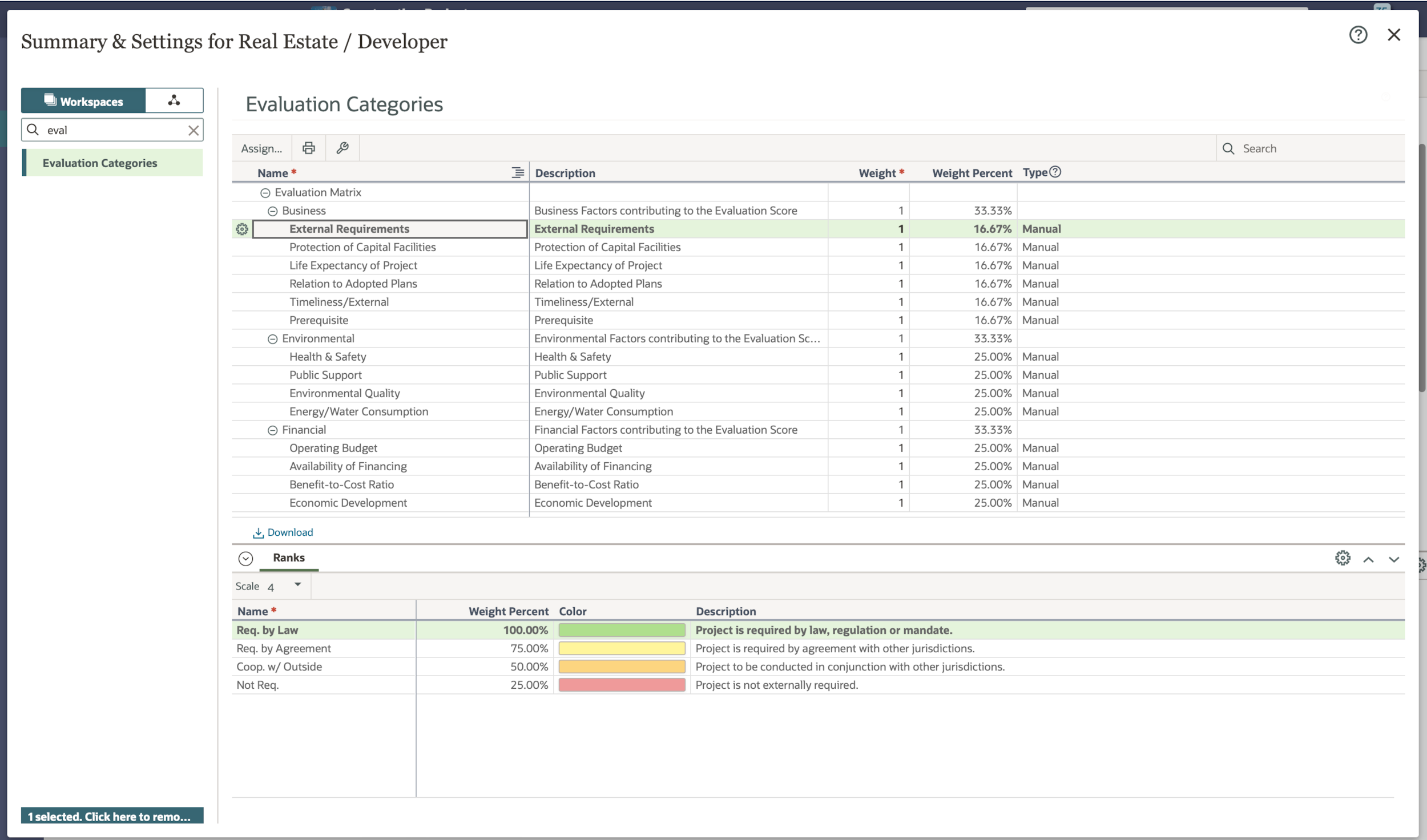
Along with strategies, you can evaluate projects and programs to determine which ones to prioritize. Add an evaluation matrix, which is comprised of categories to assess your projects or programs against your company's requirements and standards. Categories should include any key business drivers, such as costs, external requirements, environmental quality, and more. Assign a weight and ranking scale for each category.
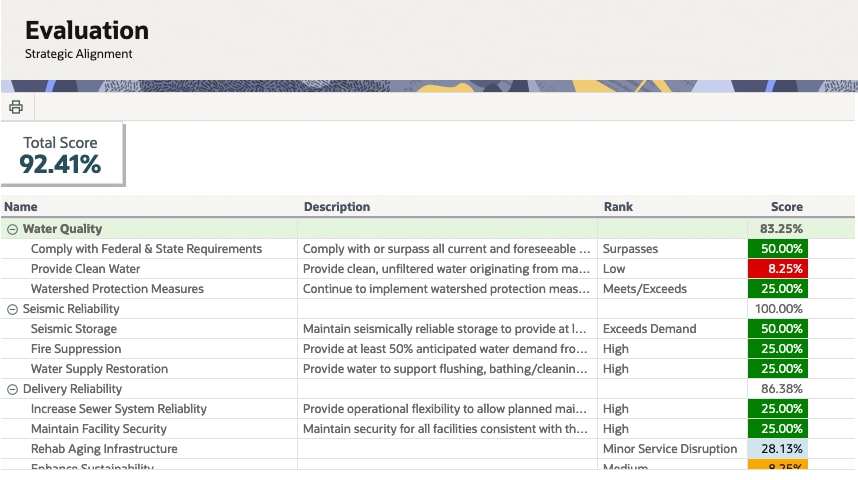
Once you add all of your categories, rank your projects or programs against the evaluation categories. You’ll see a score populate for each category.
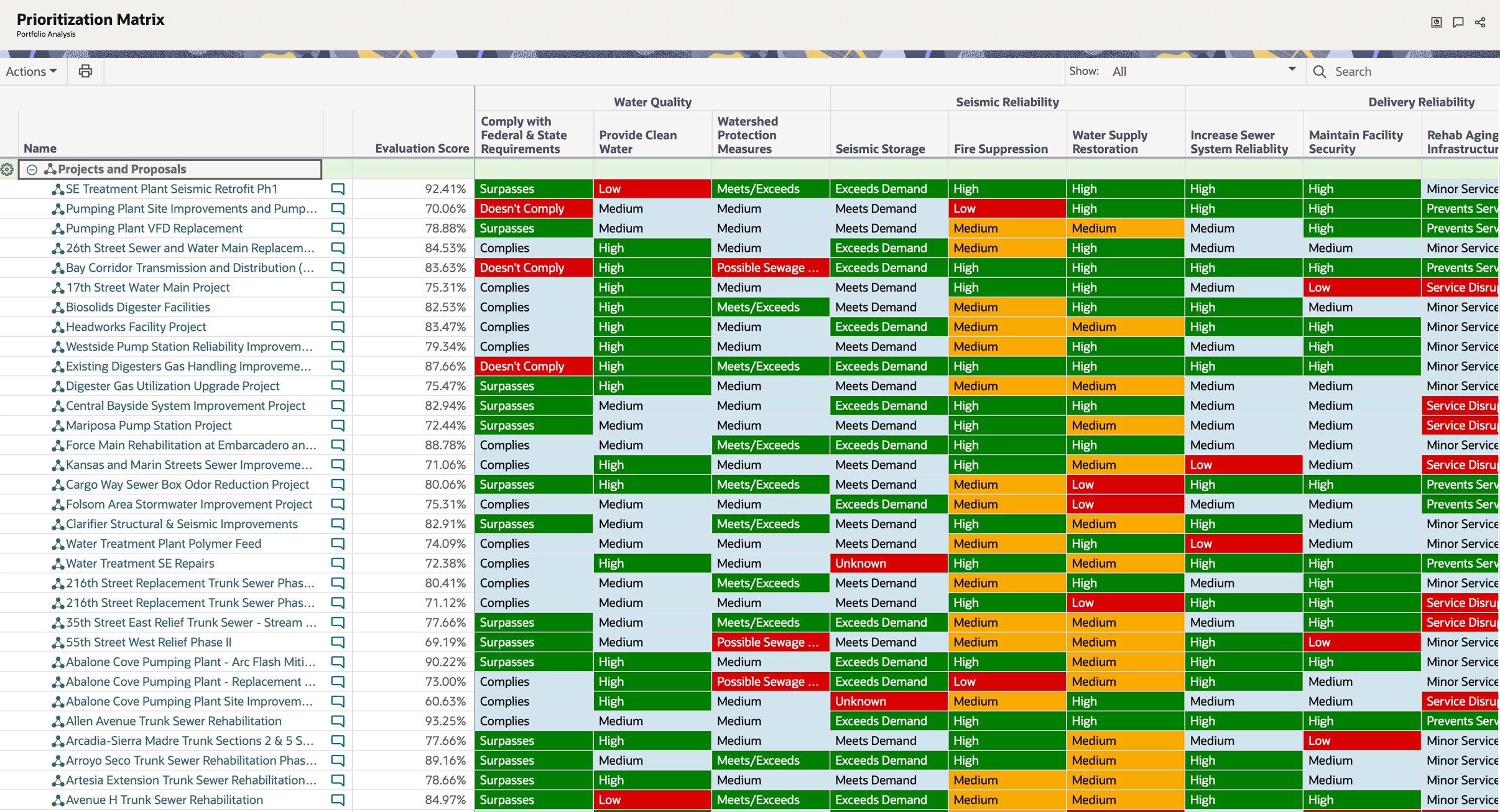
View the Prioritization Matrix to evaluate all of your projects or programs within a portfolio. Learn more here.
Budget scenarios
The Budget Planning page is where you can evaluate costs to help determine the right projects to execute. Before you start budget planning, ensure the projects in your portfolio contain appropriate cost data; see this article for more information.
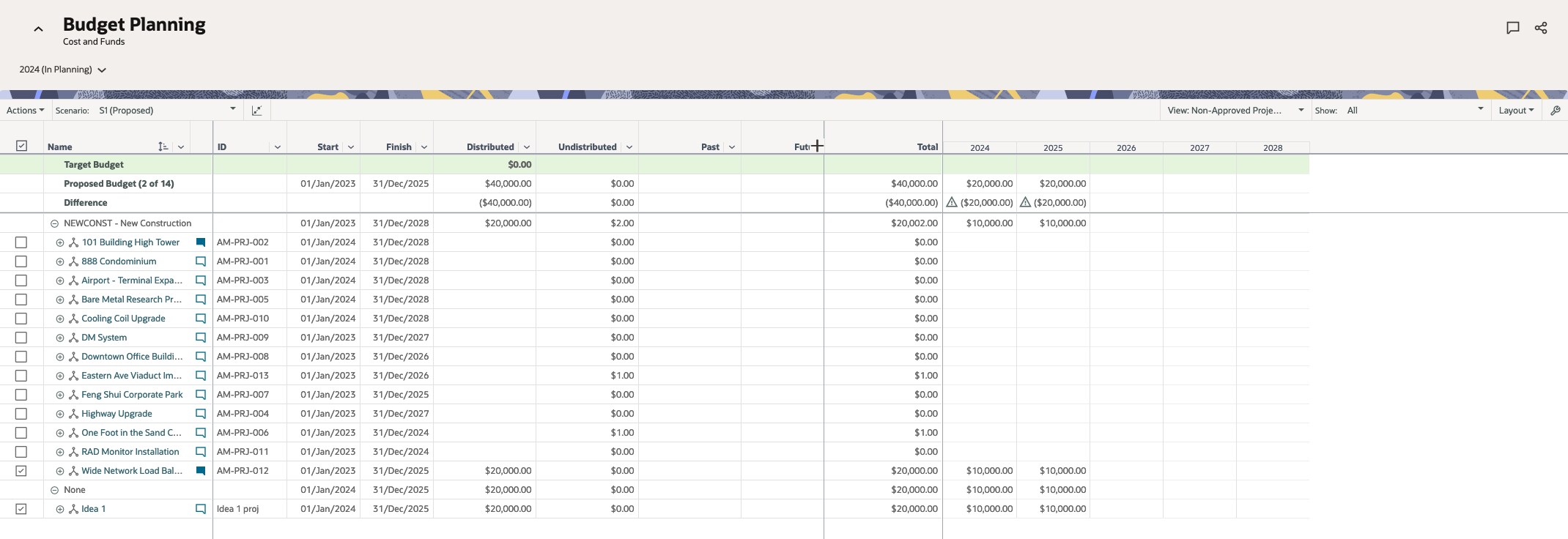
Add budget planning scenarios to select different combinations of projects for the planning period.
You can also use the Optimization tool to generate projects for you based on cost and other criteria you choose. The tool may recommend up to two alternative solutions. You can apply the optimized projects to the current scenario and/or create new scenarios from the recommendations.
Once you’re happy with a scenario, you can propose it to a project manager, send it for review, and/or send it for approval, depending on your organization’s approval process.
Resource planning
The Resources Planning page helps you select the right combination of projects that your organization can execute based on available resources.
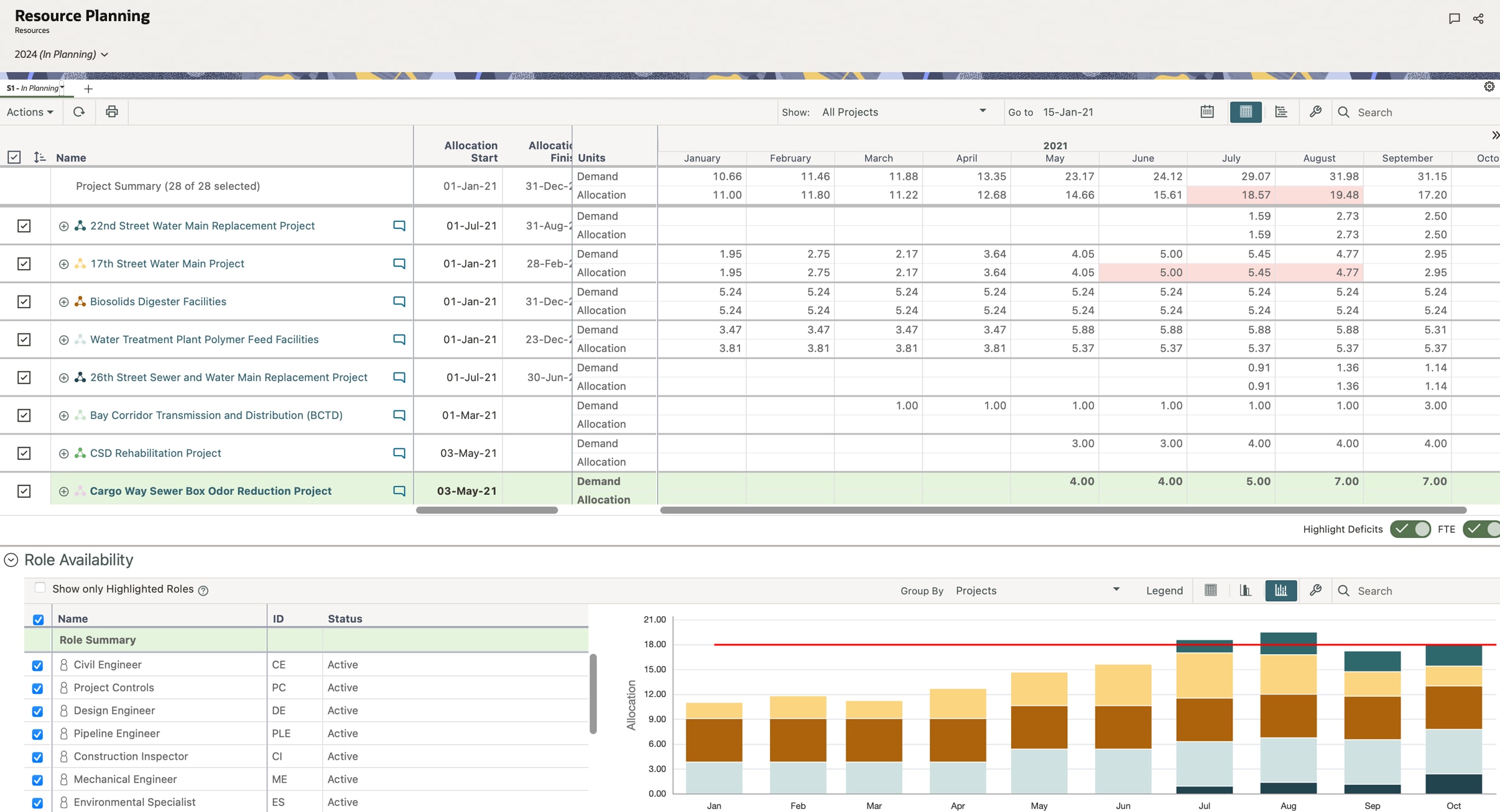
To utilize resource planning, workspace roles must be created and assigned on the Resource Demand page with specified role demands. This allows you to identify potential restraints, such as time, cost, and availability, with the projects in your portfolio. Roles are often managed by the Resource Planner, Project Manager, or Scheduler since they are closely tied to the project schedule.
Once the roles and demands have been specified, create scenarios on the Resources Planning page to identify resource constrains across projects in a planning period. Use the Highlight Deficits feature to identify time periods where a role's allocation exceeds its availability. Adjust role allocation units or dates to resolve issues as needed.
You can also prioritize projects in your scenario to resolve availability constraints. If desired, use the Resource Scenario Optimization tool to prioritize projects for you. The tool analyzes role availability and suggests the optimal set of projects to include in your resource-planning scenario.
Once you’re happy with a scenario, send it out for approval, according to your organization’s practices.