Creating a field schedule in Oracle Primavera Cloud
Learn how to create your field schedule in Oracle Primavera Cloud to aid in look-ahead planning.
Task types
There are two types of tasks in Primavera Cloud: tasks and task milestones. Note the differences below.
| Task Type | Purpose | Required Information | Availability |
|---|---|---|---|
| Tasks | Denotes the work to be performed | Name, assigned company | Public or private |
| Task Milestones | Indicates distinct phases of your project | Name | Public only |
Creating tasks
Browser
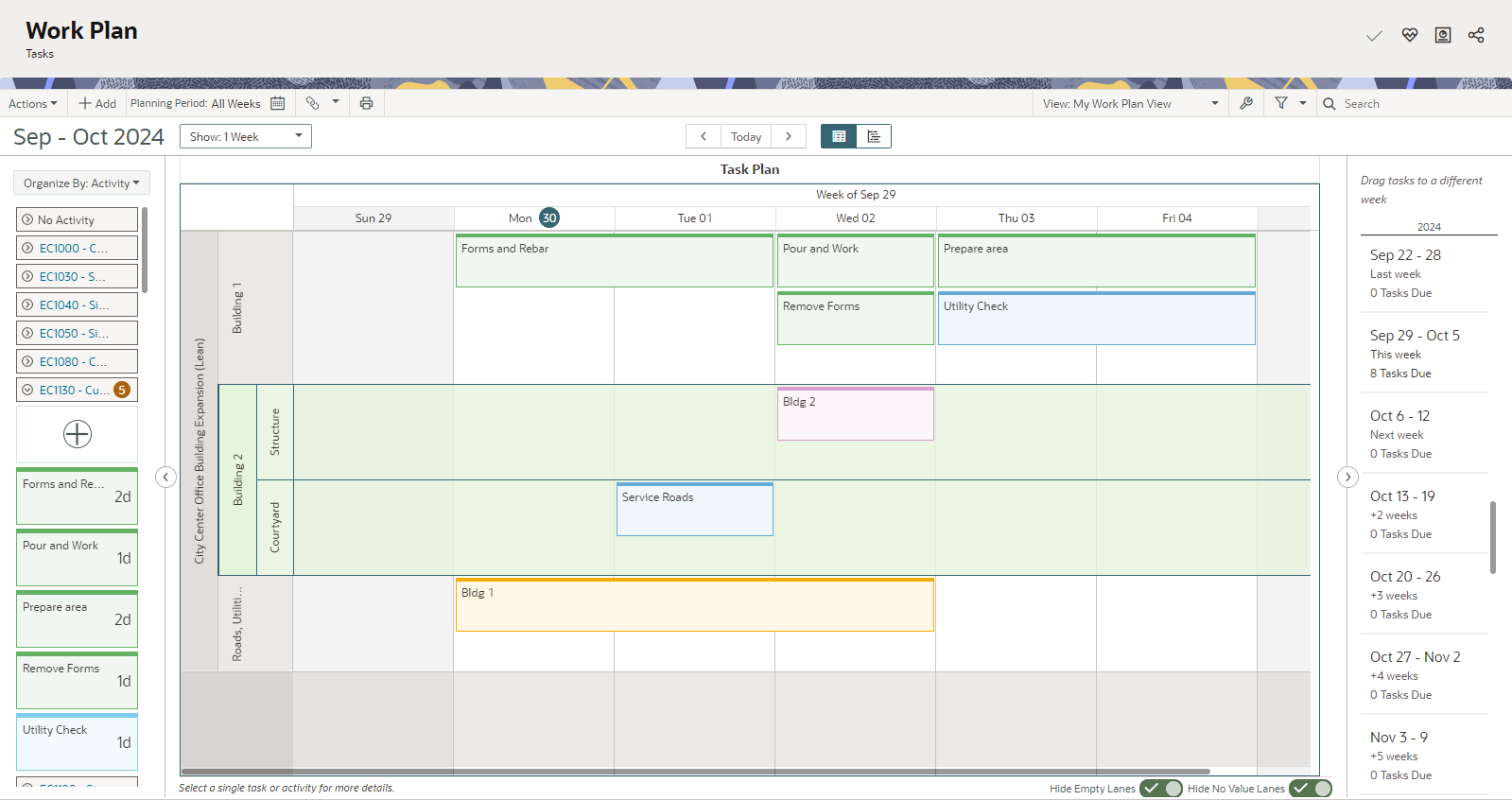
You can create tasks and task milestones on the Work Plan, Hand-offs, and/or Task List page in the browser-based version of Primavera Cloud There are various ways you can add tasks or task milestones, but a common way is to select the Add button in the upper toolbar.
If desired, you can organize tasks into swimlanes on the Work Plan page. Swimlanes break down tasks by the user or company assigned to complete them, which aids in project planning and optimizing workload distribution. Add a task plan, and then choose to add swimlanes by user and/or company.
Mobile app
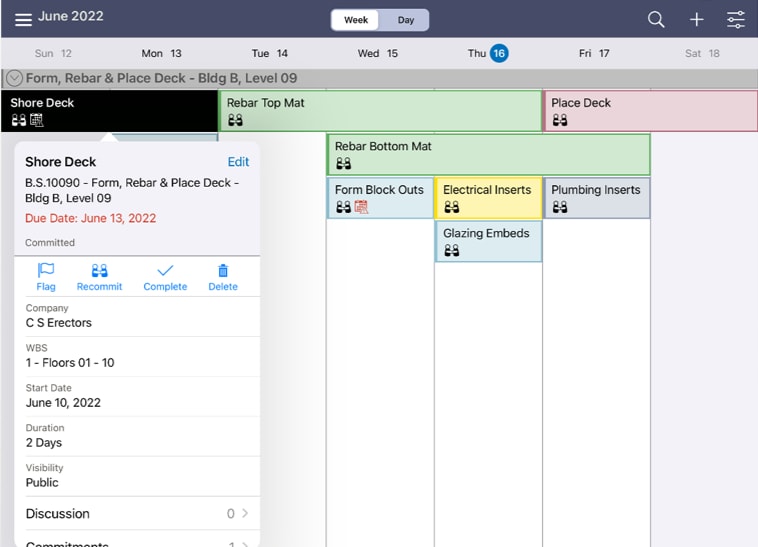
You can also create your work plan on-the-go with the Oracle Primavera Cloud mobile app. Select the Work Plan tile from the project homepage, and then the Plus icon to add a task or task milestone. We recommend using a tablet to see a calendar view of your work plan.
Task information
While only a few fields are required to create a task or task milestone, we recommend adding as much detail as possible. For example, on the Work Plan page, Hand-offs page, or in the Primavera Cloud mobile app, you can associate tasks with an activity. Additionally, entering a duration and due date will calculate a start date for your tasks. On the Task List page in the browser or app, you can upload files, documents, or photos to help capture task details and progress.
Once your work plan is set, commit tasks to be completed by their due dates.
For more information:
Adding hand-offs
Use hand-offs for pull planning to identify the work that must precede and/or succeed each task or task milestone in your project.
Several hand-off types are available in Primavera Cloud, including:
- Finish to Start: Indicates that a successor task should start only after its predecessor has finished.
- Finish to Finish: Indicates that the successor task can’t finish until its predecessor finishes.
- Start to Start: Indicates that the successor task can’t start before the predecessor task has started.
Note the following about hand-offs:
- Tasks can have multiple hand-offs to identify the variety of relationships a task has to other tasks. However, two tasks can only have one hand-off type between them.
- While tasks support all hand-off types, task milestones only support Finish to Start and Finish to Finish relationships.
- As your project progresses, you may need to add additional time, or slack, to your hand-offs if new tasks are added or tasks are delayed. Slack can help you determine where flexibility exists between tasks and which tasks may delay your project.
- Some tasks may require lag, which is a period of no work between the predecessor and successor task. When entering lag, you can choose to use workdays only or workdays and non-workdays.
For more information: