Schedule merge
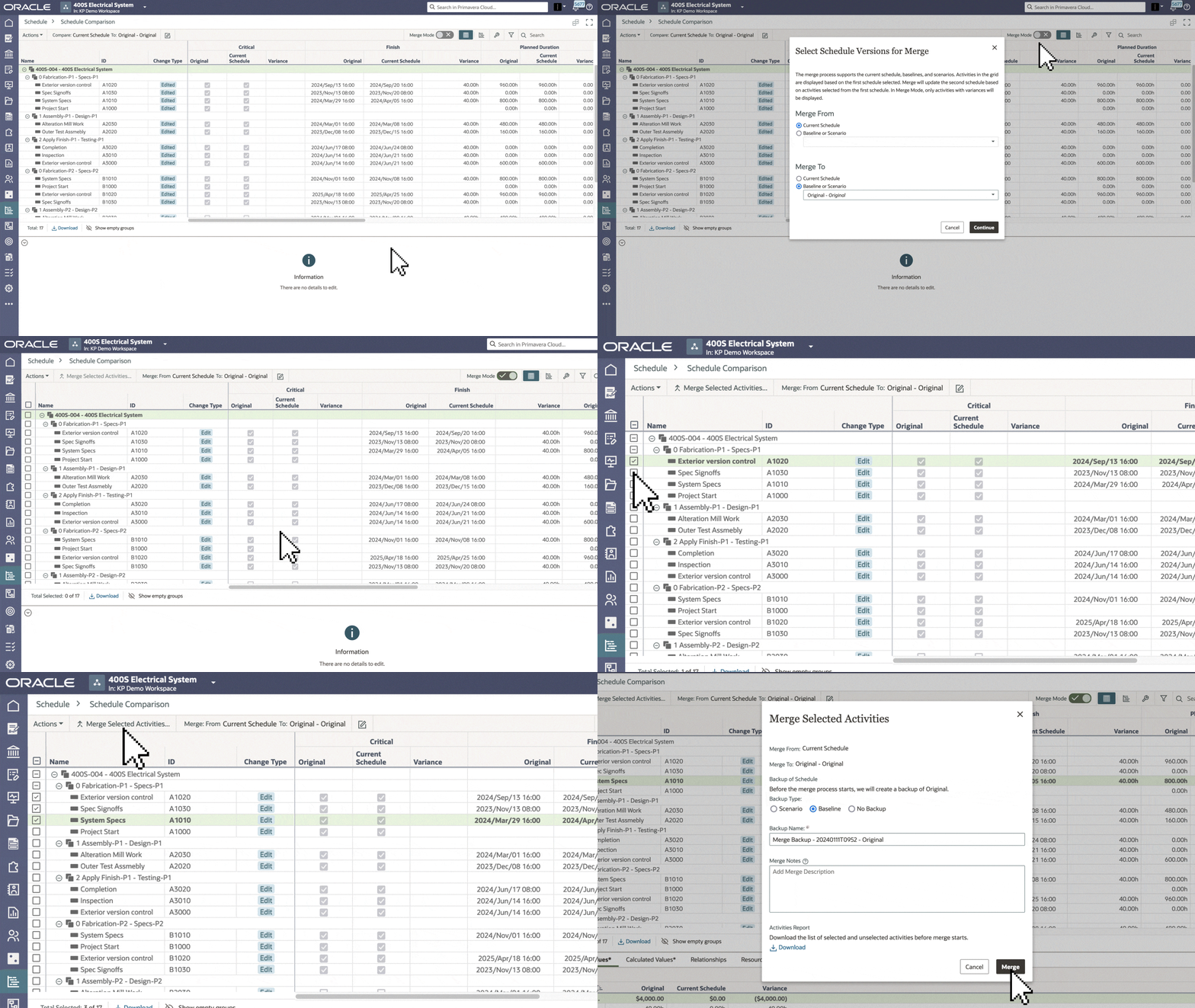
- On the Schedule Comparison page, you can merge data between any two versions of a project schedule, which can include the current schedule, baseline, and/or scenario.
- Use Merge Mode to merge desired activities between schedules.
Tasks app
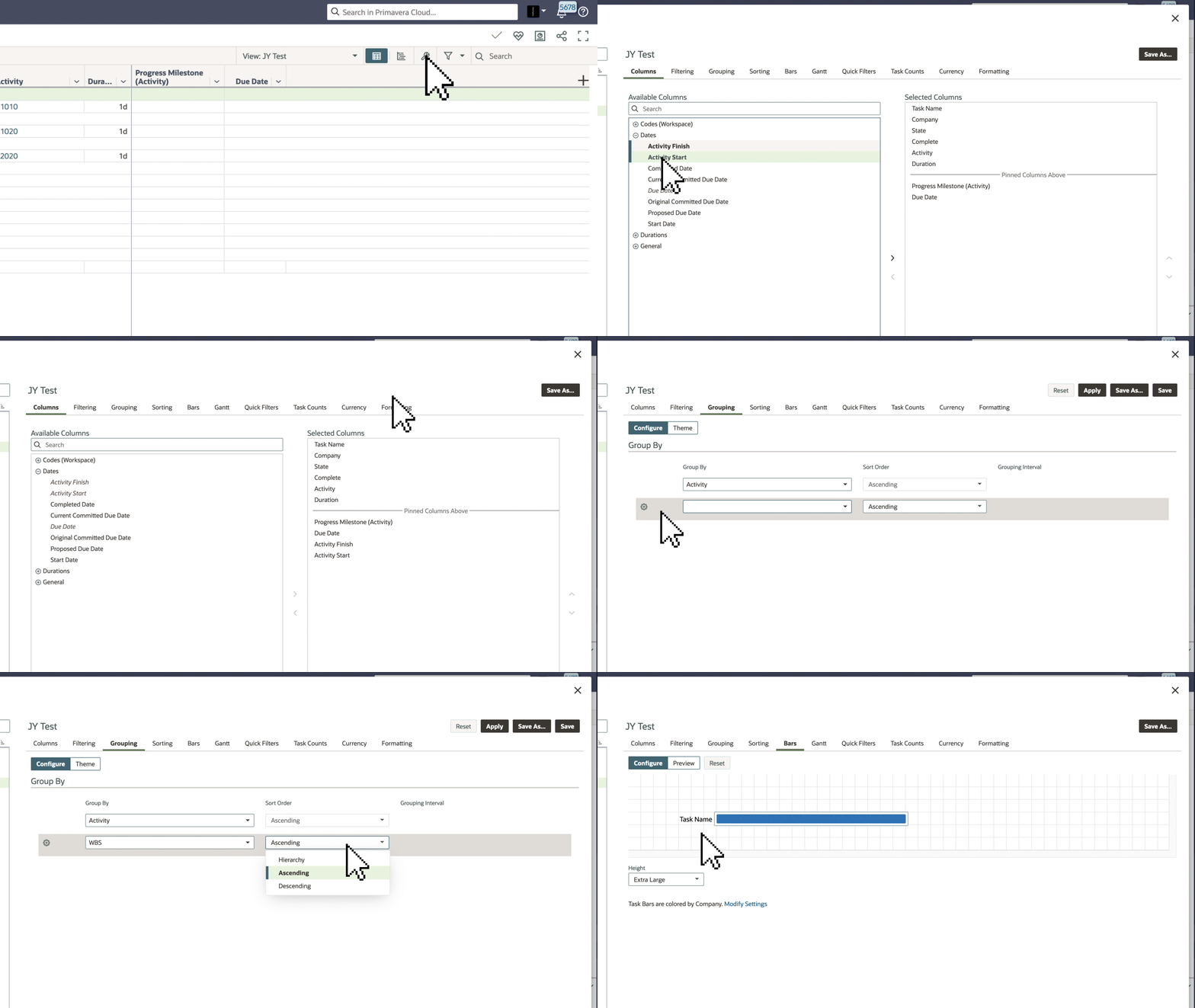
- On the Task List and Work Plan pages, you can add activity start and finish dates to align tasks with activity due dates.
- On the Task List page, you can sort tasks by your work breakdown structure (WBS) and customize the task bar label in a Gantt chart.
- See this article for more information on configuring view settings in the Tasks app.
Expand/collapse rows
-
On certain pages in Primavera Cloud, like the Activities and Task List pages, you have more options for expanding and collapsing data in all rows.
-
For example, if your activities are grouped by your WBS on the Activities page, you can collapse all rows to a specific level.

Budget Planning page
We made a host of improvements to the Budget Planning page to improve usability:
- Manage Views is available, so you can see desired information.
- Use the new timescale settings to distribute costs in monthly, quarterly, or yearly increments across the planning horizon.
- Toolbar actions have been consolidated.
- And more!

Mobile app
- You can now view swimlanes on the Work Plan page of the Primavera Cloud mobile app on Android devices. Apply a task plan and choose to view tasks by company and/or users.
- On iOS devices, you'll see a hierarchical list when selecting activities grouped by WBS. This makes it easier to find and assign values in the app.

Noteworthy mentions
- Workspace, portfolio, and program dashboards now display program and projects risks in the same charts.
- You can now import a baseline or scenario of a P6 XML to create a new project or a scenario or baseline of an existing project.
- Create categories for your baselines to better organize them and standardize project performance metrics.
- You can create evaluation score snapshots to see how projects, programs, and ideas are progressing over time.
- In Global Admin, you can specify users who can access API and Gateway.