Primavera Cloud Roundup - November 2025
In this issue, we'll highlight features released in Oracle Primavera Cloud from July 2025 - October 2025.

Gantt bars
On the Activities page, you can now:
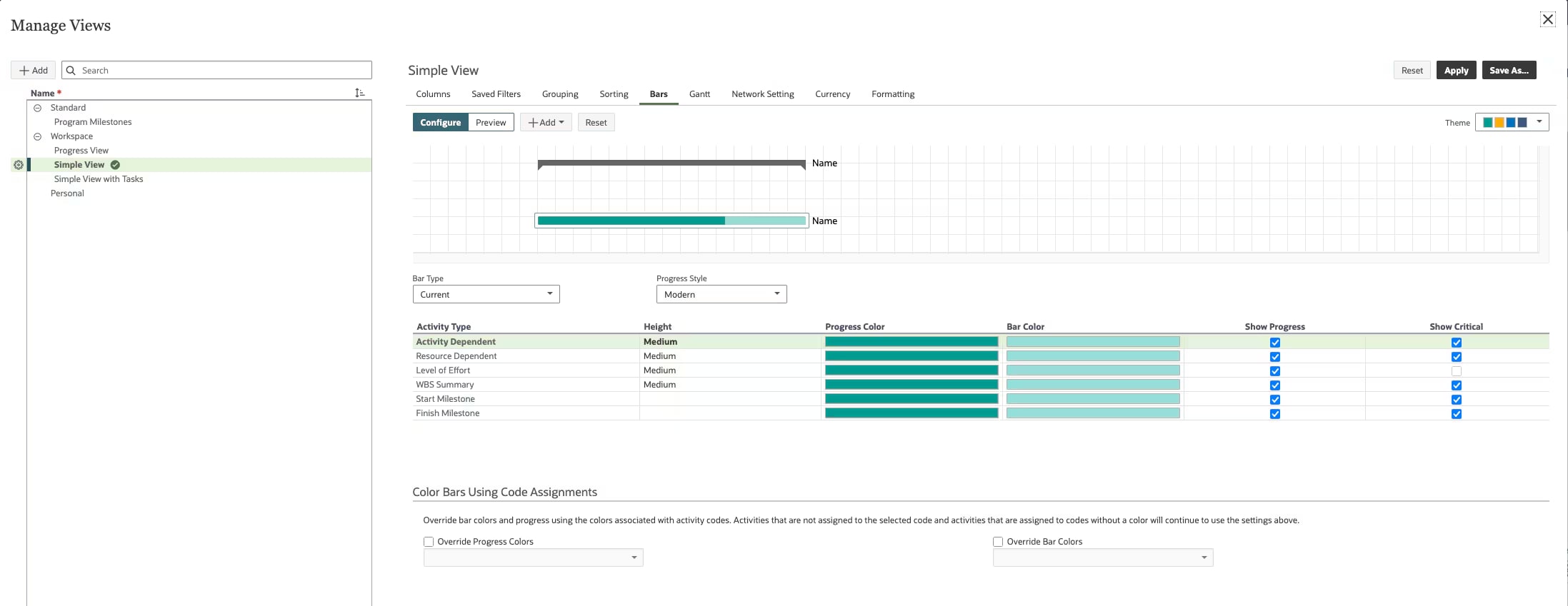
- Customize Gantt bars to easily distinguish between activities in the schedule.
- View both current and baseline Gantt summary bars to see to see how your projects are progressing against the baseline plan.
Risk distribution results
- You can now set a target finish date and at-completion cost to display in risk distribution results.
- This allows you to see the chances of the project finishing on time and within budget.

Handoffs page
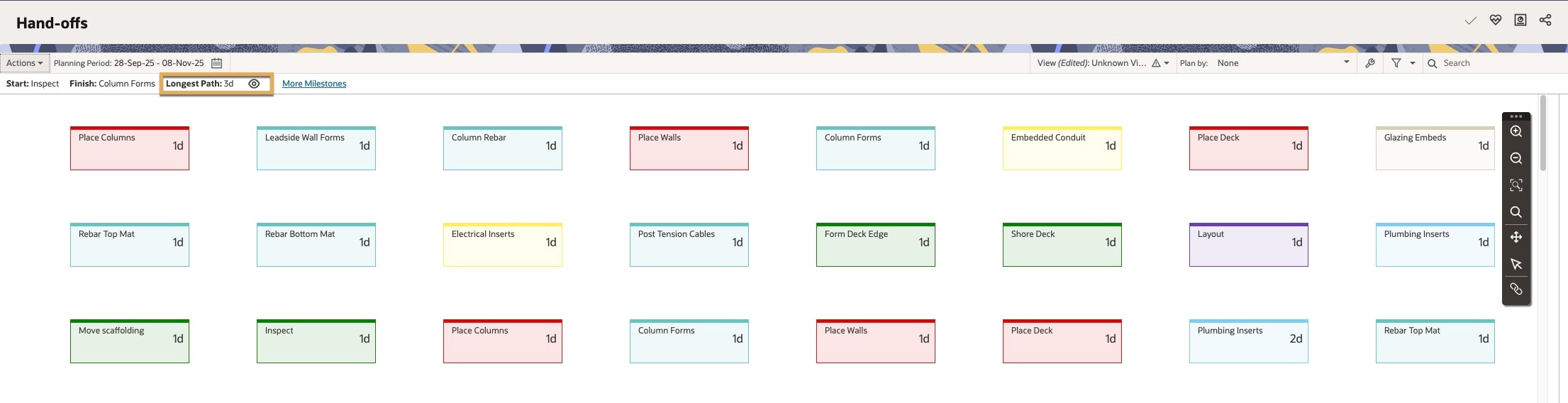
- On the Handoffs page, you now have the ability to view the total duration and the longest path of tasks for a phase of work.
- This will help ensure the work fits within the project schedule.
Configured fields
- You can now create relationships between configured field lists, enabling users to select consistent values across projects and reduce data entry errors.


Noteworthy mentions
- For easier identification, the lane label color is now the same as the color assigned to a company or activity and task codes when viewing swimlanes in the browser or mobile app.
- In the mobile app, you can mark tasks with hand-offs as complete ahead of the planned due date.
- You can now include the task crew size when creating reports and charts, importing or exporting files, or copying projects.
- On the Risk Register page, you can now see summarized response action data in the main grid instead of always navigating to the detail window.
- On the Risk Analysis page, we added a grid view so you can see histogram data in a table format. If desired, you can also download distribution results for further analysis.
- On the Budget Planning page, we added Approved and Not Approved configured filters so you can easily find projects with these values.
- Administrators can now see the privileges comprised in permission sets when creating a project, managing access on the Users page, and assigning permissions in the context of projects, programs, and more.