How to Archive Projects
What is a project archive?
An archive provides you with a copy of all project-related information like drawings, certificates, files, etc. When a project is archived in Submittal Exchange, an offline copy is available for you to view. It also includes a complete audit trail.
When should a project be archived?
Archives are requested at the end of the project once it's completed. This ensures that all project related information has been captured.
A project is ready for archive when:
- All required files have been uploaded.
- All required files have been reviewed.
- The project is complete and no additional work will be done.
Tip!
Requesting an archive will not remove it from your project list. A project archive is an exact copy that can be saved on your local computer.
How to archive a project
Project Leaders can request an archive.
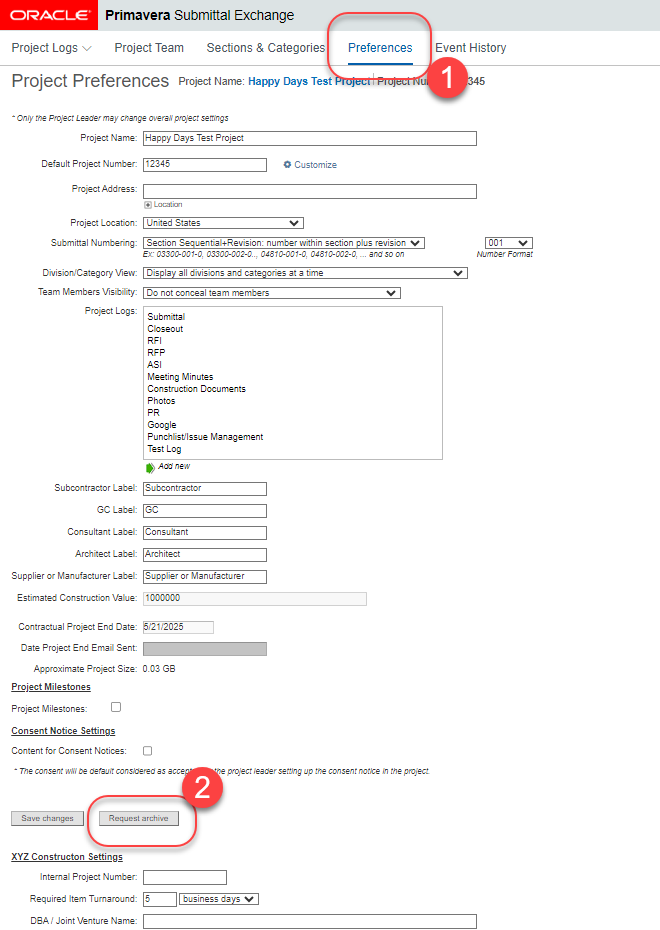
- Click on the Preferences Tab.
- Click on Request Archive.
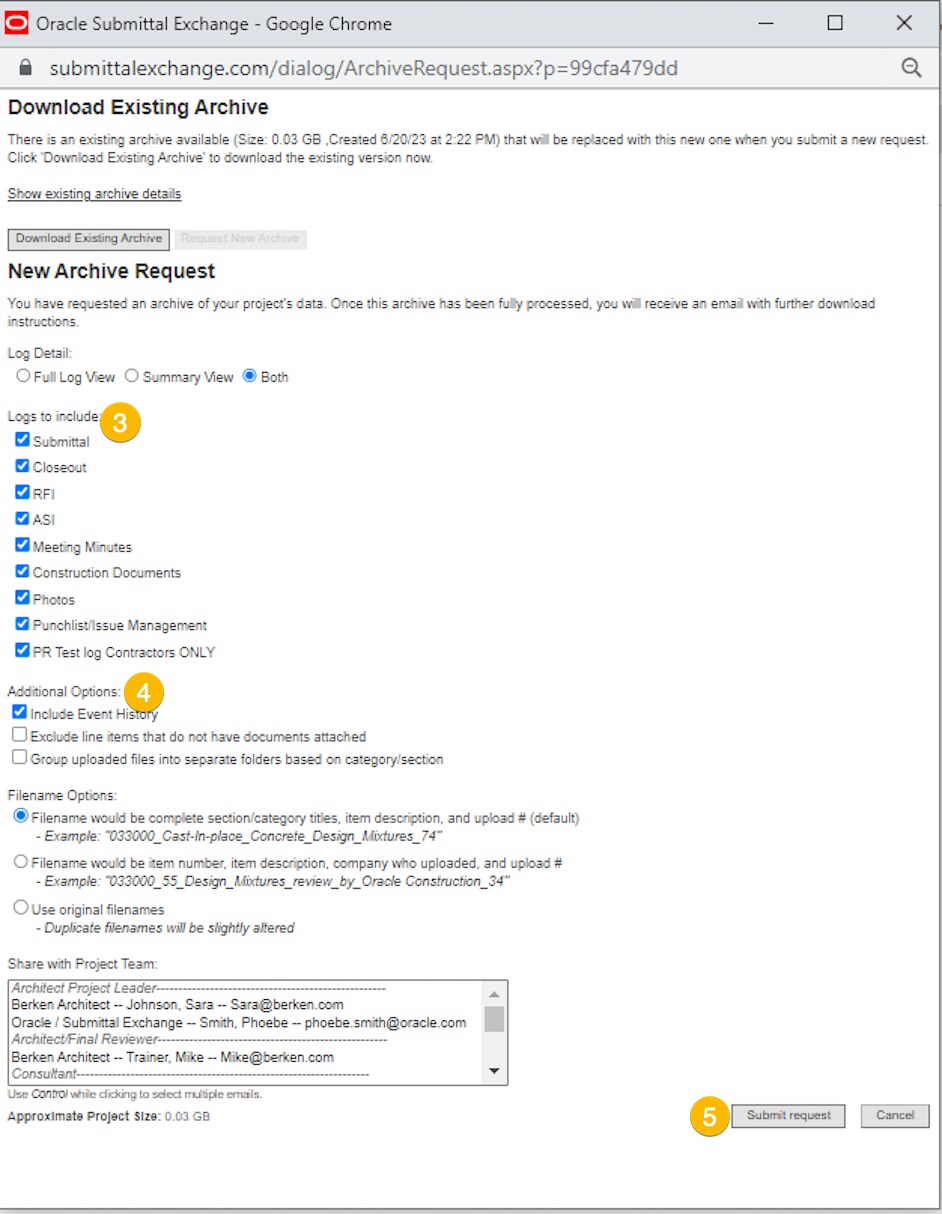
3. Select the logs to include in your copy. (Only logs that contain documents are included.)
4. Select any Additional Options, as needed.
5. Click Submit request.
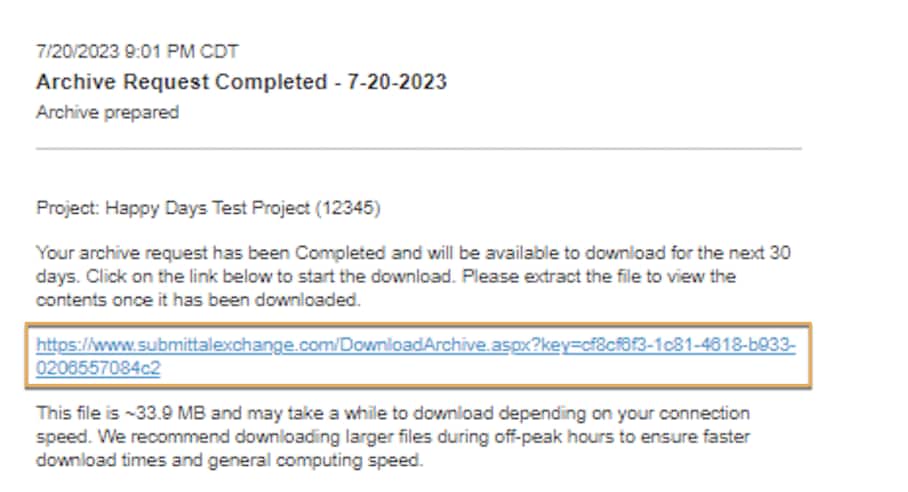
In 24-48 hours you'll receive an email with a download link.
IMPORTANT: Make sure the contents of the compressed zip folder have been extracted using your zip file software.
- Click on the archive link (in email) to download the project. This may take some time if the project is large.
- Once complete, go to where you saved the archive.
- Right-click on the folder you downloaded and either click Extract All or select your preferred zip software and choose 'Extract Files' (or similar).
- Click where the extracted contents have been saved and click OK.
- Wait for the contents of your zipped archive to extract.
- Once the extraction is complete, use the new folder created. DO NOT use the compressed folder.
- Click on the HTM file called OpenArchive.htm to view the project.
DO NOT RENAME any of the files or folders within the newly created folder or the compressed zip folder. If you rename the files or folders, the zip folder will become corrupt.
Tip!
After extracting your project archive, use the HTM file. The HTM file replicates the same look and feel of Submittal Exchange (offline).