Getting help from the Oracle Construction and Engineering Support Portal
It's easy to get in touch - we're here to help
If you have a technical question, our knowledgable team can help. There are several ways to get in touch with us. If it's urgent, you can always give us a call.
- Log in/ Sign Up to the Support Portal - Track, manage, and raise Service Requests.
- Raise a Service Request - Submit a Service Request with a simple form. No login needed.
- Call us - Speak with our team of experts.
Before you get in touch
Before raising a request, check the Construction and Engineering Hub. You'll find user guides, video training, and release information for each of our product's which should answer many commonly asked questions.
The Construction and Engineering Support Portal also connects you to our digital resources by clicking Search Knowledgebase.
Can't find the answer? Include as much detail as possible in your Service Request so Support can help you quickly.
How do I submit a Service Request (SR)?
You have two options to create a new SR from the Construction and Engineering Support Portal:
- Log in to the Support Portal and Create a Request from the Account Overview screen, or
- You can fill out the Create a request form
What information do I need to provide?
Tips on raising an effective Service Request (SR):
It's best to start with a clear description while completing your SR. We suggest including specific details on what is happening in your business, such as:
- Who is impacted? For example, is the issue impacting one user, multiple users, or multiple global locations?
- How often is the error or issue occurring?
- Is this specific issue critical to your primary business functions?
For errors, provide a description of what you were doing when the error displayed including (if possible) the actions or steps that lead to the error appearing.
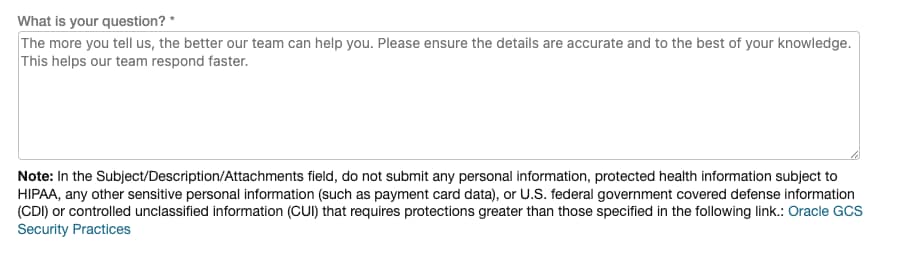
When raising a request, assign the correct severity level in the problem description. Please see the Severity Definitions section in the Oracle Cloud Hosting and Delivery Policies or the Technical Support Policies.
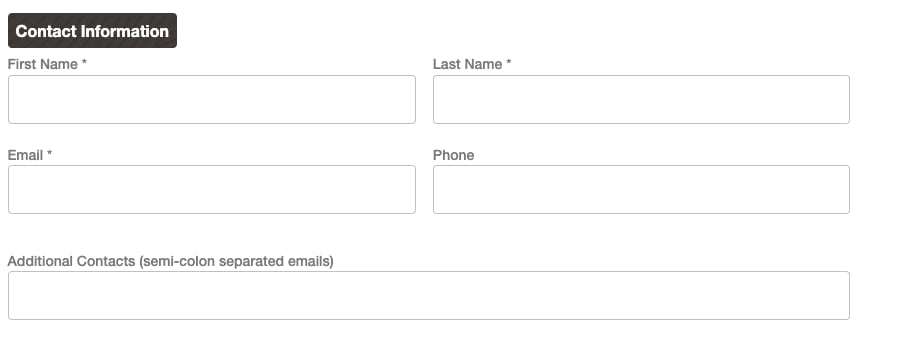
Make sure to include contact details for your organization. It's important a main contact is available so that we can follow up on your request. You can include additional contacts in the field provided.
When can I expect a response to my Service Requests?
After raising an SR, you'll receive a confirmation email. Make note of your SR number located in the subject line of the email you received when you raised your request.
Please allow up to 24 hours for our team to review your request. If your request is urgent, please call us. Contact numbers can be found here.
It's also a good idea to review the details included in the SR. If you need to make an update, simply reply to the email. All details leading up to your resolution are contained in that SR.
Alternatively, you can also update your SR by logging in to the Support Portal.
Log in to the Support Portal
Otherwise, login by selecting Log in to the Support Portal.
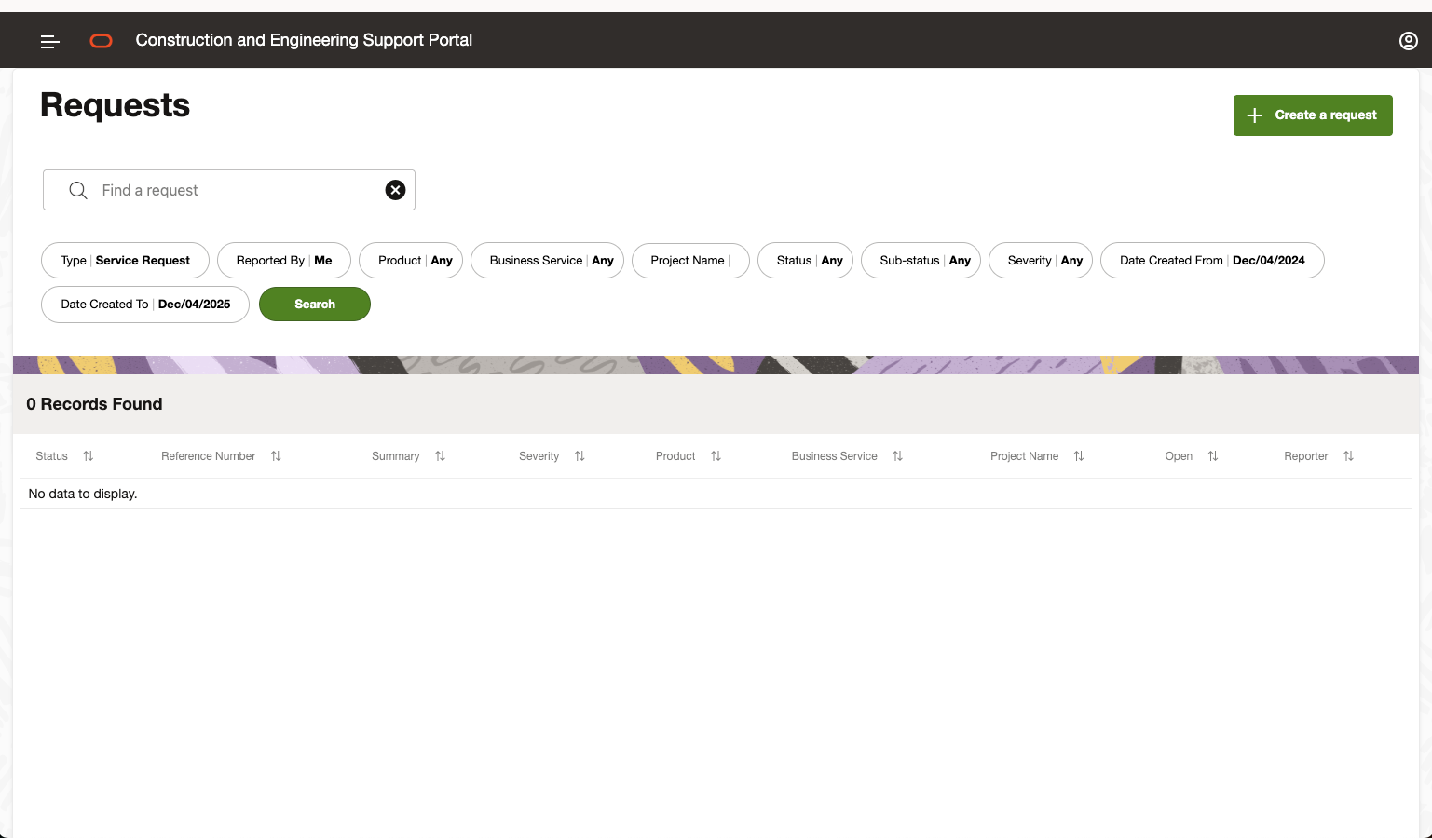
Track and update your Service Requests
Administrators have additional capabilities, including visibility into SRs logged by other members of your organization, ensuring streamlined oversight and coordination.
Selecting an SR reference number allows you to view communication history, update the request, or access important details such as creation and last update dates.
To submit a new service request, simply click the Create a request button in the upper right corner.
If you require administrator-level access to manage service requests on behalf of your organization, please contact Oracle Support by creating a new SR and specifying your request.
Escalating Service Requests
If needed, you can request management attention on your Service Request (SR), typically in the following scenarios:
- Your SR is taking longer than expected to reach a resolution.
- You need to communicate important business issues to a Support Manager.
- You're dissatisfied with the SR resolution.
Before requesting management attention, update your SR with the business impact and any critical dates or deadlines.
You can also request management attention through the Support Portal using the template provided in Request management attention on a Service Request. Portal updates may not be reviewed immediately, so call Support for urgent requests.