Supplier Tracking for Subcontractors
Supplier tracking has become a vital component in the construction industry, fostering inclusivity, innovation, and economic growth.
This article will help you understand how to use Supplier Tracking for Subcontractors in Textura.
Using Supplier Tracking
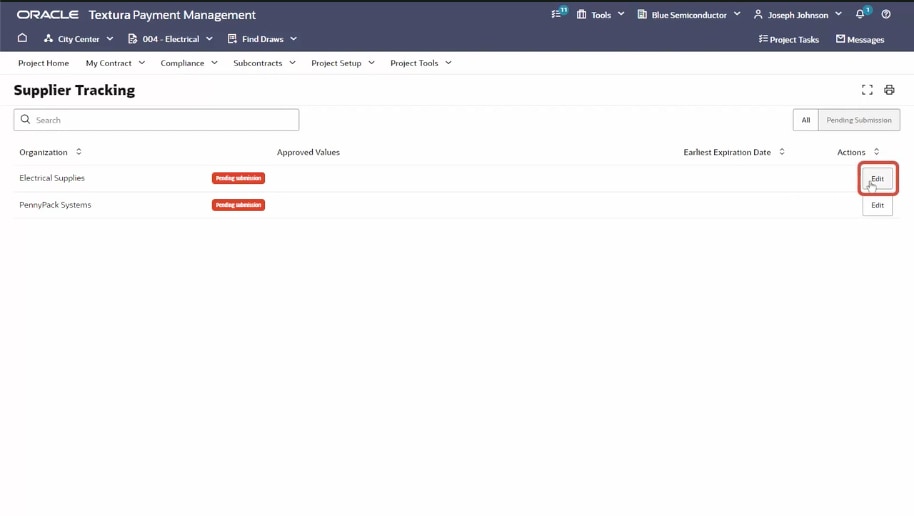
Use Supplier Tracking to manage your Sub-Tier diversity values. Click Edit to submit a value on behalf of a Sub-Tier.
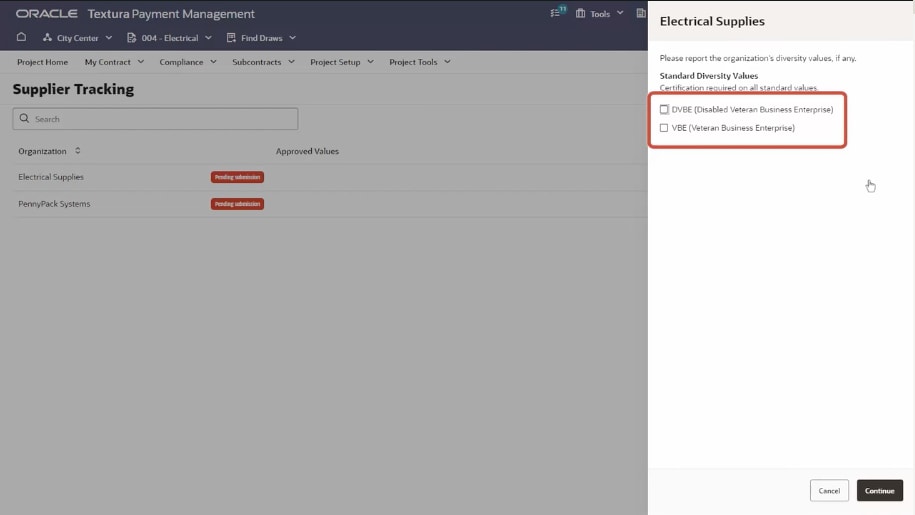
Values the General Contractor are tracking for the project are displayed. Select a value, and click Continue.
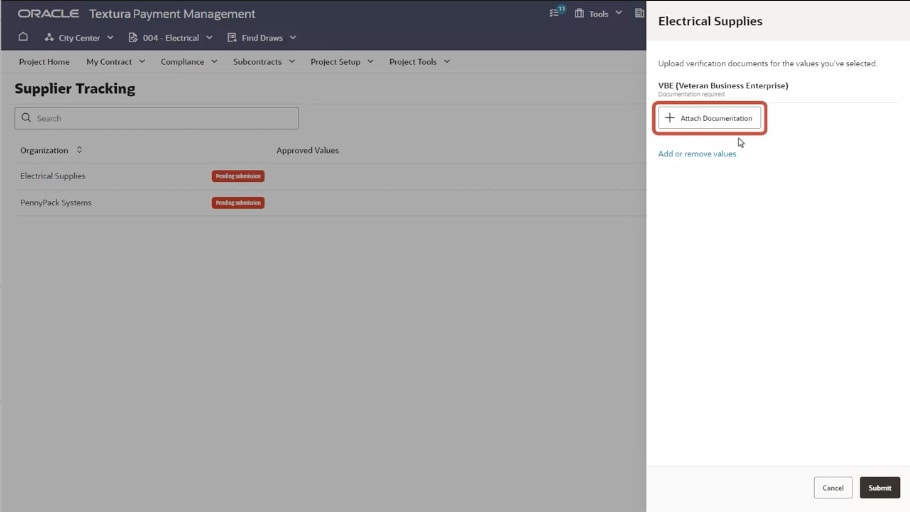
To submit certification documentation, attach the certificate, and then enter the certification details:
- Name
- Start and expiration date
- Certifying agency
- Certificate number
Attach the document, and click Submit.
The diversity value is sent to the General Contractor for approval. If approved, it will also be approved for other projects between the General Contractor and Sub-Tier.
Likewise, if rejected, it will also be rejected for other projects.
Tip!
For assistance with this feature, visit the Support page.