Generating Sub Usage Reports
This article will walk you through how to run the Subcontractor Usage Fee Report.
Project Home page
Log in to Textura and navigate to the Project Home Page.
Usage Fees page
From the Project Setup menu, select Usage Fees.
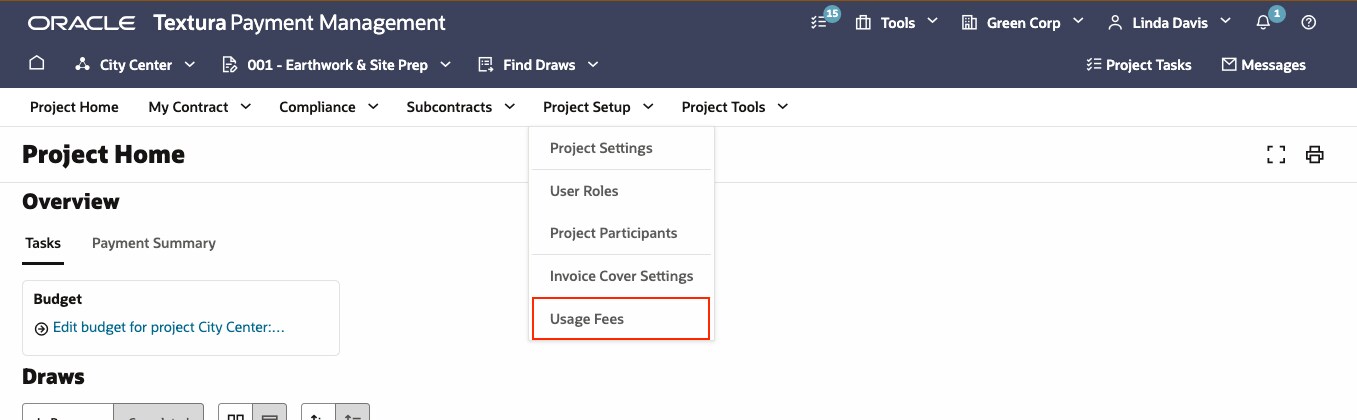
This will open a page summarizing all applicable usage fees for the project.
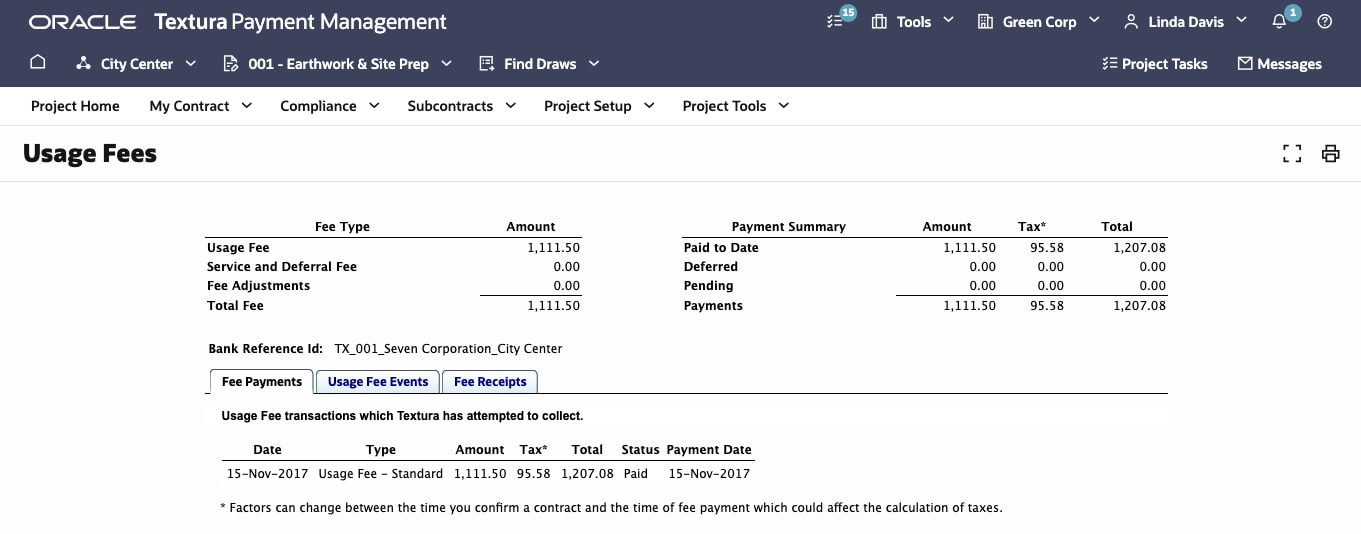
Report information
View and download report information.
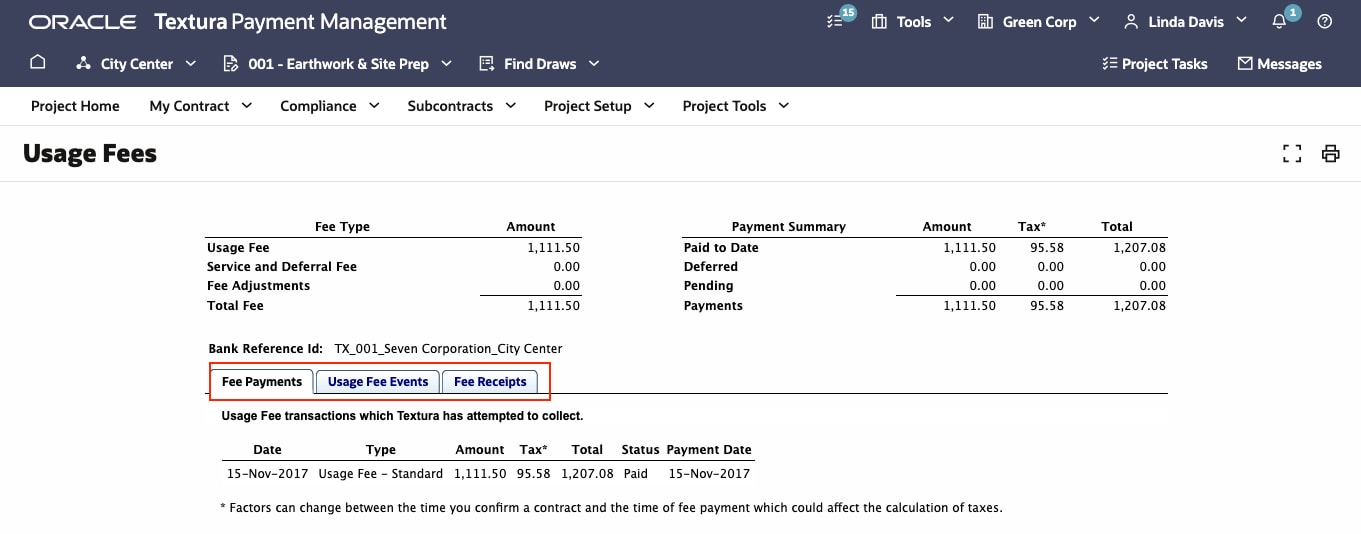
The Usage Fees page includes three tabs:
- Fee Payments: lists all payments made, including dates, amounts, and statuses.
- Usage Fee Events: Tracks any events that adjust fees (e.g., contract confirmations or significant change orders.)
- Fee Receipts: Displays payment history, including downloadable receipts.
Select the relevant tab to view detailed information or download reports, such as fee receipts for auditing or reconciliation purposes.
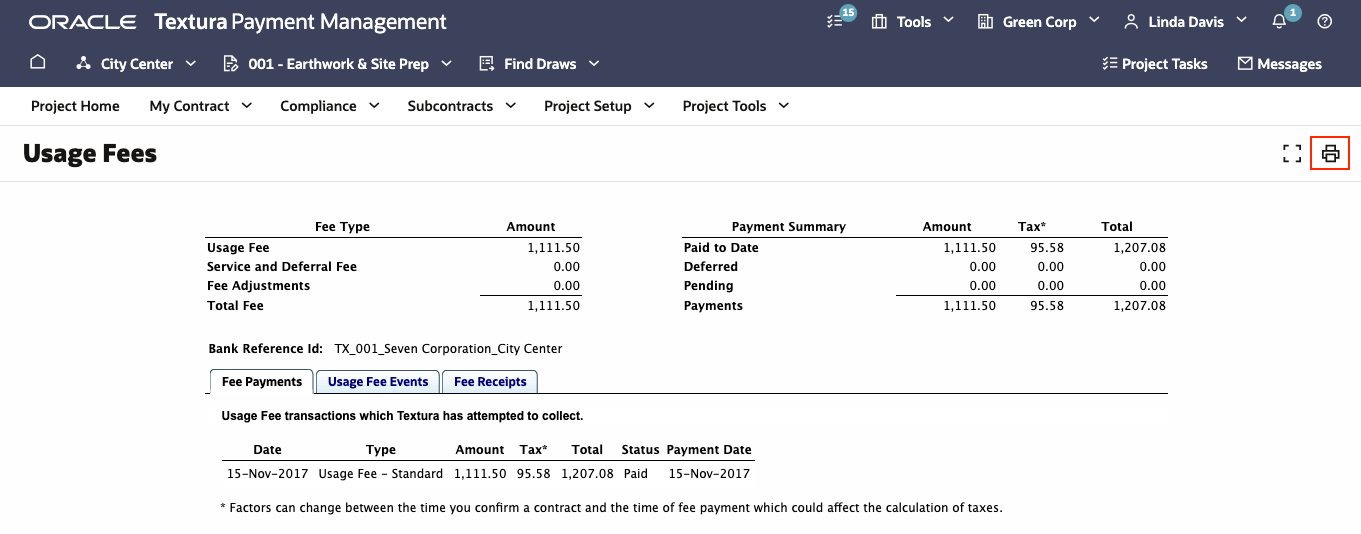
Export or print data
Print or export fee details as needed for record keeping or reporting.
If you encounter any issues, ensure you have the correct permissions (e.g., Project Administrator or equivalent roles.)
Tip!
For additional assistance with this report, visit the Support page.