Oracle Utilities - Prepare for Activation
Welcome to Oracle! We're excited you're here.
Here's some information to consider before you activate your Cloud Account and Services with our Customer Success Team.
Rolling out a new software solution to your organization can be challenging. That's why your Customer Success Manager (CSM) is here to help you progress with your Oracle Utilities activation and onboarding.
As we get started on this journey, let's take a look at what we'll need to do to activate. For purposes of this article, we're going to focus on your Oracle Utilities Cloud services. You may have more than one Customer Success Manager (CSM) reach out to you depending on the Oracle service purchased.
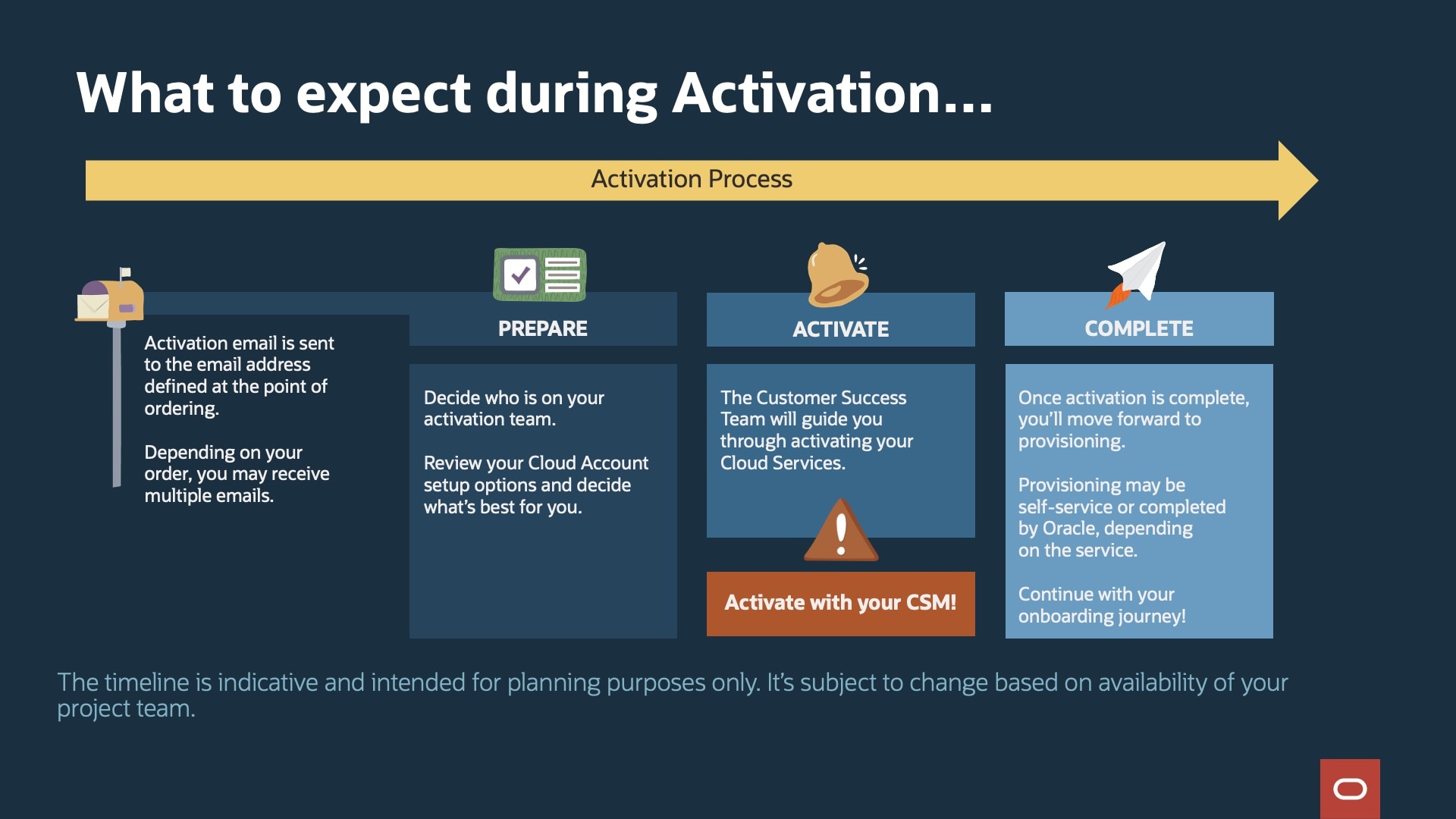
Plan for activation
As you prepare to activate, it's important to understand some key Oracle concepts. Defining these concepts and having a shared understanding will improve team communication and ensure project team alignment.
This is a great place to start to understand activation-related terminology. (See terms and descriptions section.)
You'll need to make some important decisions on how to set up your Oracle Cloud Account and Cloud Services - that means getting the appropriate people from your organization involved right from the start.
We suggest a couple of focused, small-group meetings with your CSM to work through the Oracle activation process for your purchased Cloud Service(s). Typically, here are the roles that help:
| Role | Types of responsibilities |
|---|---|
| System Administrator (also referred to as Cloud Administrator) |
If you have an existing Oracle account, this is the managing person/team. If new to Oracle, typically the system administrator is responsible for:
We suggest having one primary and at least one backup. |
| Oracle activation email recipient | The contact at your company who received the Oracle activation emails. In some cases, this person might be a different contact than the System Administrator. |
| Third-Party Implementation Partner |
Some customers opt to use third-party partners to help implement our solutions. It is not required to have them attend this meeting at this point. |
| Technical resource/System architect | A technical person/team responsible for the desired design and structure of your business' systems and components. |
As you consider set up of your Oracle Cloud Account, there are two different options available to you:
- Continue set up with an existing Oracle Cloud Account or
- Create a new Oracle Cloud Account
Review the considerations for selecting a new or existing Oracle Cloud Account.
If you decided to activate a new Cloud Account, there are also these additional items to have prepared before meeting with your CSM.
- Cloud Account name
- Home region
It's important to note that this decision is the foundation of your Oracle services and cannot be undone once a selection is made.
Tip!
Activate your services
Your Customer Success Manager will reach out to schedule a session with your team. We'll guide you through activating your Cloud Services and other information such as:
- How your Customer Success Team collaborates with you
- What to expect during your Oracle journey
- Attaining your desired business outcomes
Depending on your purchased solutions and activation timeline, these topics could be covered in one meeting or broken up over several meetings.
What comes next?
- Self-service provisioning -allows customers to control the timing of the provisioning of their SaaS service instances (environments). This is completed through Oracle App Manager.
- Oracle provisions your environments, which could take some time. After your environment is provisioned by Oracle, you'll receive a post-provisioning email that includes your URL and sign-in details. Congratulations, you're now able to access your purchased solutions!