
Time
60 mins

Difficulty
Easy

Project Stage
Design
Using the Play
The aim is to decide what would work best for your organization's workspace hierarchy.
Having a complex or extensive workspace hierarchy can be hard to keep up with. We always recommended keeping it simple.
This Play will...
Help you decide how to structure your workspace hierarchy to ensure it's organized and purposeful.
Why you need this Play
Workspaces are essentially containers for your project. However, the setup of your hierarchy can affect more than just how your projects are grouped.
A poorly structured hierarchy can cause access and data management issues. This play will get you off to the right start and help you decide on an effective way to set up your workspace hierarchy.
Who needs to be involved?
This play is intended primarily for application administrators and any users that are most familiar with your organization's project structure.
Be mindful of having too many opinions. Groups of 4-5 tend to work best. More people means more discussion and fewer decisions. You can get feedback on decisions made with a wider audience later on.
Preparation
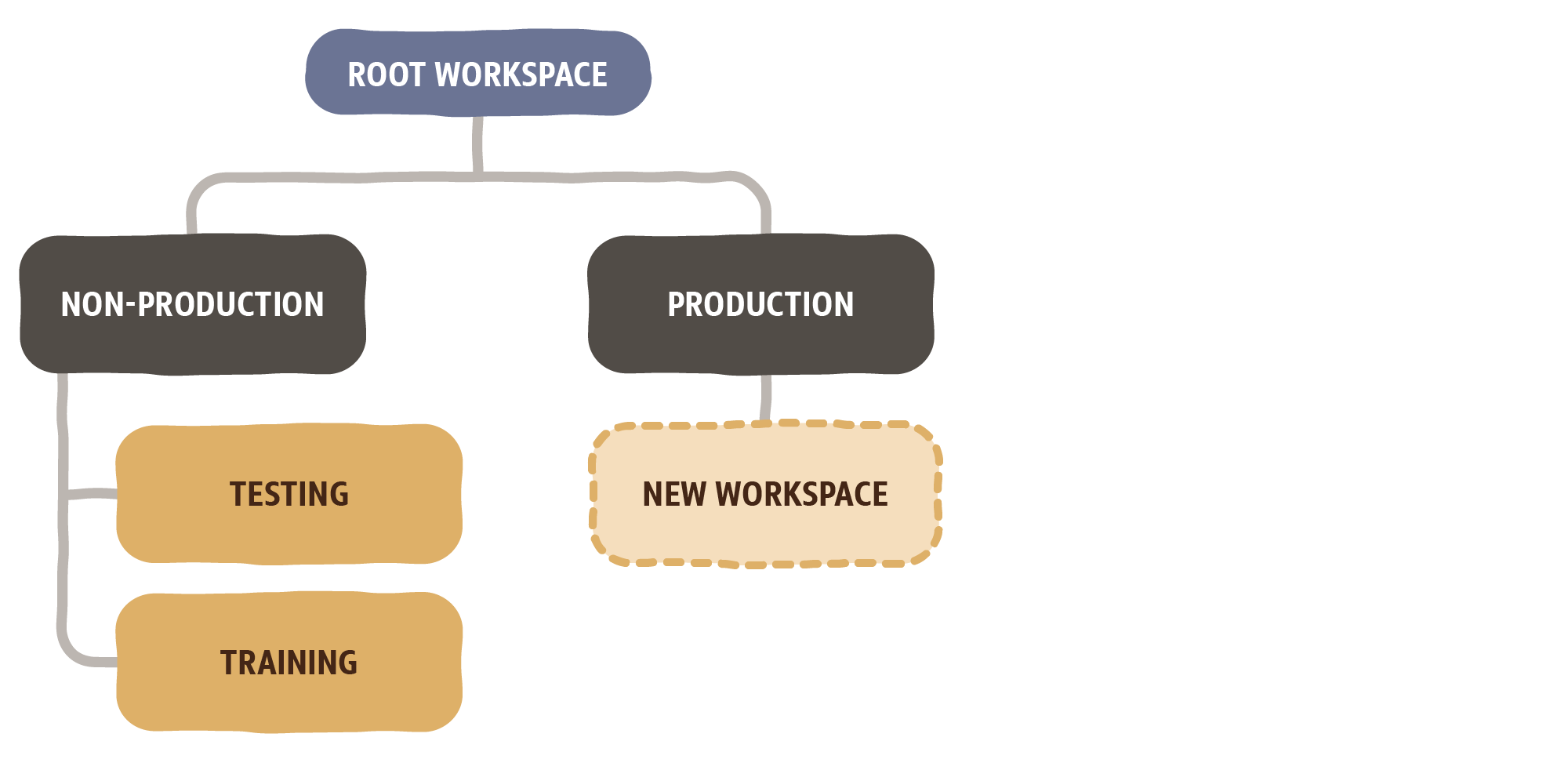
Primavera Cloud comes with a generic workspace configuration ready for you to build on. The image below shows what it typically looks like. In this Play we'll be concentrating on the "new workspace" part of the hierarchy.
If you're ready... let's get started.
Step-By-Step
-
1Get familiar with workspaces (15 mins)
Making sure everyone is on the same page.
It'll be helpful for everyone completing this Play to understand what workspaces are and, why there are used.
Here a couple of guides and videos that are helpful to take a look at before you begin.
~ Video overview on creating workspaces*
~ Workspace Overview - Help Guide
If you're a Primavera P6 user, here's some additional information:
~ Enterprise Project Structure (EPS) vs Workspaces - Quick Reference
*This requires a free user account to access the content on Oracle University.
-
2Plan the workspace structure (25 mins)
Figuring out what you need.
After reviewing the material linked in the first step, spend about five minutes to get everyone to write or draw their initial thoughts and what structure they believe would work best.
Then spend a few minutes discussing as a team and planning a structure that will meet everyone's needs.
As you're discussing, here are a few things to consider:
1. Are you looking to manage user access by workspaces?
2. How are projects normally grouped or divided in your organization?
3. Were you looking to use the same resources across multiple projects?
Note: Resources can not be shared across workspaces automatically
Here's an example of a simple hierarchy using countries and cities:
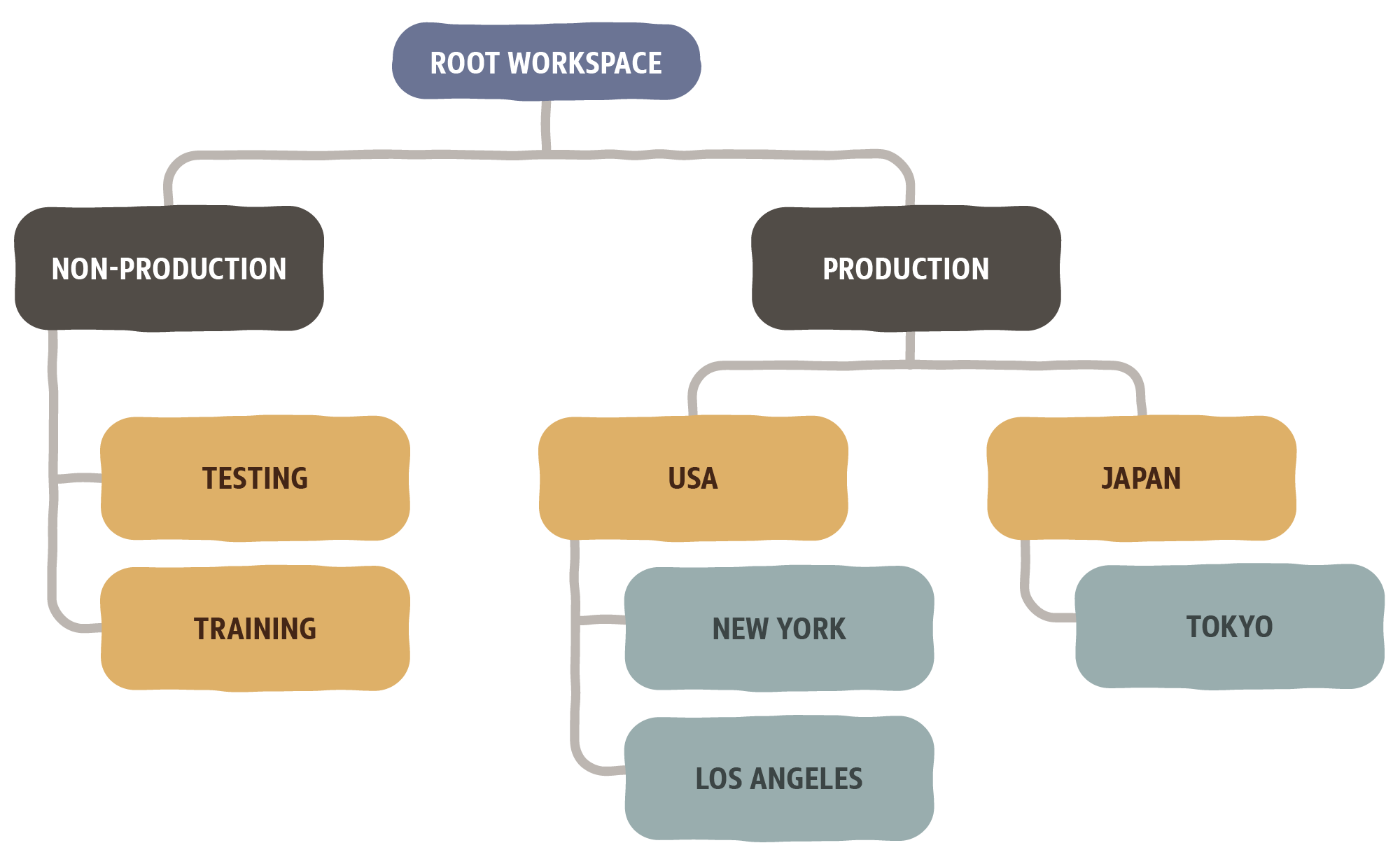
If your hierarchy is getting too extensive, you can always use codes and configured fields to attach additional information to your projects. Not everything has to be a workspace.
-
3Create the workspaces (15 mins)
After you've decided on a hierarchy you'd like to implement, you can begin creating the workspaces within Primavera Cloud.
Learn how to add a workspace with our step-by-step guide.
That's the end of the Play.
Next Steps
Test the hierarchy
Have your users take a look at what has been set up and provide feedback or any recommendations. Make any necessary tweaks, then go-live.
Note: Make sure the users that are checking the hierarchy have been given the proper permissions to see all necessary workspaces.
Here are the steps your users can take to view the workspace hierarchy:
1. Log into Primavera Cloud
2. Click on the object selector (dropdown next to the Oracle logo)
3. Select Workspaces, then select view all workspaces to open up the workspace inventory
4. Take a look at the hierarchy setup by your organization
5. Provide any feedback or recommendations to your Primavera Cloud admins
That's it!
You've now decided what workspace hierarchy is important for you and your team, and set them up in Primavera Cloud.