Understanding Cloud-Based EHRs: A Buyer’s Guide
Margaret Lindquist | Senior Writer | March 4, 2026

Since their inception some 50 years ago, most electronic health records (EHRs) have taken the form of on-premises software systems, managed by the IT departments of the healthcare providers that use them or by third-party hosting companies. Today, EHRs are moving to the cloud as services—managed, secured, and updated by the vendors themselves and delivered over the internet. This article will discuss the benefits, key features, and challenges of cloud-based EHRs.
What Is a Cloud-Based EHR?
Cloud-based EHRs, like all EHRs, are electronic records that contain data on a patient’s health history, including diagnoses, medications, lab results, treatment plans, lifestyle indicators, and current health status. Cloud-based EHRs typically run on servers the vendor manages that are in globally dispersed data centers, sometimes called cloud regions. The latest cloud-based EHRs are interoperable, giving providers access to patient data located in other providers’ EHRs, as well as information from disease knowledgebases, government regulatory databases, and clinical research systems. They also feature AI capabilities and modern user interfaces, and their regular updates are delivered to customers over the internet.
Key Takeaways:
- The latest EHRs are built on an open, cloud-based technology platform.
- Most of them include AI capabilities, either bolted on or embedded in the software, such as digital assistants that can “listen in” on physician-patient discussions and draft a clinical note that becomes part of the patient record.
- The data in most cloud-based EHRs is encrypted, and any security vulnerabilities are patched automatically.
Cloud-Based EHRs Explained
With cloud-based EHRs, healthcare providers can easily exchange patient data scattered across dozens of systems, scale the system up and down relatively seamlessly as needed, limit the cost and complexity of having to manage their own health IT infrastructure, enhance data security, and access the latest AI, workflow automation, and other advanced features via frequent software updates. But adopting a cloud-based EHR can also present some challenges, including the need to migrate the data from legacy systems and make sure the cloud services support industry standards.
To the extent that cloud-based EHRs are able to connect previously siloed healthcare systems, they have an important role to play in public health. For example, public health officials can use anonymized data from connected EHRs to tap information about influenza levels or rates of different types of cancer in a particular region. This shared data can help determine the effectiveness of vaccines or predict hospital bed requirements. Clinicians can use AI capabilities in cloud EHRs to help develop personalized treatment plans and provide patients with information about the side effects of medications. Wearable devices can connect with the latest EHRs, enabling physicians to see patients’ health vitals in near real time and receive alerts when patients need help or additional support.
Cloud EHRs vs. On-Premises EHRs
Unlike on-premises EHRs, which healthcare providers manage from their own data centers, cloud-based EHRs are delivered by their vendors over the internet, typically as subscription services, limiting the need for providers to invest in the underlying server, storage, and networking infrastructure and related support staff. As such, cloud-based EHRs typically have a lower total cost of ownership. They can also scale more easily than on-premises systems, and they’re automatically updated with new features, including emerging AI capabilities and the latest security patches. On-premises systems are harder to update.
Benefits of Cloud-Based EHRs
Cloud-based EHRs are the next clear step for providers that want to extend their access to data, streamline workflows, and support informed clinical decision-making. Read on to learn more about these and other benefits.
- Improved data accessibility. With interoperable EHRs, clinicians can access up-to-date records stored in different locations, including data in other EHRs and systems used by researchers and government agencies, which can help them make accurate diagnoses and enhance care.
- Enhanced data security. Cloud EHRs are designed to help safeguard against security breaches, in part by automatically applying patches to address the latest known system vulnerabilities. They can also flag weak passwords, provide information for audit investigations, alert users based on specific event thresholds, and detect anomalous activities. And their data is typically encrypted. AI capabilities embedded in the latest cloud-based EHRs can help detect emerging threats and even respond to attacks in progress.
- Increased scalability and flexibility. Growing patient populations, expanding facilities, and increased adoption of new technologies such as AI and telehealth make EHR scalability—the ability for providers to add users and capacity relatively seamlessly—crucial. One of the main benefits of cloud-based EHRs, or any other cloud system, relative to on-premises systems is that kind of on-demand scalability.
- Enhanced workflow automation and efficiency. The introduction of AI and other advanced technologies in cloud-based EHRs has enhanced automation and efficiency in different ways. For example, AI-based digital assistants can use ambient listening to monitor physician-patient conversations, summarize what was discussed, and input draft notes into the EHR for the physician’s approval, easing the physician’s administrative tasks. Automated claims management capabilities can help back-office staff code treatments correctly for quick reimbursement.
- Enhanced patient care and engagement. Cloud EHRs provide clinicians with comprehensive patient records for informed decision-making, enhance care team coordination to limit test duplication and facilitate continuity of care, and support remote patient monitoring and telehealth. Patient engagement is strengthened with access to integrated patient portals, which enable patients to communicate with their care providers outside of appointments, renew prescriptions, and schedule their own in-person or video appointments.
- Improved coordination among providers. The cloud helps connect EHRs across provider networks to obtain a holistic view of a patient’s health history. The growth of Qualified Health Information Networks (QHINs) is helping centralize and facilitate the secure exchange of patient data among different providers. Vendor-neutral platforms such as the CommonWell Health Alliance encompass thousands of provider sites and millions of patients.
- Informed clinical decision-making. By giving clinicians access to comprehensive patient data, medical research results, and third-party public health data, interconnected cloud-based EHRs can help them make timely and accurate diagnoses. They can also help different teams coordinate patient care to lower the risk of duplicate treatments and dangerous drug interactions.
- Reduced paperwork and administrative costs. Cloud EHRs, like all EHRs, can limit paperwork and administrative costs by storing and managing patient records, financial information, and clinical notes electronically. And because they can integrate with laboratory, pharmacy, and payer systems, they can help all those organizations limit redundant data entry. With the cloud, data storage, updates, and security are managed by the vendor, so providers can avoid the high costs associated with on-premises servers and dedicated support staff.
- Improved accuracy and reduced errors. The consequences of incomplete patient records can be severe—misdiagnoses and delayed or incorrect treatments are just some of the dangers. Because cloud-based EHRs make it easy for physicians to share patient data with other clinicians, regardless of provider, diagnoses and treatment mistakes become less likely. For example, quick access to information about a patient’s previous diagnoses, drug reactions, allergies, lab results, and currently prescribed medications can help clinicians avoid ordering duplicative or conflicting tests and treatments.
Key Features in Cloud-Based EHRs
Cloud-based EHRs are designed to give healthcare providers the information they need to help enhance patient care. Here are some of their key features.
- Data security. The data in cloud-based EHRs is managed and secured in cloud vendors’ global data centers, typically employing the latest access management, patching, data governance, data encryption, and data backup/recovery technologies and best practices.
- Interoperability. Interoperable EHRs make patient data accessible to the providers, patients, payers, and public health administrators who need to view it, and they connect to medical research, public health, and other third-party systems. This interoperability can give clinicians a comprehensive view of patients’ health histories, the latest treatment options, population health trends, and other data to help them make informed care decisions.
- Clinical decision support tools. Clinical decision support tools such as AI agents, dashboards, and analytics software pull together data from cloud-based EHRs, clinical research databases, public health data banks, and other sources to give clinicians context and recommendations at the point of care. These tools give clinicians a complete view of each patient, including their medications, vaccinations, previous conditions, treatments, lab results, and community health indicators. With easy access to better data, clinicians can spend more time focused on patients and less time gathering information.
- E-prescribing. Many cloud EHRs let physicians transmit prescriptions directly to a pharmacy using integrated e-prescription capabilities. Cloud EHRs can also automatically check the patient’s full record for potential adverse drug interactions, allergies, and dosage guidelines.
- Appointment scheduling and management. Cloud-based EHRs can simplify everyday workflows for tasks such as appointment scheduling, billing, and insurance claims by integrating with applications or portals dedicated to those processes.
- Reporting and analytics. New cloud-based EHRs feature dashboards, configurable reports, and analytics tools to help providers track patient outcomes, patient safety events, readmission rates, bed occupancy rates, lengths of stay, average charges, and other factors—and determine ways to make clinical and operational improvements based on that information.
- Mobile access. Storing EHR data in the cloud makes it relatively easy for clinicians to update charts, send prescriptions, review lab results, and access other patient data from any mobile device, regardless of where the patient was treated. And the remote patient monitoring capabilities integrated with some cloud EHRs let clinicians—with patient approval—track individuals’ vital signs, blood sugar levels, and other health variables.
- AI and predictive analytics. Cloud EHRs can help providers take advantage of AI by providing the massive amounts of computing power and data needed for complex AI tasks. Among the AI capabilities of the latest EHRs are chat, text, and voice interfaces that can summarize physician-patient conversations, highlight health signals that require human attention, and scan internal and external data to provide users—patients and clinicians—with pertinent data at the time of treatment. These AI capabilities can “self-improve” based on user behavior, enhancing their accuracy as they receive and interpret new prompts. For example, the EHR can show results in a way that best meets user demands or display the most relevant orders when treating a certain problem. By automating routine tasks, AI-powered EHRs can help limit administrative workloads, enabling physicians to spend more time with their patients.
Predictive analytics can help clinicians detect care gaps and develop personalized treatment plans by analyzing data patterns in health histories, lab results, and lifestyle indicators. More broadly, providers can use predictive analytics to forecast patient volumes and staffing needs, predict equipment and resource requirements, and allocate staff and resources where they’re likely to be needed most. - Automatic updates. Cloud vendors typically update their EHR software with new features and security patches as needed, and those updates can be delivered automatically, with customer permission, over the internet. Real-time security threat monitoring and detection are also cloud features.
9 Factors to Consider When Choosing a Cloud-Based EHR
Healthcare providers need to focus on a number of factors when choosing a cloud-based EHR, including security, usability, integration capabilities, user training, and postimplementation support. Read on for more on these and other factors.
- Data security. Statistics compiled by the US Department of Health and Human Services show an upward trend in healthcare data breaches over the past 14 years. When researching cloud EHRs, look for systems and vendors that employ the latest access management, patching, data encryption, and governance technologies and best practices. Cloud service providers have more security resources and expertise than a typical provider managing an on-premises EHR system.
- Usability. Early-generation EHRs were hard to navigate, which added to clinician burnout and made some clinicians wary of new technologies. When choosing a cloud-based EHR, look for one with a modern, intuitive user interface that makes it easy for clinicians to access comprehensive patient histories and the latest medical research and trend data. Think consumer apps that require minimal training.
- Interoperability and integration. Providers need EHRs that interoperate with the systems of other organizations in order to gather all the data they need to make the best care decisions. Those systems include cloud EHRs used by other providers, as well as systems used by medical researchers, life sciences companies, and public health organizations. For example, EHRs connected to the systems of public health organizations can help those organizations track, analyze, and manage care for specific patient populations by giving them the ability to view local, national, and global trends and flag high-risk people who may need proactive care.
- System scalability and future-proofing. Scalability is one of the top factors to consider when evaluating cloud EHRs. As providers grow, organically or through acquisitions, they need to be able to add EHR users relatively easily. Unlike on-premises EHRs, cloud platforms can efficiently scale to meet changing demand.
- Vendor reputation and support services. When evaluating cloud EHR vendors, consider the following questions, beyond just the quality of the software: Does the vendor have deep experience as a cloud service provider? What is its reputation for uptime, reliability, and data security? What is its reputation for support during the implementation process and its track record for meeting implementation deadlines? After implementation, how good is its support for training users at all levels of the organization to help foster quick and confident system adoption? How is it with change management?
- Budget and pricing models. Although cloud systems don’t require investments up front in supporting hardware, networking, and storage, it’s important for buyers to understand the ongoing costs, including subscriptions, implementation, training, and ongoing support. Compare those costs with the potential ROI, such as reduced administrative costs, time saved through quick access to comprehensive patient records, lower infrastructure costs, and decreased planned downtime.
- Reporting and analytics. A cloud-based EHR should have robust tools for analyzing data on a variety of factors, including patient outcomes, the length of patient stays, patient safety events, claim denials, readmission rates, patient wait times, and average treatment charges. All this data should be viewable through configurable dashboards that can be tailored to specific roles. For example, predictive analytics tools can be used to forecast readmission risk or disease progression. Operational performance tools can be used to track resource use and patient no-show rates.
- Customer reviews and case studies. Ask other, similar providers about their experiences with the cloud EHR you’re evaluating to validate vendor claims.
- System backups. HIPAA requires organizations that handle electronic protected healthcare information (ePHI) to implement a data backup plan as part of their contingency planning. With on-premises EHRs, local copies can be susceptible to damage or theft, and offsite backups are essential in case local backups become unavailable due to a natural disaster or cyberattack. With cloud EHRs, backups can be spread across multiple cloud regions, enabling recovery in near real time. Backups can be set to run automatically, so this task doesn’t become an afterthought for an overworked IT staffer. Cloud backups also receive the same security protection as the EHR.
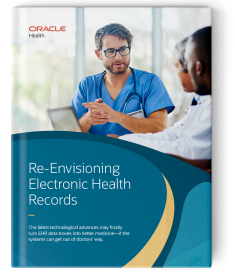
New, cloud-based EHRs can increase efficiency and enhance care by helping clinicians gain a complete, accurate view of their patients.
Challenges of Cloud-Based EHRs and How to Overcome Them
Cloud-based EHRs can be more flexible, scalable, and secure than on-premises systems, but they come with their own challenges, including the following:
- Data security and privacy. Storing sensitive patient data in off-premises cloud data centers can raise concerns about potential data breaches, HIPAA violations, and unauthorized access. Providers should look for a cloud EHR vendor that has strong security protocols and practices, including data encryption, two-step login verification, and regular security audits. They should also develop and put in place training programs for staff that reinforce the importance of data security and the consequences of unsecured data.
- Data ownership. Many cloud-based EHRs plug into a network of health systems, giving providers access to comprehensive, accurate patient data no matter where the patient has previously received care. Although clinicians will be able to access essential data, ultimately patients need to be able to take ownership of their data and care options, request copies of their data, ask for corrections, and control how their data is used and disclosed.
- Internet dependency. Cloud EHRs, like all cloud services, need a reliable and robust internet connection. Backup internet connections, frequent data backups, and offline access supported by local data caching can mitigate the impact of internet dependency.
- Data migration and upload. For those providers moving from legacy on-premises EHRs to cloud-based ones, migrating data from the old to the new system will be one of the biggest challenges. Data in legacy systems must be cleansed—that is, checked for accuracy and redundancy and corrected if needed. And odds are it will be organized differently in the cloud-based EHR. Providers also need to decide which data to move and facilitate the security of the data in transit. It’s crucial that providers choose a vendor that has proven experience working with similar organizations at similar stages in their IT systems roadmap.
- Limited customization. Cloud EHR vendors update their software regularly with the latest features and performance and security enhancements. Those updates are delivered to customers over the internet. Cloud EHRs aren’t meant to be customized, as they already incorporate industry best practices. Providers should identify vendors whose cloud EHR solutions can align with their existing workflows and processes and that enable them to adopt personalized configurations that address specific needs.
- Ongoing costs. Although cloud EHRs cost less up front than on-premises EHRs, providers need to take ongoing costs into account. These costs include outlays for subscriptions, data migration, staff training, and ongoing support. Providers have different options to mitigate these costs, such as rolling out the EHR in phases, taking advantage of automation features to free up staff for more high-value activities, and using self-paced training and power users to limit training costs.
- Vendor dependency. Some cloud EHR vendors make it difficult to move data from legacy platforms to new ones or move off their platform entirely, in turn making it difficult and costly to switch vendors. Look for cloud EHR vendors that support open standards and understand the importance of multicloud computing.
- User training. Many healthcare professionals may resist adopting a new EHR given the training that’s involved and how long it took them to get up to speed on their legacy EHRs. New cloud-based EHRs are designed to prioritize streamlined and intuitive end user workflows that flex based on user needs. This enables healthcare providers to personalize training, tailoring different programs to different users with different experience levels and providing self-service training so users can learn independently, at their own pace.
- Change management. In addition to training, the broader change management process, which includes communicating the goals of the EHR migration, creating a sense of urgency around the program, rallying people to get on board, removing barriers, and celebrating progress, is crucial to the successful adoption of a new EHR. The first step is identifying a small group of super users—usually people from the broader project team tasked with supporting the implementation process. Those users can act as a conduit for clinician and support staff feedback to the vendor and provide one-on-one guidance to users who need extra support, at least initially.
Why Consider Oracle Health's Cloud-Based EHR
The brand-new, cloud-based Oracle Health EHR* is built to help healthcare providers address some of their greatest challenges, including determining tests to help keep groups of patients healthy, communicating with those who need follow-up appointments, and creating a comprehensive, accurate patient record based on cleansed and compiled data from disparate providers. Oracle Health EHR runs on Oracle Cloud Infrastructure (OCI), enhancing the security of the sensitive health data it stores. It also embeds AI to streamline the most common tasks and help boost productivity, prepping clinicians with patient histories right before a visit and enabling them to filter information that’s relevant to a specific illness. Among its other features, it enables clinicians to navigate workflows using plain language commands and uses AI to listen in on physician-patient conversations and draft notes for inclusion in the EHR—just two examples of the many AI agents Oracle is developing.
Cloud-Based EHR FAQs
What are cloud-based healthcare systems?
Cloud-based EHRs and other healthcare systems are managed by cloud vendors in their own geographically dispersed data centers, as opposed to systems managed by the providers’ own IT organizations in their data centers. Cloud benefits include a lower total cost of ownership, greater system scalability, and an emphasis on interoperability, which allows EHRs to connect to other health organizations’ systems to get a holistic view of a patient’s health data.
What is the difference between an EHR and an EMR?
Healthcare providers use EHRs, especially cloud EHRs, to share and coordinate data with other healthcare organizations, including other care providers and clinical researchers and public health organizations. An EMR is typically a standalone system used by a single hospital or practice.
Which cloud platform is best for healthcare?
The best cloud platforms for healthcare are ones with features designed to make clinicians’ lives easier, such as voice-driven navigation, conversational search, and real-time visibility into patient flows. The very best EHRs also integrate with systems throughout the broader healthcare ecosystem.
*The content is intended to outline our general product direction. It is intended for information purposes only and may not be incorporated into any contract. It is not a commitment to deliver any material, code, or functionality, and it should not be relied upon in making purchasing decisions. The development, release, timing, and pricing of any features or functionality described for Oracle’s products may change and remain at the sole discretion of Oracle Corporation.