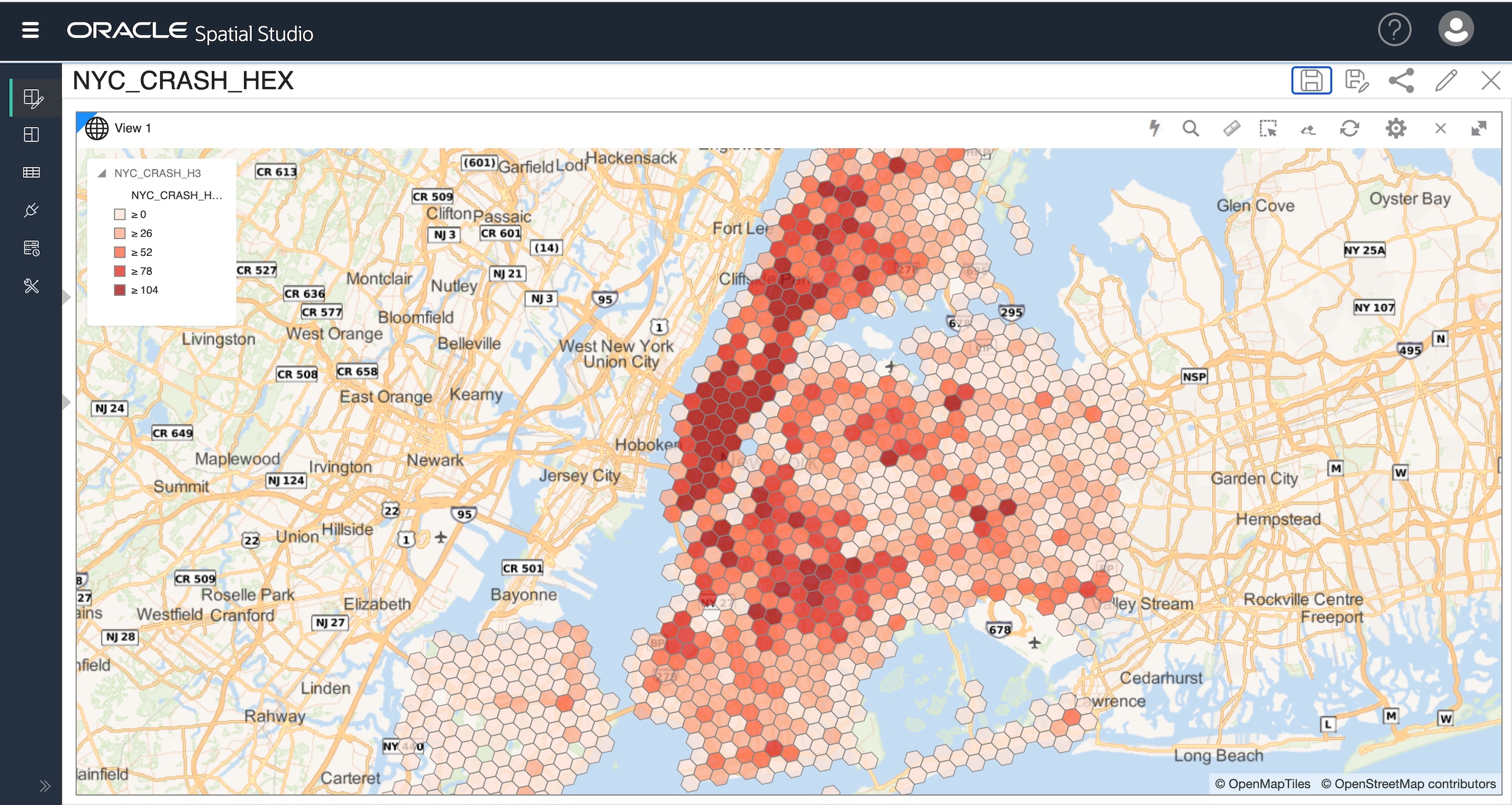
Spatial Studio is a free, web-based tool designed for use with Oracle Autonomous AI Database, Oracle Base Database Service, and Oracle Database on-premises.
If you are an Oracle AI Database customer, whether in the cloud or on-premises, you are entitled to use the spatial features of Oracle AI Database and Oracle Spatial Studio.
You can also try Spatial Studio for free using the Oracle Cloud Free Tier, which provides free Autonomous AI Database and Compute instances.
Please note: Spatial Studio is backward compatible. You should always use the latest release that supports your database version.
Using Spatial Studio with Autonomous AI Database
The addition of Spatial Studio to the built-in tools of Autonomous AI Database makes it easier than ever to get started with spatial analysis and mapping. And the integration of other built-in tools with Oracle Spatial makes Autonomous AI Database an excellent choice for geospatial data exploration, analysis, visualization, service delivery, and custom application development.
Go to our documentation for more information.
Using the Spatial Studio App in the Oracle Cloud Marketplace
Spatial Studio is available as a customer-managed application from the Oracle Cloud Marketplace, for use in Oracle Base Database Service.
Go to Oracle Cloud Marketplace to get the app.
Using the Quick Start for On-Premises Deployment
Spatial Studio is available as a Java application for trial, development, and testing purposes at no cost under an Oracle Technology Network License Agreement.
Deployment
Download Spatial Studio Quick Start from Oracle Technical Resources (formerly OTN)
Technical Requirements
- Oracle Database 19c+ with Spatial installed (note: Spatial is installed by default)
- Java versions: Java JDK 11 (64-bit) or later.
- Required DB privileges: CONNECT, CREATE SESSION, CREATE TABLE, CREATE VIEW, CREATE SEQUENCE, CREATE PROCEDURE, CREATE SYNONYM, CREATE TYPE, CREATE TRIGGER
- Public internet connection to access hosted background maps and geocoding service
- Minimum of 1.5GB of free memory, 8GB of total memory
Installing and Configuring
- Navigate here and click the download link for the latest Oracle Spatial Studio - Quick Start
- You will be sent to the Oracle Software Cloud Delivery (also known as eDelivery). Accept the terms of the agreement and download the zip for Spatial_Studio_<version>_QS.zip
- Unzip (extract) it, which results in a directory named Oracle_Spatial_Studio.
- Ensure that the JAVA_HOME environment variable exists on your system, and points to a full JDK installation of Java SE Development Kit 11 (64-bit) or later.
- Ensure that the port 4040 is not being used by any other (web) applications. (You can direct Spatial Studio to use different ports, but 4040 is the default HTTPS port for Studio.)
- From a command window (Windows) or terminal (Linux or Mac), go to (cd) the Oracle_Spatial_Studio directory. This directory contains several .bat or .sh files.
- Use start.sh or start.bat to start the application. (On Linux or Mac you may need to ensure that the .sh files are executable by first running the command: chmod u+x *.sh)
Leave the terminal or command window open. In your browser, go to the URL: https://localhost:4040/spatialstudio
This page will require a login. And you will need to add a security exception to your browser as the Quick Start uses a self-signed SSL certificate. Check the README.txt file found in the Quick Start folder for login instructions and how to change the login id et al. The following considerations apply to using Spatial Studio Quick Start:
- The default port is 4040, but you can change it by editing the file conf/server.json in Oracle_Spatial_Studio. You will need to restart the application after you make the change.
- Spatial Studio Quick Start provides several predefined web user login accounts in the configuration file conf/jetty-realm.properties. You should change the passwords immediately after you unzip the downloaded Quick Start. Because Spatial Studio Quick Start is intended for personal use, the passwords for the end user accounts are not encrypted. However, all other passwords, such as those used to log into the Spatial Studio metadata schema or for any user-created connections to database schemas, are strongly encrypted everywhere.
- To stop the application, the preferred approach is to start a second terminal or command window, then go to the same Oracle_Spatial_Studio folder and run the stop.bat or stop.sh script.
See documentation for more information.
Using a Java EE Deployment
Technical Requirements
- Oracle Database 19c+ with Spatial installed (note: Spatial is installed by default)
- Java JDK 11 (64-bit) or later.
- Oracle WebLogic Server 14c or later.
- Required DB privileges: CONNECT, CREATE SESSION, CREATE TABLE, CREATE VIEW, CREATE SEQUENCE, CREATE PROCEDURE, CREATE SYNONYM, CREATE TYPE, CREATE TRIGGER
- Public internet connection to access hosted background maps and geocoding services
Deployment
- Download the Spatial Studio Java EE application archive EAR file from Oracle Service Delivery Cloud (OSDC) or Oracle Technical Resources (formerly Oracle Technology Network)
- Perform standard WebLogic Server (WLS) app deployment in Java Cloud Service or on-premises
- Any users known to WLS can access Spatial Studio (Java EE users, SSO users, etc.)
- WLS users in its Administrators group will assume admin role when logged into Spatial Studio
See documentation for more information.