
Permitting and Licensing Software
Discover the benefits of providing your staff and their customers with a truly innovative regulatory solution. Oracle Permitting and Licensing is a cloud native, purpose-built solution that modernizes government regulation at a speed and scale that is unmatched in the industry. Leveraging Oracle’s AI innovations, our solution can help you deliver a superior customer experience, enhanced staff performance, and improved decision-making.
Oracle Permitting and Licensing — A Complete Regulatory Solution
-
Plan your community with close collaboration
Make it easy for residents and contractors alike to submit project plans and complete entitlement applications digitally. Focus your planners with worklists that prioritize tasks and schedule hearings efficiently to accelerate approvals.
-
Streamline permitting, plan review, and inspections to keep projects moving forward
Support residential and commercial developments with an intuitive online application process that guides each applicant through permit requirements. Automate approval workflows and the scheduling of inspections to keep projects moving.
-
Automate licensing from origination through amendments and renewals
Encourage and enable a vibrant business community by making it easy for business owners to register, manage and renew their business license at any time online. Entice entrepreneurs and attract new businesses with simple self-service interactions.
-
Manage code cases efficiently, from anywhere
Offer your residents a fast and simple way to report issues and manage violations, from anywhere and any device. Empower your teams with productivity tools and flexible, mobile capabilities to optimize the work your code officers do each day to keep your community safe.
-
AI in Oracle Permitting and Licensing
Oracle’s leadership in artificial intelligence is driving smarter permitting and licensing solutions, all backed by secure, high performance cloud technologies.
Customer success stories

“From day one, I committed to fix Miami’s broken permitting system, and I am proud that our team is making big strides towards that goal. This partnership with Oracle will transform how residents and businesses experience City Hall.”

“This project is a vital step toward delivering much-needed affordable housing in our community. We are committed to creating inclusive neighborhoods that honor our history while providing modern amenities for Atlanta families.”

“From the beginning, Oracle Consulting showed in-depth understanding of Mt. Pleasant’s permitting and licensing process requirements, building on trust and previous Oracle implementation experience to guide the project to success.”
Oracle Permitting and Licensing product tours
With Oracle’s complete, secure, and flexible cloud services, public sector customers can develop smart, connected cities to better engage citizens; modernize outdated infrastructure; and automate financial and data management to reduce expenses.
Product tour—Oracle Business Planning and Zoning

Oracle Community Development - Planning and Zoning
Meet Brandon, a developer who, over the past several years, has been successfully turning old industrial buildings into thriving mixed-use locations.
Brandon is new to developing in the City of Innovation but learns from a professional peer that the City is very collaborative with developers.
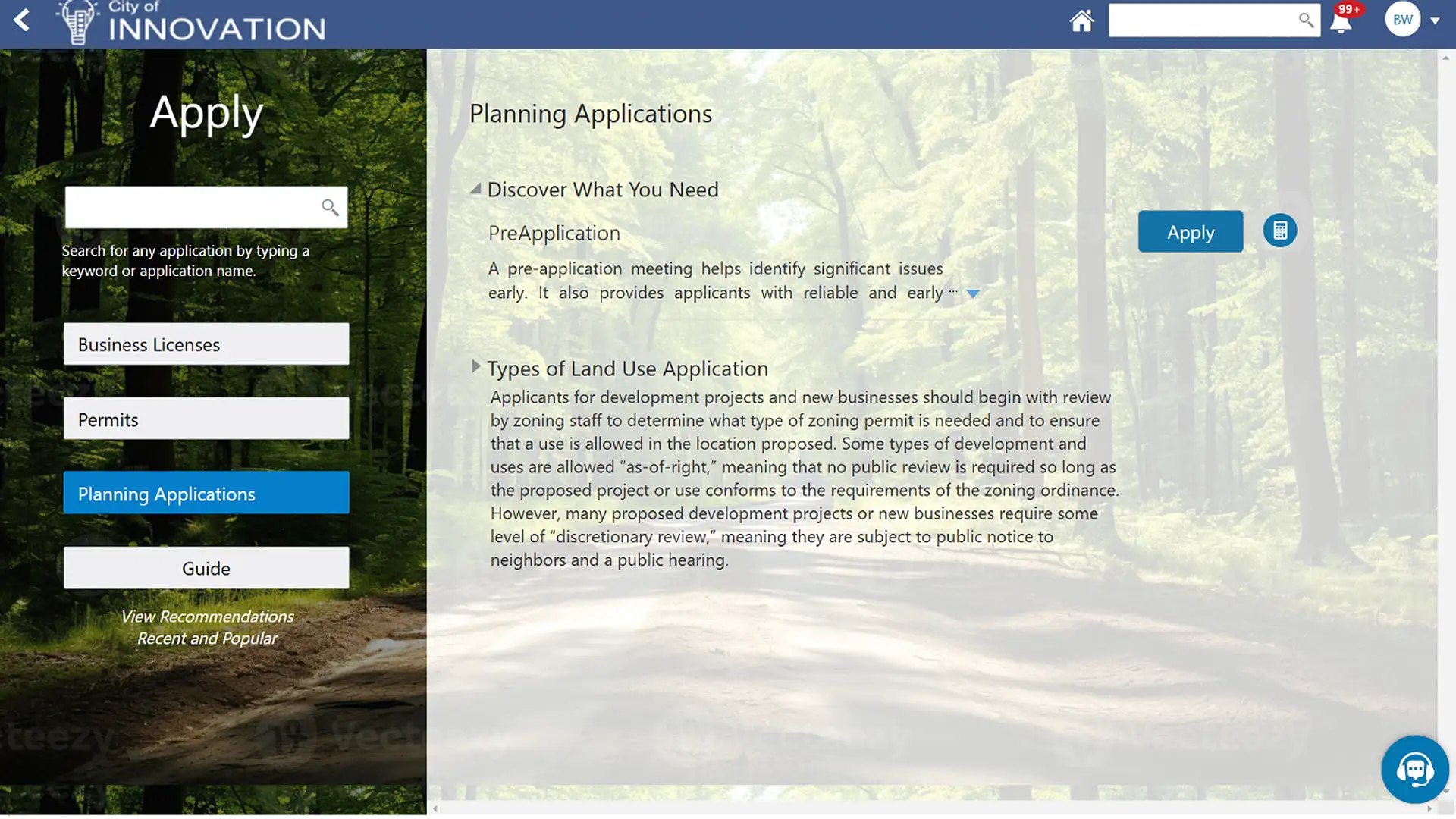
Brandon visits the City of Innovation’s website and is impressed with the modern, intuitive design. During his conversation with his peer, Brandon learned that the City offers preapplication meetings. He quickly finds that service on the website and submits his request.
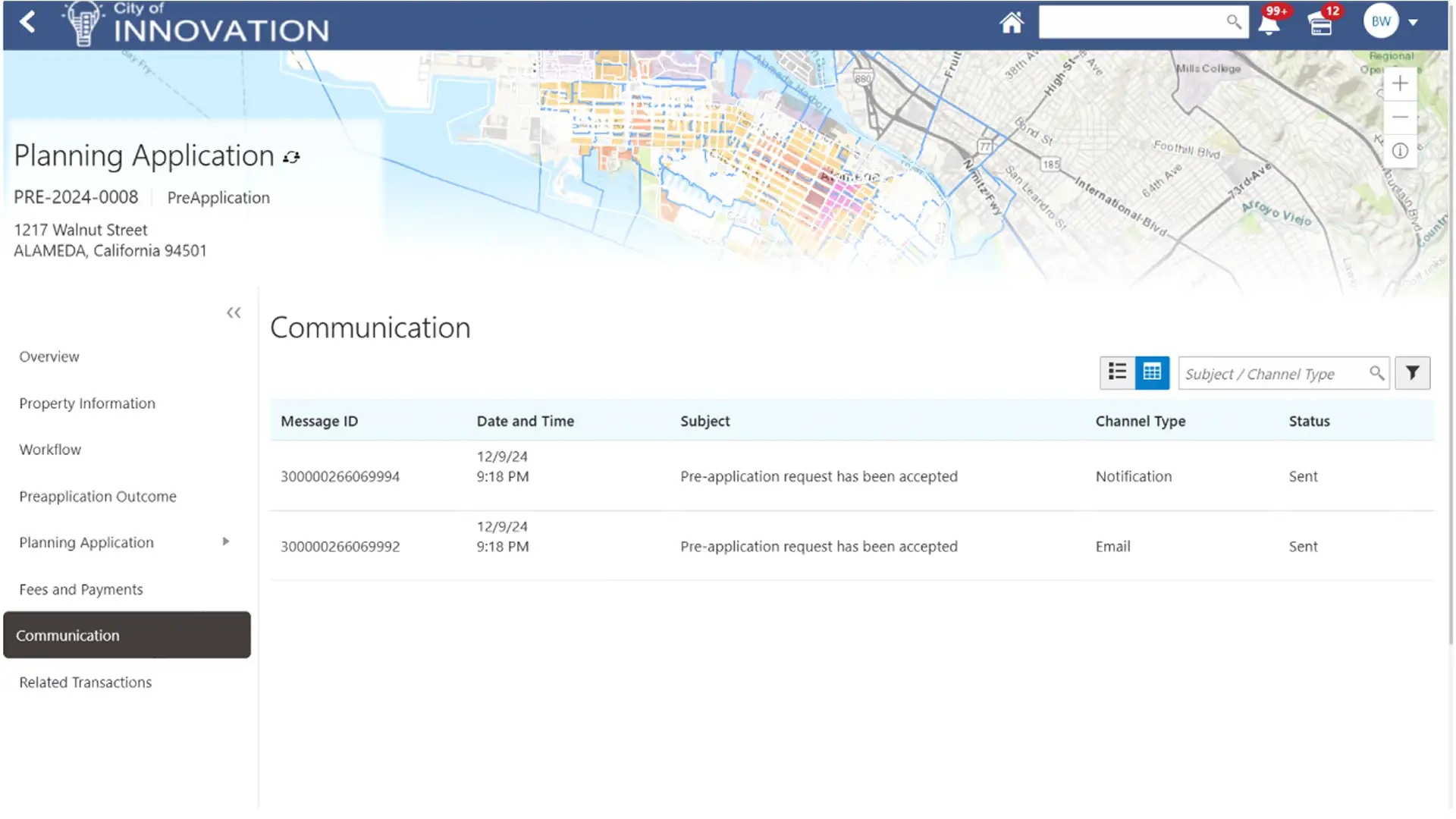
After submitting his request, Brandon receives an automated notification that his request was received and is being reviewed. Shortly thereafter, Brandon’s request is approved, and he’s given the option to meet with City officials in person or virtually over Zoom.
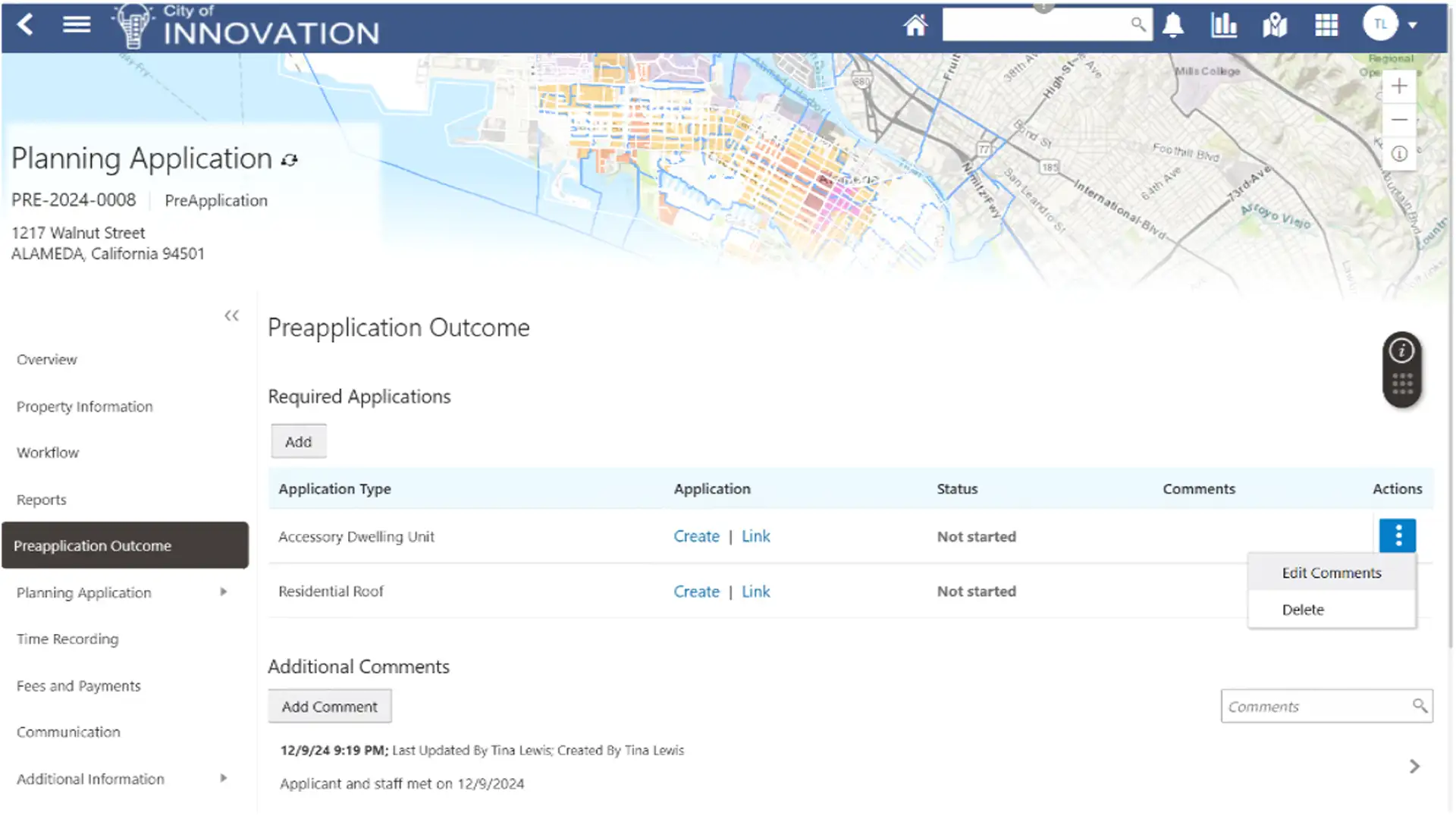
Brandon meets with staff from the City to discuss his plans for redeveloping the industrial site. They have a productive conversation and are able to easily identify the regulatory requirements for Brandon’s project and the necessary planning entitlements and construction permits he’ll need. The City also informs Brandon of the licensing requirements for prospective businesses that want to occupy the future storefronts.
Back at his office, Brandon can view the outcome from the preapplication meeting and begin submitting the requisite applications.
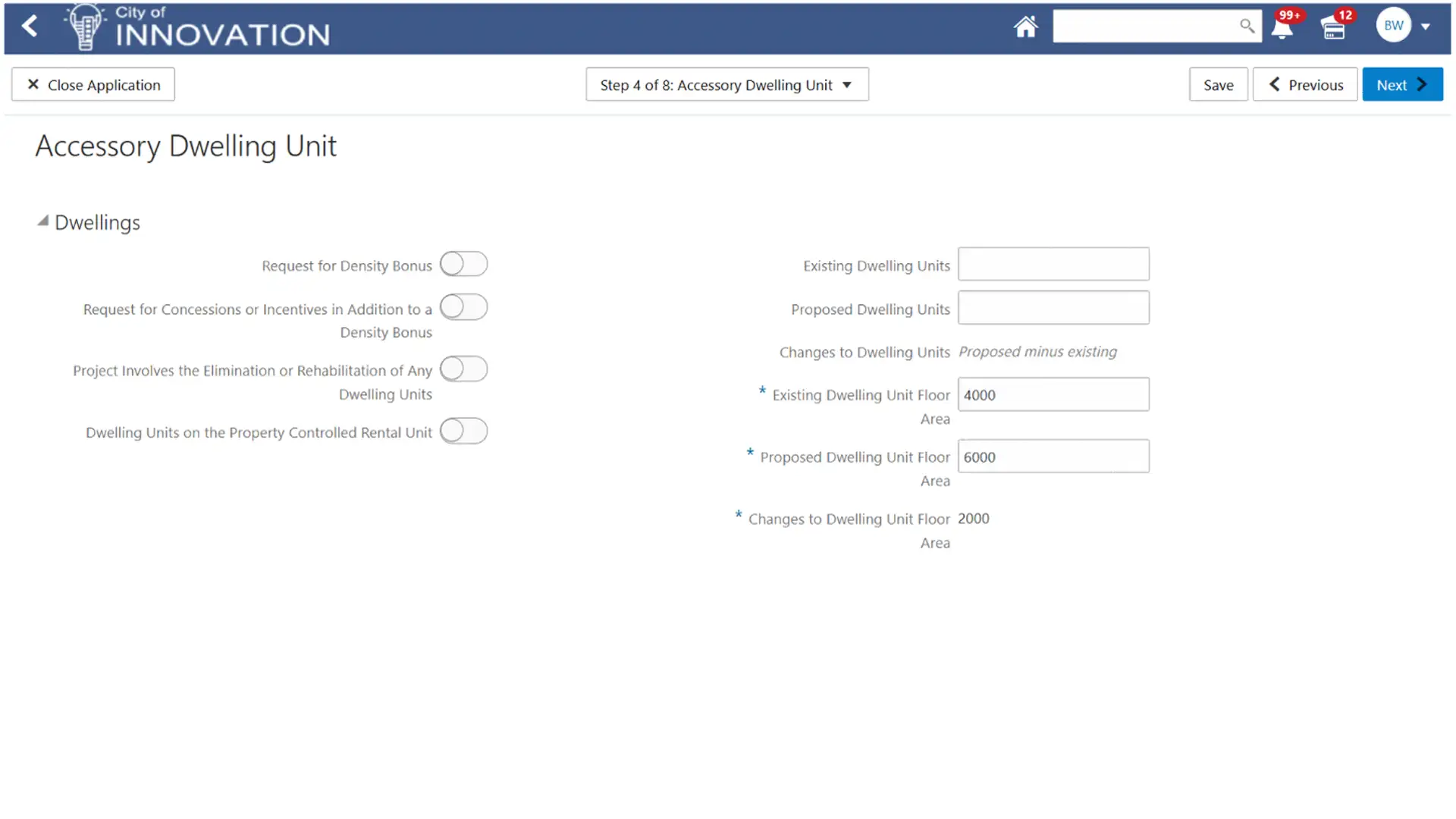
Although this is his first time applying with the City online, the process is easy thanks to the intuitive application process and on-screen help functions.
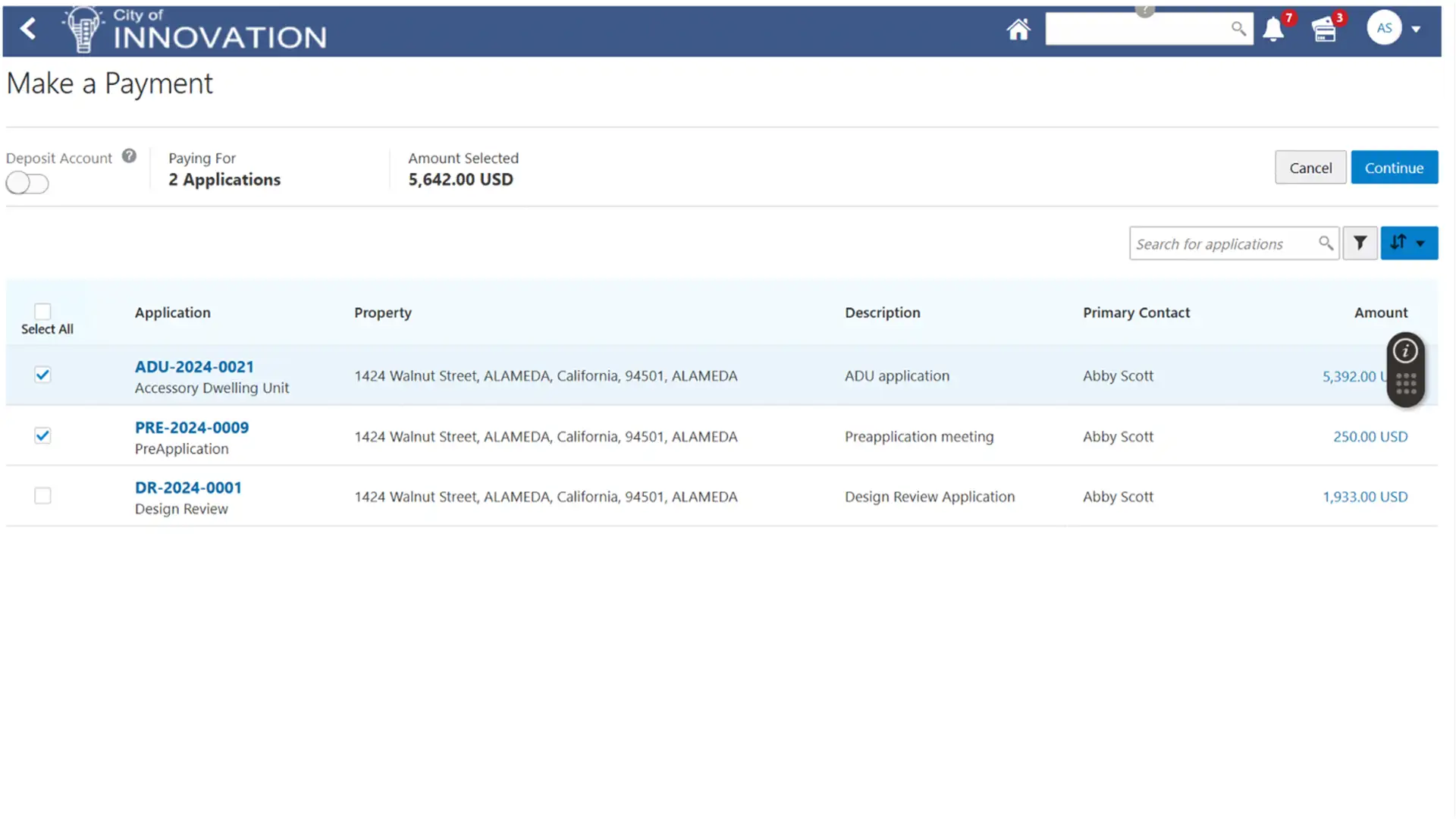
Brandon creates his applications, then is routed to his virtual shopping cart to pay for all the applications in a single checkout.
After processing Brandon’s payment, the system sends him a receipt and prompts him to take a brief survey about his experience. Happy with everything so far, Brandon leaves positive feedback about his experience!

Meet Tina, a senior planner working for the City of Innovation. Like most of her colleagues, Tina begins her day by viewing her worklist of applications.
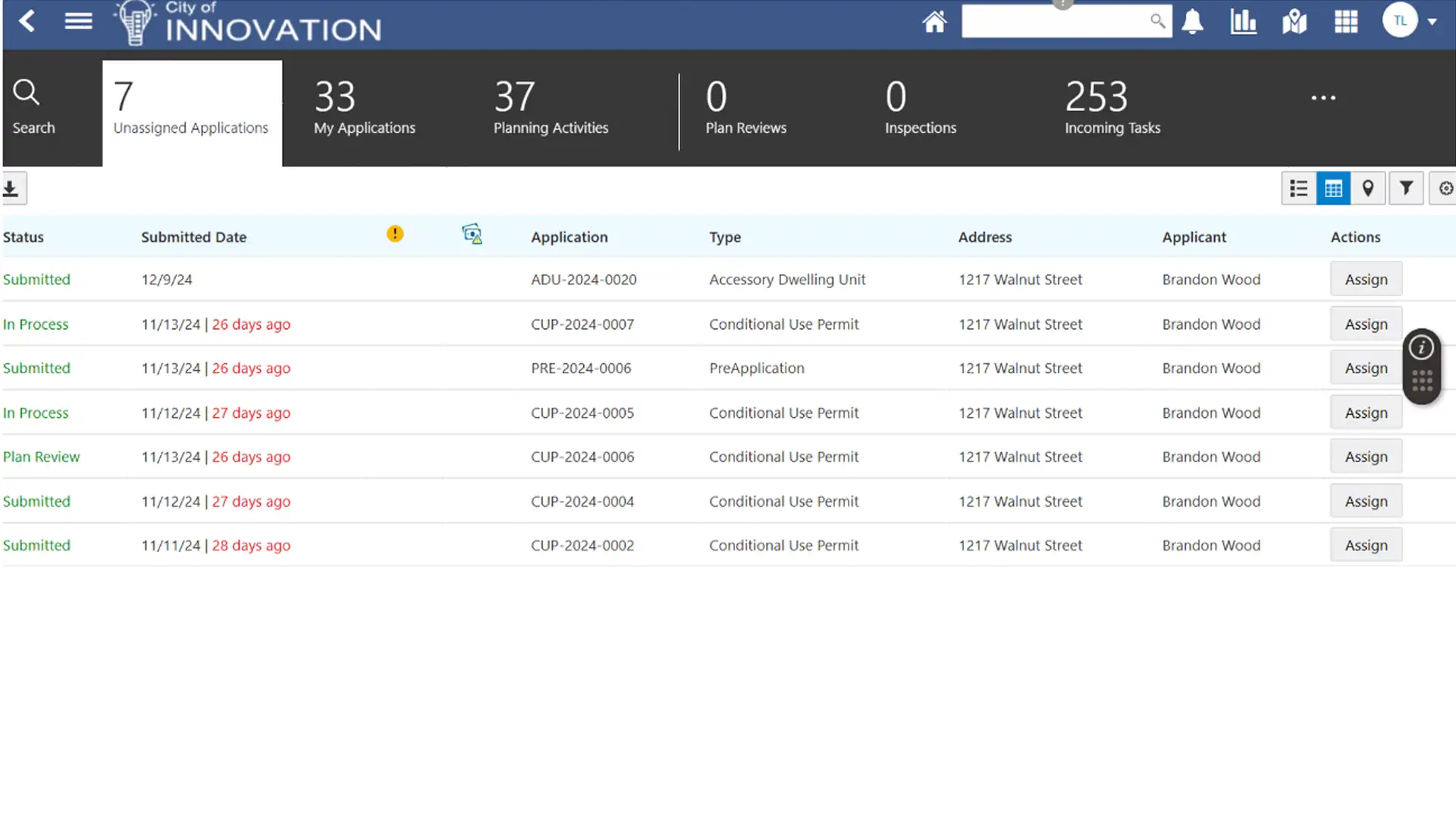
The worklist shows Tina all the applications she’s actively working on, the applications recently assigned to her, and the applications that haven’t been automatically assigned. It’s an intuitive way to organize and manage staff workload in a view that can be personalized for each user.
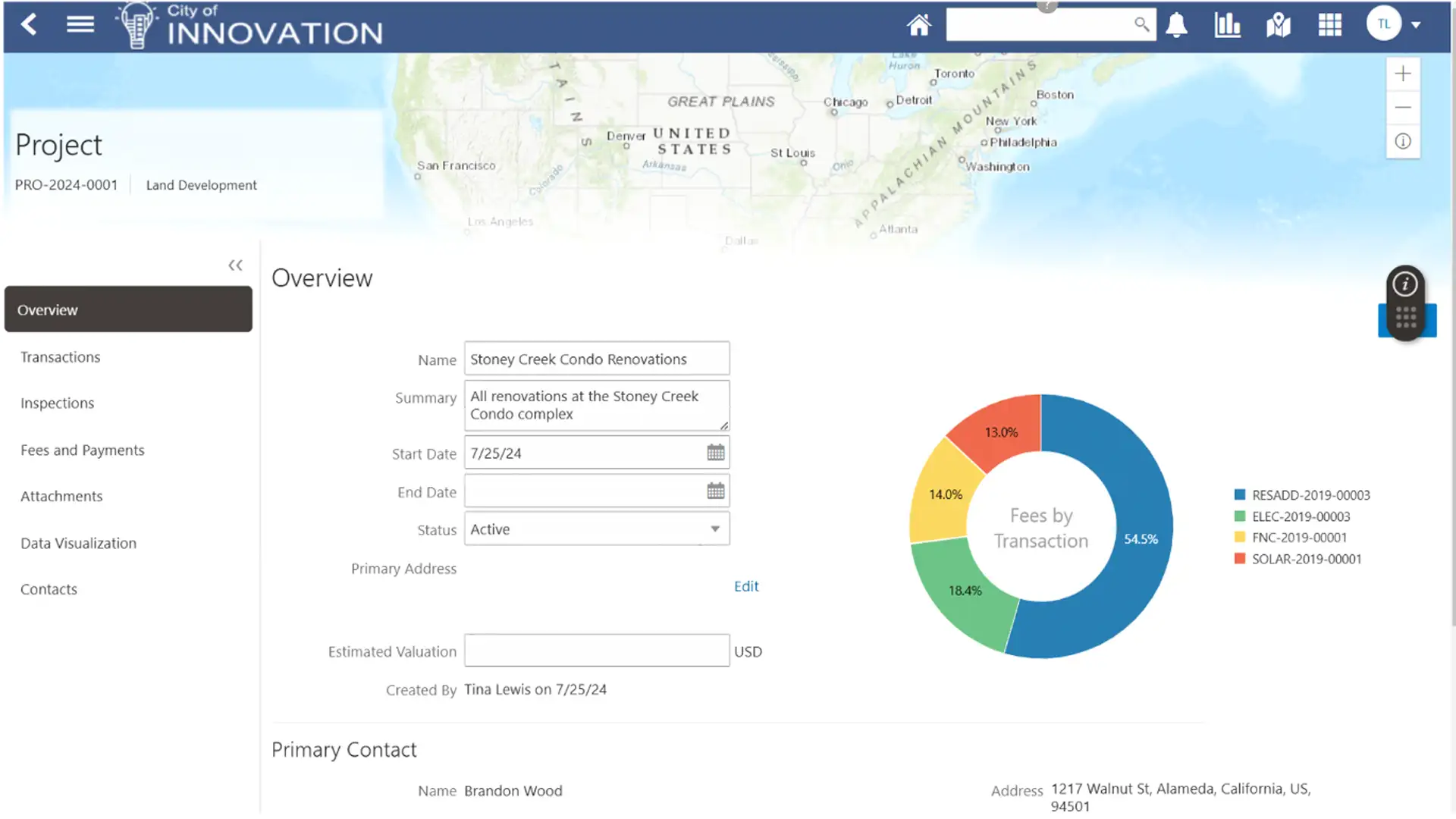
Tina can see Brandon’s recent applications and thinks it’d be helpful for her and her colleagues to know that these are all related to Brandon’s redevelopment project.
Once the project is created and all the applications are added, everyone—including City staff and Brandon himself—can easily view and track all the applications for the redevelopment project.
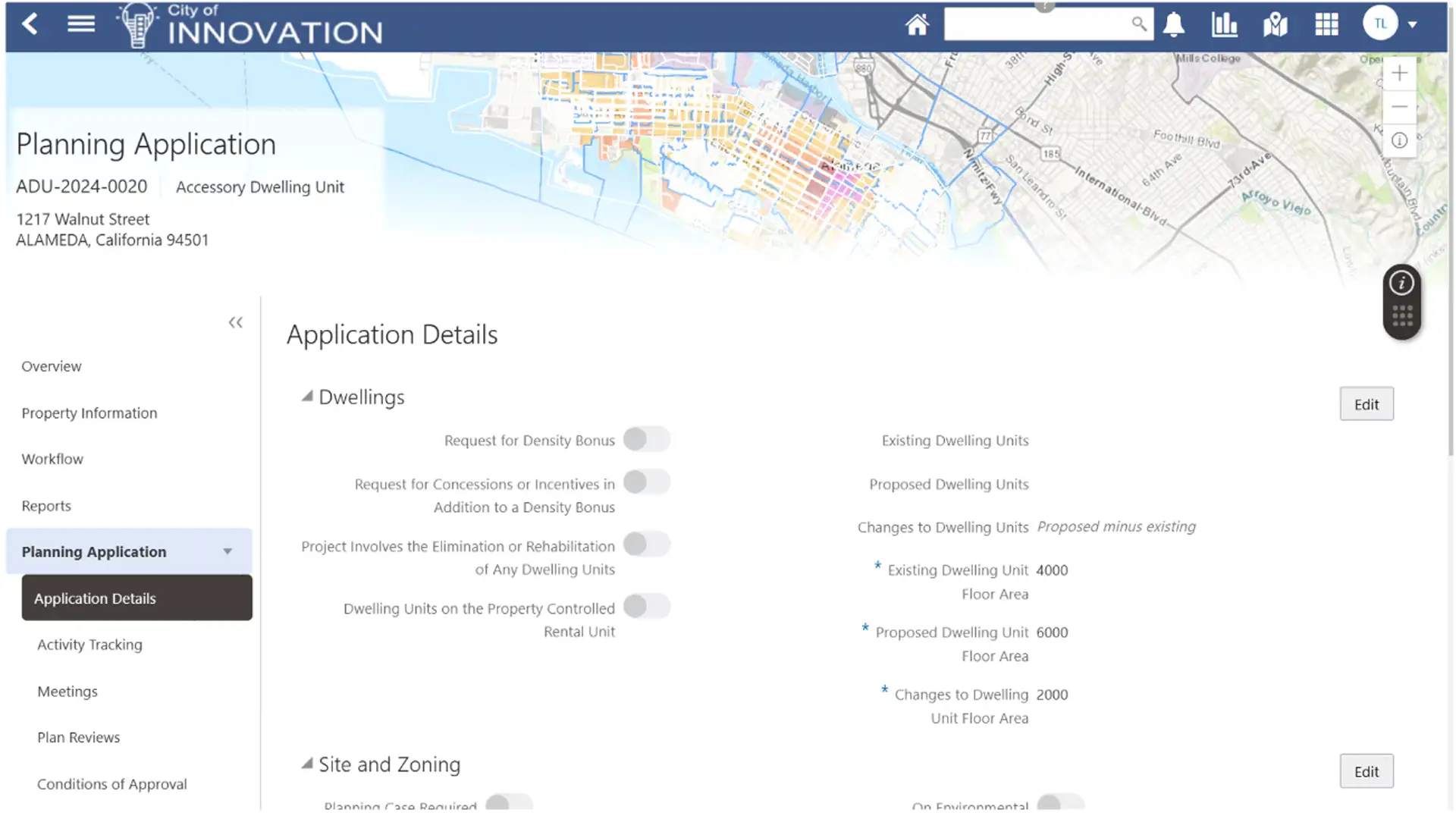
Tina starts reviewing Brandon’s planning applications. She can view everything in an organized manner via the application details screen. This includes the application information, fees and payments, related transactions, and more.
During the review and approval process, Tina schedules a public hearing for Brandon’s planning application. When scheduled, the system automatically notifies Brandon and other appropriate parties and adds Brandon’s application to the hearing agenda.
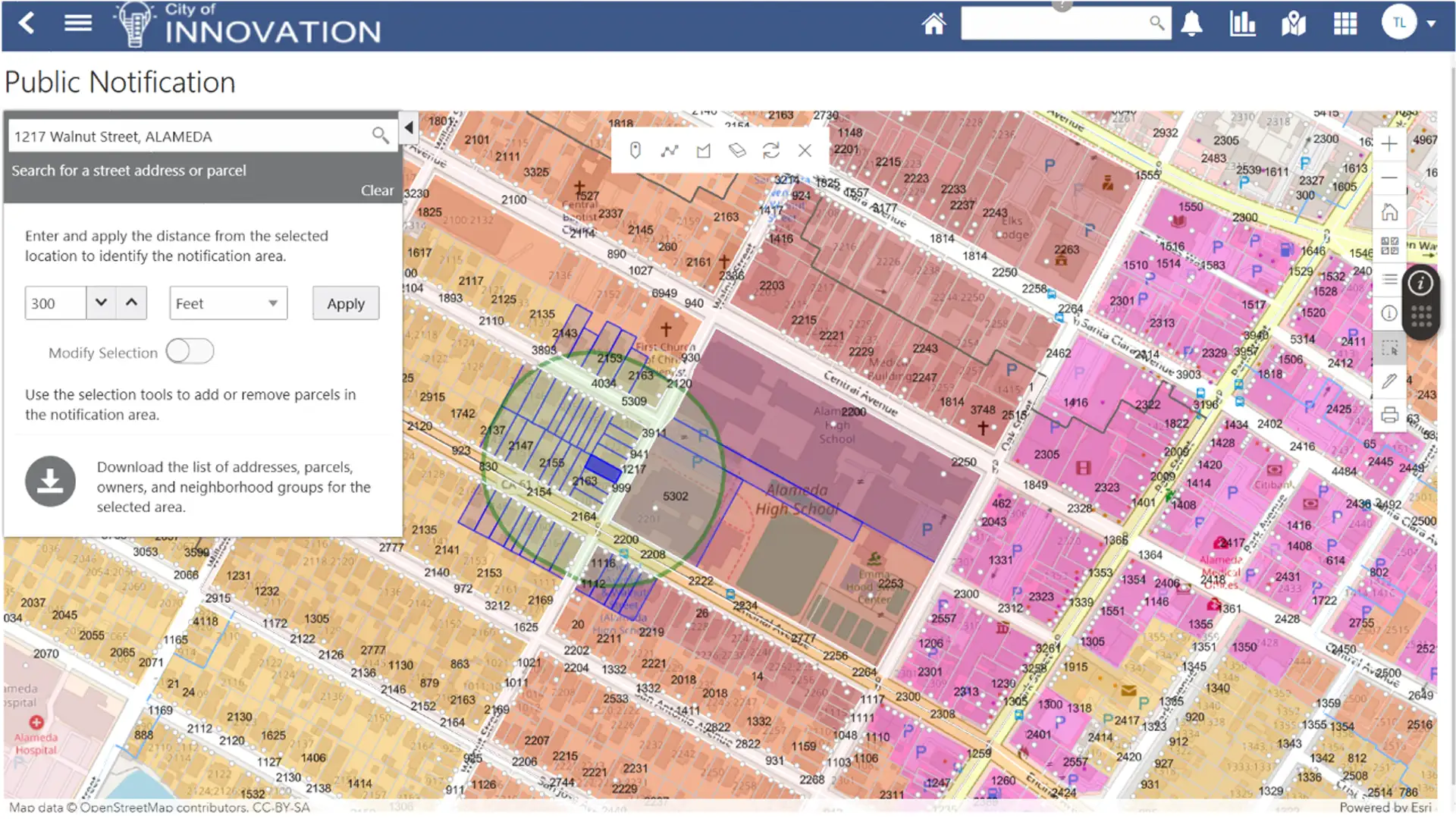
Tina can also use the public notification capability to identify the notification area and export the relevant address, parcel, and owner data to create a mail merge for notices to be mailed.
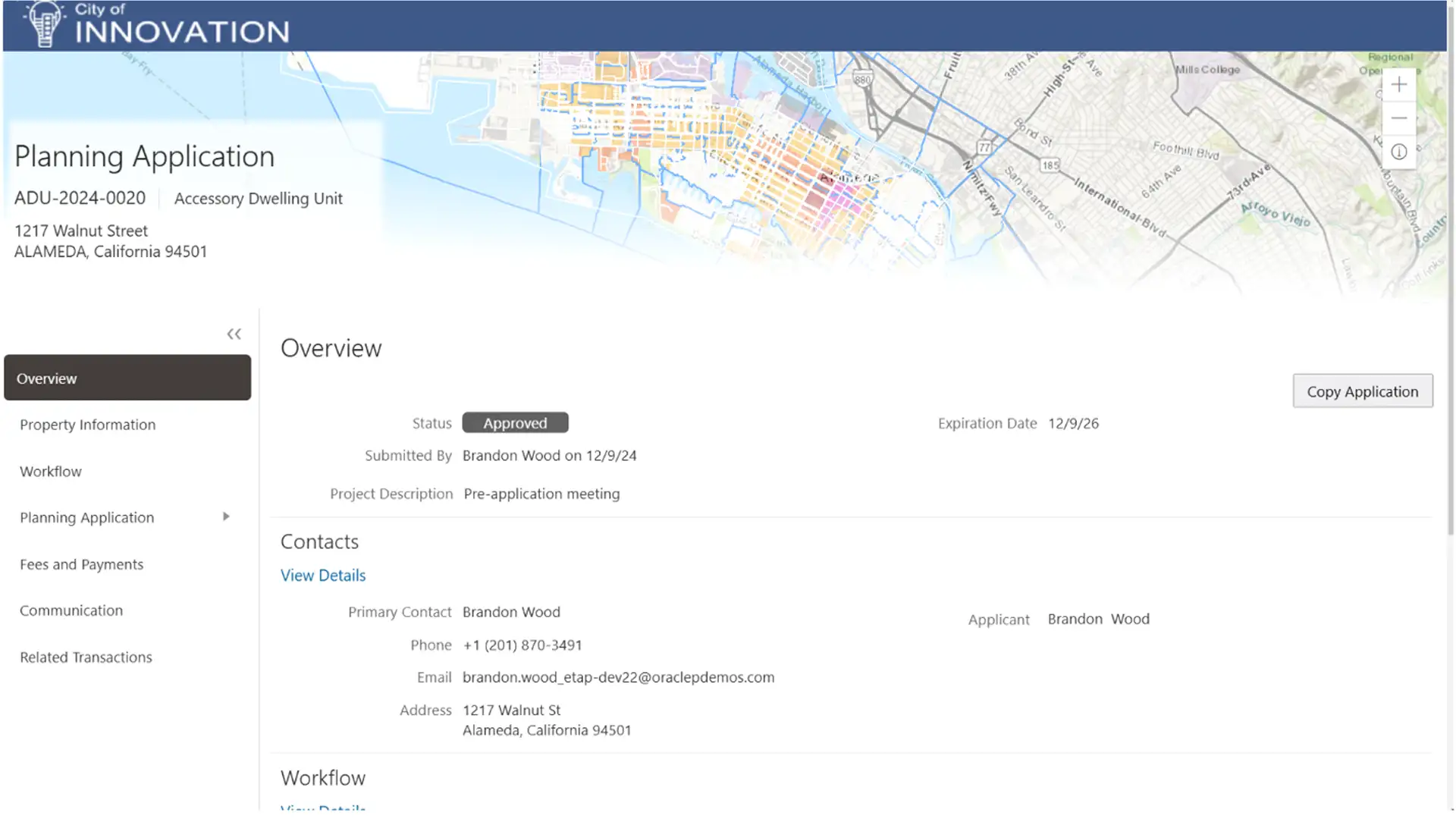
After the public hearing and appropriate approvals, Brandon receives the planning entitlement for his project and can submit subsequent applications for approval. Brandon can get updates on the progress of approvals through automated notifications and by checking the status of his project online.
Product Tour—Oracle Permits and Inspections

Meet Abby, a homeowner who recently bought a property in the City of Innovation. Abby is excited about her new home and doing some renovations to make it her own. At the top of her list is installing solar panels on her roof to reduce energy costs—and her carbon footprint.
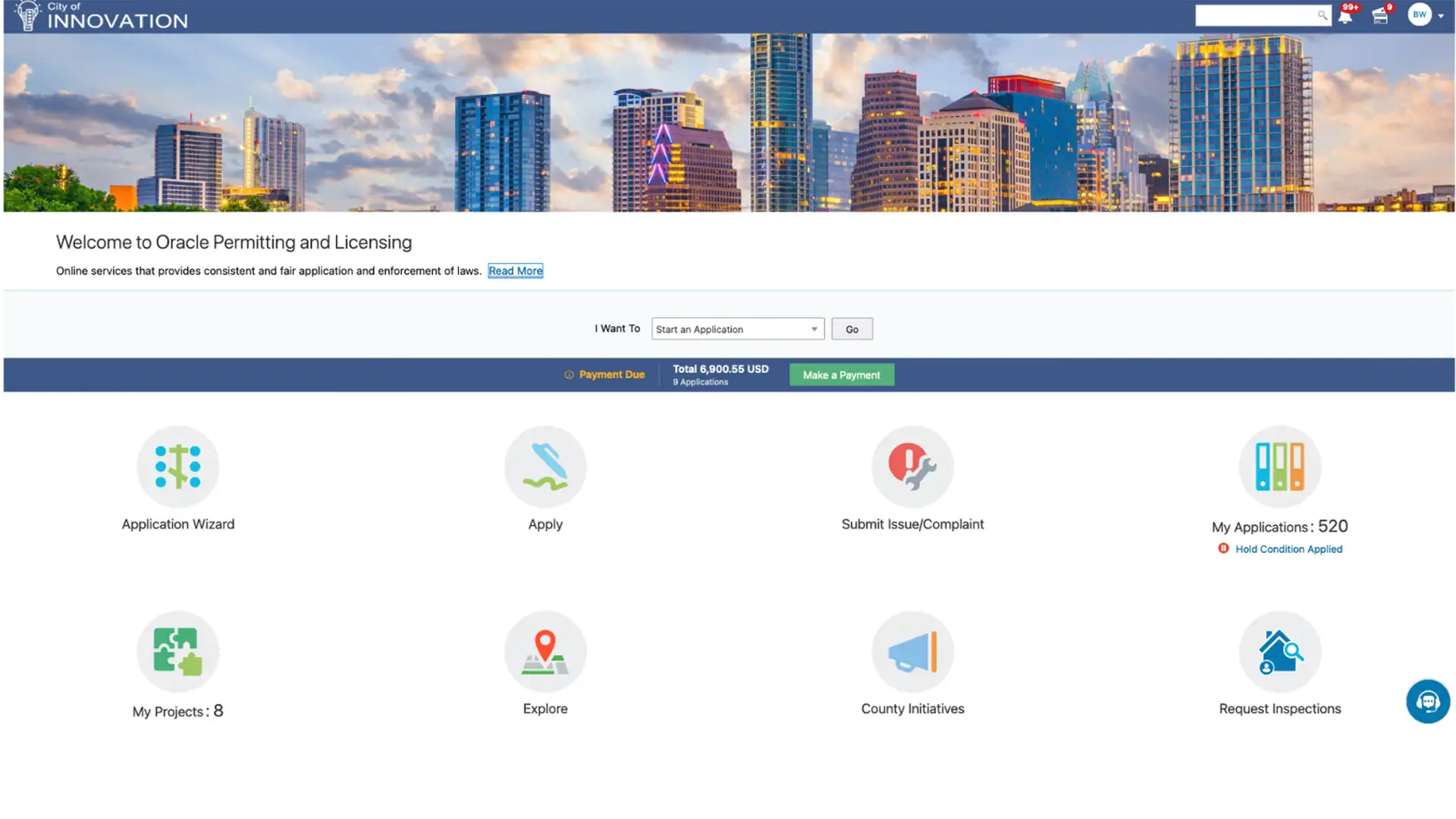
Abby visits the City of Innovation’s website and is pleasantly surprised by how modern and intuitive it is. Right away, she sees some helpful tools including an Application Wizard that can tell her what’s required for her project. Abby’s first impression of doing business with the City makes her feel confident that her home project will be a success!
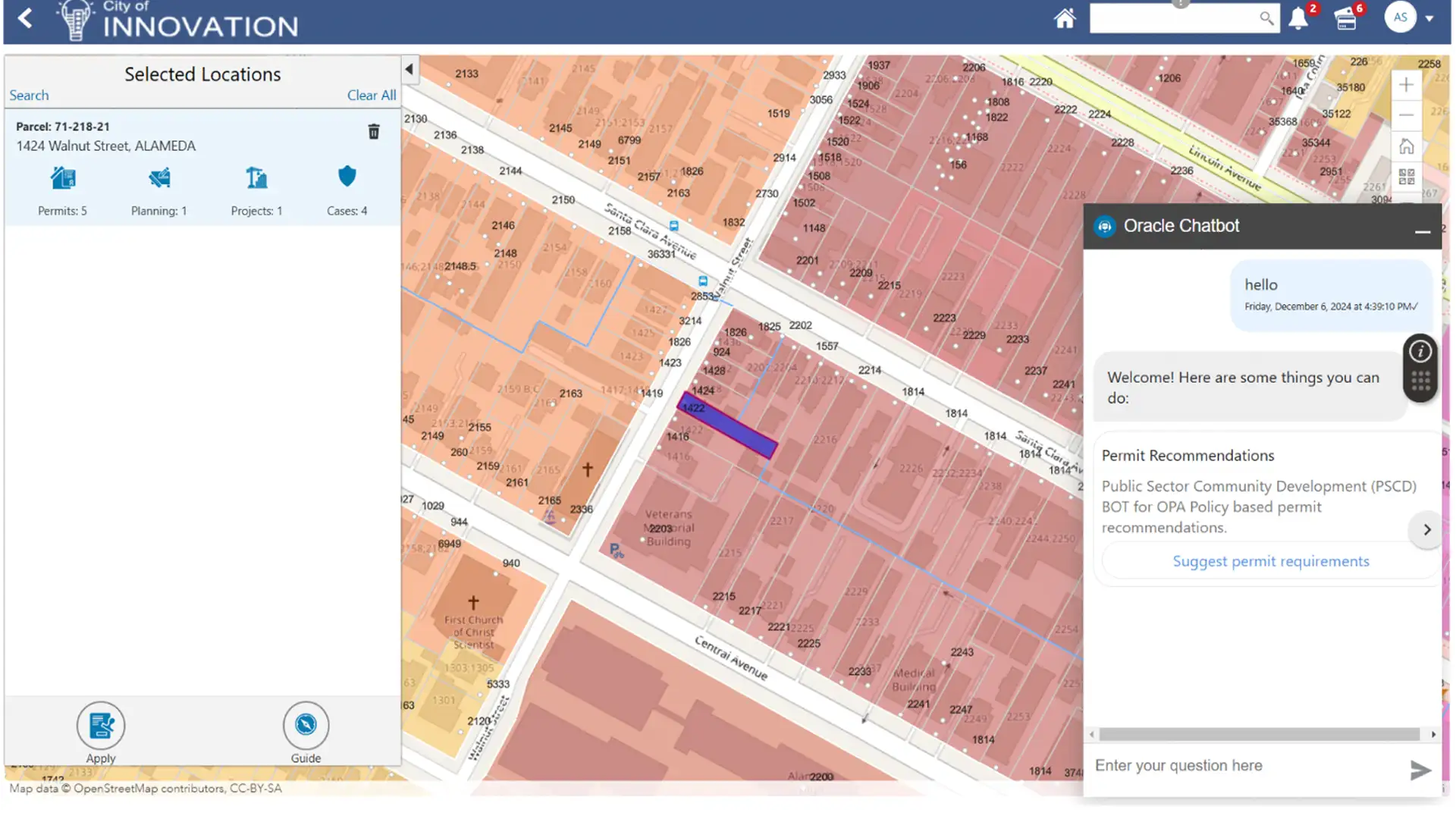
Abby first accesses the “Explore Your City” search tool. Searching near her address, she finds that a neighbor recently submitted a permit for solar panels. That evening, she goes to talk to her neighbor, who tells her how easy it was to navigate the City’s processes and get updates on his approvals. He also mentions the City’s “Application Wizard” that helped him understand the requirements for his solar project.
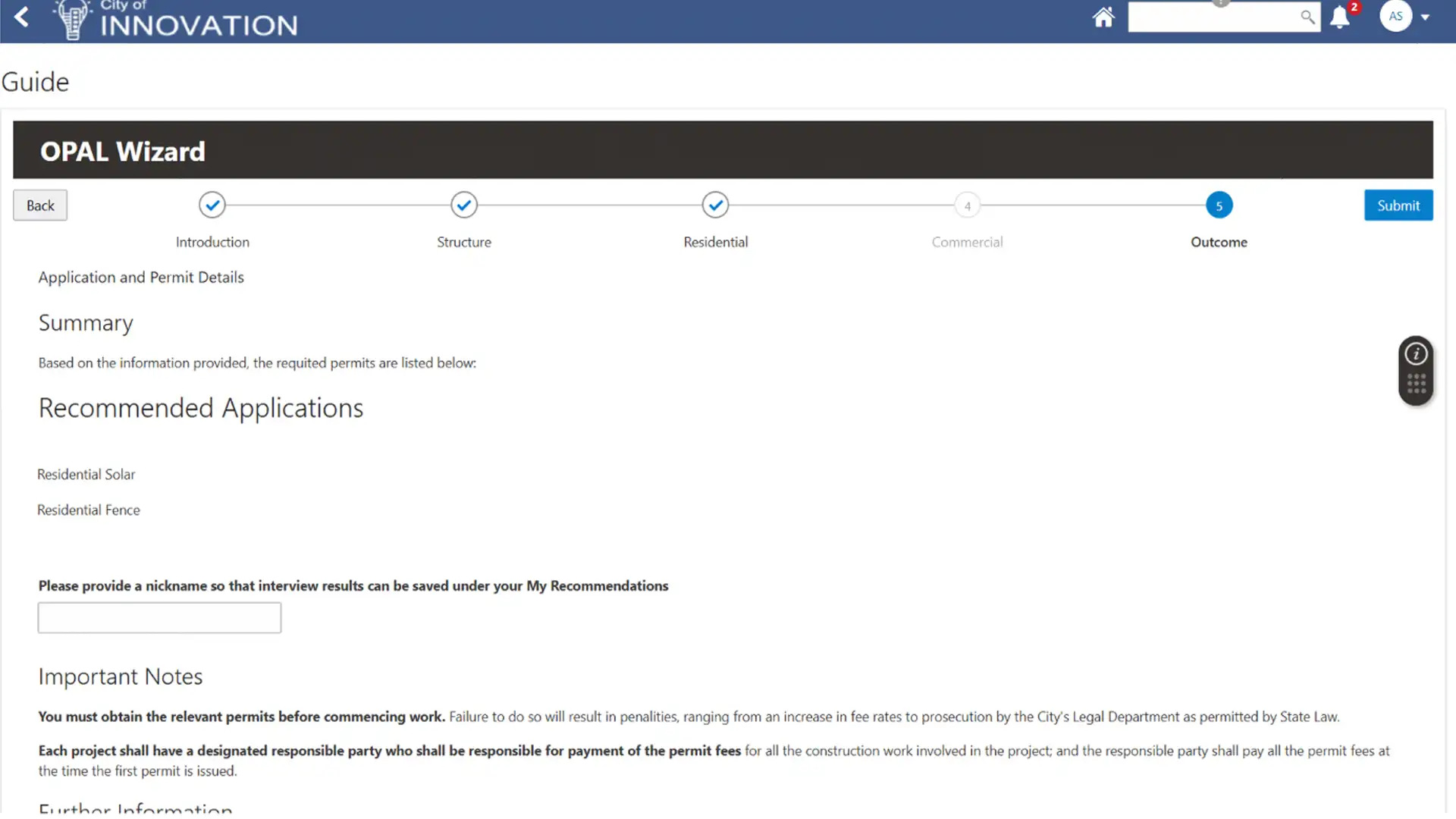
While walking home, Abby accesses the Application Wizard from her phone. After answering a few questions, Abby is informed of the required permits for her solar project, as well as the costs for those permits. She’s able to save the information in her account so she can easily access it later.
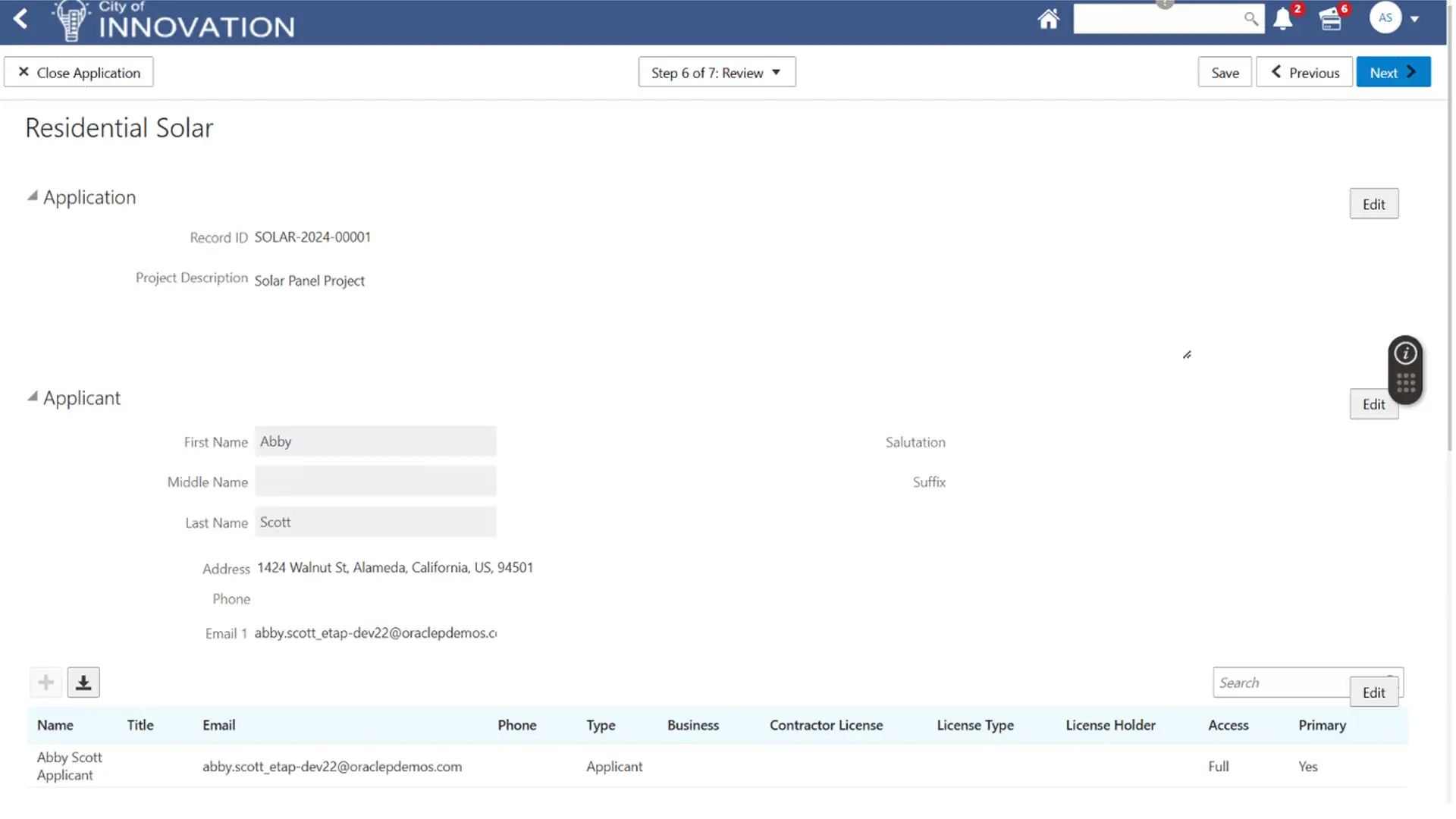
The next day, Abby logs into her account and accesses the results from the Application Wizard. From that screen, she can start the process of submitting those applications. The online form is intuitive and provides tips and other help functions that make completing her application straightforward and easy to do.
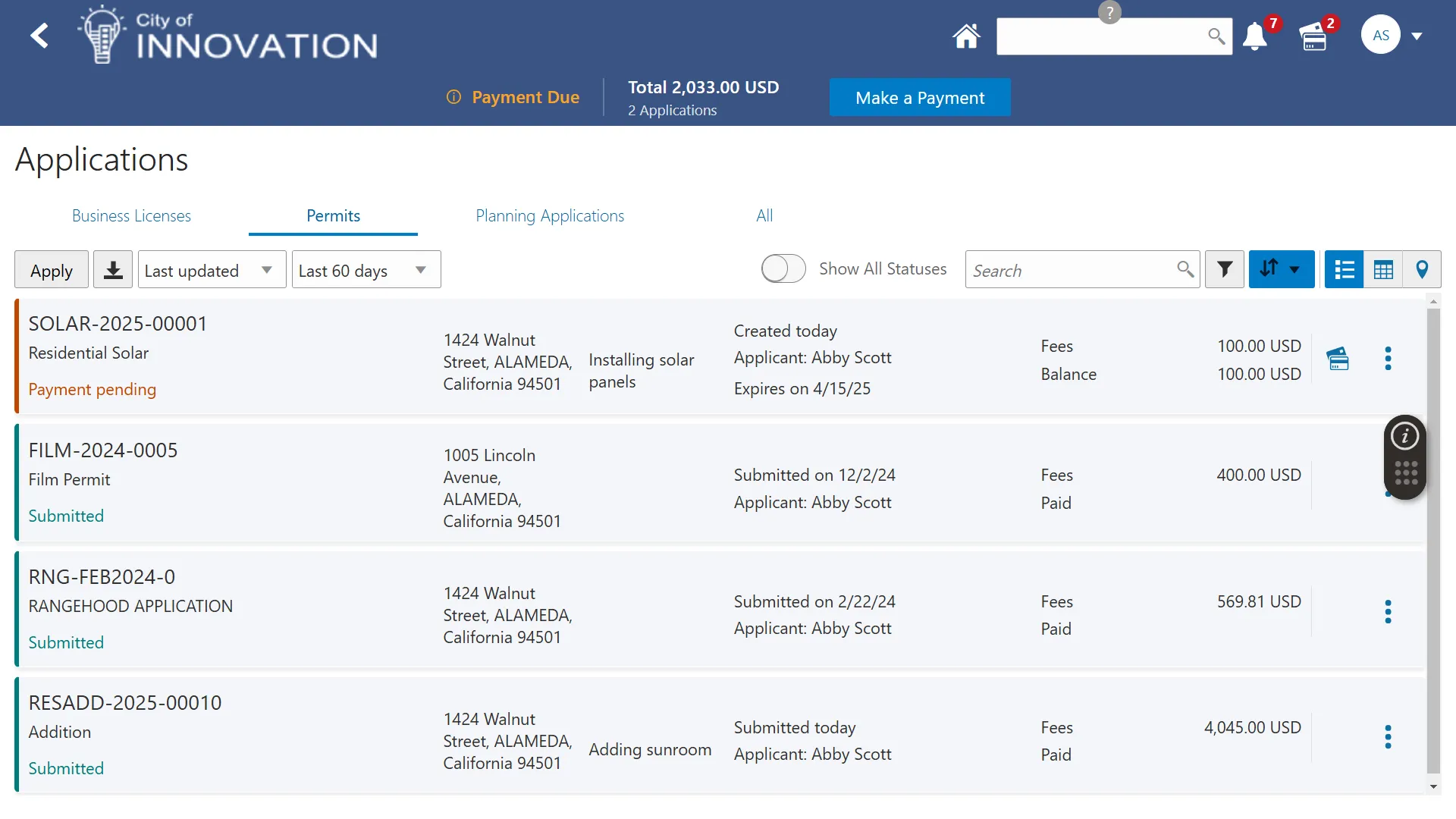
Abby reviews her application, pays the appropriate fees, and submits it to the City of Innovation. The City’s system emails Abby a confirmation notice and receipt of payment, then routes her application to the appropriate work queue for City staff to begin their review.

Meet Olivia, a permit technician working for the City of Innovation. Like most of her colleagues, Olivia begins her day by viewing her worklist of applications.
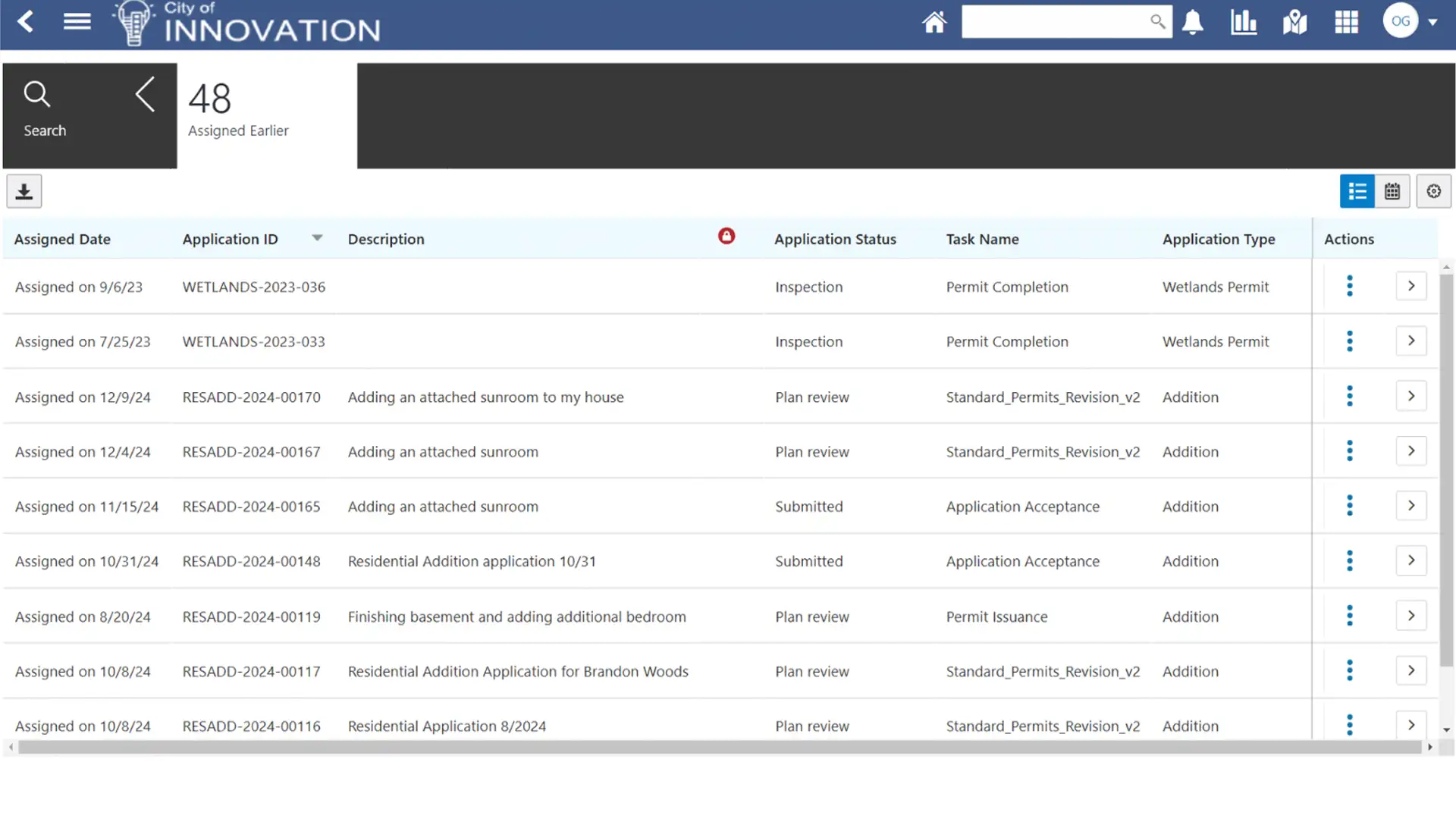
The worklist shows Olivia all the tasks she’s actively working on, the tasks recently assigned to her, and the tasks that haven’t been automatically assigned.
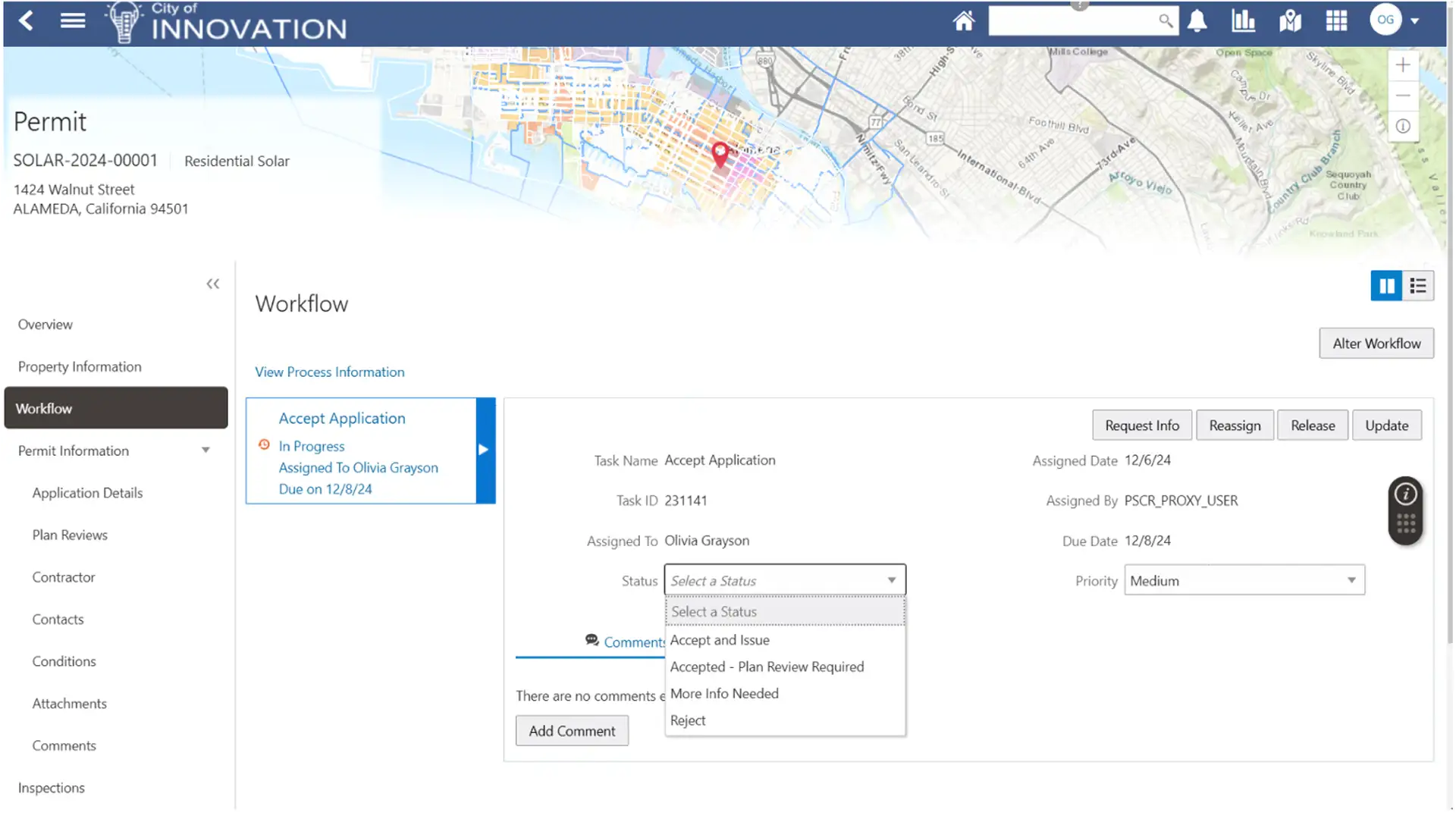
Olivia reviews Abby’s application, progressing it through the workflow of tasks. As she does so, she can review all the relevant information from the application details screen, including the details Abby submitted online, any attachments, contacts, parcel and address information (including delivery conditions), fees and payments, and more.
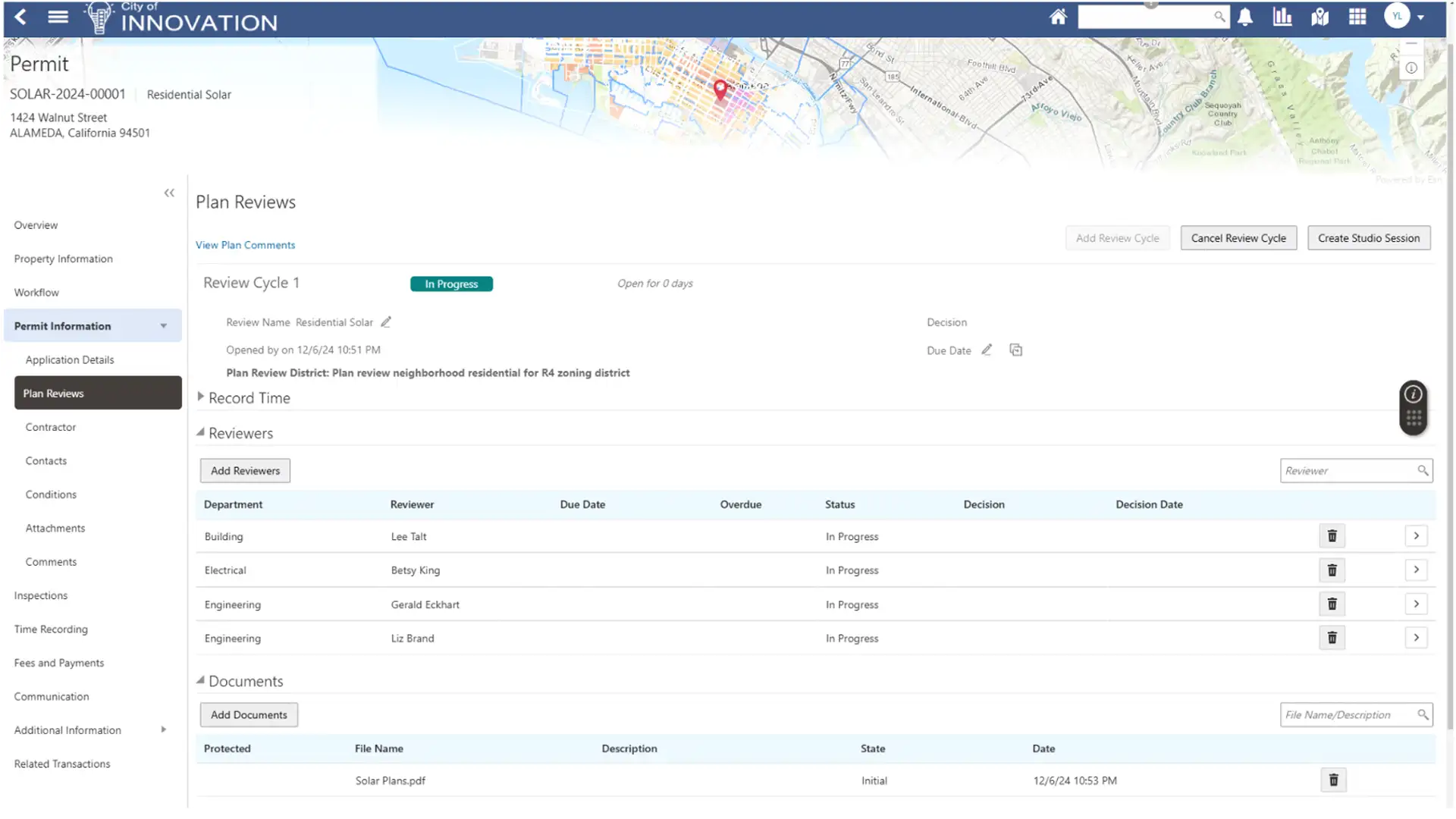
Abby’s application requires a plan review with the City of Innovation. City staff can efficiently manage plan reviews and approvals using Oracle’s solution. In just a few days, Abby’s plans get approved by the City!
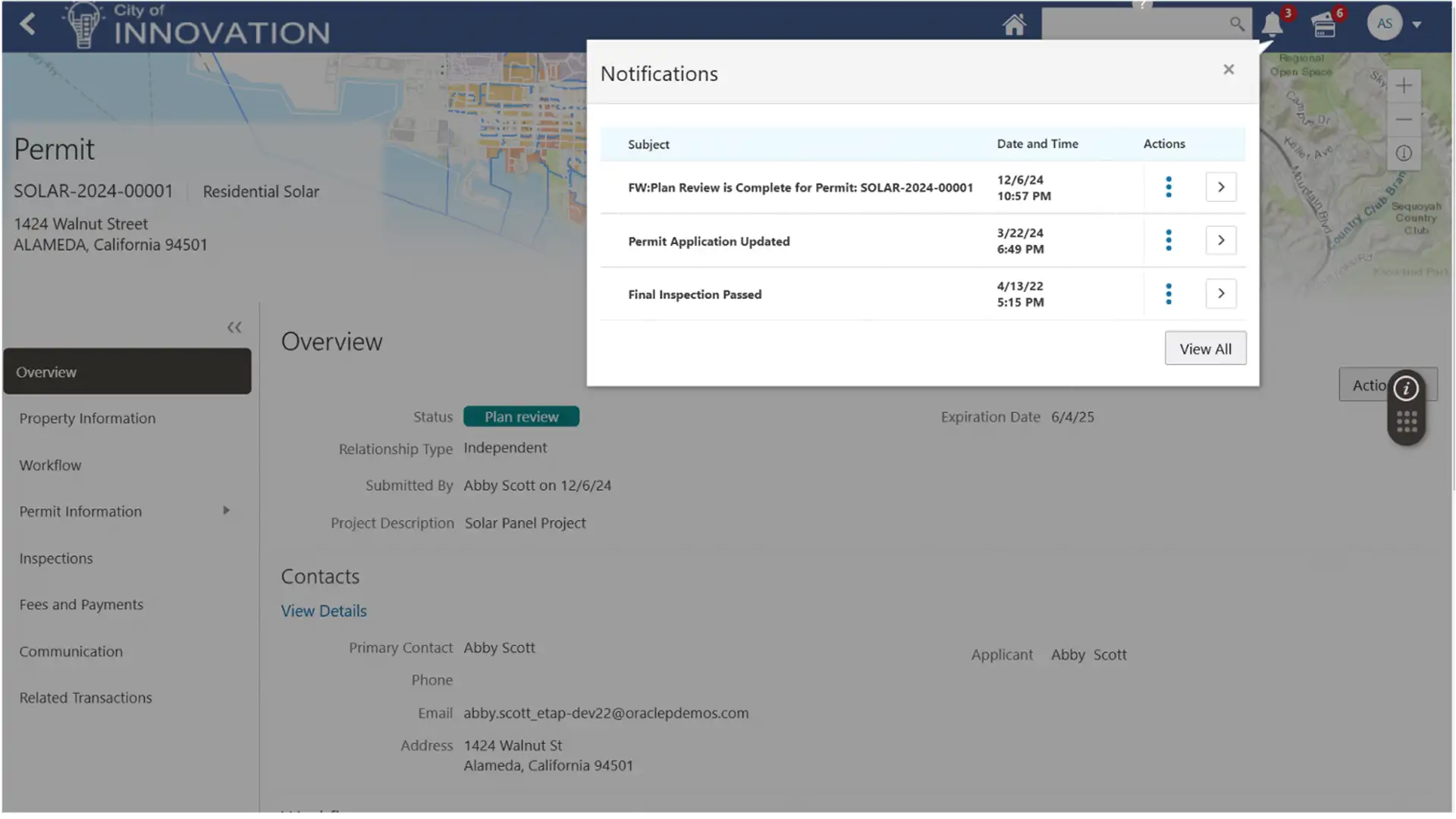
During the review and approval process, Abby wants to stay informed about the progress of her application. She can do so via automatic alerts and notifications, or by checking the status of her application using the embedded chatbot.
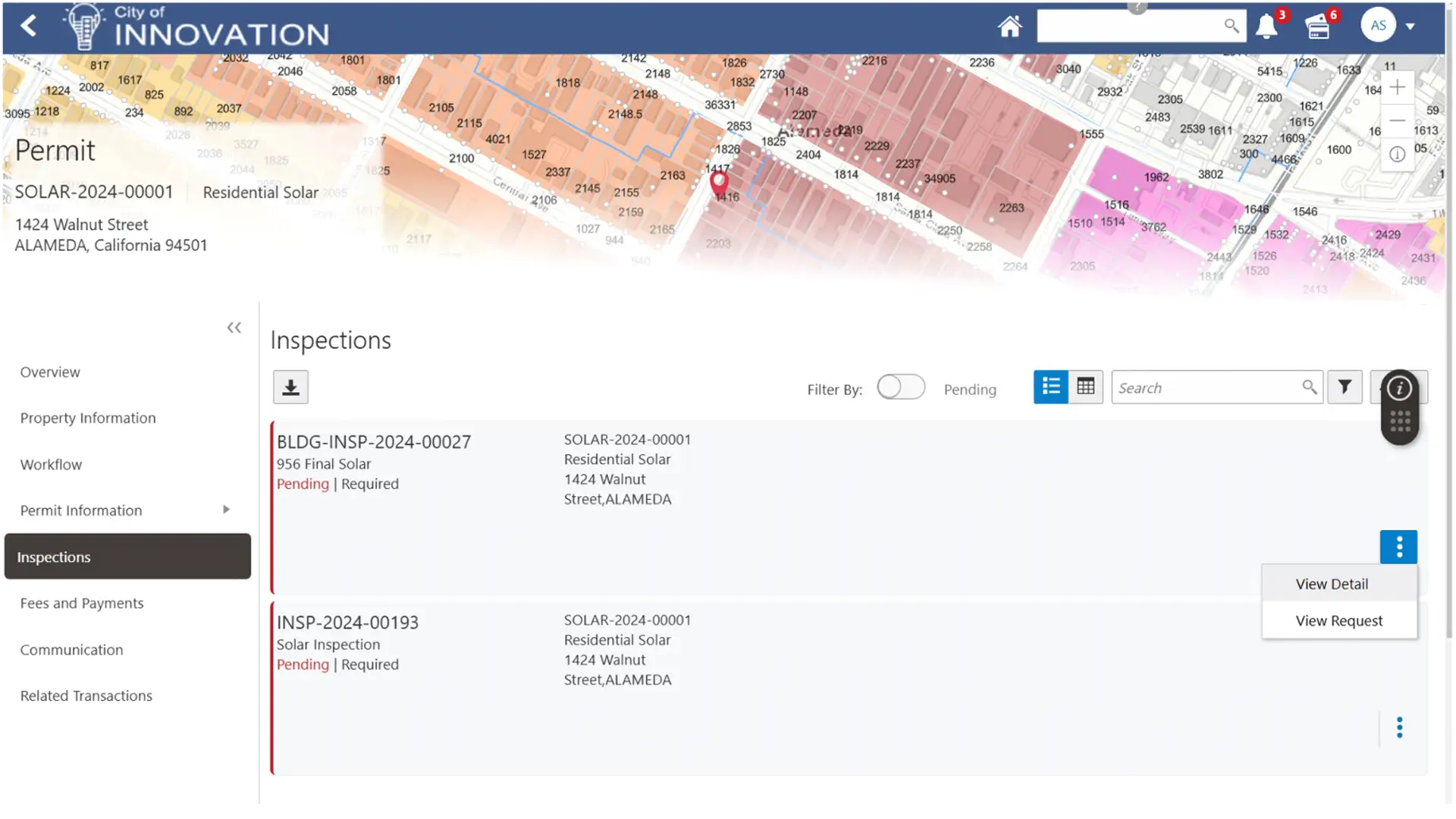
With the plans approved and the work completed, Abby’s solar installation project is now ready for inspection. Abby (or her contractor) can schedule the inspection online with ease. The inspection request can then be manually or automatically assigned based on work type, location, and other criteria.

Meet Bobby, an inspector with the City of Innovation. Bobby is responsible for all solar and electrical inspections in Abby’s district and gets assigned to inspect her project.
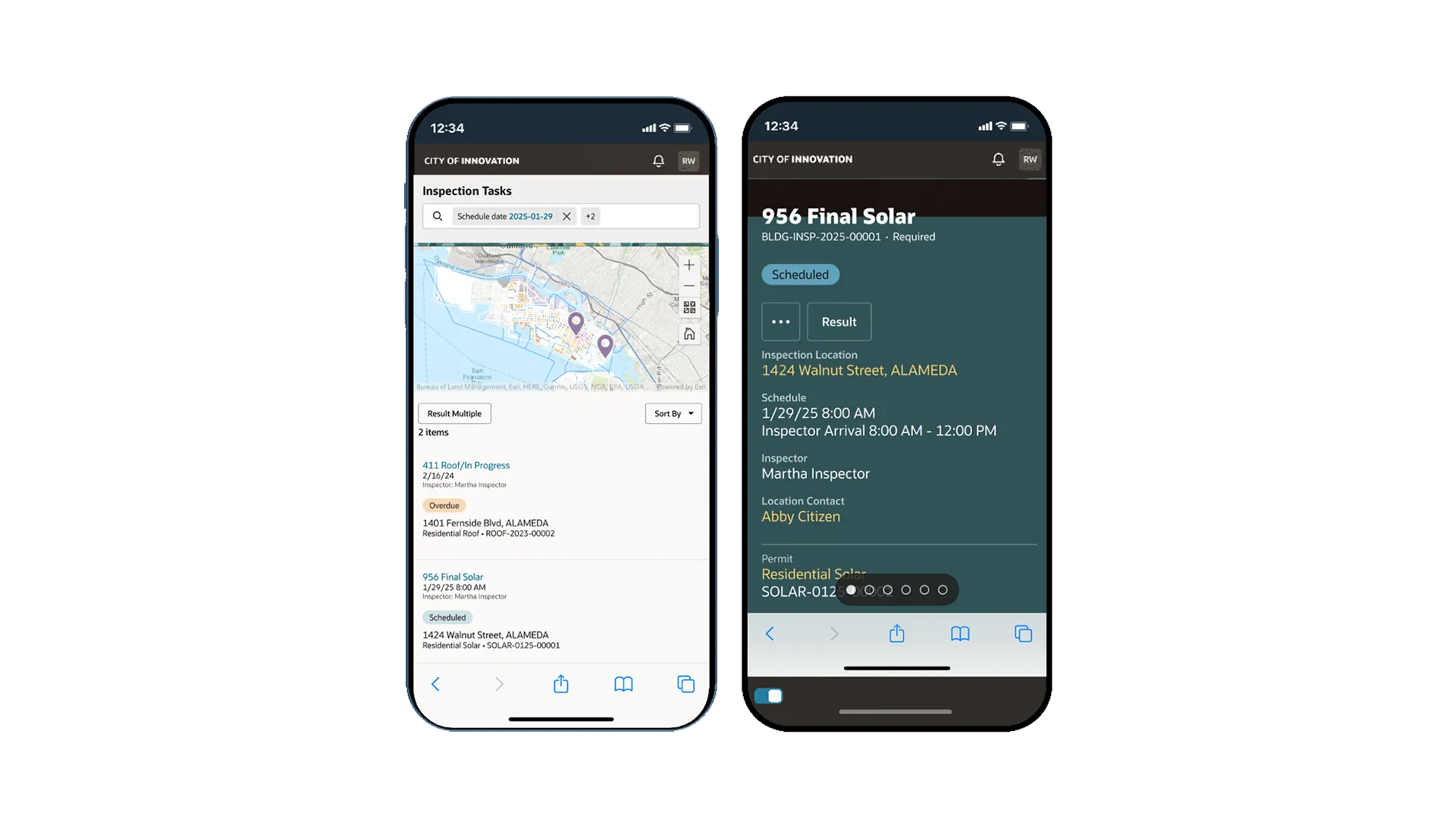
Bobby can view his list of assigned inspections, access relevant checklists, update his ETA, track his time, and more. He can also store his inspections and complete them in offline mode when network connectivity is unavailable.
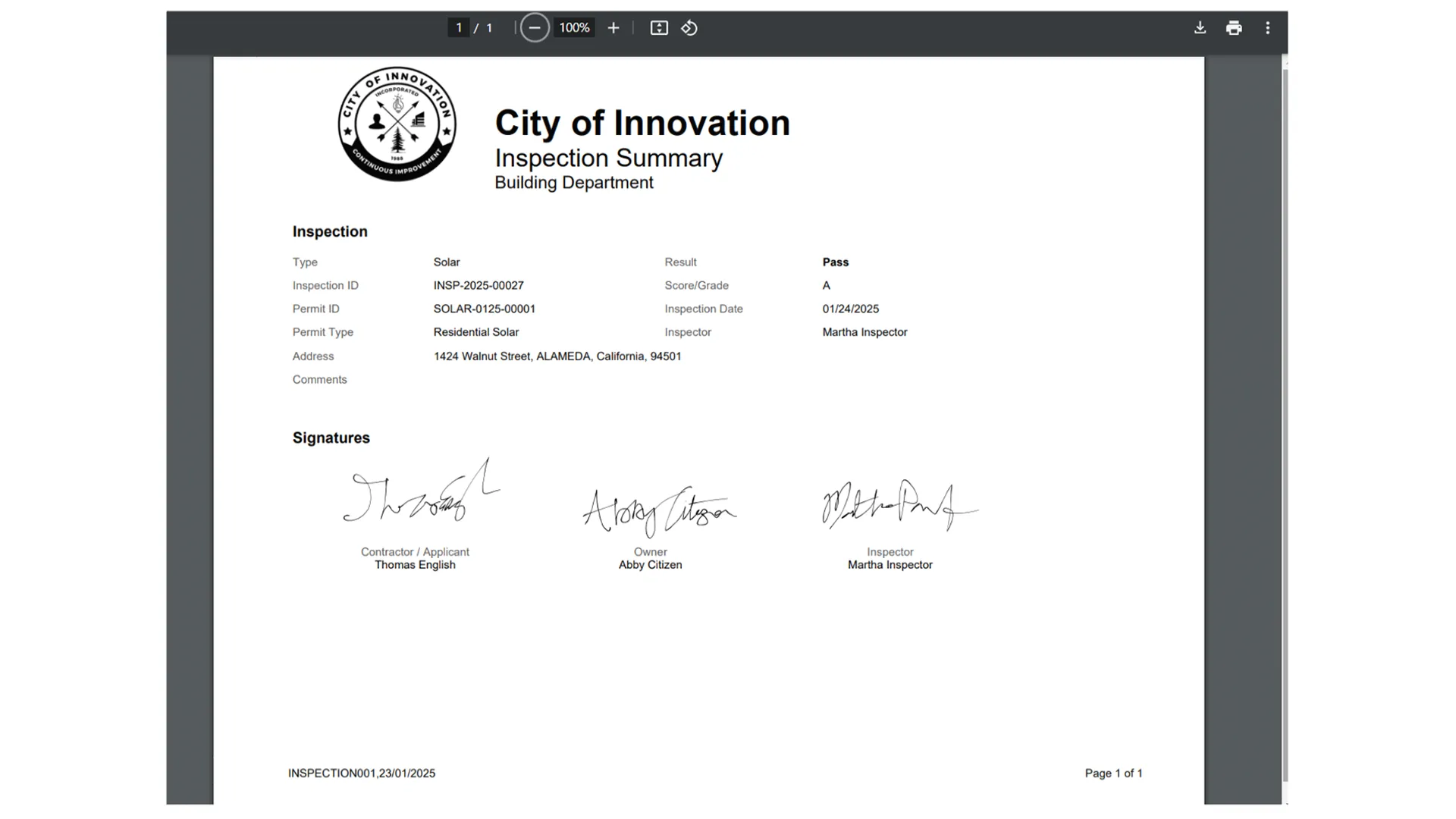
With the inspection of Abby’s solar panels completed and passed, Abby is notified of the approval in real time and is ready to start enjoying the benefits of clean energy. She logs into her account with the City to view all the approvals. The City then prompts Abby to take a survey to rate and review her experience.
Product tour—Oracle Business Licensing and Registration
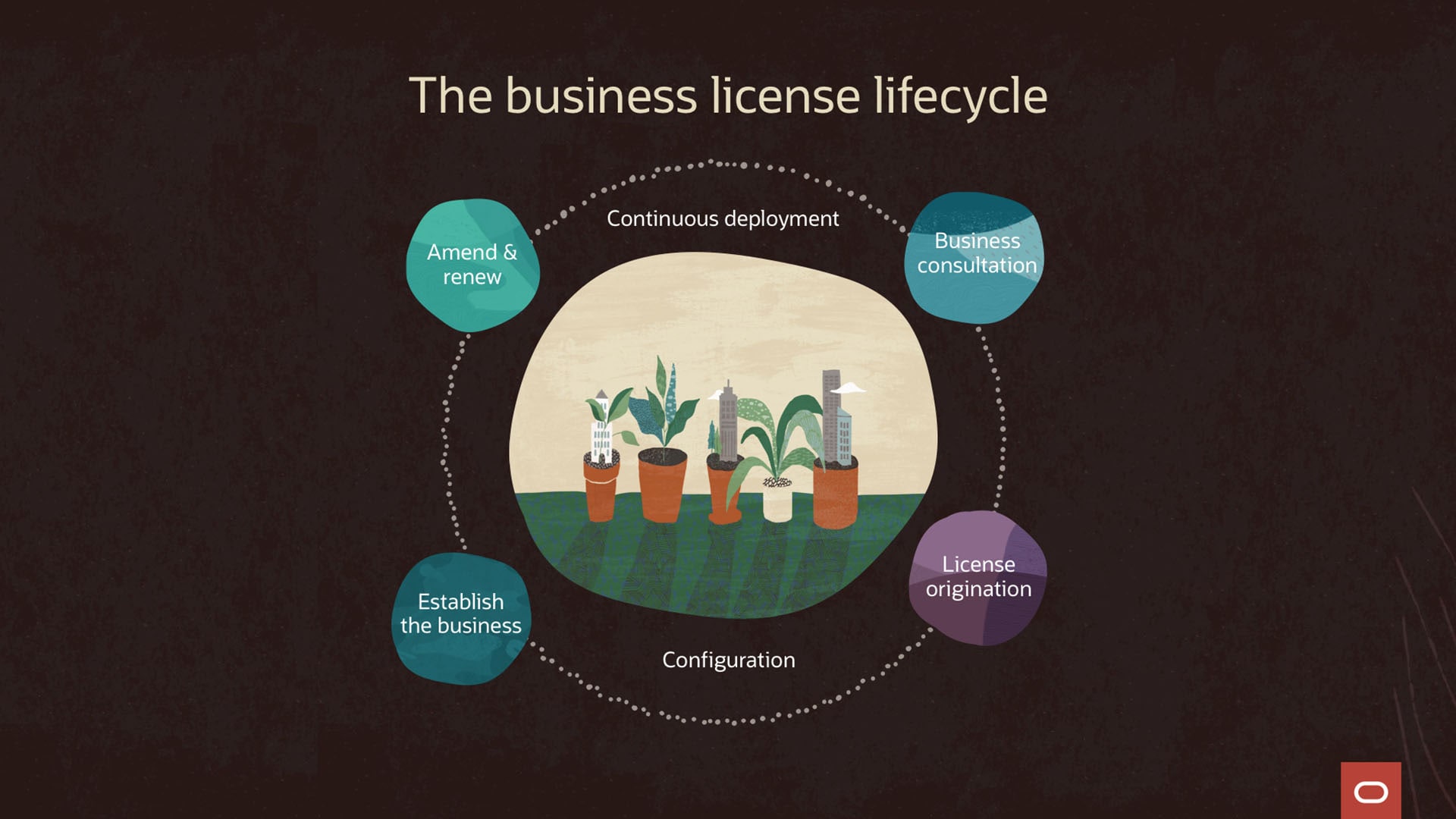
What can Oracle Business Licensing do for you?
- Receive personalized consultations
- Apply and pay for business licenses
- Create amendments when business operations change
- Report tax details and renew licenses
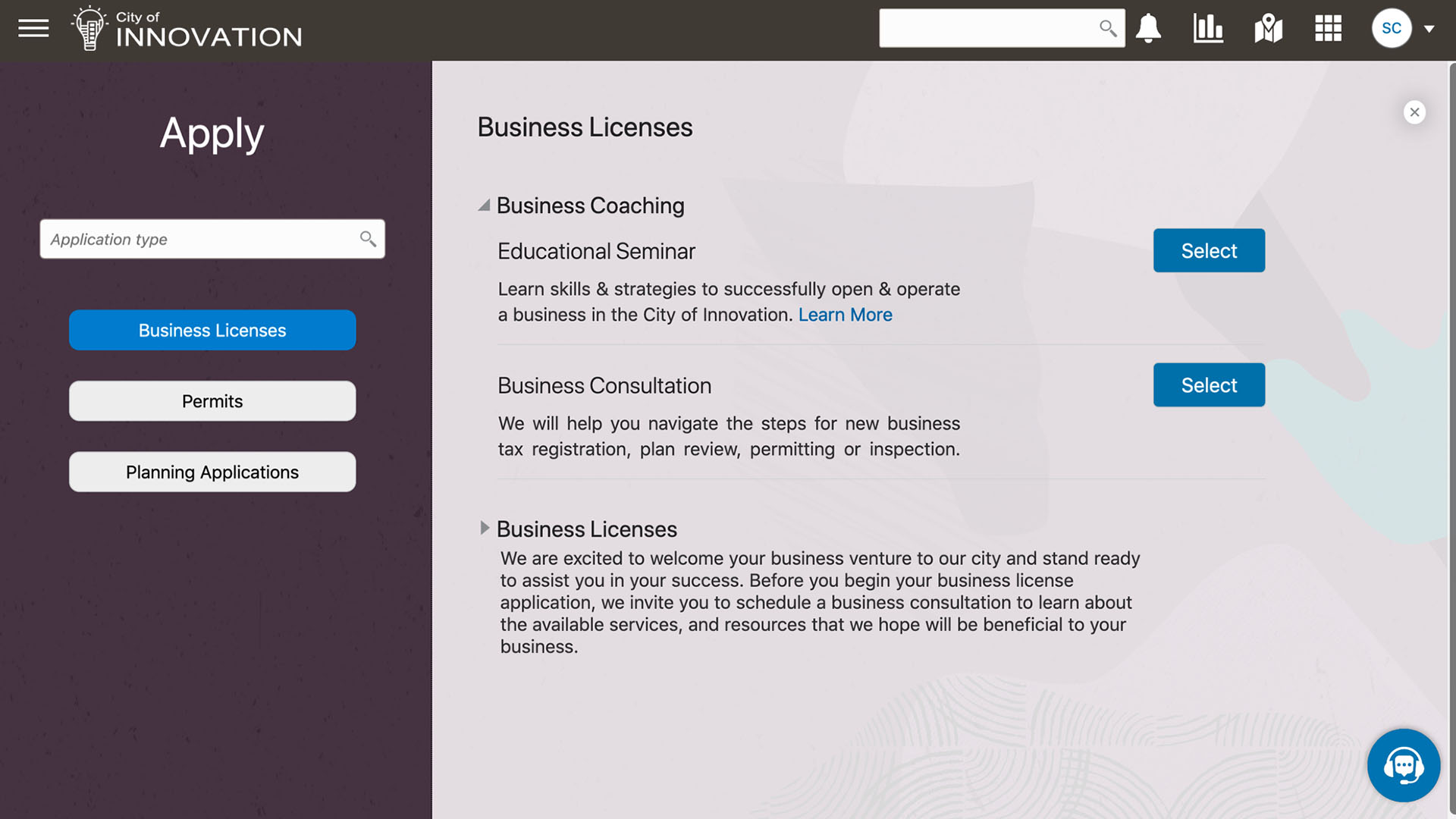
Guide existing and prospective business owners
Lead entrepreneurs through application intake, revenue reporting, fee assessment, and payments for license origination and renewal. Enable entrepreneurs to complete these processes on any channel and any device.
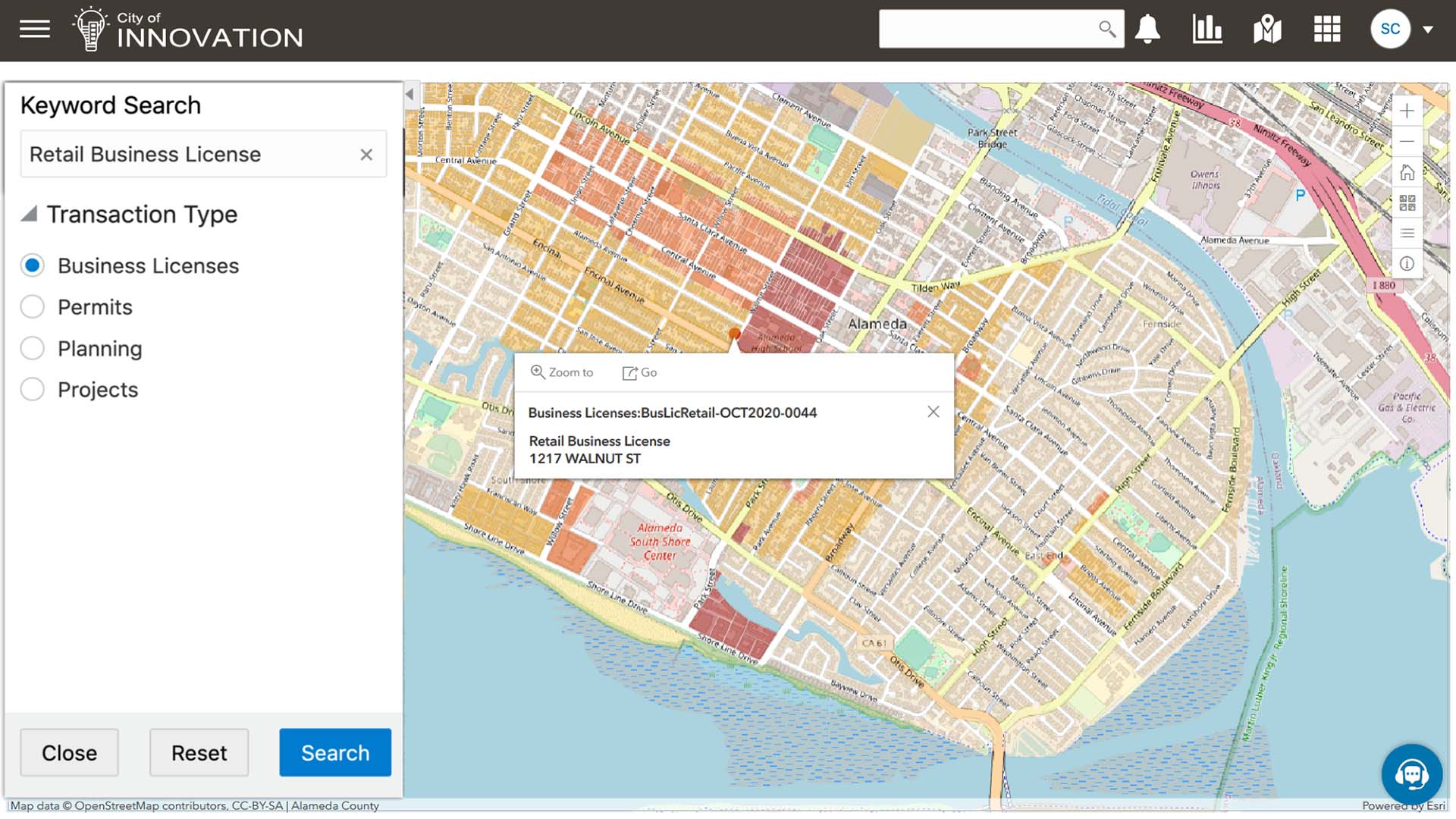
Encourage economic development
Provide local entrepreneurs and prospective businesses access to relevant information and trends.
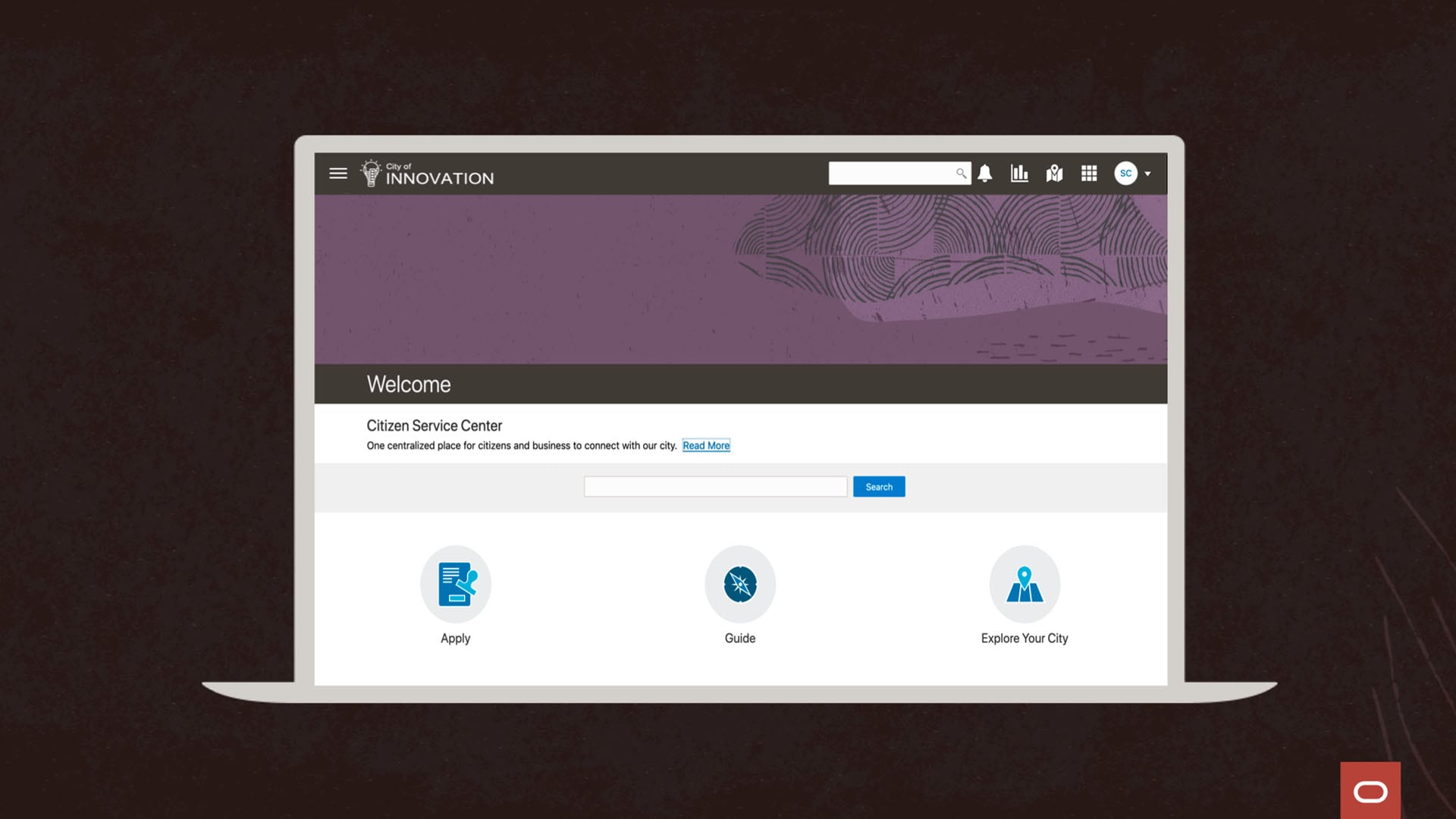
The Explore your City feature searches for relevant business information such as the publicly-available history of a business and its licensing activity. Quickly discover required licenses for opening and operating businesses.
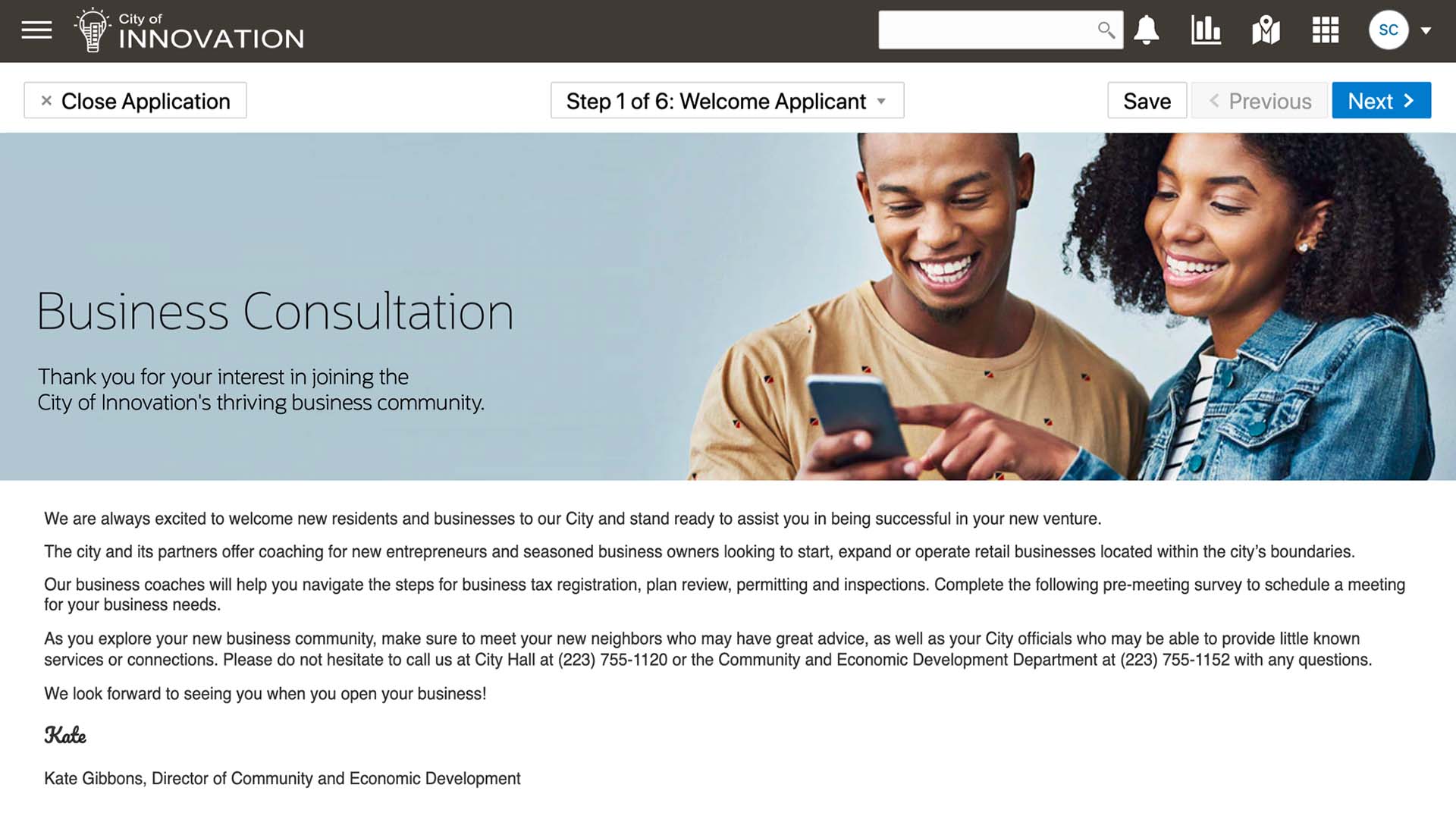
Facilitate coaching for entrepreneurs
Offer personalized consultation services for those who are interested in starting, expanding, or operating a business. Assign resources specific to the business intention based on the unique details submitted by that entrepreneur.
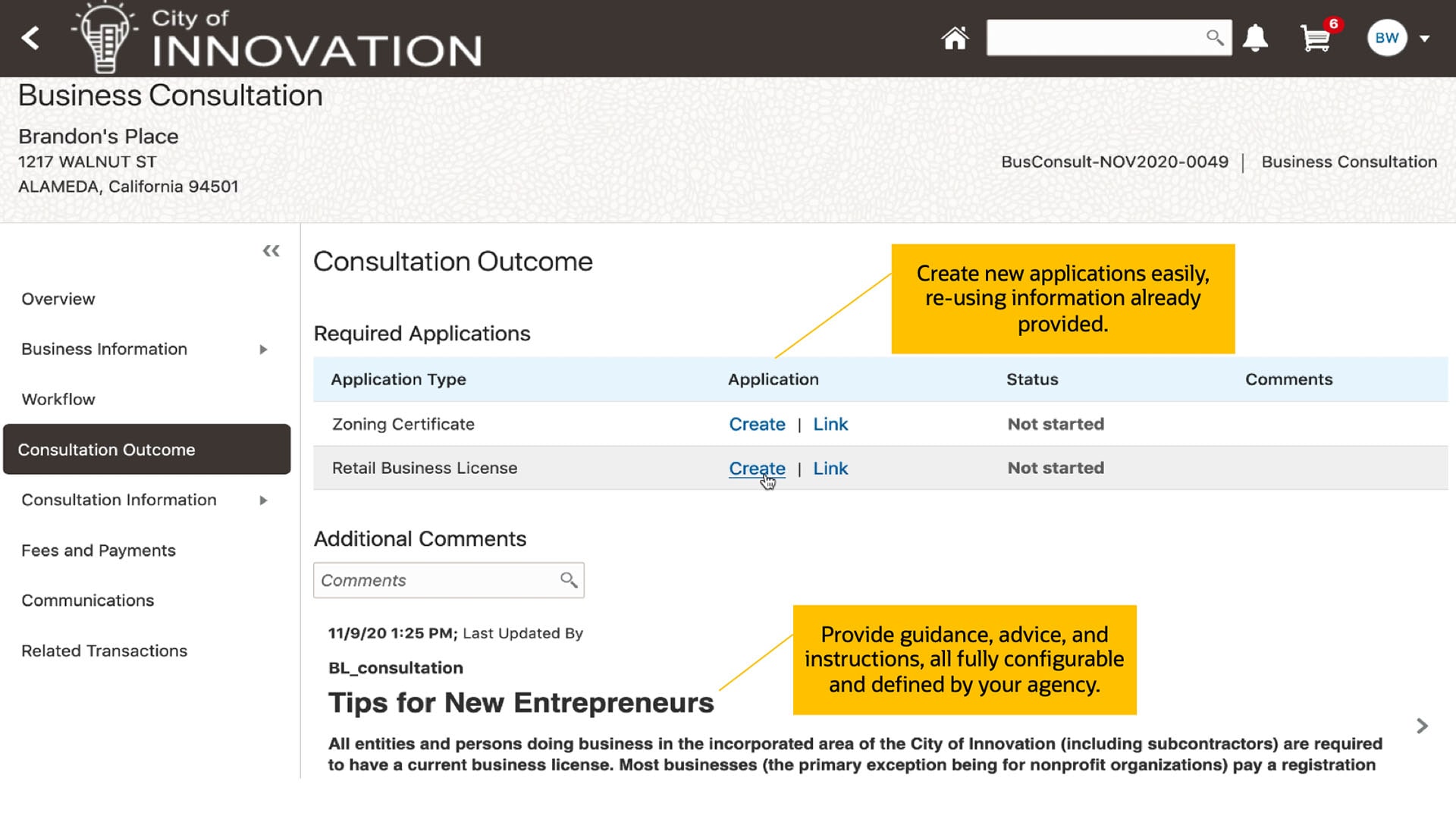
License origination
Assist interested entrepreneurs to become official applicants by allowing them to initiate the license intake directly from the business consultation or application page.
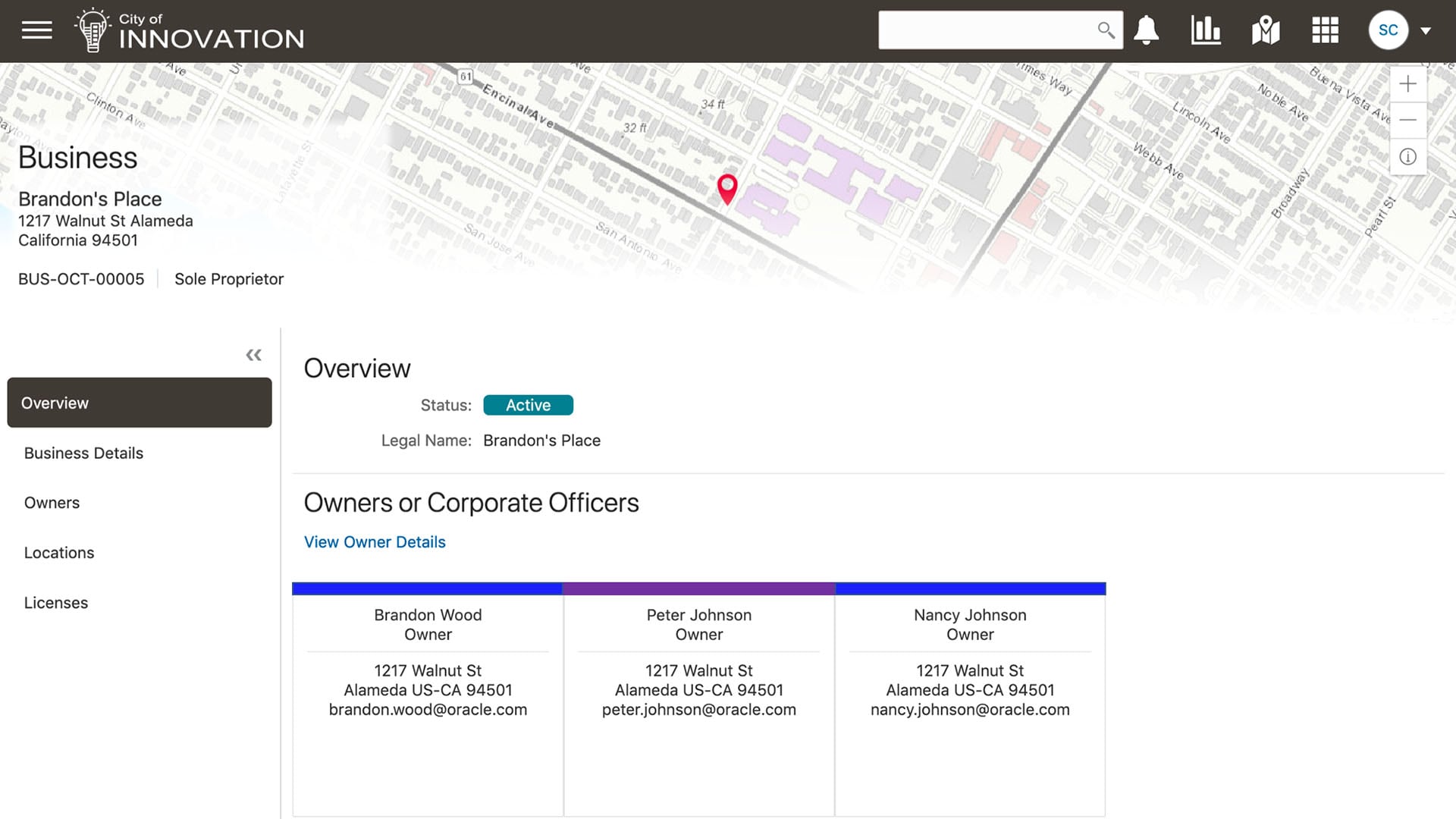
Establish the business
A business entity is created when the business license intake form is completed and approved.
With Oracle, you can manage details about the business separately from the business license, making it easier to administer information relevant to more than one location or license for the business.
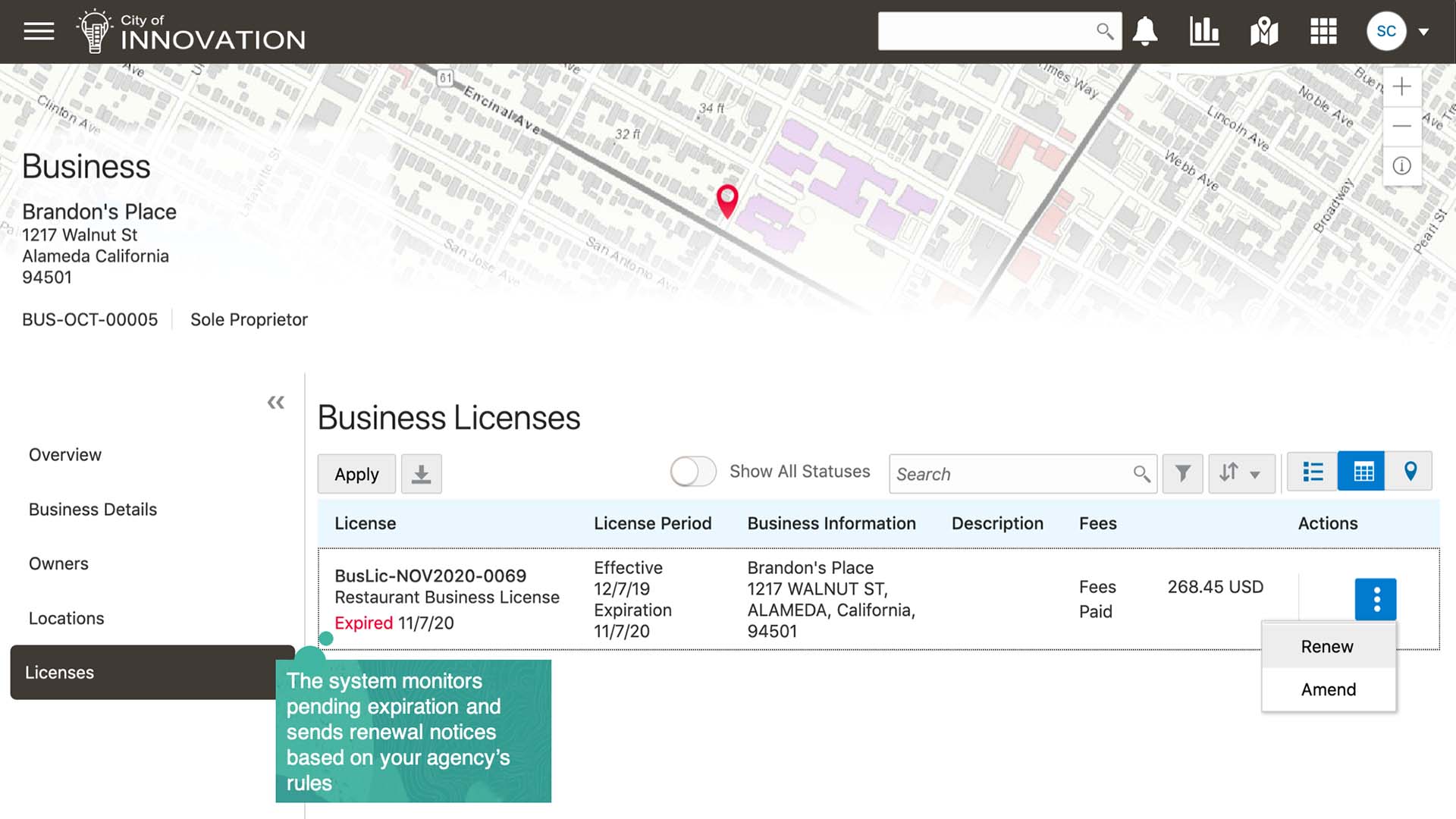
Automate expiring licenses notifications
Use configurable expiration rules to manage the length of business license processing. Whether a license is effective for a day, a season, or a year, you can configure the expiration rules by business type.
Once set, business licenses are tracked for expiration and are connected to communications for system generated alerts and emails.
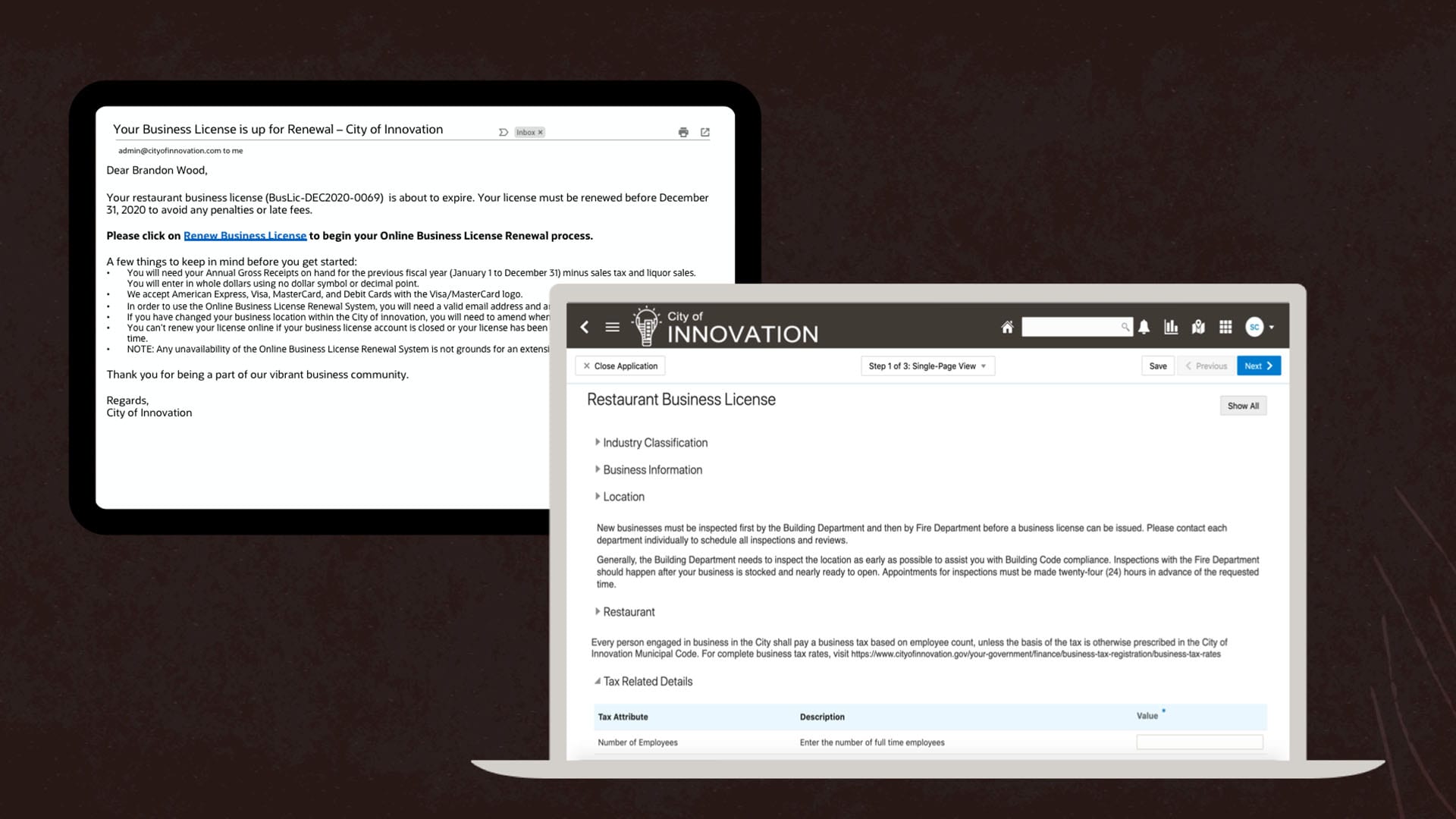
Easily process license renewals online
When a license is close to expiring or has already expired, the system guides users to a renewal application to stay in compliance with license ordinance.
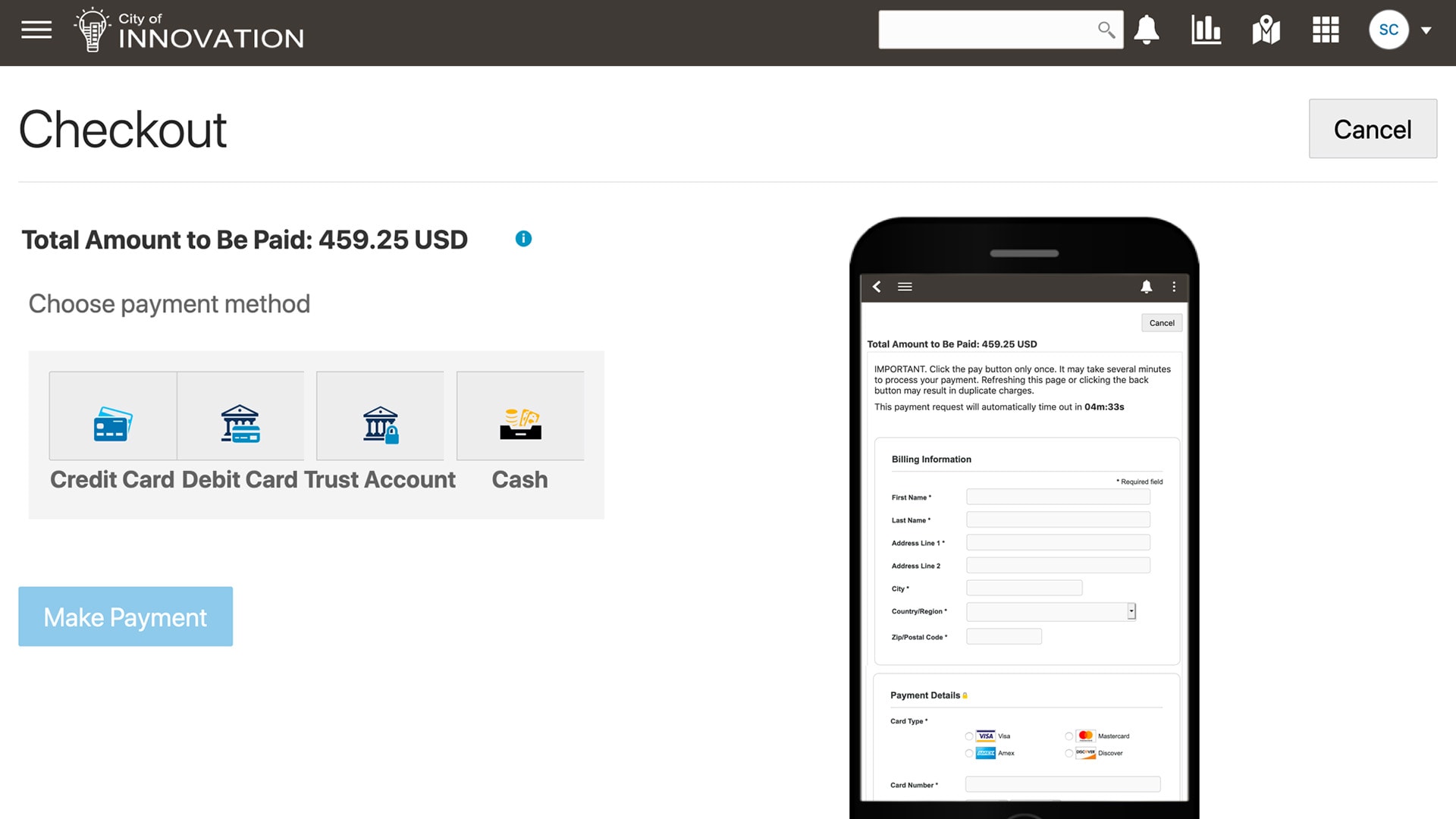
Ensure revenue collection
Oracle Business Licensing and Registration automatically calculates business license fees based on the configurable fee model, so the applicant can pay online immediately after reporting their tax details.
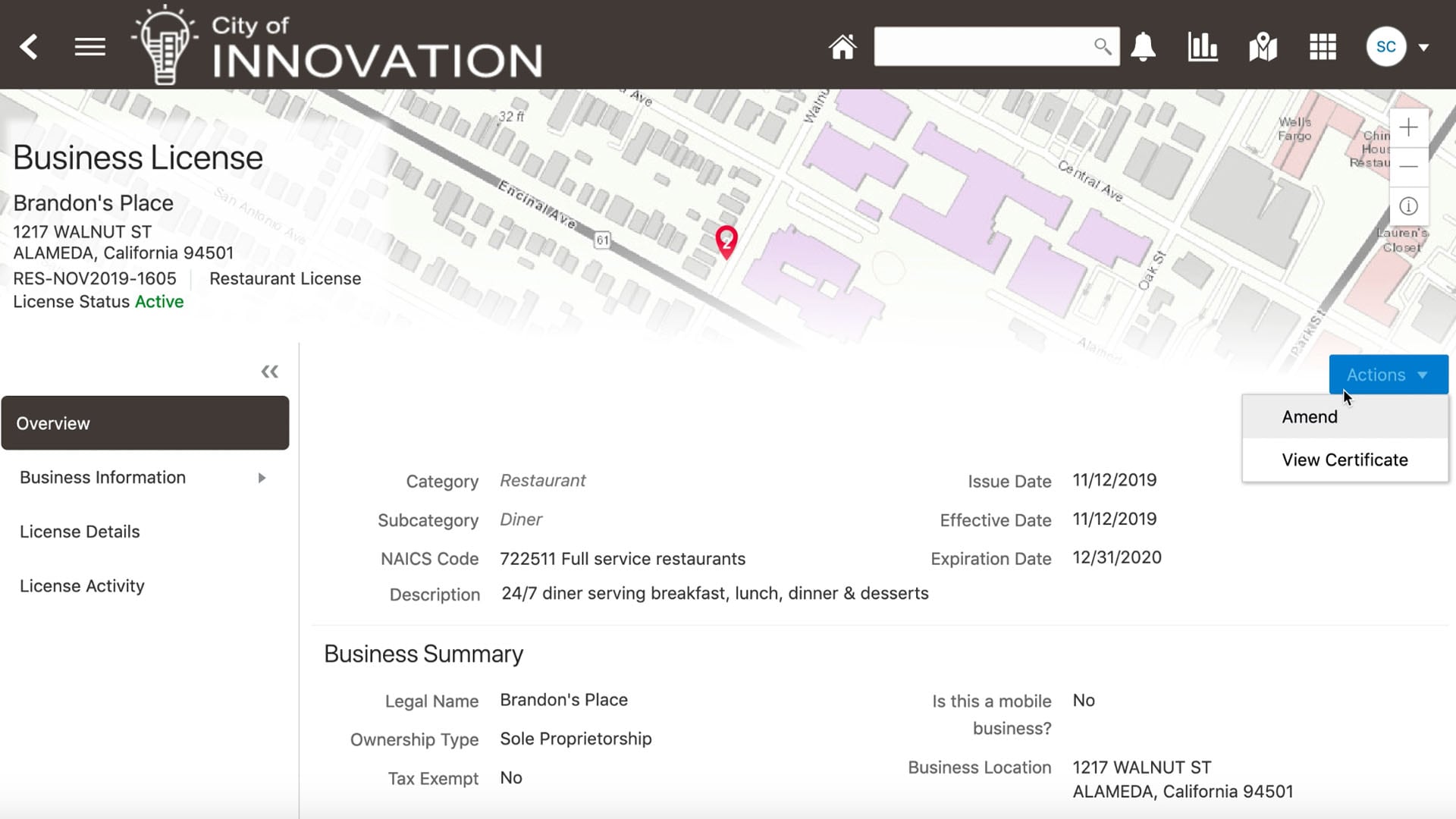
Amend business information
Amendments to license records, whether an address change or transfer of ownership, can be requested online to reflect the current business scenario at any time.
Facilitate economic development
Break down departmental data silos and get businesses open quickly and efficiently using Oracle Business Licensing and Registration's integrated design. Attract businesses, create and retain jobs, and ensure cost recovery for license regulation-all while providing more responsive and transparent service to your constituents.
Product Tour—Oracle Community Development - Code Enforcement

Meet Bill, a resident of the City of Innovation. On his ride into work, Bill passes a construction site and notices that there is no protective fencing. Even more concerning, there are several construction vehicles at the site and kids are climbing on them.
Bill takes a few pictures of the construction site, hopeful that he will be able to submit a complaint to the City about the unsafe conditions.
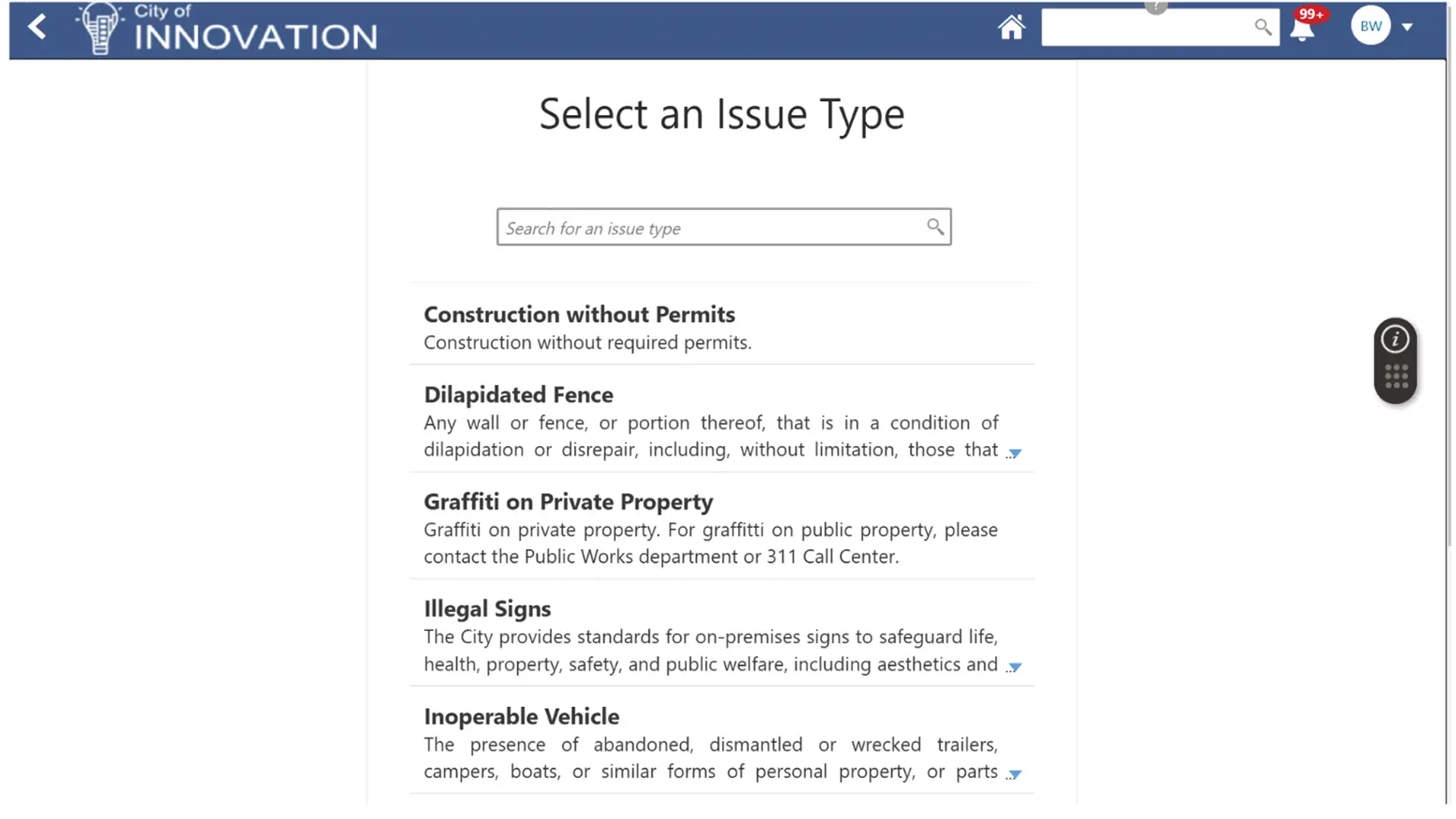
After a quick online search, Bill finds where he can submit a complaint on the City’s website.
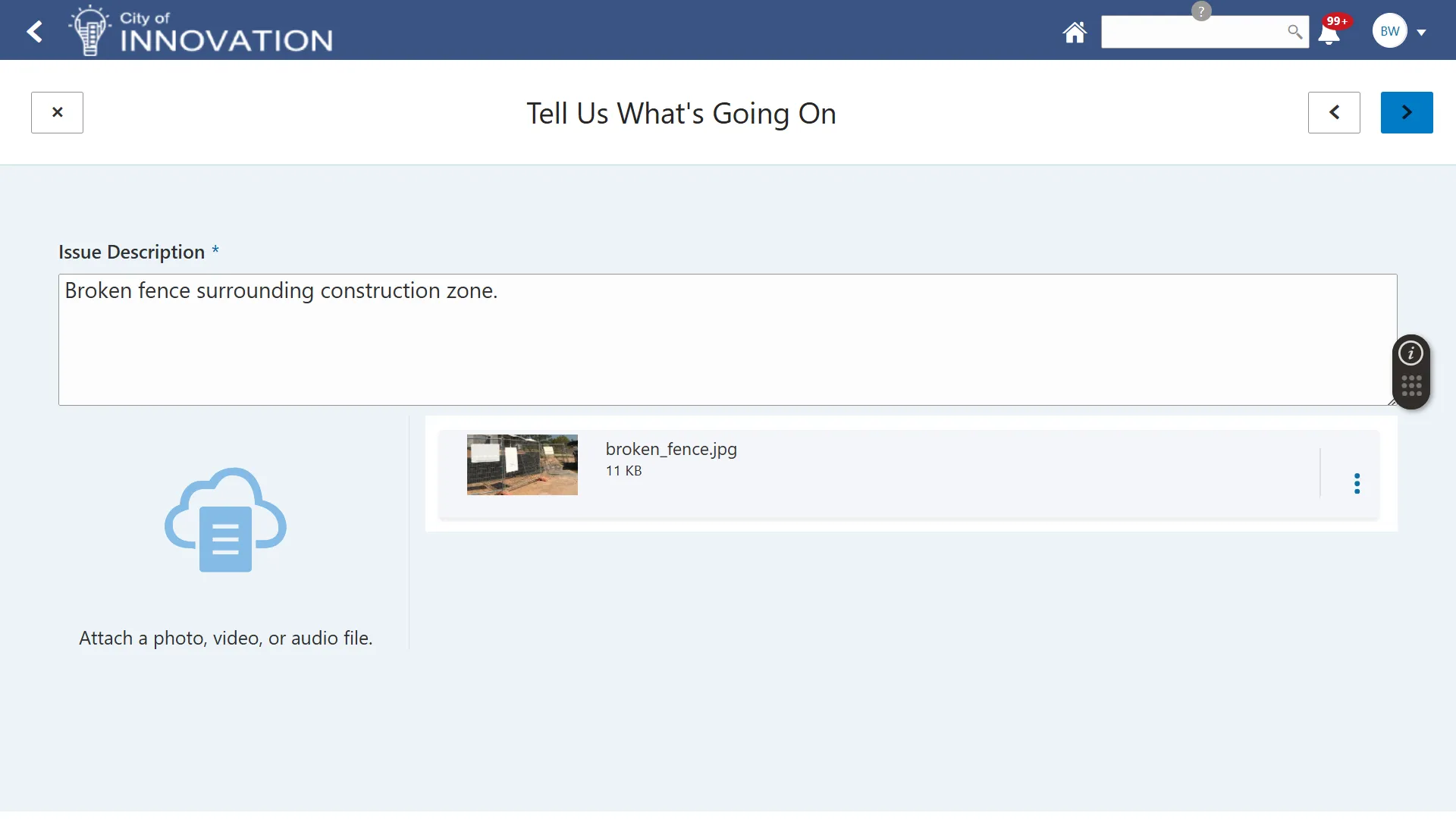
Bill starts filling out the Submit a Complaint form. He provides information such as the complaint type and whether it impacts public safety. He can also upload images or other documents.
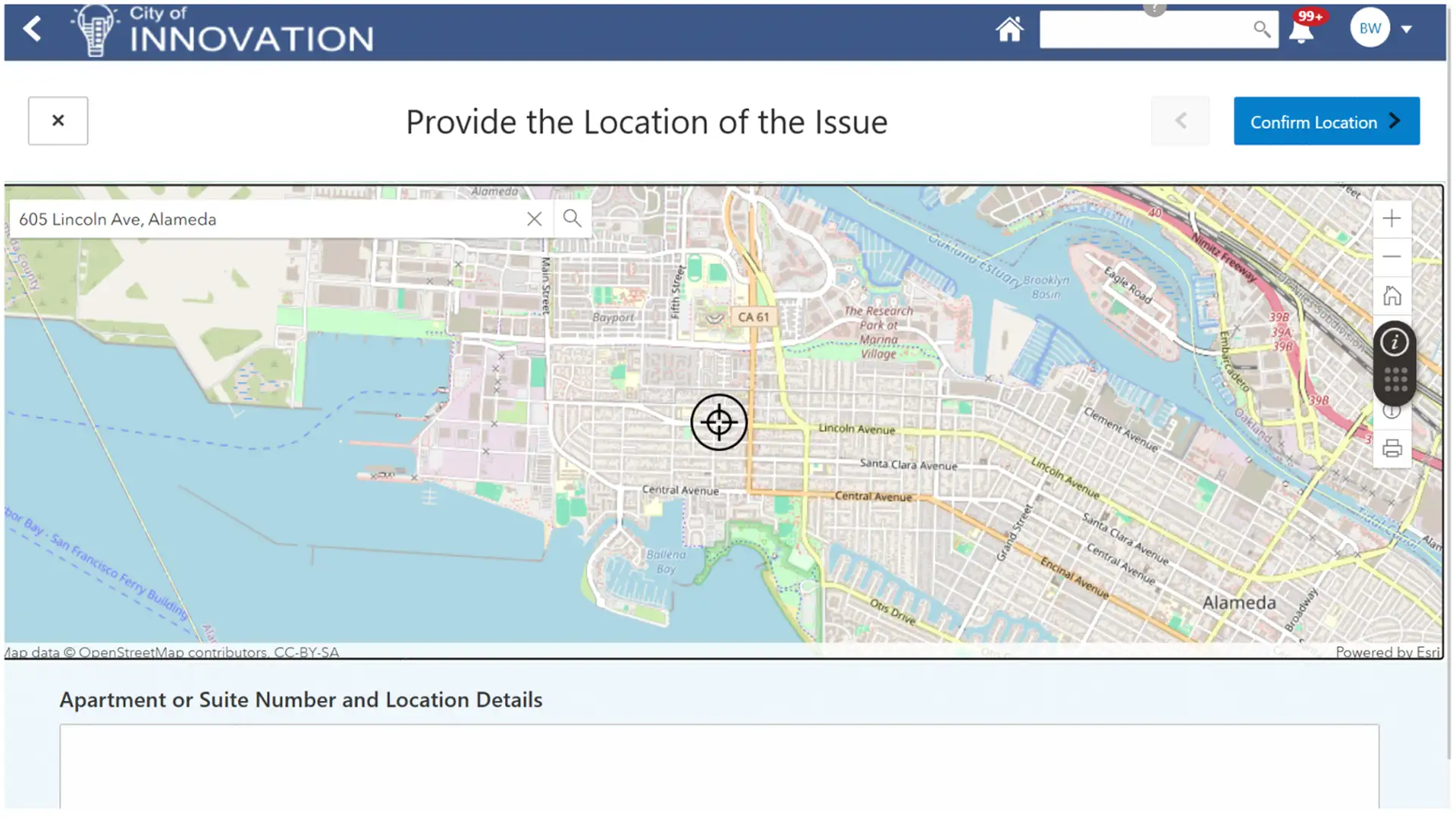
Bill is prompted to provide the location of the complaint. He doesn’t know the address of the construction site, but he’s able to use the geolocation services on his phone to find his location on a map. He submits the complaint and gets a tracking number to view status updates.

Meet Lisa, a code technician working for the City of Innovation. When a complaint is submitted to the City, it gets routed to Lisa or one of her colleagues for initial review.
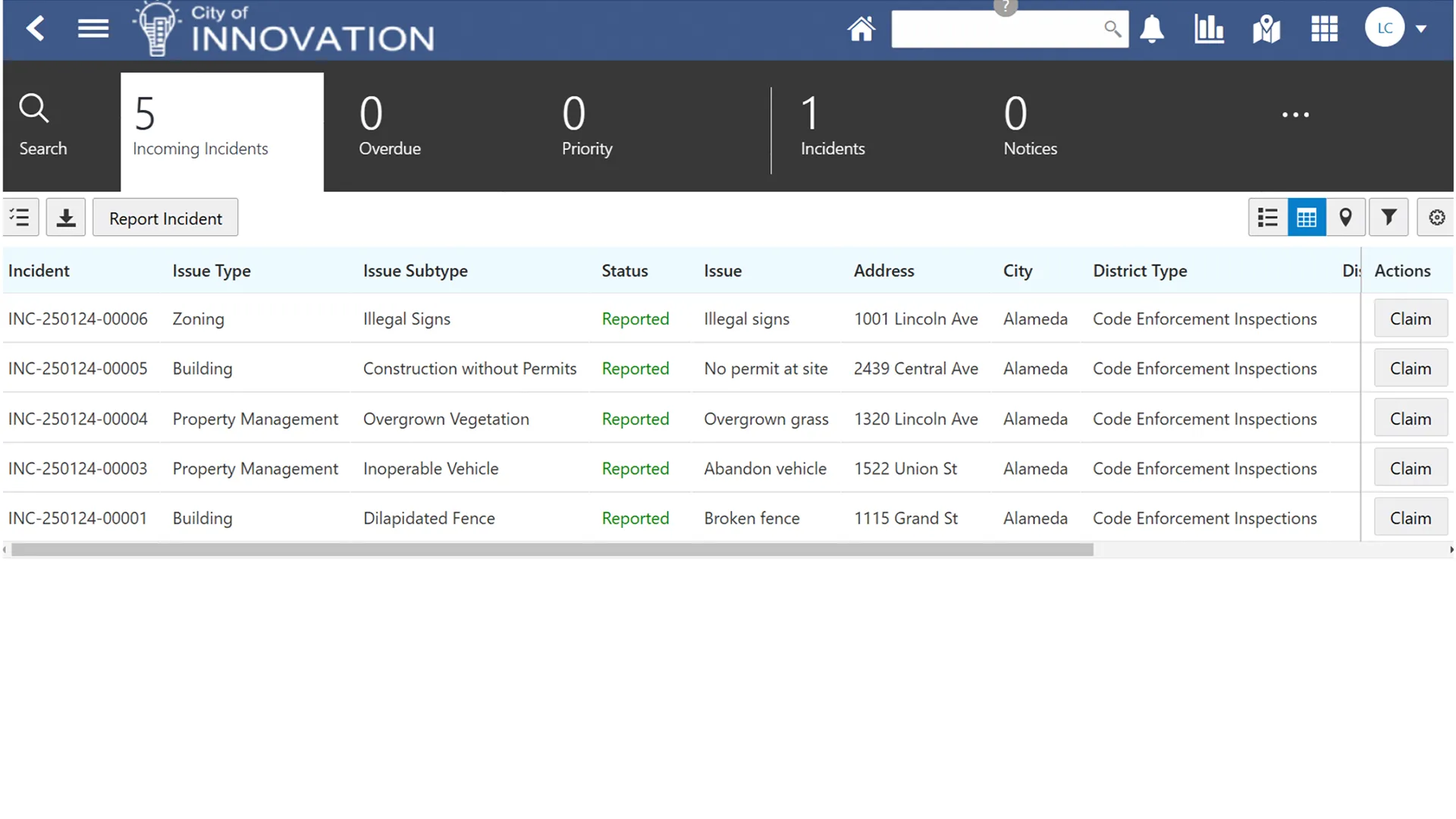
Since Bill’s complaint was marked as being a risk to public safety, Lisa receives an email and text message about it. The system automatically assigns an expedited due date to ensure the complaint is reviewed in a timely manner.
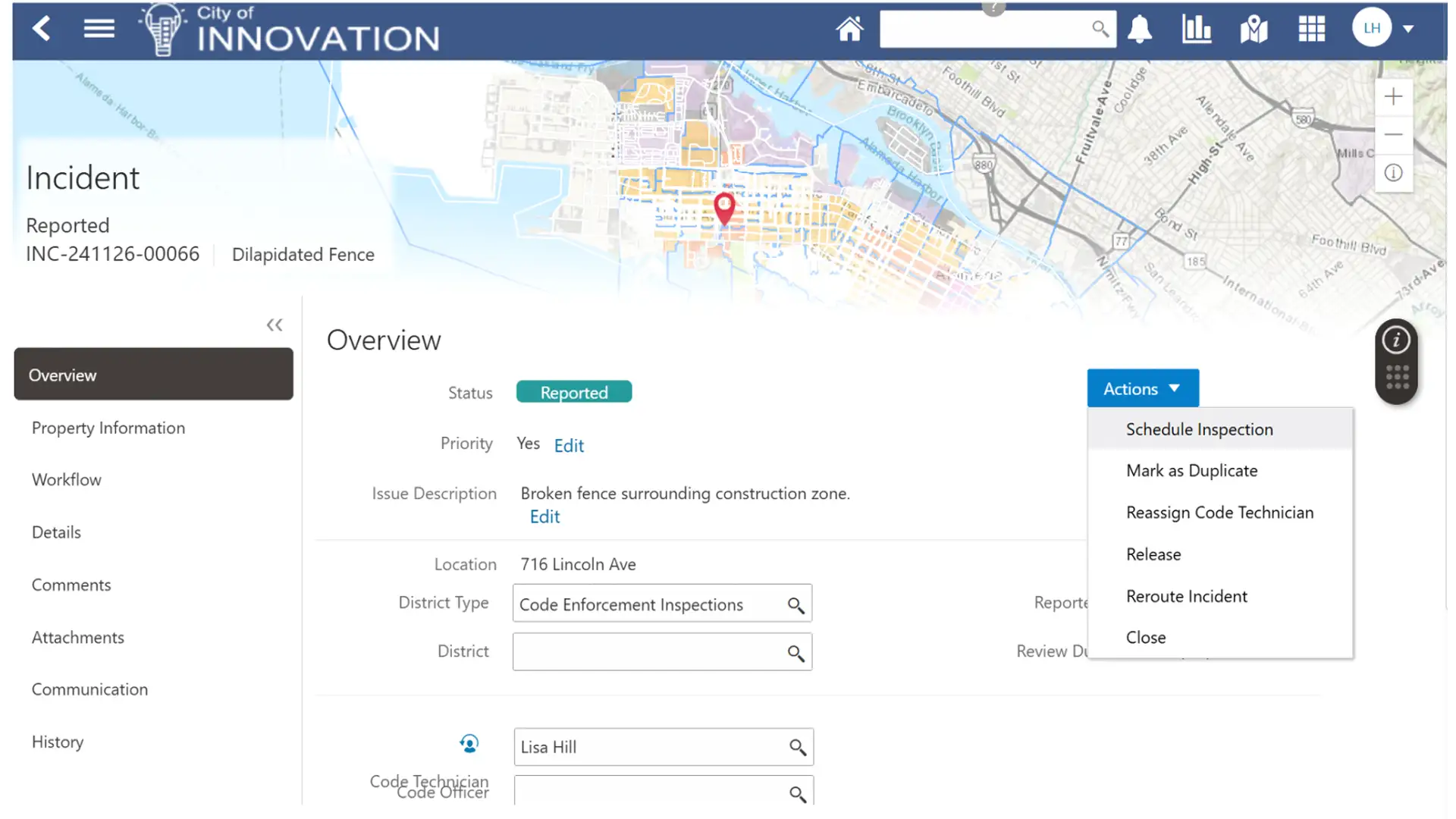
After her review, Lisa determines that the complaint should be investigated. She completes the review task, and the complaint automatically gets assigned to a code officer for investigation.

Meet Brian, a code officer with the City of Innovation.
Brian receives an alert to immediately investigate the complaint. Upon visiting the location, he determines that there are multiple violations: the site does not have adequate fencing, and the construction permits are not displayed as required by the City. Brian creates a case for the complaint and easily adds the violations, along with the corresponding steps for resolution.
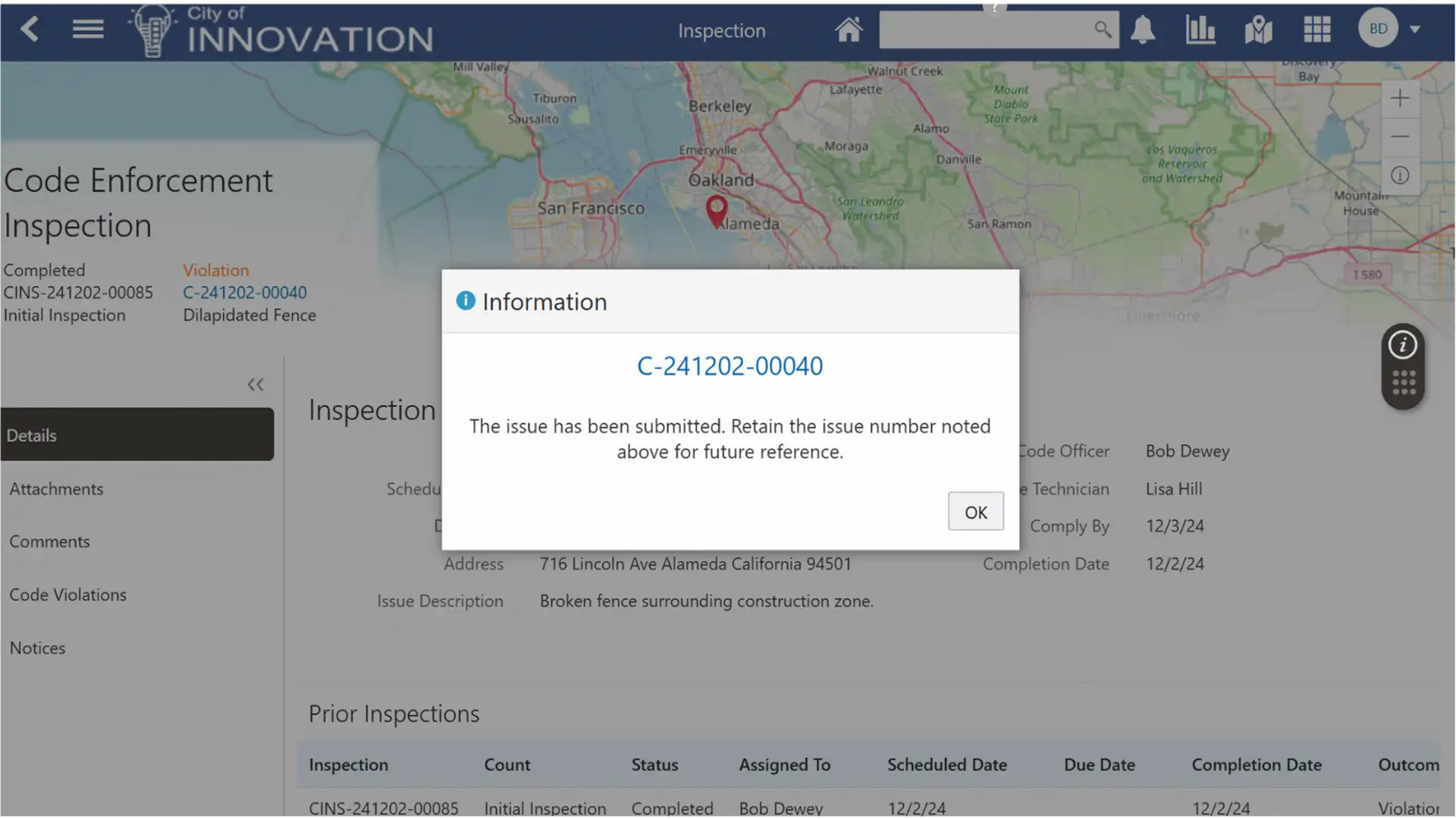
With the case created, business rules trigger several actions to occur automatically.
First, all permits at that location are locked, preventing them from progressing any further.
Second, a task to reinvestigate the site is created and scheduled to take place in three days.
Next, the contractor working at the site is notified of the code case and violations via email.
Finally, the property owner is sent a letter to inform them of the code case and violations at the site.

Brian returns to the construction site for the reinvestigation. He sees that the permits are now posted as required, but the site is not fully secured with the necessary construction fencing.
He talks with the construction manager, who explains that the fencing was delayed and should arrive in a day or two. Brian notifies the construction manager that he has to issue a citation and prints it off at the site. The citation includes information about the violation, the steps to resolve it, and details on the fee for non-compliance and the additional fee that accumulates each day thereafter.
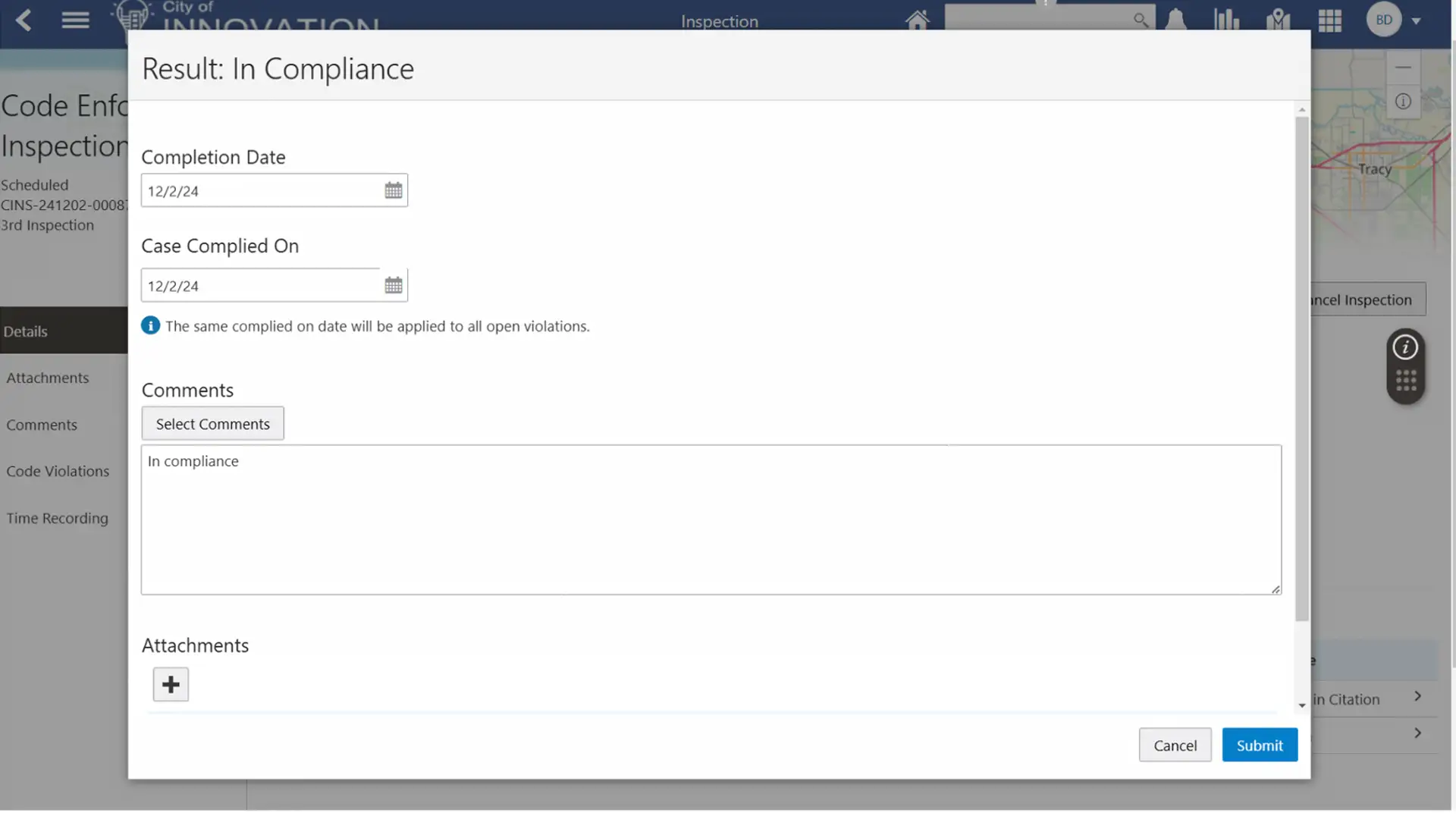
Sure enough, the rest of the fencing arrives two days later, and the construction manager notifies Brian that it has been installed. Brian returns to the site to verify the installation and security of the construction site.
Using his tablet, he marks the remaining violation as “in compliance,” which triggers the daily fee to be calculated. Both the construction manager and property owner are alerted them to the updated status and provided information about the calculated fee and how to pay it online.
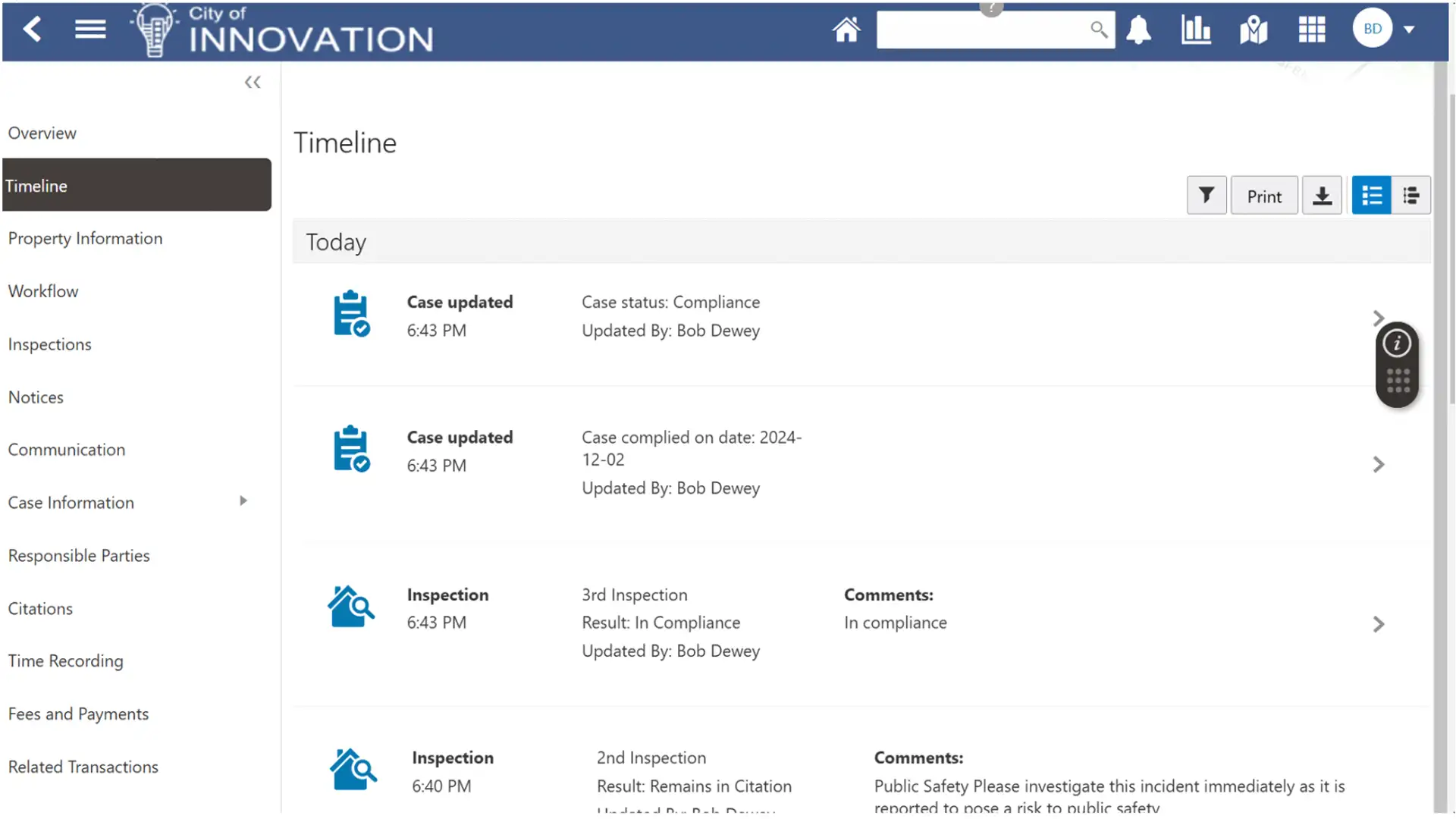
That evening, the construction manager logs into the City’s portal to pay the fee. Upon doing so, he’s notified that the lock on the permits at the construction site has been lifted. The property owner is also notified of the update via email, with an attached timeline view from the date the complaint was received until the final status, including all milestones in between.