 Artigos
Grid Computing
Artigos
Grid Computing
Oracle Grid Infrastructure 12cR1 - Parte 8 - Criando Diskgroups no ASM
Por Victor Armbrust
Postado em Janeiro 2014
Indice
1. Oracle Grid Infrastructure 12cR1 - Parte 1 - Visão Geral e Novos Recursos
2. Oracle Grid Infrastructure 12cR1 - Parte 2 - Configurando o Sistema Operacional
3. Oracle Grid Infrastructure 12cR1 - Parte 3 - Pré-Requisitos do Sistema Operacional
4. Oracle Grid Infrastructure 12cR1 - Parte 4 - Configurando DNS
5. Oracle Grid Infrastructure 12cR1 - Parte 5 - Pré-Requisitos do Grid Infrastructure
6. Oracle Grid Infrastructure 12cR1 - Parte 6 - Instalando o Grid Infrastructure
7. Oracle Grid Infrastructure 12cR1 - Parte 7 - Instalando o Database Software
8. Oracle Grid Infrastructure 12cR1 - Parte 8 - Criando Diskgroups no ASM
9. Oracle Grid Infrastructure 12cR1 - Parte 9 - Criando o Database
10.Oracle Grid Infrastructure 12cR1 - Parte 10 - Validações Finais
Neste passo será criado o Diskgroup +DATA onde ficarão armazenados os Dados do novo Database.
Iniciar instalador:
# su – grid

cd $ORACLE_HOME/bin
./asmca
Clicar em “Create”
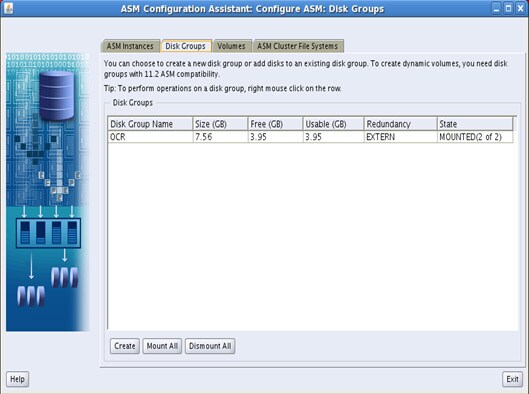
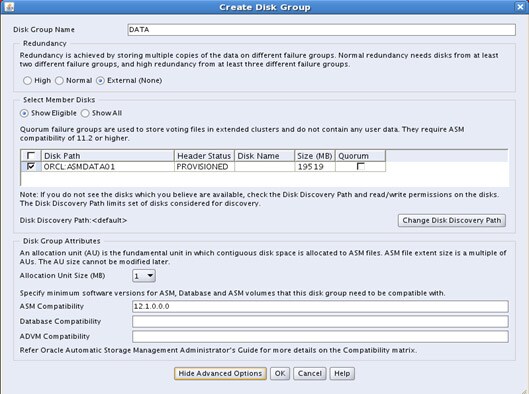
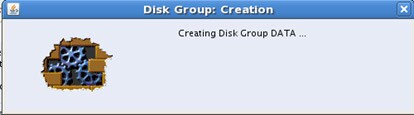
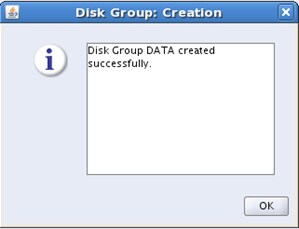
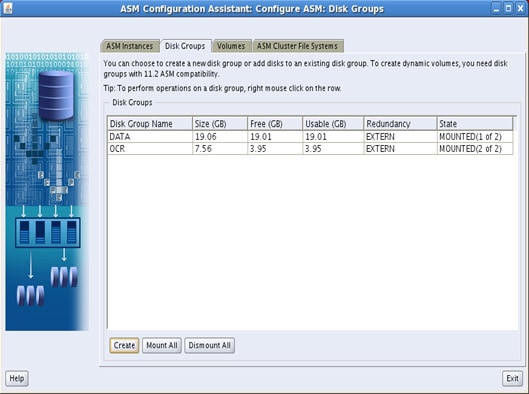
Verificar no ASM:
# su – grid

# sqlplus / as sysdba

SQL*Plus: Release 12.1.0.1.0 Production on Thu Aug 29 09:34:31 2013

Copyright (c) 1982, 2013, Oracle.  All rights reserved.


Connected to:
Oracle Database 12c Enterprise Edition Release 12.1.0.1.0 - 64bit Production
With the Real Application Clusters and Automatic Storage Management options

SQL> select name, total_mb, free_mb from v$asm_diskgroup ;

NAME                             TOTAL_MB    FREE_MB
------------------------------ ---------- ----------
OCR                                  7741       4048
DATA                                19519      19466

SQL>
Victor Armbrust é DBA há 10 anos, especialista em Banco de Dados Oracle e Bacharel em Ciências da Computação. Com sólidos conhecimentos em Banco de Dados e Sistemas operacionais, possui certificações OCP 10g/11g. Eleito Oracle ACE Member em 2013. Consultor de Banco de Dados na Oracle ACS Brasil.

 Printer View
Entre em Contato Conosco
- Vendas: 0800-891-4433
- Contatos Globais
- Diretório de Suporte