Contents
- Overview
- Page Status Indication
- Full Page Refresh
- Perceived Partial Page Refresh
- Additional Resources
Overview
Page status indicators appear on a page to convey that a process is running. Page status indication became a necessity with the advent of Ajax, which provided a way for the page to communicate with the server without having to perform a full page refresh. Without a full page refresh, the user can no longer rely on the browser to indicate that a page is processing.
This Oracle Alta UI pattern for page status indication replaces Oracle legacy status indicators, which appeared in the upper right-hand corner of the Branding Area. The following images illustrate the old styles, which are no longer used.
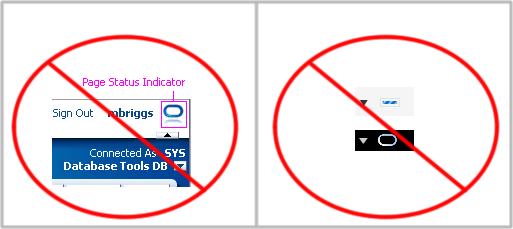
Page status indicators have two functions:
- To give feedback that a page refresh is taking place
- To convey necessary feedback to the user when the page load is less than instantaneous.
Page Status Indication
When a page load is less than instantaneous, a page status indicator lets the user know the progress of the page load. This indication is the display of an inline progress bar just beneath the Branding Area. There are two progress bars.
Indeterminate Progress Bar
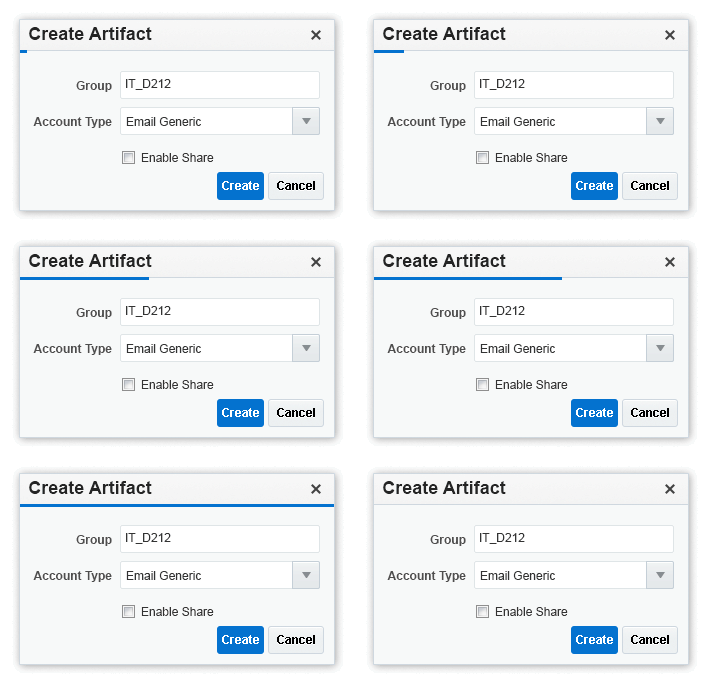
An indeterminate progress bar appears when the duration of the update is unknown due to uncontrollable factors (such as broadband capacity or server demand). The progress bar animation appears but gives no specific indication as to the progress completed or remaining, as the following illustrates.

If the initial animation completes but the page update is incomplete, then the animation is augmented by a repeating light source progression until the page update completes. This is shown in the following illustration.

Determinate Progress Bar
When either the duration or phase of the update is known, such as in a download, install, or configuration process, actual metrics are imparted to the user to indicate either the amount completed, the amount remaining, or both.
The following is an example of determinate page status indication.

Full Page Refresh
A partial page refresh (PPR) appears to the user as a full page refresh. An example of this is when the user steps through a wizard.
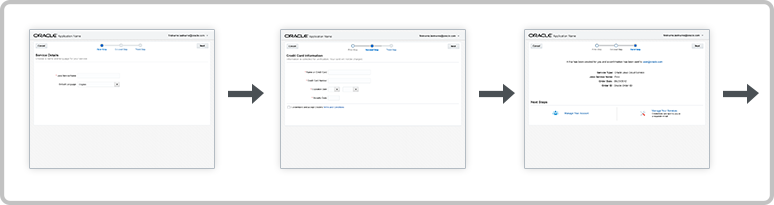
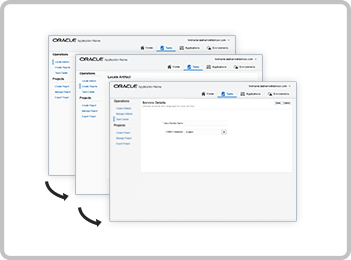
Partial page refresh is also used in tabbed navigation. Here, the UI goal is to present users with the perception of "flipping" through pages when they navigate by clicking or tapping on a tab, link, infoTile, or finger tab.
The following image illustrates how clicking through navigation links is perceived by the user as a full page refresh.
If a PPR is less than instantaneous, page status indication is needed. Generally an indeterminate progress bar is sufficient.
Perceived Partial Page Refresh
A perceived partial page refresh is when an apparent portion of a page reloads independently of the rest of the page. PPR is used to refresh each partition. For example, independent partitions of a dashboard may refresh at different rates and it is important to the use case that the user understands this. To facilitate that, each partition receives its own partial page status indicator. The following illustration is an example of partial page status indication for each perceived partial page refresh.

The same partial page status indication is used during a Create scenario as well. For example, a partition that is empty except for Help content may display an indeterminate progress bar while the help content is replaced with user content.
In the following example, an indeterminate partial page status indicator is displayed when first-item help content is replaced with user content.

There is a special case of perceived partial page refresh. It occurs when a portion of a page is empty of any content and the creation of a partition with the loading of its content are both a consequence of a single user action. This scenario is specific to the page customization or editing experience. In this case, when the partition is created, a spinner appears in the center of it. It spins until content is loaded into the newly created space.
The same page status indication is used in dialogs when content load times are less than instantaneous.
Additional Resources
Demos: